Travel connectivity guide
Arequipa eSIM: Mobile Data for Your Peru Trip
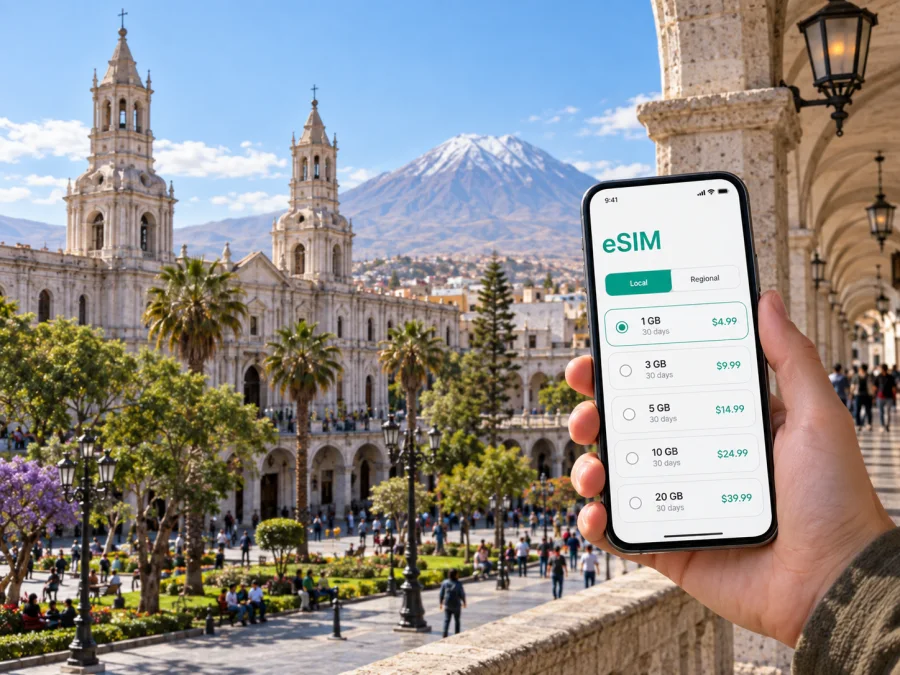
Arequipa eSIM: mobile connection and internet for your city trip
Arequipa is a city of white volcanic stone, broad sunlit plazas and mountain views. Its historic center invites slow walks, while airport arrivals, hotel check-ins, restaurant plans and day trips all make a reliable mobile connection useful. An eSIM can give your phone mobile data for maps, messages, bookings and everyday online tasks without requiring you to swap your usual physical SIM.
Think about when you will need data and how to keep plans accessible as you move from the center to viewpoints, hotels or places beyond the city.
What mobile data helps with in Arequipa
Arequipa’s historic core is walkable, but a visitor’s day rarely stays within one small area. You might arrive at Rodríguez Ballón International Airport, travel to a hotel, find a meeting address, check opening details for a museum and later arrange a ride to a restaurant in another district. Mobile data supports those small decisions as they come up.
Common uses include:
- checking a map while walking between Plaza de Armas, the Santa Catalina Monastery area and nearby streets;
- confirming an accommodation address and sharing arrival details with a host;
- comparing a route across town before choosing a taxi or local transport;
- translating a menu or reading a reservation message;
- checking weather and keeping an offline copy of a day’s itinerary;
- coordinating with colleagues or travel companions when plans change.
A map is most useful when paired with a landmark or street name. Save hotel details and key addresses offline, then use live data for updates and navigation.
First hours after landing
Rodríguez Ballón International Airport is west of the central area. The actual journey into town depends on traffic, where you are staying and the time of day, so it is better to check the route on arrival than to rely on a fixed travel-time estimate. Before leaving the terminal, make sure you can open your accommodation details, identify the pickup point and contact the person expecting you.
A calm arrival routine looks like this:
- Keep your booking confirmation and full hotel address available offline.
- Confirm the pickup or taxi arrangement directly, including where you will meet.
- Open a map and check the route to your specific destination, rather than only searching for “downtown.”
- Send a short arrival message once you have a working connection.
- Keep your phone charged and your usual SIM settings available in case you need calls or texts on your regular number.
Airport Wi-Fi, when available, can be useful for a quick check, but it is sensible not to make your first route, pickup message or work call depend on it. If you set up travel data before departure, you can connect after landing when the eSIM and its plan are ready for use. Follow the activation instructions that came with the plan; activation timing can vary by provider and plan conditions.
Getting oriented: the center and its surroundings
Plaza de Armas is a useful reference point. From its cathedral frontage and arcades, streets lead toward nearby cultural sites; the large Santa Catalina Monastery complex is within the historic center. Check current visitor arrangements before setting out.
Walking suits nearby central blocks. Wear comfortable shoes, carry water and sun protection, and look up from the map to notice the sillar façades and courtyards. For longer journeys, destinations such as Yanahuara, Cayma and Selva Alegre are useful area names, not precise addresses. Ask your host for the exact entrance and check that location on the map.
| Trip purpose | Useful preparation | How mobile data helps |
|---|---|---|
| First walk in the center | Save the hotel pin and one nearby landmark | Check turns and adjust the route if a street is closed |
| Dinner in another area | Confirm the venue name and address | Coordinate arrival or update the group |
| Museum or monastery visit | Check current visitor information in advance | Recheck details on the day |
| Business meeting | Save the building entrance and contact | Message colleagues if the arrival plan changes |
Choosing where to stay and planning around it
Accommodation listings often use “historic center” broadly. Two places with that label can still differ in walking distance, street access, noise and taxi pickup arrangements. Before booking, save the exact address and look at the route to the places you expect to visit. If you have an early departure or a late arrival, ask the property how guests should arrange transport and whether a vehicle can reach the entrance.
Staying close to the central plazas can simplify walks to many visitor landmarks. A hotel farther out may suit a work visit, a longer stay or a preference for a quieter residential setting, but it makes transport planning more important. Use a map to compare the location with your actual schedule instead of judging it by a district name alone.
At check-in, keep the address and arrival instructions in an offline note. They are useful if your battery is low or you are moving between the lobby and a taxi.
Transport, directions and sensible phone habits
Taxis and ride apps may suit longer trips, though availability and pickup rules vary. Confirm the vehicle and destination before getting in. For local buses, ask about the route and payment rather than relying on a map line alone.
Before leaving your accommodation, save addresses and booking details, charge your phone, download an offline map area if available, and keep a little battery in reserve. Use a screen lock and be discreet with your phone in crowded spaces. Arequipa’s elevation can make a busy first day feel demanding, so leave room for rest, especially after arriving from a lower elevation. A route that looks short on screen may include sun, slopes, stairs or uneven paving.
Work trips and short stopovers
For a business visit, save the exact office entrance, appointment address and contact details before travel. Agree on a recognizable meeting point, such as a hotel lobby, rather than a vague spot on a busy street. For a remote-work day, confirm the accommodation’s connection and workspace in advance. Mobile data can be a backup for messages or navigation, but video meetings, uploads and hotspot use can consume an allowance quickly.
On a short stopover, choose one compact area: a walk around Plaza de Armas, a meal and a nearby cultural visit may fit, depending on your schedule. Keep a margin for the return journey, traffic and airport procedures instead of racing between distant stops.
Taking a trip beyond the city
Arequipa is also a starting point for excursions in the surrounding region. Colca Canyon is a well-known destination, but it is not a quick neighborhood outing: travel involves a much longer road journey and often an organized itinerary or overnight planning. Other countryside trips likewise require checking departure details, road conditions and return timing with a reliable local provider.
For a day away from the city, download tickets and booking details, save the meeting point, and ask the tour operator what connectivity to expect along the route. Mobile coverage can vary as you leave urban areas and travel through mountainous terrain. Do not assume that a city connection will remain continuous on every road or at every stop. Keep offline copies of essential information and tell someone your expected schedule.
If you are combining Arequipa with other Peruvian destinations, check the coverage and terms for the specific plan you choose rather than assuming one city-focused choice suits every part of the itinerary. A country-level option can be a convenient way to prepare data for the wider trip; you can review eSIM options for travel in Peru and compare the plan details with your route before you go.
Preparing an eSIM before the trip
An eSIM is a digital SIM profile for a compatible device. Depending on your phone settings, you can keep your regular SIM available for services tied to your usual number. Review a plan’s allowance, validity, activation and network conditions before choosing.
Before arranging an eSIM for Arequipa, check the following:
- Your phone supports eSIM and is not restricted in a way that prevents using another plan. Check whether your device supports eSIM.
- The plan covers Peru and matches the dates and expected data use of your trip.
- You have a stable Wi-Fi connection and enough battery for installation.
- You understand when the plan begins its validity period and what triggers activation.
- Your regular SIM remains configured as you want for calls, texts or account verification.
- You know where your phone’s mobile-data and roaming settings are located.
Kaspersky eSIM Store is an app and website for choosing, arranging and activating an eSIM plan for mobile internet on an international trip. Availability depends on plan terms, the supported local network, your device and signal conditions.
Installation checklist
Set up the eSIM in a calm moment before travel if the plan instructions allow it. Use a reliable Wi-Fi connection and follow the provider’s current installation steps. Depending on the plan, installation and activation may be separate steps, so avoid switching settings based on guesswork.
- Open the plan details and read the installation and activation guidance.
- Connect to Wi-Fi and keep the device charged.
- Add the eSIM profile using the method provided for your plan.
- Label the line clearly, for example “Peru travel,” so it is easy to recognize.
- Review which line is selected for mobile data and which is used for calls or messages.
- Turn on the travel line or data roaming only when the plan instructions call for it.
- After arrival, check that the eSIM is selected for data and allow the device time to register.
Follow the Android eSIM installation guide or the iOS eSIM installation guide for device-specific steps. If the profile does not connect, check the selected data line, plan status and settings before removing it; some profiles cannot be freely transferred once installed.
Match the plan to your travel style
Choose a data allowance based on your own habits. Maps and messages use data differently from video calls, photo uploads or hotspot sharing. Compare the plan’s allowance, validity and activation terms with your itinerary; these are more useful than a generic estimate. Background updates and video playback can increase usage, so download maps on Wi-Fi, disable automatic updates over mobile data and check your phone’s data-use screen during the trip.
Common questions
Will an eSIM give me a regular local phone number?
Travel eSIM plans are generally intended for mobile data. Do not assume that voice calls or SMS are included unless the specific plan says so. Messaging apps can work over data, while calls to ordinary phone numbers may require your regular SIM or another calling method.
Can I install the eSIM after arriving in Arequipa?
The process depends on the plan’s terms and your access to Wi-Fi. Installing or preparing it before departure can make arrival simpler, but follow the plan’s stated activation timing. If you wait until arrival, make sure you have a suitable connection and the account or installation details you need.
Should I turn off my usual SIM?
Not necessarily. Many phones let you keep more than one line available and choose which one uses mobile data. Check your device settings and your regular carrier’s roaming terms so you understand which line handles data, calls and texts. The right arrangement depends on your needs and the charges associated with your normal plan.
Will the same signal be available everywhere in Arequipa?
Signal can differ by building, street, device and local network conditions. A plan’s coverage information describes expected availability, not a guarantee of identical service in every interior or location. Keep essential addresses and bookings accessible offline.
What should I do if navigation stops updating?
Check whether the phone still has mobile data, whether the travel line is selected and whether the map has a route or offline area saved. Move to a safe place before looking at the screen. You can also ask your accommodation or a nearby business to confirm a street name or direction.
A simple plan for a smoother visit
Think of mobile data as one part of a practical travel setup. Save the hotel address, keep bookings available offline, check transport before setting out, and give yourself time to adjust to the altitude and the city’s pace. Use live maps and messages for updates, while keeping a fallback for the information you cannot afford to lose.
For a day in the historic center, a small amount of preparation can make it easier to move between the plaza, museums, cafés and viewpoints without repeatedly stopping to reorganize plans. For a meeting or a regional excursion, precise addresses, pickup instructions and a charged phone matter more than trying to stay connected every minute.
Choose your eSIM plan for Arequipa
Before departure, compare the available data options for Peru with your dates, itinerary and expected usage. Kaspersky eSIM Store lets you choose, arrange and activate an eSIM plan for mobile data on a compatible device. Review the terms, prepare the profile according to its instructions, and keep your key travel details accessible offline.


