Travel connectivity guide
Arusha eSIM: Mobile Internet in Tanzania
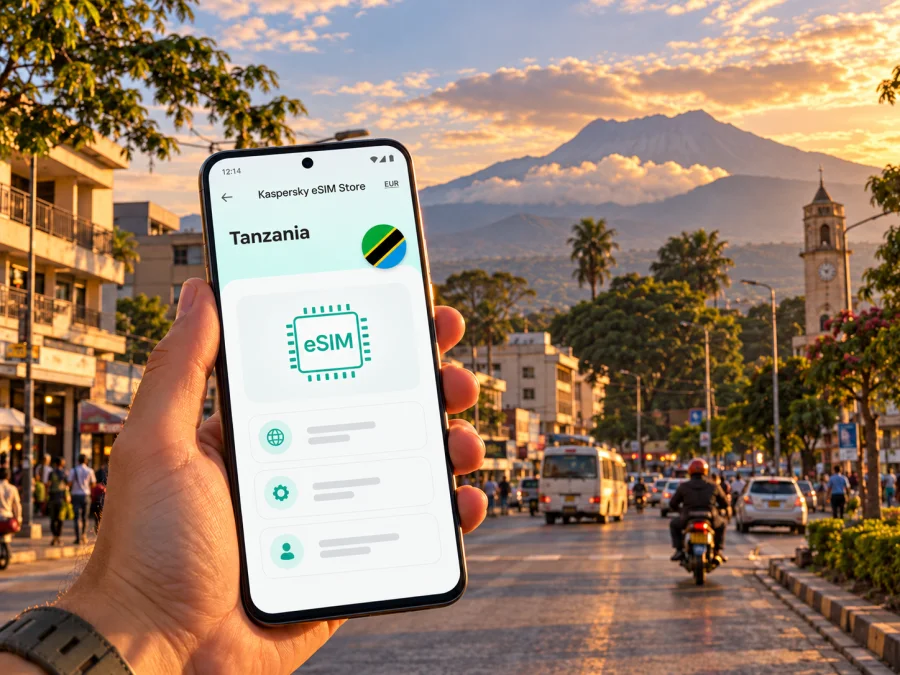
Arusha eSIM: mobile connection and internet for your city stay
Arusha is a working city as well as a starting point for journeys across northern Tanzania. You may arrive for a meeting, spend a night before a safari, organize a climb, or return to town between longer trips. In each case, mobile data helps with maps, messages, booking details and coordinating a pickup. A little preparation makes the first hours easier, especially when your hotel, driver or tour organizer expects you to be reachable.
This guide focuses on using mobile internet in Arusha and planning around the city. It does not promise a particular signal in every neighborhood or on every road: reception depends on the local network, your device, buildings, terrain and the plan you use. Check the terms for your chosen eSIM and keep important addresses, tickets and contact details available offline as well.
First, locate the places in your itinerary
Arusha lies in northern Tanzania, beneath Mount Meru. The name can refer to the city, the wider Arusha Region or nearby places on a northern-circuit itinerary, so confirm the actual destination on a booking rather than assuming that every “Arusha” address is in the city center.
Two airports are relevant to many visitors, and they serve different travel patterns:
| Arrival point | What it means for your plans | Connectivity preparation |
|---|---|---|
| Kilimanjaro International Airport (JRO) | A gateway used by travelers heading to Arusha and the northern circuit. It is outside the city; the airport operator describes it as about 40 km from Arusha. | Save your accommodation address, pickup instructions and driver contact before leaving the terminal. Ask your host to confirm the meeting point. |
| Arusha Airport (ARK) | A separate airport serving the Arusha area and domestic itineraries. Confirm that your flight ticket says ARK rather than JRO. | Check your transfer arrangement in advance and keep the booking accessible without data. |
| A road arrival | Buses and private transfers may bring you into town from other parts of Tanzania or across a border. | Download the route and destination pin ahead of departure; do not assume that mobile data will be continuous along the whole road. |
The journey from JRO to your lodging is not a short walk from the terminal. Travel time varies with traffic, time of day, weather and the exact address. Arrange a transfer with your accommodation, tour operator or a transport provider you trust. Keep the pickup name and phone number in a saved note. If you use a map app, download the relevant area while you have reliable Wi-Fi, then use mobile data for live changes when available.
Arusha National Park is outside the city, not a city neighborhood. The park authority places its headquarters in the Momella area and describes the park as roughly half an hour by tarmac road from Arusha town; the actual trip depends on your starting point and conditions. Kilimanjaro International Airport is also a useful point of reference for the wider region, but airport distance does not tell you how long your trip will take. For a park visit, confirm the gate, meeting point and transport with your guide. Park activities, including guided walks and mountain arrangements, may require advance coordination.
How mobile internet helps during a city visit
The first useful task after arrival is often practical rather than scenic: telling your driver that you have landed, finding a hotel entrance, checking a changed meeting time or showing a reservation. Later, a connection can help you compare directions, message a local contact, access a translation tool or check a payment notification. For a safari departure, the most valuable information may be a pickup time and the name of the vehicle or guide.
Arusha is spread across districts and busy roads rather than arranged as one compact tourist site. Your route may include a hotel, a meeting venue, a restaurant, a market or a tour office in separate parts of town. Search for the precise place name and verify the pin against the address sent by your host. Similar business names and informal descriptions can lead to the wrong entrance. If a driver gives you a landmark instead of a street number, save both the landmark and the written address.
Connectivity is useful, but it should not be the only way to navigate. Save a screenshot of the route, keep your accommodation’s location offline, and note the name of the neighborhood or nearby landmark. If the phone battery is low, switch to a paper note or ask your host to write down the key directions. These small backups are especially useful after a long flight, when you may be switching between airport Wi-Fi, a local connection and a home SIM.
City places and common data needs
| Trip moment | What you may need online | A useful backup |
|---|---|---|
| Leaving the airport | Pickup messages, a map pin and a way to contact your host | Save the name, phone number and meeting instructions before boarding. |
| Checking into a hotel | Reservation details, directions and a message about a late arrival | Keep the booking confirmation in your email app or as a screenshot. |
| Moving between town locations | Map search, walking or driving directions, and a change of destination | Download an offline map and write down the destination name. |
| Meeting a tour operator | Confirmation, pickup location and itinerary updates | Store the operator’s contact and departure time offline. |
| Working from a hotel or café | Email, calls in internet apps, document access and video meetings | Ask about Wi-Fi quality and have essential files saved locally. |
| Returning from an excursion | A message to your accommodation and updated transport coordination | Agree on a fallback meeting place and time in advance. |
Use maps with care. A route that looks simple on screen may involve a busy road, a junction with several entrances, a private driveway or a place whose name is used by more than one business. For a first visit, ask your hotel or host to confirm the final approach. If you are walking, check the route in daylight and use local advice about whether the walk is appropriate. A moving blue dot is a navigation aid, not a substitute for awareness of traffic and surroundings.
Choose a connection plan around your actual route
Before buying travel data, list where you will use it. If you are staying in Arusha for a few days, the city is the main destination. If you will continue to parks, mountain areas, another Tanzanian city or a neighboring country, check that the plan covers every destination you intend to use. A country-specific plan for the United Republic of Tanzania should not be assumed to include service in another country. A regional plan may include several countries, but its included destinations and conditions need to be checked individually.
The Kaspersky eSIM Store country page currently shows Tanzania plans and identifies local telecommunications providers for those plans as Airtel and Vodacom. That describes the providers named on the page, not a guarantee that a particular network will be available at every point on your itinerary. Plan terms, networks, prices and data allowances may change; review the live details at the time you choose. For a trip centered on Arusha, check the current eSIM options for the United Republic of Tanzania and compare the allowance, validity and included coverage against your dates and route.
A sensible allowance depends on how you use your phone. Navigation and messaging are usually lighter than frequent video calls, streaming or uploading large batches of photos. If you expect to work remotely, join meetings or tether a laptop, estimate that use separately and check whether tethering is permitted by your selected plan. Avoid choosing solely by the largest data amount: validity, destination coverage and activation rules matter too.
| Your use pattern | What to estimate | What to check before purchase |
|---|---|---|
| Short city stop | Messaging, occasional directions, ride coordination and email | How many days the plan lasts and when its validity begins. |
| Several days in Arusha | Daily navigation, messages, browsing and booking updates | Whether the data amount fits your normal use and whether top-ups are possible under the terms. |
| Work during the visit | Video calls, cloud files, hotspot use and large downloads | Tethering support, fair-use conditions, coverage at your lodging and an alternative Wi-Fi connection. |
| City plus excursions | Navigation and communication beyond the central city | Whether the same plan applies to every destination; remote areas may have different coverage. |
| Multi-country route | Data across Tanzania and other countries | Exact country list, validity rules and whether the plan is local, regional or global. |
Do not read “coverage in Tanzania” as a promise of uninterrupted service. A mobile connection relies on local network reach and can vary indoors, in dense buildings, on the outskirts and outside settled areas. Mountains, valleys, distance from infrastructure and travel between towns may affect reception. For a guided excursion, ask the operator how they communicate with guests and what arrangements they use if a phone has no service. Do not depend on mobile data as your sole safety measure in a remote area.
Prepare your phone before leaving home
An eSIM is a digital SIM profile installed on a compatible device. Support can differ between regional versions of the same phone, and a carrier-locked handset may not accept another profile. Check the precise device variant, manufacturer specifications and lock status before purchase. Check whether your device supports eSIM. If it does not, consider home-provider roaming or a local physical SIM.
- Check the plan: Confirm Tanzania is included and review data allowance, validity, activation timing, networks and hotspot terms. For cross-border travel, check every country by name.
- Install securely: Use a stable connection and retain the QR code or setup details. A profile may be installable only once or tied to one device; do not delete or transfer it unless instructions allow.
- Label your lines: Keep the home line for calls or verification codes if needed, and review its roaming charges.
- Choose data settings: Select the travel eSIM for mobile data when ready. Disable data roaming on the home line to avoid unintended charges. Some plans require roaming enabled on the travel eSIM; follow its instructions.
- Know the menus: For setup help, use the Android eSIM installation instructions or iOS installation instructions. Menu names vary by device and operating-system version.
Unless plan terms say otherwise, a travel eSIM is intended for data rather than a separate phone number, standard calls or SMS. Internet calls and messages can use apps when data is available.
Activation timing
Installation, activation and first use can be different events. Read the specific plan terms, especially if buying before travel, and check when validity begins. After landing, select the travel eSIM for mobile data and follow its setup instructions. If it does not connect, confirm the profile is enabled before changing other settings.
Use data thoughtfully around Arusha
Download maps and large files over Wi-Fi, disable automatic photo backups if needed, and keep a small data reserve for changed pickup details. Ask your accommodation about Wi-Fi if you need to work. Mobile data may not include a local phone number or ordinary calls and SMS; keep your home number for those services and check roaming charges.
Plan around the day
On arrival: Save the lodging address and driver details before departure. At the airport, send a short message confirming the agreed pickup point. Once in the vehicle, check the route and let your accommodation know if your arrival time changes.
In town: Ask reception to confirm the correct map pin for your next destination. Similar business names and informal landmarks can lead to the wrong entrance, so save the exact address as well as a nearby landmark. Allow extra time for an unfamiliar route.
Before an excursion: Confirm departure time, gate, pickup place and guide contact. Store these details offline. If visiting Arusha National Park or another area outside town, check arrangements with your operator; reception may differ from the city. Follow the guide’s safety instructions.
On a workday: Test your connection at the place where you plan to take a call. Ask about hotel Wi-Fi and have a mobile hotspot as backup only if the device and plan allow tethering. Download documents in advance.
On departure: Download the next destination’s map and check that the plan covers it. A Tanzania plan should not be assumed to work in another country. Save tickets and accommodation details offline.
If data does not connect
Check that the eSIM profile is enabled and selected for mobile data. Review whether the selected plan requires roaming to be switched on for that eSIM; keep data roaming off on your home line if you want to avoid charges. Move outdoors, wait briefly for registration, and restart the phone or toggle airplane mode once. Check plan validity and remaining data. Avoid deleting the profile as a first step, since reinstalling may not be possible with a one-time code. If the issue persists, contact the eSIM service’s support with your device model, operating system and location.
Quick checklist
Before booking
- [ ] Check eSIM compatibility for your exact device variant and confirm it is not carrier-locked.
- [ ] Decide whether your route is only Arusha, wider Tanzania or more than one country.
- [ ] Compare data allowance, validity, activation rules and any tethering conditions.
- [ ] Confirm whether your regular number must remain available for calls or codes.
Before departure
- [ ] Install the profile using a stable internet connection and keep its instructions.
- [ ] Save airport pickup information, hotel address, itinerary and key contacts offline.
- [ ] Download maps and essential files; charge your phone and power bank.
- [ ] Check which SIM will be used for data and review roaming settings.
After arrival
- [ ] Confirm the travel eSIM is enabled and selected for mobile data.
- [ ] Message your driver or host at the agreed meeting point.
- [ ] Verify the route and keep a screenshot in case reception changes.
- [ ] Recheck destination coverage before leaving the city for an excursion.
Frequently asked questions
Is Arusha an airport or a city?
Arusha is a city in northern Tanzania and also the name used for the surrounding region and nearby airport. Arusha Airport (ARK) and Kilimanjaro International Airport (JRO) are separate. Check the airport code on your ticket and confirm your transfer from that location.
Will an eSIM work everywhere in Arusha?
No plan can guarantee service at every address or at every moment. Coverage depends on the local network, your phone, indoor conditions and terrain. Check the current plan information and maintain offline copies of essential details, especially before traveling beyond the city.
Which local networks are listed for Tanzania plans?
The Tanzania destination page currently names Airtel and Vodacom as local telecommunications providers for its listed plans. That information may change and does not promise a particular signal at a specific hotel, road or excursion site. Review the selected plan’s current details before purchase.
Can I use the travel eSIM for calls and text messages?
A data-only eSIM does not ordinarily provide a separate phone number for standard calls and SMS unless the specific plan says otherwise. You can keep your home line for those services and use internet messaging or calls through apps when data is available. Check your home operator’s roaming terms.
Do I need to install before flying?
Installing in advance can reduce setup work after landing, but timing and activation rules vary. Read the specific terms, retain the installation details and do not delete the profile unless instructed.
What if my phone does not support eSIM?
Ask your home provider about roaming or investigate a local physical SIM after arrival. Check the exact regional model and carrier-lock status rather than relying only on a product family name.
Choose and set up your eSIM for Arusha
A smooth visit starts with a few details checked in advance: the correct airport, the right pickup point, an eSIM-compatible unlocked phone and a plan that matches the full route. Keep maps and important contacts offline, use mobile data for live updates when it is available, and confirm network and validity terms before purchase.
In the Kaspersky eSIM Store app and website, you can review current destination options, choose and arrange an eSIM plan for a trip abroad, then follow the installation instructions for your device. Review the available options for the United Republic of Tanzania and check the current plan conditions before your Arusha stay.


