Travel connectivity guide
Asia Cell eSIM in Iraq: activation guide
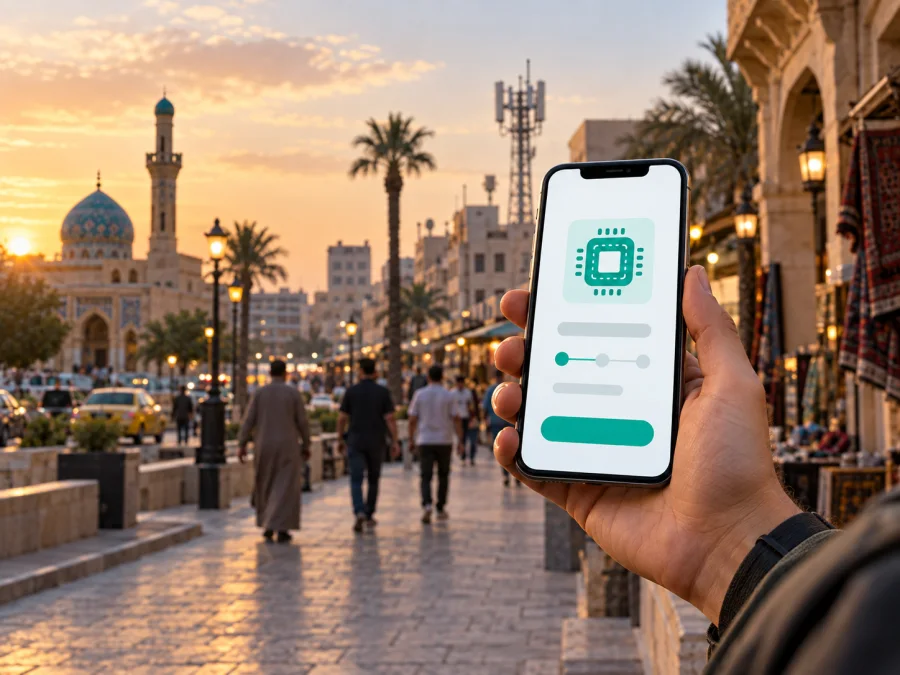
Asia Cell eSIM in Iraq: a practical guide for travelers
If you are traveling to Iraq and want mobile data without removing your home SIM, Asia Cell eSIM is a local connectivity option to investigate. Asia Cell is an Iraqi mobile operator with mobile, internet, prepaid, roaming, and electronic SIM services. Its current public eSIM information confirms support for compatible devices and explains how customers receive a QR code and add the profile. The practical details still matter: the QR code is obtained through a main Asia Cell shop, a visitor should confirm registration requirements, and the phone must support eSIM and be unlocked.
This guide covers the current public information about Asia Cell eSIM in Iraq, the activation flow, traveler checks, network technology, and the difference between a local operator eSIM and a travel data eSIM. It describes the market neutrally and does not reproduce specific plans or prices.
The details below reflect public information available on 21 September 2026; procedures, coverage, and compatibility should be rechecked before activation.
Quick answer
Yes. Asia Cell's current public eSIM Service page confirms eSIM support for devices that support the technology. It says that a QR code for an existing or new number is obtained at one of the operator's main shops. The page gives separate installation paths for iPhone, Samsung, and Huawei devices, and says that a new line can be activated through customer-support instructions.
For a visitor, this does not prove that every request can be completed remotely or that every shop has identical procedures. Ask Asia Cell whether the service is available to a nonresident visitor, which documents are required, whether the exact phone model is accepted, and where the QR code will be issued. A visitor offer and the eSIM service should not be treated as automatically identical.
Asia Cell's role in the Iraqi market
Asia Cell operates a mobile network in Iraq and provides mobile voice and data services for residents and visitors using the country. Its public information describes local prepaid lines, mobile internet, roaming, shops, customer support, and eSIM. For a traveler, the key distinction is between a local operator eSIM and a travel data eSIM: the first is an Asia Cell subscriber profile, while the second is a separate travel-connectivity product activated on a compatible phone.
The company's public 2024 annual-report material describes 3G and 4G LTE services in Iraq and the later 4G+ upgrade. Its 4G and VoLTE explainer says that 4G is being rolled out and is not available everywhere. These statements support a careful description of technology, not a promise of identical service in every town, building, road, or border area.
Is Asia Cell eSIM available in Iraq?
The answer is supported by an up-to-date official page. On the eSIM Service page, Asia Cell says it offers electronic SIM technology for compatible devices. The page describes eSIM as a digital SIM integrated into some smartphones and explains that it can activate a mobile number without a physical SIM card. It also describes adding, removing, or activating more than one number from device settings.
The same page gives an important operational detail: the QR code for an existing number or a new number is obtained from a main Asia Cell shop. That is different from a fully remote travel-eSIM flow where a QR code may appear in an account or confirmation email. A traveler who wants the local operator's own eSIM should plan for a shop-based step unless Asia Cell support confirms another current route.
What to arrange before arrival
Use this preparation sequence before treating Asia Cell eSIM as ready to use:
- Confirm the service with Asia Cell. Ask whether an eSIM can be issued for your intended line type and whether a visitor can request it at a main shop.
- Check the handset. Confirm eSIM support, current software, an unlocked status, and compatibility with the local mobile bands.
- Ask about identification. Asia Cell's public FAQ lists a passport, residence card, and two personal photos for certain in-store line-service procedures for foreigners. It does not say that the same list applies to every new eSIM request, so confirm the exact requirement.
- Protect the QR code. Do not post it or forward it casually. Asia Cell says a replacement QR code may be needed if the profile is moved to another device.
- Keep another connection available. Wi-Fi or another active line may be needed to download a profile, update the phone, or contact support.
- Choose the data line. If the home SIM stays active, select the intended line for mobile data and review roaming settings for the home profile.
The official Customer Electronic Registration page says that Asia Cell uses electronic documentation when selling SIM cards in cooperation with the Communications and Media Commission and National Security Affairs. This confirms that registration can be part of local-SIM workflows; the shop or support channel should provide the current visitor requirements.
Asia Cell eSIM activation flow
The public Asia Cell instructions can be summarized as follows. Menu names vary with the operating system and device version.
1. Receive the QR code
Visit a main Asia Cell shop or follow the route confirmed by support. Ask whether the code is for an existing number or a new line and when the profile will be ready.
2. Check the phone before scanning
Install pending updates while you have reliable internet. Confirm that the phone is not carrier-locked, has room for another profile, and has sufficient battery. Do not scan a code intended for a different number or device.
3. Add the profile on iPhone
Open Settings, choose Cellular or Mobile Data, and select the option to add a mobile plan or eSIM. Scan the Asia Cell QR code, follow the prompts, label the line, and choose the mobile-data line. Asia Cell recommends current iOS.
4. Add the profile on Samsung
Open Settings, go to Connections, then SIM card manager. Choose Add mobile plan or Add eSIM, select the QR-code option, and scan the provider code. Use the official confirmation code if requested.
5. Add the profile on Huawei
Open Settings, select Mobile network, and manage the SIM cards. Choose the option to add a plan with a QR code, scan it, approve the download, and wait for the profile to appear. The path depends on the model and software.
6. Select the active line
Set Asia Cell as the line for mobile data if intended. Keep the home line available only if you understand its roaming behavior. Restart the phone if the profile does not register, then check operator selection and data settings.
Asia Cell also refers to customer-service instructions for activating a new line. Confirm the current visitor route with support.
Coverage and supported technologies
Asia Cell's public pages refer to GSM, GPRS, 3G, 4G LTE, and 4G+ in different service and company-information contexts. The Visiting Iraq page describes an arriving handset selecting Asia Cell and refers to 4G+ data roaming. The 4G/VoLTE explainer discusses 4G availability and says rollout is not universal. Annual-report material describes 4G LTE service and the later 4G+ upgrade.
These references explain the technology vocabulary, but they do not guarantee a specific itinerary. A compatible eSIM profile does not create coverage where the radio network is unavailable. Buildings, underground areas, remote roads, and temporary conditions can affect registration and data speed. If the phone shows no service, check the active line, try manual selection as described by Asia Cell's Visiting Iraq instructions, and restart the device.
Prepaid and visitor options
Asia Cell publishes general prepaid information and a separate visitor-oriented page for people using a local line in Iraq. This confirms that prepaid and visitor-focused options are part of the public offer landscape. The operator also describes roaming for existing subscribers who travel outside Iraq. These are different use cases: a visitor may be considering a local line, an existing customer may be roaming, and an eSIM user may be replacing a physical SIM on a compatible device.
The conditions of any prepaid, visitor, or roaming offer can change. This article intentionally does not reproduce offer names, prices, data allowances, validity periods, included services, activation codes, or comparison tables. Before registering, read the current terms presented by Asia Cell and ask which services are available for the line and identity documents you will use.
For a short trip, ask whether you need a local phone number, can reach a main shop, are comfortable with local registration, and will travel beyond the areas covered by current operator information. A travel data eSIM answers a different need when advance digital setup matters more than a local number.
Local Asia Cell eSIM or a travel eSIM?
The two options should not be mixed together. A local Asia Cell eSIM is issued within the Asia Cell customer process. A travel eSIM is normally selected for a destination, installed digitally, and used for mobile data under the travel service's conditions.
| Question | Asia Cell eSIM | Travel eSIM through Kaspersky eSIM Store |
|---|---|---|
| Where activation begins | Asia Cell shop or route confirmed by Asia Cell | Kaspersky eSIM Store website or app |
| What is added | A local Asia Cell subscriber profile | A travel data eSIM profile |
| Main identity question | Ask about local registration and visitor documents | Check the travel service's current account and purchase requirements |
| Phone-number expectation | Asia Cell describes eSIM for an existing or new mobile number | Kaspersky eSIM Store describes its travel eSIM as data-only, without a regular number for ordinary calls and SMS |
| Network behavior | Uses Asia Cell service where the profile can register | Uses the travel service's supported local connectivity and settings |
| Best next check | Confirm shop, model, documents, and activation timing | Confirm device compatibility, destination availability, QR access, and data settings |
This is a reference comparison, not a tariff comparison. It does not rank the services or claim that one is suitable for every traveler.
Kaspersky eSIM Store as a separate travel-data option
Kaspersky eSIM Store is an app and website for selecting, purchasing, and activating an eSIM for mobile internet during an international trip. It is not Asia Cell, not a mobile operator, and does not own the Iraqi radio network. The current Kaspersky eSIM Store Iraq page says that related eSIM products and services are supplied by a technology partner and presents Iraq as a destination. Its public terms identify the website and iOS/Android applications as a BNESIM platform branded as Kaspersky eSIM Store.
This route is different from obtaining an Asia Cell eSIM at a shop. Kaspersky eSIM Store installation guidance says to check device compatibility, select the destination and current travel option, install the eSIM from the account or QR code, choose it for mobile data, and use the service's data settings if required. Its Android guide warns that menu names vary by model and that connection can take several minutes after installation.
Because this route is designed around mobile data, it is not a replacement for a local phone number, ordinary calls, or SMS. Keep the home line for those functions if appropriate and review its roaming setting. Check the destination page and in-app instructions on the day of setup.
After the first third of this guide, you can review the current Iraq eSIM destination in Kaspersky eSIM Store and then verify your phone. This link leads to a separate travel-data service; it is not an Asia Cell activation link.
Device compatibility checklist
Use this checklist for either a local or travel eSIM:
- Confirm that the exact phone model and regional version support eSIM.
- Check that the phone is unlocked for another mobile profile.
- Install a current operating-system update if recommended by the manufacturer.
- Make sure the phone can connect to Wi-Fi or another data line during installation.
- Keep the QR code or activation details private and available until setup is complete.
- Decide which profile is the mobile-data line and which profile handles calls or messages.
- Check whether data roaming must be enabled for the travel eSIM, and disable roaming on the home line if you do not want it to use data abroad.
- If two lines stay active, confirm how the phone handles calls, SMS, and data switching.
<a id="kesim-device-compatibility"></a>
Why model and region checks matter
An eSIM-capable product family is not enough evidence for a particular handset. Some regional versions omit eSIM, some devices are locked after purchase, and some software builds present different settings. The Kaspersky eSIM Store compatibility guidance and Asia Cell's instructions both place responsibility on the user to check the exact device. If the result is unclear, ask the device seller or support team for model-specific confirmation.
Troubleshooting after installation
The profile will not download. Connect to dependable Wi-Fi, check that the QR code has not already been used, and confirm that the phone has not reached its eSIM-profile limit. If Asia Cell issued the code, contact the shop or official support rather than using an unofficial copy.
The profile is installed but there is no service. Confirm that the line is switched on, choose Asia Cell in network settings if automatic selection fails, and restart the device. Check that the phone is unlocked and that the location is within the operator's current service area.
Calls work but data does not. Select the correct line for mobile data, check data permissions, and review APN instructions supplied for the particular service. For a travel eSIM, enable data roaming only for that profile when the provider's instructions require it. Do not copy APN values from an unrelated source.
The connection is intermittent. Move to a place with better radio conditions and test another supported network mode. A 4G label is not a guarantee of continuous service. If the issue persists, record the model and location before contacting support. If the phone was replaced, ask the issuing service about a new QR code; Asia Cell says one may be needed.
Frequently asked questions
Is Asia Cell eSIM officially available in Iraq?
Yes. Asia Cell's current public eSIM Service page confirms the service for compatible devices and says that a QR code for an existing or new number is obtained through a main Asia Cell shop. A visitor should still confirm the current line and registration process before traveling.
Can a tourist get Asia Cell eSIM without visiting a shop?
The public instructions point to a main shop for the QR code, so a traveler should not assume remote delivery. Ask Asia Cell whether a visitor can complete the request online, through support, or only in person, and confirm the documents required for the exact service.
Will Asia Cell eSIM work everywhere in Iraq?
No provider should be treated as available in every location without a route-specific check. Asia Cell's public technology information refers to GSM/GPRS and 4G services and says that 4G is not available everywhere. Coverage can vary by location, building, device, and temporary conditions.
Do foreigners need a passport or residence document?
Asia Cell's public FAQ lists a passport, residence card, and two personal photos for certain in-store procedures for foreigners. It does not establish that this exact set applies to every eSIM request. Contact the operator before arrival and bring the documents it confirms for your case.
Final takeaway
Asia Cell eSIM in Iraq is a publicly confirmed service for compatible devices, with a QR-code activation process described by the operator. The key traveler checks are the shop or support route, visitor documents, handset unlock status, exact model compatibility, intended data line, and current coverage for the route. Asia Cell's prepaid and visitor offers are available in general terms, but their conditions should be checked directly with the operator and are not reproduced here.
Kaspersky eSIM Store is a separate app-and-website route for selecting and activating travel eSIM data. It is not an operator and is not affiliated with Asia Cell. If a digitally prepared data connection is more suitable than a shop-based local line, check the current Iraq eSIM option in Kaspersky eSIM Store after confirming device compatibility and the service's current conditions.
This article is independent and is not affiliated with, sponsored by, or endorsed by Asia Cell. Asia Cell and other names belong to their respective rights holders. Network coverage, device support, visitor requirements, eSIM procedures, prepaid availability, and travel-service conditions may change; verify the latest details with the relevant service before purchase or activation.


