Travel connectivity guide
Assinie eSIM: Mobile Internet for Your Trip
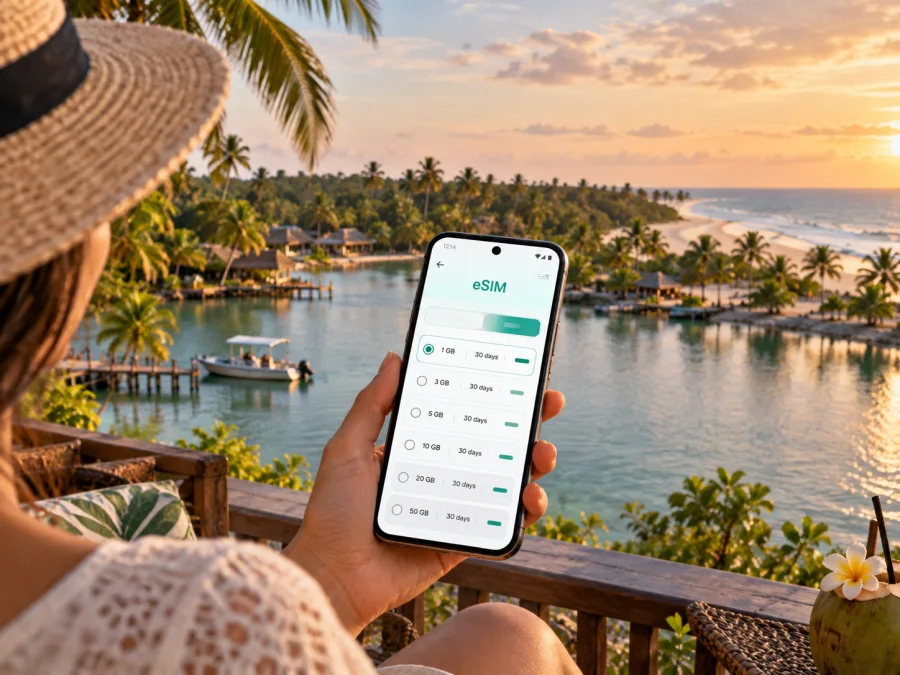
Assinie eSIM: mobile connection and internet for a coastal stay
Assinie is a small coastal destination in southeastern Ivory Coast, known for the contrast between the Atlantic shore and the calmer lagoon landscape. A visit often starts in Abidjan, continues east by road, and then slows down around a hotel, beach, lagoon landing or local village. Mobile internet can help with each transition: checking your transfer details, following a route, messaging your host and keeping plans accessible when you leave the city behind.
An eSIM is a digital SIM profile installed on a compatible phone. For a trip to Assinie, it can provide mobile data under the conditions of the selected travel plan, without adding a physical SIM card to your device. It is useful for maps, web searches, messages and online bookings. Coverage and performance depend on the local network, your location, the device and the plan; coastal and more remote stretches may behave differently from central Abidjan.
Why connectivity planning matters in Assinie
Assinie is not a dense urban grid where every errand is a short walk between familiar landmarks. Accommodation, restaurants, beach access and lagoon activities may be spread out, and visitors commonly arrange transport or excursions through a hotel or local host. A data connection helps you confirm where to meet, share a pin, check a change in plans and contact the person expecting you.
The setting also shapes how you use your phone. A map may be helpful on the drive from Abidjan, but once you reach the coast, a saved address and a direct contact for your accommodation are often more dependable than relying on a live map alone. If you plan a boat outing, ask the organizer where the departure point is and whether there is a meeting landmark on the shore. Names can be written in more than one way, so keep the booking message or address available offline as well.
Getting from Abidjan to Assinie
Many international visitors first arrive at Félix-Houphouët-Boigny International Airport in Abidjan, then continue to Assinie by road. The journey is usually planned as a road transfer, with Grand-Bassam commonly serving as a useful reference point along the way. The time needed depends on traffic, weather, the precise starting point and the condition of the route, so treat any estimate from a booking as a guide rather than a guarantee.
If a driver is meeting you, exchange the vehicle description, contact number and pickup point before your flight. Keep those details in a saved message or screenshot. At the airport, a live data connection can help you tell the driver that you have landed or find the agreed meeting area, but it should not be the only copy of your transfer information.
For a self-arranged trip, agree on the destination using the full name of your lodging or village area. “Assinie” can refer to the wider coastal destination rather than a single street address. Ask whether the final approach is straightforward for your vehicle, especially if you are travelling in heavy rain or carrying substantial luggage. When comparing transport options, check what is included: airport pickup, waiting time, luggage, the return journey and any extra stop can affect the total arrangement.
| Travel moment | Useful preparation | Why it helps |
|---|---|---|
| Airport pickup | Save the driver’s number, car details and meeting point | You can find one another if the arrival hall is busy or plans shift |
| Road journey | Keep the lodging name, location pin and a written address | A saved destination is easier to share than a verbal description |
| Arrival in Assinie | Message the host before the final approach | The host can clarify an entrance, landing or check-in point |
| Return to Abidjan | Confirm pickup time and destination in advance | You avoid depending on last-minute coordination in an unfamiliar area |
Download maps for the relevant part of the route while you have a reliable connection. Offline maps do not show live traffic or guarantee that every small track is mapped accurately, but they provide a useful reference if the signal drops. Carry a charger or power bank: navigation, camera use and messaging can drain a phone faster during a full travel day.
Moving around the coast and lagoon
Assinie is a spread-out coastal destination rather than a compact downtown. A hotel near the beach may still be some distance from a restaurant or activity meeting point. Check whether an outing is on the Atlantic or lagoon side, and pair a map pin with a landmark confirmed by your host.
For short trips, ask your accommodation which local transport is practical for the exact route and time of day. If a driver or boat transfer is arranged through a host, agree on the fare, direction, waiting arrangement and return plan before departure. Do not assume that a ride-hailing app, public transport route or fixed timetable will be available at every point along the coast. Where there is no dependable street numbering, share your live location only when it is helpful and keep the host’s phone number accessible.
For a lagoon boat trip, confirm the departure landing, return arrangement and weather-change plan with the organizer. Data helps with messages, but agree on the meeting place and follow local safety instructions before setting off.
Choosing where to stay and what to save
Assinie has hotels, resorts, private villas and guesthouses. Choose between a lagoon-side base, easier access to the ocean shore or a property that arranges meals and activities. Check the exact location and transport arrangements rather than relying on a broad “beachfront” description.
If your accommodation is in or near Assinie-Mafia, ask which part of the destination the address refers to and whether the final approach is by road or boat. Save a screenshot as a backup and keep the host’s number available.
For a business trip, ask the property about its Wi-Fi and test the connection where you will work. Mobile reception and indoor performance vary, so download documents and keep a backup time or meeting option for an important call.
Mobile internet for a weekend, stopover or longer visit
Data use depends on your habits as much as on trip length: maps and messages differ from video, photo backups or laptop hotspot use.
| Travel style | Typical phone use | Planning approach |
|---|---|---|
| Weekend break | Maps, messages, restaurant searches and a few uploads | Estimate modest use, then leave room for navigation and unexpected changes |
| Family or group stay | Shared pins, messages, photos and activity coordination | Decide who needs data and who can rely on a group contact |
| Work visit | Email, documents, calls and possibly hotspot use | Check plan limits and test the work connection before relying on it |
| Stopover from Abidjan | Transfer coordination, check-in and a few local searches | Save essentials offline and avoid using the trip as a reason to buy excess data |
Compare the destination, data allowance, validity and displayed price. Check when validity begins—installation, activation or first network use—because terms differ by offer. Choose an allowance for your actual use, leaving some room for maps and messages.
Kaspersky eSIM Store is an app and website where you can quickly choose, purchase and activate an eSIM with a suitable plan for mobile internet during an international trip. To prepare for Assinie, you can review the available mobile data options for Ivory Coast and compare the plan details with the length and style of your visit. Select Ivory Coast as the destination, then check where and when the selected offer applies.
Before you install an eSIM
Confirm that your phone supports eSIM and is not restricted by a carrier lock. Support can vary by model, regional version and carrier configuration. Check the device settings or manufacturer information for your exact model, then check whether your device is compatible before you buy. If you carry two phones, confirm which one will hold the travel eSIM and which line you want to use for calls and messages.
A travel eSIM for mobile data is not necessarily a replacement for a regular phone number. Plan details determine what the profile includes; do not assume it includes voice calls or SMS. You can use internet-based messaging and calling apps when they are available to you, and keep your regular line configured according to your needs and your home provider’s roaming conditions.
Installation and activation checklist
Install the eSIM over a stable connection and read its activation conditions first. Installation and the start of data use may follow different rules. Do not delete the profile unless its instructions or support team advise you to.
- Open the plan details and confirm the destination, allowance, validity and activation terms.
- Follow the on-screen steps to add the eSIM profile to your device.
- Label the travel profile clearly, such as “Ivory Coast data,” so it is easy to identify alongside your regular line.
- Choose which line is used for mobile data and review data roaming settings as directed by the plan instructions.
- After arrival, allow the phone to connect and check the plan status before relying on maps or messaging.
For step-by-step help, use the Android eSIM installation instructions or the iOS eSIM installation instructions. Device menus differ, so follow the instructions for your operating system and the terms attached to your specific plan.
Day trips and outings from Assinie
Assinie works as both a destination in its own right and a base for outings in the surrounding Sud-Comoé area. Grand-Bassam is a common stop on the road from Abidjan and may be included in a broader itinerary; Adiaké and other lagoon-side places can also appear in regional plans. Confirm travel time, transport and opening arrangements directly with the person organizing an excursion rather than assuming that a map’s driving estimate includes waiting, road conditions or a boat connection.
Before a day trip, save the route and organizer’s contact. For a cultural visit, ask about appropriate arrangements and follow local guidance. At the beach, check conditions and designated swimming areas; the open ocean differs from the sheltered lagoon.
Share the departure point, expected return time and a backup contact with your companion. A saved plan remains useful if the signal is weak.
Frequently asked questions
Is an eSIM useful for a trip to Assinie?
It can be useful if you want mobile data for maps, messages, online searches and coordination during the journey and stay. Whether it suits you depends on your device, the plan conditions and the coverage available at your exact location.
Should I install the eSIM before travelling?
You can prepare it before departure if the selected plan allows that. Read when the validity period starts and when data use begins. Those are plan-specific details, so do not assume installation automatically starts or does not start the allowance.
Can I use the same eSIM in Abidjan and Assinie?
Check the destination and coverage terms for the plan you choose. A country plan may cover travel between locations, but actual service can vary with network availability and terrain. Review the offer details before relying on it for a particular route.
Will mobile data give me a local phone number?
Not necessarily. Travel eSIM plans are commonly intended for data, and included services depend on the individual plan. Check its terms if you need regular voice calls or SMS, and keep a separate way to contact your accommodation.
Do I need internet for offline maps?
You need a connection to download the map area and search for places initially. Once saved, an offline map can help with basic orientation, but it may not include current traffic or every minor road and track. Save written directions as well.
What should I do if the eSIM does not connect?
Check that the profile is installed and enabled, that the correct line is selected for data, and that the device settings match the plan instructions. Restarting the phone may help. If the issue continues, use the support route provided with your plan and keep your order details available.
A practical plan for arriving connected
Before travelling, confirm your lodging and transfer, save key contacts and directions, check your device and choose a plan that fits your visit. Install it according to its instructions. Use data for coordination in Assinie, with offline directions as a backup.
Prepare your eSIM for Assinie
When your device and plan details are ready, use Kaspersky eSIM Store to choose and activate an eSIM for the trip. Compare the Ivory Coast eSIM plan options, review the allowance and validity, and save the installation instructions before you travel. That way, your phone is ready to help with the route, your stay and the small changes that are part of travelling along the coast.


