Travel connectivity guide
Asus ROG Phone 9 1TB eSIM Compatibility & Setup
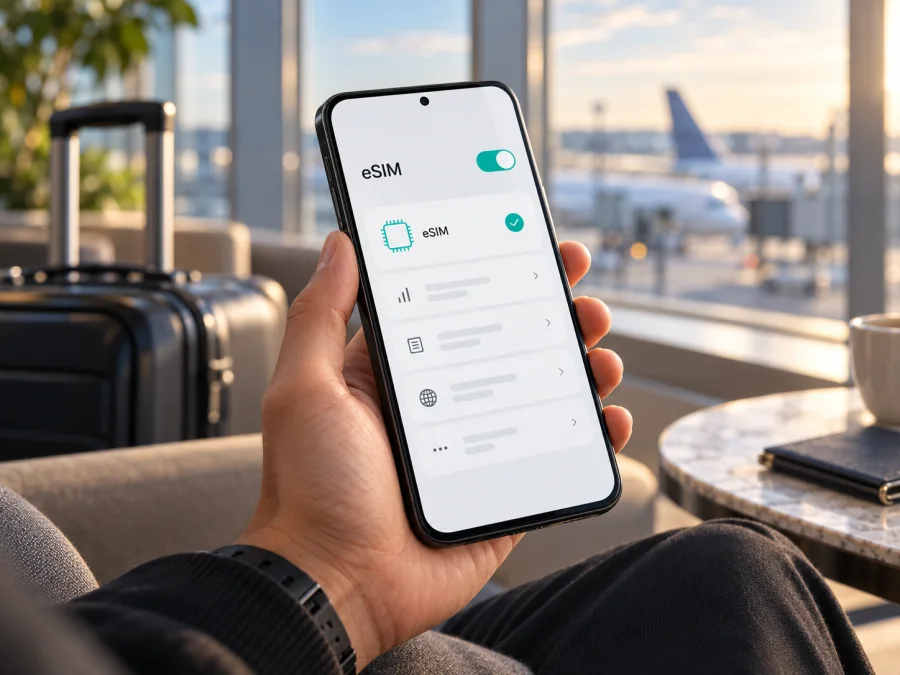
Asus ROG Phone 9 1TB eSIM: compatibility and setup guide
Short answer: ASUS’s official pages do not support a universal yes or no for Asus ROG Phone 9 1TB. ASUS lists eSIM setup guidance for ROG Phone 9 (AI2501), but its product catalog identifies the ROG Phone 9 Series 1TB device as ROG Phone 9 Pro Edition, not the base ROG Phone 9. Regional specifications also differ: the global Pro Edition specs list two physical nano-SIM slots, while ASUS Japan lists two nano-SIM slots plus eSIM for the Pro Edition. The exact handset and sales market therefore matter.
The 1TB catalog entry is code AI2501-3B003CN; ASUS’s global technical page separately describes WW, US, and CN radio variants. That code and storage capacity do not establish that eSIM is enabled in every market. Before buying a plan, verify the model code and EID on the phone itself, check for an eSIM menu, and confirm with the provider that issued the profile that it accepts that handset and regional version. If the phone has no EID and no eSIM menu, do not assume that an update or seller title will add the capability.
What the “1TB” description does and does not confirm
A storage figure is not a separate radio or SIM feature. It tells you how much built-in storage is advertised, but it does not establish whether the phone has an eSIM chip, which region’s firmware it uses, or what SIM combinations are enabled. This matters here because ASUS’s product naming and storage listings distinguish ROG Phone 9 from ROG Phone 9 Pro Edition.
ASUS’s global ROG Phone 9 specification page shows the base phone in 256GB and 512GB configurations. ASUS’s device catalog identifies the 1TB model in this series as ROG Phone 9 Pro Edition, with model code AI2501-3B003CN and a listed 24GB of memory. The ASUS eSIM support FAQ names ROG Phone 9 (AI2501), ROG Phone 9 Pro (AI2501), and Zenfone 12 Ultra (AI2501), but does not separately identify a 1TB base ROG Phone 9 configuration. The available official pages therefore support a careful answer, not a blanket claim about every listing that combines “ROG Phone 9” and “1TB.”
There is also a documented regional difference in SIM specifications. ASUS’s global ROG Phone 9 Pro page lists two physical nano-SIM slots for both Pro Edition and Pro. ASUS Japan’s corresponding page lists nanoSIM ×2 / eSIM ×1 for both. The Japanese listing confirms that eSIM exists in at least that market’s Pro Edition specification; it does not prove that the CN-coded 1TB unit has the same hardware or firmware. ASUS’s eSIM FAQ also says support may vary by country or region, model, and service provider. No particular carrier market is specified here, so provider acceptance must be checked with the carrier or plan issuer for the actual SKU.
This does not prove that every retailer using “ROG Phone 9 1TB” has made an error. The title might be shorthand or seller-entered. Compare the box label, full model code in Settings, seller SKU, and receipt. If the handset identifies as ROG Phone 9 Pro Edition, treat that as the exact model and use its own regional SIM specification. This guide preserves the supplied search name while explaining the distinction.
eSIM in practical terms
An eSIM is a digital SIM profile stored in a compatible device. Instead of inserting a plastic SIM for that line, you download a profile, usually by scanning a QR code or entering an activation code, then switch it on in the phone’s SIM settings. Compatible hardware, software, and permission to use a supported network are all required.
For a trip, a data eSIM can provide mobile internet for maps, messaging, bookings, and other online services. Kaspersky eSIM Store is an app and website where travelers can choose, arrange, and activate an eSIM with a mobile-data plan for an international trip. Check the selected plan’s terms: it may provide data only, without a regular phone number, calls, or SMS. Your home SIM may remain useful for calls and messages, but choose the data line deliberately and review your home carrier’s roaming charges.
Dual-SIM support does not automatically mean eSIM support. ASUS’s guide for supported dual-SIM phones describes Physical SIM 1 plus eSIM, and says switching to eSIM disables the physical card in slot 2. Follow the menu on your handset because options can vary by software and model.
What to verify on your exact phone
| Check | What to look for | Why it matters |
|---|---|---|
| Check | What to look for | Why it matters |
| --- | --- | --- |
| Product identity | Full model code in Settings and on the box | ASUS lists 1TB as ROG Phone 9 Pro Edition, not base ROG Phone 9. |
| Regional SIM spec | The specification for the market and exact SKU | Global and Japan Pro Edition listings differ on eSIM. |
| EID | EID in the device status screen | ASUS says a missing EID means that phone does not support eSIM. |
| eSIM controls | “Switch SIM type,” “eSIM,” or “Manage eSIM” | The menu exposes the functions needed to add and enable a profile. |
| Carrier status | Unlocked handset and provider acceptance | A lock or unsupported market variant may prevent activation. |
| Plan details | Destination, validity, and roaming terms | Device capability and plan coverage are separate checks. |
| Internet access | Stable Wi-Fi or data connection | The profile must download before use. |
Check compatibility before you buy
First, check the product name and model code on the handset, not only on the sales page. Open Settings → About phone and note the model information. Compare it with the label on the box and the seller’s SKU. ASUS’s setup page associates its ROG Phone 9 eSIM instructions with AI2501; it does not establish eSIM support for an unspecified 1TB listing with a different or hidden code. If those identifiers do not match, ask the seller or ASUS support to identify the handset before purchasing a plan.
Next, look for the EID. On the ASUS menu path published for this model family, open Settings → System → About phone → Status → EID. Menu wording can differ by software version, so also search Settings for “EID.” ASUS says that if EID information cannot be viewed, the phone does not support eSIM. Treat this as a decisive warning: do not rely on a generic compatibility list or infer support from the amount of storage.
You can also inspect the SIM controls. ASUS documents Settings → Network & internet → SIM card → Switch SIM type → eSIM, followed by Manage eSIM. If that menu exists, it is a positive sign; if the device lacks both an EID and an eSIM option after a restart and software update, assume it is not eSIM-ready unless ASUS confirms otherwise for the exact code. A menu by itself does not establish that a specific travel plan works in a particular country, so confirm the plan’s device and network conditions as well.
Before checkout, use this checklist:
- [ ] Confirm the exact model code shown in the phone’s settings.
- [ ] Compare the code with the box, seller listing, and invoice.
- [ ] Find the EID and confirm that the eSIM menu is present.
- [ ] Ask the original carrier whether the phone is network-unlocked.
- [ ] Check that the intended plan covers every destination on the itinerary.
- [ ] Read the plan’s data allowance, validity period, activation timing, and roaming instructions.
- [ ] Keep access to Wi-Fi and the purchase QR code or activation details during installation.
If the check is positive and the destination is set, check your device compatibility before choosing a plan. Kaspersky eSIM Store can help you browse available travel data plans on its website; the homepage is a general store entry point, not a country-specific tariff page.
How to add an eSIM to Asus ROG Phone 9 1TB
The steps below follow ASUS’s documented ROG Phone 9 (AI2501) flow and apply only if your exact handset shows the EID and eSIM settings. Menu labels can vary by Android version or regional firmware. Connect to reliable Wi-Fi, have the QR code or activation code ready, and avoid deleting an installed profile unless the plan provider advises it.
1. Prepare the phone and plan
Confirm the model, compatibility, and unlock status. Install available system updates while you have internet access. Find the eSIM details in the confirmation email or the account area where you arranged the plan. If the QR code is displayed on the phone being set up, show it on another screen or use manual activation.
For general device guides, see Android eSIM installation instructions and iOS eSIM installation instructions. The Android guide notes that its screen-by-screen steps are specific to Samsung, so use the ASUS labels here for ROG Phone 9 (AI2501).
2. Open the SIM type controls
Go to Settings → Network & internet → SIM card → Switch SIM type and select eSIM. Read any warning that the physical SIM in slot 2 will be disabled. If “eSIM” is not available, stop and recheck the model code and EID.
3. Add the profile
Open Manage eSIM → Add eSIM → Set up an eSIM. Scan the provider’s QR code or choose manual entry and type the activation details exactly. Codes may be single-use, so do not share them. Follow the phone’s prompts while the profile downloads.
4. Enable the line
In Manage eSIM, switch on the downloaded profile. ASUS says only one eSIM can be enabled at a time in this flow. Select the travel profile for mobile data. If your home SIM remains active, check which line handles calls and messages and turn off data roaming for the home line if you want to avoid its roaming data charges.
5. Set up for travel
Check when the plan’s validity begins; rules differ between plans. At your destination, turn off airplane mode, enable the travel profile, select it for mobile data, and wait for network registration. Some plans require data roaming on for the travel eSIM itself. Follow the plan instructions and confirm your home SIM is not selected for data.
Using the eSIM for mobile data on a trip
Before departure, check the plan’s data allowance, validity, activation timing, destination list, and tethering terms. A country-specific plan may not cover a stopover or neighboring country; verify every destination on your route.
On arrival, confirm that the travel profile is enabled and selected for mobile data, airplane mode is off, and the phone has a signal. Follow the provider’s instructions for data roaming, network selection, or APN settings. Automatic network selection is a sensible first step unless the provider specifies a network.
A data eSIM can support messaging, maps, ride-hailing, email, and internet calls inside apps, subject to plan terms and local network conditions. It does not automatically replace your home number. Keep essential verification methods available, and check your home carrier’s charges if its SIM remains active. Monitor data use during the trip; backups, video, downloads, and updates can consume data quickly. Use Wi-Fi for large downloads when practical.
Common problems and what to check
There is no EID or eSIM option
Check the code under About phone, restart the handset, install available updates, and search Settings for “EID” or “eSIM.” ASUS says a missing EID means the device does not support eSIM. Since the requested 1TB name does not match ASUS’s base ROG Phone 9 storage listing, ask the seller or ASUS to identify the exact device before buying a plan.
The QR code will not scan or download
Use a stable internet connection and make sure the code is clear and large enough to scan. If it may already have been used, ask the provider to check its status. Try manual activation if offered. Do not repeatedly scan a code reported as already installed or in use.
The profile is installed but there is no signal
Confirm the profile is enabled and selected for data, airplane mode is off, and the plan covers the current country and date. Restart and wait for registration. Enable roaming for the travel profile if the provider requires it; check APN or network-selection instructions. Contact the provider if the profile still cannot connect.
Data is using the wrong SIM
In mobile network settings, select the travel eSIM for mobile data. Recheck after a restart. Turn off data roaming on the home SIM if you want to avoid its data charges.
The phone says there is not enough space for another eSIM
This can refer to the capacity for stored eSIM profiles, not the advertised 1TB file storage. ASUS says profile capacity depends on the eSIM chip and profile sizes; only one eSIM can be active at a time in its documented flow. Remove a profile only if you know it is no longer needed and can obtain it again. Deleting it does not cancel its plan.
The eSIM appears to be in use on another device
The code may be single-use or device-bound. Contact the provider to check activation and request a replacement profile if needed. Do not assume an eSIM can be moved by scanning the same code again.
Practical scenarios
Preparing at home: Verify the code, EID, eSIM menu, and unlock status before checkout. Read the plan’s destination and validity rules. Install on Wi-Fi if permitted, but leave the travel line off until its recommended activation time. Save setup details where you can reach them offline.
A layover in another country: Check regional coverage before relying on the plan during a stop. Use airport Wi-Fi as a backup while you confirm registration and the data-line selection.
Keeping your usual number: If the phone supports the needed SIM combination, keep the home line for calls or verification and select the travel eSIM for mobile data. Check home-carrier roaming terms; a data plan may not receive SMS sent to your regular number.
No eSIM controls on the phone: Do not plan around a promised future update. Ask ASUS or the seller about the exact code. If eSIM is unavailable, consider an unlocked physical SIM where available, home-carrier roaming, or trusted Wi-Fi.
Frequently asked questions
Does Asus ROG Phone 9 1TB support eSIM?
ASUS’s current pages do not identify a base ROG Phone 9 1TB configuration. The company documents eSIM setup for ROG Phone 9 (AI2501). If your handset is AI2501 and has an EID and eSIM menu, the guide indicates that it can add an eSIM. Verify the actual phone before buying.
Is the 1TB phone a ROG Phone 9 Pro Edition?
ASUS identifies ROG Phone 9 Pro Edition, model AI2501-3B003CN, as the ROG Phone 9 Series 1TB listing. The base ROG Phone 9 page lists 256GB and 512GB. Check the handset code and package label rather than relying on a seller title.
Can I keep a physical SIM while using an eSIM?
ASUS describes Physical SIM 1 plus eSIM as a dual-SIM mode on supported phones, while noting that switching to eSIM disables physical SIM 2. The guide also says only one eSIM can be enabled at a time. Confirm the options shown on your phone.
Does installing the profile start mobile data?
Installation and use are separate. Enable the profile, select it for data, and follow the plan’s activation and roaming conditions. Some plans become usable only in the covered destination.
Can I transfer the profile to another phone or delete it?
Do not assume transfer is possible. ASUS advises contacting the carrier to reactivate an eSIM or provide a new QR code. Deleting a profile does not cancel its plan, and replacement may require the provider to issue another profile.
Does a travel eSIM include calls and texts?
Check the individual plan. A data-only plan provides internet access for apps but not a standard number for calls or SMS. Internet calling and messaging apps may work over mobile data.
Final check before choosing a travel eSIM
The name Asus ROG Phone 9 1TB combines a base model name with a capacity ASUS lists under ROG Phone 9 Pro Edition. The global Pro Edition specification lists two physical SIMs; the Japan specification lists eSIM as well. ASUS’s eSIM FAQ covers ROG Phone 9 (AI2501) but warns that support varies by market, model, and provider. The useful answer is conditional: identify the precise SKU and sales region, confirm its EID and eSIM menu, then ask the carrier or plan issuer to verify that exact version before arranging a travel data plan.
Once those checks pass, choose a plan that fits the destination, trip length, expected data use, and activation timing. Kaspersky eSIM Store is an app and website for browsing, arranging, and activating eSIM plans for mobile data on international trips. Use the general Kaspersky eSIM Store site to browse current destinations and plan details; it is a store homepage rather than a country-specific offer. Check the device first, then compare the plan conditions and follow the provider’s installation steps so the right line is ready when you travel.


