Travel connectivity guide
Asus ROG Phone 9 512GB eSIM Compatibility & Setup
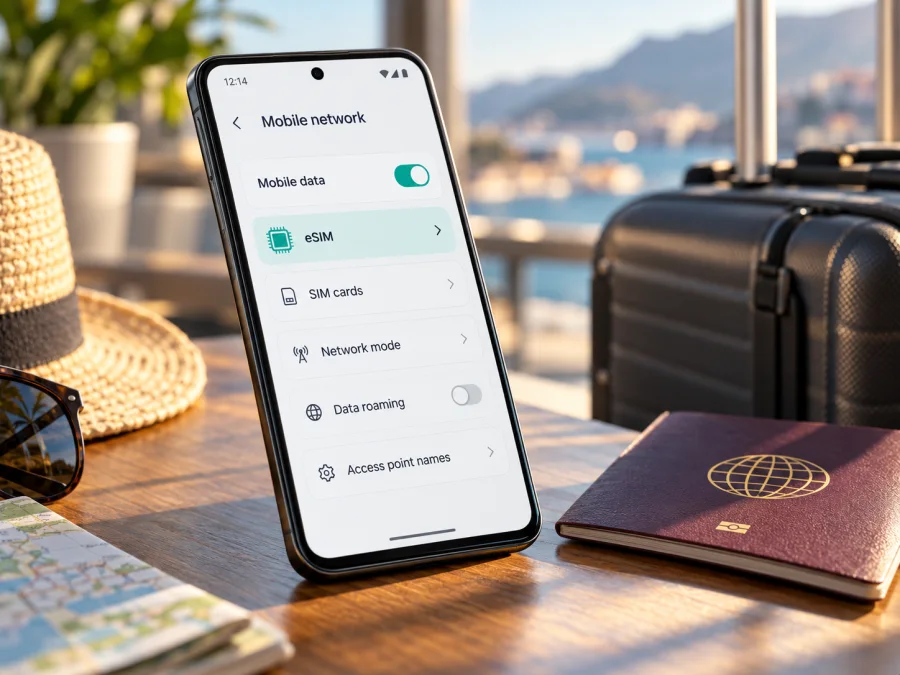
Asus ROG Phone 9 512GB eSIM: compatibility and setup
The Asus ROG Phone 9 512GB can support eSIM when it is the AI2501 variant whose firmware includes ASUS’s eSIM controls. ASUS’s official support documentation lists ROG Phone 9 (AI2501) and explains how to find its EID, change the SIM type to eSIM, and add a profile. However, “512GB” describes storage capacity, not the complete regional SKU. ASUS also lists market-specific ROG Phone 9 512GB versions, and its general specifications describe two Nano-SIM slots. Check the exact handset in your hands before you buy an eSIM plan: confirm the model number, look for an EID, and find the eSIM option in Settings. If those are absent, treat that phone as incompatible unless ASUS confirms otherwise for its exact SKU.
This distinction matters for travel. A phone may have ample storage, 5G support, and two physical SIM slots without necessarily having an enabled eSIM profile system in every market configuration. Conversely, ASUS’s setup instructions show eSIM controls for the AI2501 model family. The most useful answer is therefore conditional: some Asus ROG Phone 9 512GB units support eSIM, but storage capacity alone cannot confirm that your regional unit does. The handset’s own identifiers and settings are the practical check.
Asus ROG Phone 9 512GB eSIM quick facts
| Item | What to know |
|---|---|
| Device named in this guide | Asus ROG Phone 9 512GB |
| Manufacturer model family in ASUS’s eSIM FAQ | ROG Phone 9 (AI2501) |
| eSIM status | Supported on eligible AI2501 configurations; verify the individual regional SKU and software |
| Storage variant | 512GB; storage does not determine eSIM availability |
| Physical SIM information | ASUS’s general specifications list dual Nano-SIM / Dual Standby; its eSIM FAQ describes switching to eSIM and notes that the physical card in SIM 2 may be disabled in that mode |
| Useful on-device checks | EID in About phone status; eSIM option in the SIM settings |
| Main travel use | A compatible eSIM plan can provide mobile data in a destination, subject to plan terms and local network availability |
ASUS’s current ROG support article is unusually helpful because it names AI2501 explicitly and gives the menu path for checking eSIM. At the same time, ASUS’s product specifications present SIM support in physical Nano-SIM terms and the product range includes different regional product codes. Taken together, the public information supports eSIM capability in the AI2501 family, while leaving the 512GB label alone insufficient to establish that a particular region’s handset exposes that capability. This is why checking your unit matters more than relying on a listing title or a seller’s shorthand.
What the 512GB label does and does not tell you
512GB is the storage capacity, not a SIM configuration. ASUS lists several regional ROG Phone 9 512GB product codes. Retail listings may omit the suffix, and an imported or carrier-sold phone can have different firmware or restrictions. “Dual SIM” can also refer to two physical Nano-SIM slots; it does not by itself confirm eSIM. Check the full code and Settings on the actual handset.
Regional variants and carrier restrictions
ASUS cautions that eSIM functions can vary by service provider, country or region, and device model. Its ROG Phone 9 specifications list Nano-SIM slots, while its separate eSIM FAQ describes switching to eSIM on AI2501 phones and warns that this can disable the physical SIM in slot 2. These statements describe different SIM modes; do not assume every configuration can use two physical SIMs and eSIM together.
Check three things separately: whether the handset exposes eSIM capability; whether it is carrier-unlocked; and whether the plan covers your destination. A compatible phone does not guarantee plan availability or local coverage, and a plan cannot add eSIM capability to a phone without it. Network bands may also differ by region.
For a used or imported phone, ask for the complete code shown in Settings > About phone and inspect EID or the eSIM menu in person. Do not share the full EID publicly. A seller’s general claim about the model family is not a replacement for checking the exact unit.
How to check eSIM on your Asus ROG Phone 9 512GB
ASUS documents two ways to check its AI2501 phone. Menu wording can differ slightly by Android version, region, or software update, but look for the same information rather than relying on one exact English label.
Check for an EID
- Open Settings.
- Go to System.
- Tap About phone.
- Open Status or the device status details.
- Look for EID.
An EID is an identifier associated with the phone’s embedded SIM hardware. ASUS says that if EID information cannot be viewed, the phone does not support this feature. If the EID appears, that is a strong indication that the device has eSIM capability, but it is still sensible to check whether the eSIM option is available and whether the phone is carrier-unlocked.
Check for the eSIM controls
- Open Settings > Network & internet > SIM card.
- Find Switch SIM type.
- Check whether eSIM is an available choice.
- If it is, open the eSIM management screen and confirm that Add eSIM or Set up an eSIM appears. Stop before adding a profile if you are only checking compatibility.
ASUS’s support instructions describe this path for ROG Phone 9 (AI2501). They also state that changing to eSIM can disable the physical card in SIM 2. Read any confirmation dialog carefully before switching modes, especially if you rely on two physical SIMs.
Use both checks when possible. If EID and the eSIM option are present, continue to check the device lock and the plan conditions. If neither appears after installing available system updates and restarting, do not assume that another app or a QR code can enable eSIM. Contact ASUS support with the exact product code. A QR code installs a profile only; it cannot provide missing eSIM capability.
Check your device before selecting a plan. The compatibility result should match the phone’s exact variant rather than only the “Asus ROG Phone 9 512GB” name.
Before you install an eSIM
Prepare the phone before departure, while you have reliable Wi-Fi and time to read the plan instructions. Keep your usual SIM available if you need its number, but remember that switching the ROG Phone 9 to eSIM mode may affect the physical SIM in slot 2.
Before proceeding, confirm that:
- Settings shows EID and eSIM controls for the exact handset.
- The phone is carrier-unlocked.
- The plan includes the destination and fits your data needs and trip dates.
- You can access Wi-Fi and the QR code or activation details.
- You know when the plan’s validity begins and whether data roaming is required.
- You understand which SIM will be used for mobile data.
Kaspersky eSIM Store is an app and website where you can choose, purchase, and activate an eSIM with a mobile data plan for an overseas trip. Review the destination, allowance, validity, and terms before choosing a plan.
Installing and activating an eSIM on Android
The ROG Phone 9 is an Android phone, but ASUS’s documented flow may first require switching the SIM type. Follow the instructions for your particular plan: installation may use an app, QR code, or manual activation code. Avoid repeatedly entering a code if an attempt fails; some profiles limit installation attempts.
1. Connect to the internet
Connect to reliable Wi-Fi or working mobile data. ASUS advises choosing data services from SIM 1 before adding an eSIM. Read any warning about a physical SIM that may be disabled before confirming a mode change.
2. Open the setup screen
Go to Settings > Network & internet > SIM card > Switch SIM type > eSIM. Then open Manage eSIM > Add eSIM > Set up an eSIM. Labels can vary slightly by software version.
3. Add the profile
Scan the QR code displayed on another screen, or enter the activation code supplied with the plan. Keep the code private. Stay connected while the profile downloads.
4. Enable it and choose data
In Manage eSIM, enable the new profile. ASUS says only one eSIM can be enabled at a time on the supported configuration. In SIM settings, select the travel eSIM for mobile data. A data-only plan may not include a phone number, regular calls, or SMS.
5. Activate at the right time
Plan validity may begin on installation, activation, or first connection in the destination. Check the terms. Install ahead only if the plan permits it, and delay enabling or data use if needed to avoid starting validity early.
For Android-specific help, see the Android eSIM installation instructions. The iOS eSIM installation instructions are for Apple devices; their menus do not apply to the ROG Phone 9.
Using the travel eSIM during a trip
After arrival, enable the profile, select it for mobile data, and allow time for registration. If automatic network selection does not work, follow the network instructions attached to the plan. Confirm the destination is covered and whether the eSIM requires data roaming. If roaming is needed, enable it for the travel profile only; check that your regular SIM is not supplying roaming data unintentionally.
| Setting | Check |
|---|---|
| Travel eSIM | Installed and enabled when ready |
| Mobile data | Assigned to the travel eSIM |
| Data roaming | Enabled for that eSIM only if the plan requires it |
| Regular SIM | Kept for calls or messages if needed; review roaming separately |
| Data use | Monitor maps, video, cloud backup, and hotspot use |
Estimate data for your own travel habits. Navigation, messaging, browsing, video calls, streaming, and hotspot use consume different amounts. Check whether tethering is permitted rather than assuming it is included. For a multi-country trip, verify that every stop appears in the plan’s destination list; a single-country plan may not work across a border.
Common problems and what to check
There is no EID or eSIM menu
Check the full model number, restart the phone, install available official updates, and search both SIM settings and device status. If EID and eSIM controls remain absent, treat the unit as incompatible and ask ASUS about its exact product code. A QR code cannot add missing eSIM capability.
The QR code will not scan or the profile will not download
Increase the screen brightness, clean the camera lens, and try a second display. Use manual activation only if the plan provides it. Confirm the code has not expired or been used, and check Wi-Fi and any installation limit. If an error continues, record its wording and contact plan support before deleting profiles or resetting settings.
The eSIM is installed but there is no service
Confirm that the profile is enabled, the destination is included, mobile data uses the eSIM, and the phone is unlocked. Toggle airplane mode or restart once. Check whether the plan requires data roaming or manual network selection, and verify the regional phone supports local network bands.
Apps have no internet or the wrong SIM is active
Check mobile data assignment, Android data limits, and the plan’s instructions. Enable roaming only for the travel profile if required. ASUS warns that switching to eSIM may disable the physical SIM in slot 2, so confirm which physical line remains active. Do not copy access-point settings from another plan.
The plan appears to have started early
Review whether validity begins on installation, activation, or first network connection. Contact the plan support channel with the order details if timing appears wrong. Do not delete the eSIM until support confirms whether it can be installed again.
Practical scenarios
Data as soon as you land: Check compatibility, install over Wi-Fi if the plan allows it, then select the travel eSIM for mobile data on arrival.
Keep your regular number reachable: Check how eSIM mode affects the physical SIM in slot 2. Decide how calls, messages, and data should be routed before switching modes.
Cross several countries: Choose a plan whose destination list includes every stop, or review separate options for the route. Do not infer coverage from nearby borders.
Buy a used 512GB phone: Inspect the complete model code, EID, and eSIM menu in person. If the seller cannot show them, make compatibility a condition of purchase or choose a confirmed device.
Use data occasionally: If plan terms allow it, keep the profile disabled or select another data line until needed. Monitor validity and usage.
Frequently asked questions
Does the Asus ROG Phone 9 512GB support eSIM?
Some AI2501 configurations do. ASUS’s official FAQ covers ROG Phone 9 (AI2501), but 512GB alone does not confirm that a regional SKU exposes eSIM. Check the model number, EID, and Settings menu.
Is the 512GB model definitely compatible?
No. ASUS lists multiple regional product codes and notes that eSIM functions can vary. Confirm the actual unit and carrier-unlock status.
Can I use eSIM and two physical SIMs together?
Do not assume so. ASUS warns that switching to eSIM may disable the physical SIM in slot 2, and says only one eSIM can be enabled at a time on the supported configuration.
Is EID the activation code?
No. EID identifies the device’s eSIM capability; the QR code or activation code installs an individual profile. Keep both private.
Does a travel eSIM include a phone number?
Not necessarily. Many travel plans provide data only. Check the plan terms; messaging and calls may still work through internet apps.
Should I install before departure?
Preparing over Wi-Fi can be convenient, but follow the plan’s validity rules. If the period begins on installation, wait or keep the profile inactive if allowed.
Why do ASUS specifications list two Nano-SIM slots?
The general specifications describe the physical slots; the eSIM FAQ describes an eSIM mode for AI2501 and notes that SIM 2 may be disabled when switching modes. Check the exact configuration.
Final checklist: confirm the phone, then choose a plan
Before paying for a travel eSIM, confirm that your Asus ROG Phone 9 512GB shows an EID and an eSIM option in Settings, identify the full regional model code, and verify that the device is unlocked. If those checks pass, compare plans for your actual destination or route and review data allowance, validity, activation timing, and roaming requirements. If EID or eSIM controls are missing, treat the handset as incompatible until ASUS confirms support for that exact SKU.
Kaspersky eSIM Store is an app and website that helps you choose, purchase, and activate an eSIM plan for mobile data on an overseas trip. Check the current destination options and plan terms on the Kaspersky eSIM Store site, then complete the compatibility checks above before selecting a plan. The chosen plan’s availability and connection depend on its terms, the device configuration, and the local network.


