Travel connectivity guide
Asus ROG Phone 9 8GB RAM eSIM: Compatibility
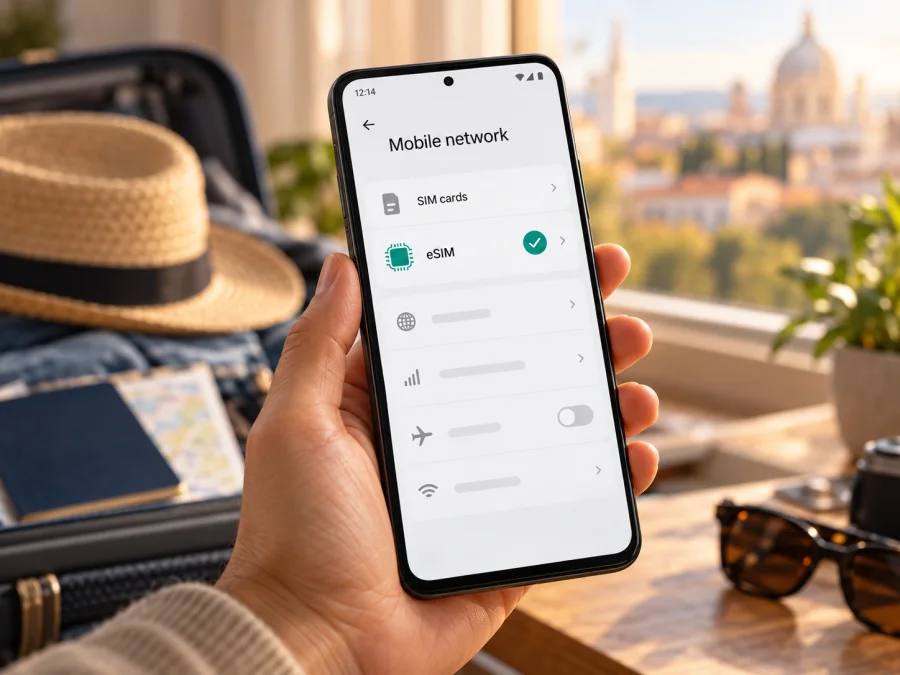
Asus ROG Phone 9 8GB RAM eSIM: compatibility and setup guide
If you are checking whether the Asus ROG Phone 9 8GB RAM can use an eSIM for mobile data on a trip, the safest answer is conditional: ASUS documents eSIM support for ROG Phone 9 (AI2501) in its support guidance and lists an eSIM option in its Japanese-market specifications, but its current global specification page describes two nano-SIM slots and does not list eSIM. The exact 8GB RAM version named here is not identified in the official configurations reviewed. So the family name alone is not enough to confirm that this particular handset can add an eSIM. Check the phone itself for an EID and an eSIM option before choosing a plan.
This distinction matters because devices sold under the same product name can have different market configurations. A listing’s memory label does not prove which hardware or software variant you will receive. Treat the result shown by the phone’s own settings, together with the exact model code and seller confirmation, as decisive.
Quick answer: does Asus ROG Phone 9 8GB RAM support eSIM?
It cannot be confirmed for the exact Asus ROG Phone 9 8GB RAM configuration from the official specification pages available at the time of review. ASUS’s support FAQ includes ROG Phone 9 (AI2501) and explains how to add and manage eSIMs; ASUS Japan’s ROG Phone 9 specifications list two nano-SIM slots and one eSIM. In contrast, the global ROG Phone 9 specification page lists two physical nano-SIM slots. The support FAQ also warns that eSIM functions can vary by country or region, device model, and service provider.
ASUS’s global configurations reviewed show 12 GB or 16 GB of memory, and its Japanese specification shows 12 GB. These tables do not verify an 8 GB RAM edition. A seller’s “8GB RAM” label may describe a different variant or a memory-expansion feature; it does not establish eSIM capability. Check the model code, EID, and add-eSIM menu on the handset.
| Check | What current official information says | What it means for this device |
|---|---|---|
| Product family | ASUS support lists ROG Phone 9 (AI2501) in its eSIM setup FAQ. | eSIM exists in at least a documented ROG Phone 9 configuration. |
| Regional specification | ASUS Japan lists nanoSIM × 2 / eSIM × 1. The global spec page lists two nano-SIM slots. | Regional hardware or software configuration matters; do not generalize from one market. |
| Memory variant | Official global tables reviewed list 12 GB and 16 GB; Japan lists 12 GB. | An 8 GB RAM version was not verified from those official tables. |
| Exact 8 GB model | No official source located in this review ties that exact memory label to a particular eSIM configuration. | Verify the model code, EID, and add-eSIM menu on the handset before purchase. |
| Travel-plan compatibility | Depends on eSIM support, carrier lock status, the plan’s destination, and its device/network conditions. | Confirm all of these before paying for a travel plan. |
ASUS’s support instructions give two ways to check eSIM eligibility: look for an EID under the phone’s status information, or look for an eSIM type and eSIM management option in the SIM settings. ASUS says that when EID information cannot be displayed, the phone does not support this feature. Menu names can differ slightly with Android version or regional firmware.
Why regional and operator versions matter
“ROG Phone 9” identifies a product family, not necessarily one configuration for every market. ASUS’s Japanese page explicitly lists eSIM, while the global SIM section lists two nano-SIM slots. ASUS also notes that eSIM support can vary by region, model, and provider. Check your handset rather than relying on a general compatibility list or retailer title.
The model code helps but is not conclusive. ASUS identifies AI2501 in its eSIM help page and also warns of regional variation. Imported or carrier-customized phones may differ in firmware or restrictions. Ask for the full identifier and sales market, and confirm that the handset has an EID and accepts a travel eSIM. If you own it, inspect Settings rather than inferring support from packaging or 5G bands.
The requested “8GB RAM” wording deserves care: official configuration pages reviewed do not list it as a physical memory option. A memory-expansion setting, if present, is not proof of a factory RAM variant or an eSIM chip. Check Settings > About phone and ask the seller to explain any mismatch.
An eSIM-capable phone can still fail to register a particular plan if it is carrier-locked, the profile is not valid for it, or the destination is not covered. 5G support on the handset does not guarantee 5G service on every plan or network.
Check the handset before buying a plan
Use this short checklist on the exact phone you intend to travel with:
- [ ] Find the model code. Open Settings > About phone and record the model number, software version, and market or region details shown. Compare these with the seller’s description and box label.
- [ ] Look for an EID. In Settings, open System > About phone > Status and look for EID. ASUS also describes a SIM-type path: Settings > Network & internet > SIM card > Switch SIM type > eSIM. Wording and menu order may vary.
- [ ] Look for eSIM management. Search SIM settings for “Manage eSIM,” “Add eSIM,” or an equivalent option. Confirm that the screen offers a way to add a profile, not just manage physical SIM cards.
- [ ] Check that the phone is unlocked. Ask the original carrier or seller if the phone can use a profile from another provider. A SIM lock can prevent a travel eSIM from registering even if an EID is present.
- [ ] Update and restart. Install available official system updates, restart the phone, then check the EID and menu again. A missing menu can reflect firmware or an incomplete setup, so confirm before drawing a conclusion.
- [ ] Confirm the plan conditions. Check that the selected plan covers every destination on your route, supports your device and intended use, and has suitable data allowance and validity.
Before choosing a plan, check your device. Do not assume every ROG Phone 9 supports eSIM. If no EID appears, ask ASUS or the seller about the exact market firmware. “Dual SIM” can mean two physical nano-SIM slots.
Where to find EID and eSIM controls
An EID identifies the embedded SIM hardware; it is different from the IMEI and phone number. ASUS gives two menu paths: Settings > System > About phone > Status > EID, or Settings > Network & internet > SIM card > Switch SIM type > eSIM. Labels vary by software. Search Settings for “EID” or “eSIM” if needed.
An EID plus an add-profile control is a useful confirmation, subject to carrier-lock and plan checks. If both are missing, update and restart, then ask ASUS or the seller before purchase. A QR code cannot add absent hardware. Keep the EID and IMEI private; share them only with trusted support when necessary.
How to install and activate an eSIM
Install over reliable Wi-Fi or another working connection. Keep the phone charged and activation details ready. Do not delete a profile to retry: a QR or activation code may be limited to one installation.
- Confirm compatibility first. Make sure the phone shows an EID and an add-eSIM control, is unlocked, and is running current software. Verify the destination and plan conditions before purchase.
- Open the eSIM information. After choosing and completing a plan, open the installation details in the app or account where the purchase is managed. Use the supplied QR code or manual activation information, if available.
- Open SIM settings. On the documented ASUS route, go to Settings > Network & internet > SIM card > Switch SIM type > eSIM, then open Manage eSIM. Your market’s menu may use different wording.
- Choose Add eSIM. Select Add eSIM or Set up an eSIM. If prompted, choose whether to scan a QR code or enter the activation code manually.
- Scan or enter the profile details. Follow the phone’s instructions and wait for the profile to download. Keep the screen open and the internet connection stable until setup completes.
- Name the profile. Use a clear label such as “Travel data” so it is easy to distinguish from your home SIM. Do not share or photograph the activation QR code where others can access it.
- Choose when to enable it. You can add the profile before departure and leave it switched off until needed, if the plan’s activation rules allow that. Check when validity begins: some plans start on installation, while others start on first connection in the destination.
- Select the mobile-data line. In SIM settings, enable the travel profile and choose it for mobile data when you are ready to use it. Keep your usual line available for calls or messages only if you understand its roaming charges and the phone’s dual-SIM behavior.
- Set roaming and APN only as instructed. Some travel profiles require data roaming to be enabled on that eSIM. This is a setting for the selected line; it does not mean you must enable roaming on your home SIM. Enter an APN only if the plan’s installation details specify one.
- Test the connection. Turn off Wi-Fi briefly, check that mobile data is assigned to the travel eSIM, and open a simple webpage. Allow a few minutes for registration. If you are not yet in a supported destination, the profile may install successfully but not connect to a local network.
For screenshots and device-specific help, see the Android eSIM installation guide and the iOS installation guide. The iOS guide is included as a general reference for travelers managing more than one device; the Asus ROG Phone 9 runs Android, so follow the Android route and the menu labels shown on your handset. Kaspersky eSIM Store is an app and website where you can select, arrange, and activate an eSIM with a plan for mobile data during an international trip. It is not a mobile operator or network owner.
Using a travel eSIM on the trip
At your covered destination, confirm that the travel profile is enabled and selected for mobile data. Turn on roaming for that profile only if required. Keep your home SIM’s roaming off unless you intend to use it; call and text charges depend on your carrier.
Before departure, review destination coverage, data amount, validity, activation timing, and any hotspot restrictions. Verify every stop on a multi-country route; nearby territories are not automatically included. Estimate your needs for maps, messaging, browsing, and ride-hailing, then track usage in SIM settings or your account. Streaming and cloud backups use data quickly, so download large files over Wi-Fi if needed.
If you use two lines, set the travel eSIM as the mobile-data line and review which SIM handles calls, messages, and data switching. Disable automatic mobile-data switching if the phone might move data back to your home SIM without you noticing. The names of these controls vary. Check your home carrier’s roaming terms if you leave that line enabled. A travel data eSIM may not include a regular phone number, voice service, or SMS unless the plan details expressly say otherwise; internet-based calling and messaging apps can work over its data connection.
Kaspersky eSIM Store is an app and website for selecting, arranging, and activating an eSIM plan for mobile data on an international trip. Coverage, speed, and availability depend on the supporting networks and location; review current plan terms before payment.
Troubleshooting: when an eSIM will not install or connect
The EID is missing. Search the settings again, check the exact model code, restart, and install official updates. If the EID remains unavailable and eSIM settings are absent, ask ASUS or the seller to confirm whether your market variant has eSIM hardware. Do not purchase a plan until the device’s capability is confirmed.
There is no Add eSIM option. Confirm that you are in the SIM-type or eSIM-management section, not only the screen for physical SIM cards. Check the software version and regional firmware. If the option is still absent, share the model code with ASUS support. The global and Japanese SIM specifications differ, so an online guide for another market may not match your phone.
The QR code will not scan. Increase the screen brightness, clean the camera lens, and steady both devices. If installing from the same phone, use the manual option when available or show the code on another trusted screen. Ask support about a code already redeemed.
The profile downloads but does not activate. Check internet access, that the eSIM is enabled, Airplane mode is off, and date and time are automatic. Restart once. If activation requires the destination network, wait until arrival; downloading a profile does not always start the plan.
The eSIM is active but there is no data. Select it for mobile data, check signal and destination coverage, and enable roaming on that profile if required. Enter only the APN supplied for that plan. Restart, then contact plan support with the destination and model code if service still fails.
The home SIM is being charged. Review the data-line selector and roaming toggle for each SIM. Turn off data roaming for the home line and disable automatic data switching if you do not want the phone to fall back to it. Ask your home operator about call and message charges if that SIM remains enabled abroad.
The phone says the eSIM is already downloaded or in use elsewhere. Profiles may not transfer freely. Ask the issuing provider to check status and explain replacement or reinstallation; do not delete it unless support confirms it can be restored.
The QR code worked but the eSIM cannot register. Confirm destination, validity, and unlocked status. Network availability varies by location; if the plan lists several supported networks and manual selection is available, try another listed network.
Frequently asked questions
Is the Asus ROG Phone 9 8GB RAM definitely eSIM-compatible?
That exact memory configuration is not confirmed by the official specification pages reviewed. ASUS documents eSIM setup for ROG Phone 9 (AI2501), and its Japanese specification lists eSIM, while its global specification page lists two nano-SIM slots. Check the EID and add-eSIM menu on the exact handset before buying a plan.
If my phone has two SIM slots, does that mean it supports eSIM?
No. Two slots can refer to two physical nano-SIM cards. Look for an EID and an eSIM management or add-profile option, and check the exact regional model.
Can I install the profile before I travel?
Often yes, if the plan’s terms permit it. Check whether installation starts the validity period or whether service begins only after the eSIM connects in its destination. You may install it ahead of time and keep it disabled until needed when the plan supports that sequence.
Should I turn on data roaming?
Only when needed for the selected travel profile. Some eSIM plans require roaming on that profile for data to work. Keep roaming disabled on your regular SIM if you want to avoid unintended carrier charges, and check your carrier’s terms.
Will a travel data eSIM replace my phone number?
Usually not. A travel eSIM intended for mobile data may not include a phone number, calls, or SMS. Check the individual plan terms. You can use internet calling and messaging apps over mobile data where available.
Can I move the eSIM to another phone later?
Do not assume that you can. Transfer and reinstallation rules depend on the profile issuer and plan. Ask support before deleting or resetting a working profile, and keep the installation details in a secure place.
What should I do if ASUS’s instructions do not match my menus?
Menu names can vary with region and software version. Search Settings for EID or eSIM, check for system updates, and use the phone’s model code when contacting ASUS support. A guide for a different regional build may show a different SIM layout.
Before you choose a plan for your trip
For Asus ROG Phone 9 8GB RAM, verify the exact handset rather than relying on the family name or a shop’s RAM label. Start with the EID, confirm that Settings includes an option to add and manage eSIM profiles, and check that the device is unlocked. The official information is mixed across regional specifications, and the 8 GB RAM configuration itself was not verified in ASUS’s published tables reviewed for this guide. That is a limitation of the available evidence, not a reason to assume either compatibility or incompatibility.
After the device passes those checks, compare current plans for your destination by coverage area, data allowance, validity, activation timing, and price. Kaspersky eSIM Store is an app and website that helps you select, arrange, and activate an eSIM with a mobile-data plan for an international trip. Browse the Kaspersky eSIM Store to check currently available destinations and plans; this is the general store homepage, not a country-specific tariff. Read the plan terms, confirm the destination network support, and keep your home SIM’s roaming settings under control. If the phone has no EID, ask the seller or ASUS to identify the exact regional model before you proceed.


