Travel connectivity guide
Asus ROG Phone 9 Pro 512GB eSIM: Setup
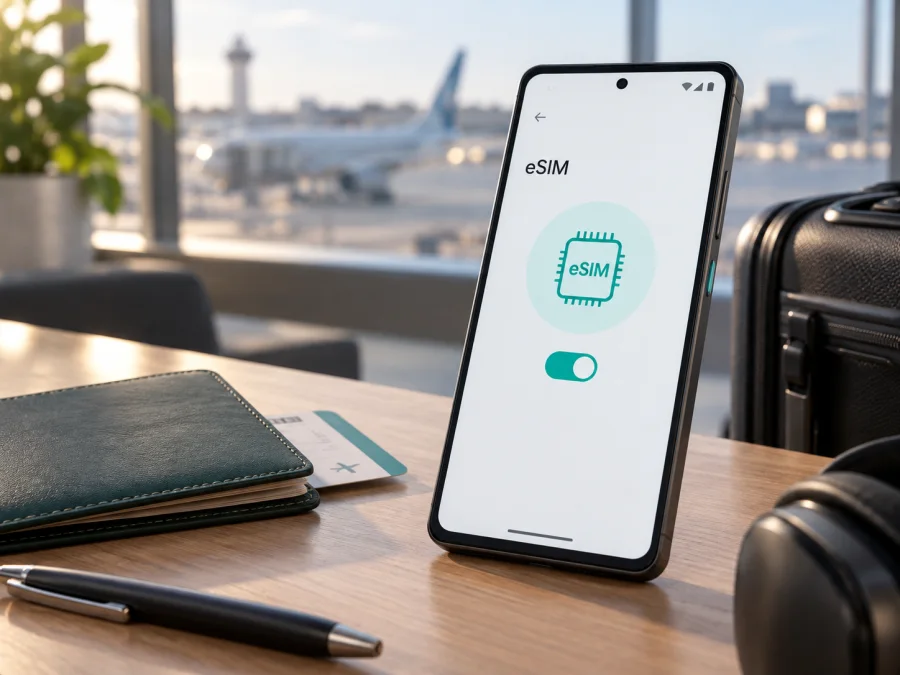
eSIM compatibility for Asus ROG Phone 9 Pro 512GB
If you are preparing an overseas trip with an Asus ROG Phone 9 Pro 512GB, check the individual handset before buying an eSIM plan. ASUS documentation differs by market: the global ROG specification describes two physical nano-SIM slots, while an official regional specification lists two nano-SIM slots and one eSIM. ASUS also publishes an eSIM support guide that includes the ROG Phone 9 Pro (AI2501) and directs users to look for an EID.
The practical answer is therefore conditional: an Asus ROG Phone 9 Pro 512GB may support eSIM, but the 512GB storage label does not prove it. Confirm an EID and an eSIM control in the phone’s own settings, then check the travel plan, country and carrier conditions. This is more reliable than a generic marketplace listing or a review of a phone sold in another region.
Quick answer for the 512GB variant
| Item | What to know |
|---|---|
| Exact device | Asus ROG Phone 9 Pro 512GB |
| ASUS support reference | ROG Phone 9 Pro, model family AI2501 |
| Global specification | Dual-SIM / Dual-Standby with two nano-SIM slots |
| Regional difference | An official ASUS regional specification lists nanoSIM x2 and eSIM x1 |
| Decisive check | EID plus an option to select or add eSIM |
| Travel use | Mobile data, if the device, profile, destination and plan are compatible |
“5G” and “Dual-SIM” in a product title do not settle the question. 5G describes network capability, while Dual-SIM can refer to two physical SIMs or a physical-SIM/eSIM combination. A seller may also reuse one description for several markets. Check the phone you will actually take on the trip.
Does Asus ROG Phone 9 Pro 512GB support eSIM?
Do not mark every device with this name as supported. ASUS’s current support material for the ROG Phone 9 Pro (AI2501) explains how to locate the EID and says that a phone without visible EID information does not support the feature. ASUS also notes that eSIM functions can vary by service provider, country or region and device model.
The global ROG Phone 9 Pro specification lists Slot 1 and Slot 2 as 5G/4G/3G/2G nano-SIM cards. That is the published configuration for that market. An official ASUS Japan specification for the ROG Phone 9 Pro lists two nano-SIM slots and one eSIM. Together, these official pages show why the name “Asus ROG Phone 9 Pro 512GB” is not enough to certify a particular imported or carrier-supplied unit.
Use this rule for your handset:
- If Settings shows an EID and an eSIM selection or add-profile control, the phone has the built-in capability. Continue by checking the network and plan.
- If Settings shows only physical SIM slots and no EID, do not buy an eSIM plan for this phone. A QR code cannot add missing eSIM hardware.
- If an EID appears but the add option is absent, update the phone, restart it and confirm the sales region or carrier configuration. Do not assume that an EID guarantees activation with every provider.
What eSIM changes for a trip
An eSIM is a digital SIM profile stored in compatible phone hardware. You normally receive a QR code or supported installation flow, download the profile and use it with the networks allowed by the selected plan. This can be convenient when you want mobile data shortly after arriving and want to keep your primary physical SIM available.
Read the plan conditions before installation. Check destination or regional coverage, data allowance, validity period, activation trigger, supported networks, hotspot policy and fair-use limits. A data-focused travel plan is not automatically a second phone number. Unless its conditions say otherwise, ordinary calls and SMS remain connected with your primary line; internet messaging and calls use the data connection.
Kaspersky eSIM Store is an app and website where you can choose, arrange and activate an eSIM with a plan for mobile internet during an overseas trip. It is not a mobile operator, network owner or mobile-internet provider. The actual connection depends on the selected plan, local network arrangements, the phone’s compatibility and the conditions shown at the time of selection.
What to check before buying an eSIM plan
Check the device first and the plan second, particularly if the phone was imported or bought through a marketplace.
<a id="kesim-device-compatibility"></a>
Compatibility checklist
- Confirm that the handset is the Asus ROG Phone 9 Pro 512GB you intend to use, not another ROG Phone 9 model.
- Open Settings and look for an EID. Keep it private and enter it only in a trusted activation or support flow.
- Look for Switch SIM type, eSIM, Add SIM, Add mobile plan or similar wording.
- Check whether the phone is carrier-unlocked. An eSIM menu does not remove a network lock.
- Install current system updates over reliable Wi-Fi, restart the phone and repeat the EID check.
- Confirm destination, data amount, validity period, activation rule, supported networks and hotspot conditions.
- Make sure you can display the QR code on another screen if the phone must scan it.
- Keep a backup connection for installation, such as dependable Wi-Fi or your primary line under understood roaming conditions.
How to find EID and eSIM controls
Menu names can vary with Android version and ASUS software. ASUS’s support instructions direct ROG Phone users to the SIM settings for an eSIM choice and to device status for EID.
- Open Settings.
- Open Network & internet, Mobile network or a similarly named section.
- Select SIMs or SIM card and look for Switch SIM type, eSIM or Add mobile plan.
- Return to Settings and open System, About phone or Device information.
- Open Status or SIM status and look for EID.
The combination of a visible EID and an available eSIM control is the useful result. If both are missing, contact the seller before paying for a plan. If the phone is carrier-supplied, ask whether eSIM is disabled for that operator or region.
Before selecting a travel plan, check your device and make sure the result applies to the handset you will actually carry.
How to install and activate an eSIM
Use stable Wi-Fi, charge the phone and keep the activation information available. A plan may begin its validity at installation, first network connection or another event described in its conditions. Check that point before confirming the download.
Android steps on the ROG Phone 9 Pro family
- Check the phone. Confirm EID and eSIM controls before opening the QR code.
- Prepare activation details. Display the QR code on another screen or use the provider’s supported in-app flow.
- Open mobile-network settings. Go to Settings and then Network & internet or Mobile network.
- Choose add eSIM. Select Add SIM, Download a SIM instead, Add mobile plan or the closest available label.
- Scan the QR code. Use the second screen, remove glare and wait for the profile details to load.
- Confirm the download. Approve the profile and stay on Wi-Fi until installation completes.
- Name the line. Choose a label such as “Travel data” and distinguish it from your primary number.
- Select mobile data. Set the travel eSIM as the line for mobile data. Keep the primary line for calls or SMS only if its roaming conditions are understood.
- Enable roaming if required. Some travel eSIMs need data roaming to connect through a partner network. Enable it for the travel profile, not accidentally for the primary SIM.
- Test the line. Turn Wi-Fi off briefly, confirm the travel eSIM is selected for data and open a lightweight webpage. Re-enable Wi-Fi after the test if you want to conserve data.
For more guidance, use the Android eSIM installation guide. The iOS eSIM installation guide is relevant when a companion or second device is an iPhone; it does not replace the ROG Phone’s own EID check.
Do not delete a profile merely because signal is temporarily unavailable. Some profiles cannot be downloaded again or transferred. Check the plan rules before removing an installed eSIM.
Using the eSIM for mobile internet while travelling
Before departure
Complete the compatibility check at home or on dependable Wi-Fi. Choose a country, regional or route plan that matches the itinerary. Estimate data for maps, translation, tickets, messaging, work calls and media rather than choosing by name alone.
Install before departure only if the plan allows it without starting validity too early. If the clock starts on first network connection, leave the line disabled until arrival; otherwise wait for the appropriate time and keep the QR code accessible.
At arrival
Set the travel eSIM as the mobile-data line. Keep the primary SIM available only if you understand its roaming conditions. Disable automatic data switching if the software provides that option, then confirm the travel line is the one carrying data before opening maps or video.
During the trip
Monitor balance and validity in the app or website where the plan was arranged. Download large files over Wi-Fi, limit background data for unnecessary apps and use hotspot only when the plan permits it. If you cross a border, check that the plan covers the new country and that the correct profile remains selected.
Practical scenarios
Weekend city break: install on Wi-Fi, select the travel eSIM for data after landing, download maps and keep the primary SIM away from data if its roaming cost is unclear.
Work or multi-country trip: use the travel eSIM for data, keep the primary line only for expected calls or messages, check hotspot rules and confirm regional coverage at each border.
Common problems and checks
No EID appears. This is the strongest sign that this configuration does not support eSIM according to ASUS’s support guidance. Check device status rather than only the physical SIM tray, then ask the seller or ASUS about the exact region.
The eSIM menu is missing. Install pending updates, restart the phone and check for a carrier restriction. A generic AI2501 support page cannot override a regional unit without the needed hardware or firmware. Do not buy on the basis of a review alone.
The QR code will not scan. Show it on another screen, increase brightness, remove glare and check that it has not already been used. If manual activation details are supplied, copy them exactly; do not invent values.
The profile downloads but data does not work. Turn the travel line on, select it for data, confirm destination coverage and enable data roaming for that profile if required. Turn airplane mode off, restart and wait a few minutes for registration. Make sure the primary SIM is not selected for data.
The signal is slow or falls back from 5G. Check local coverage, the plan’s network conditions, signal strength and preferred network mode. A 5G label on the phone does not guarantee 5G from every plan or in every location.
The connection stops later. Check remaining data and validity first, then destination, selected line and network registration. If the profile was deleted, consult the plan rules before attempting another installation.
FAQ
Is the Asus ROG Phone 9 Pro 512GB definitely eSIM-compatible?
No universal answer is safe. ASUS lists eSIM for a regional version and provides an ROG Phone 9 Pro eSIM support guide, while the global specification describes two nano-SIM slots. Confirm EID and an eSIM control on your own handset.
Does 512GB mean that the phone has eSIM?
No. Storage and SIM hardware are separate characteristics. The market, firmware and carrier configuration still need to be checked.
Can I use two physical SIMs and an eSIM at the same time?
Do not assume that all three lines can be active together. The phone may store profiles while limiting which lines can be enabled or used for data. Follow the options displayed by your software.
Will a travel eSIM replace my normal number?
Usually not. A data-focused travel eSIM provides mobile internet under its plan conditions and does not automatically provide your primary number, ordinary calls or SMS.
What if the phone was purchased abroad?
Treat the sales region as a key compatibility detail. Check EID, eSIM controls, carrier lock and supported network bands on the actual device, and ask the seller to confirm the exact market.
What is Kaspersky eSIM Store in this process?
Kaspersky eSIM Store is an app and website that helps you choose, arrange and activate an eSIM with a plan for mobile internet on an overseas trip. It is not the mobile operator and does not guarantee support for every device, country, carrier or network.
Final device check before your trip
Before choosing an eSIM for the journey, follow this order: identify the exact Asus ROG Phone 9 Pro 512GB in your hand; confirm an EID; confirm that an eSIM can be selected or added; check for carrier lock and updates; compare destination, data allowance, validity and activation rules; then install and test over Wi-Fi. If EID or the eSIM control is absent, verify the regional version with ASUS or the seller instead of assuming that another ROG Phone 9 Pro has the same capability.
Once the phone passes those checks, use Kaspersky eSIM Store to choose and arrange a suitable eSIM plan for mobile internet in the country or region you are visiting. Select the travel profile for data, keep the primary SIM settings under control, monitor the plan and save support details. This final device check helps you choose a trip eSIM with a clear understanding of what the phone can actually use.


