Travel connectivity guide
Asus Zenfone 12 Ultra eSIM: Compatibility & Setup
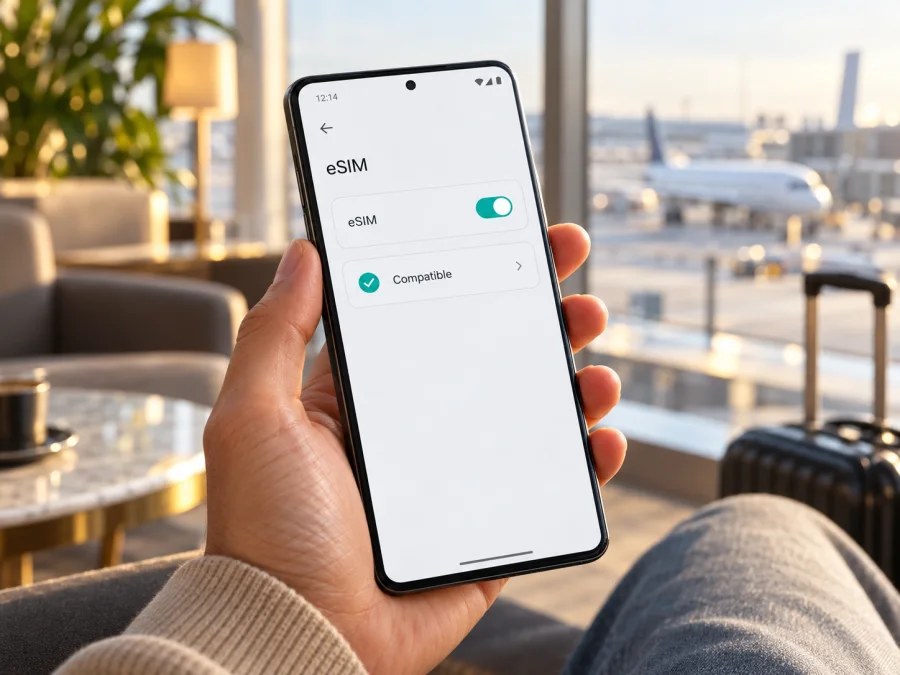
Asus Zenfone 12 Ultra eSIM: compatibility and setup guide
Short answer: Yes. ASUS lists eSIM support for the Zenfone 12 Ultra, including the AI2501 model, in its current product specifications and support instructions. The phone can store and use an eSIM profile, but availability and behavior can still depend on the exact regional or carrier version, software, and mobile provider. Before choosing a travel plan, check for an EID or eSIM option on your own phone and confirm that it is unlocked and supported in the destination.
This guide explains how to check compatibility, install a profile, select it for mobile data, and troubleshoot common issues. It focuses on the exact device name Asus Zenfone 12 Ultra; instructions for other Zenfone models may differ.
At a glance
| Item | What to know |
|---|---|
| Device in this guide | Asus Zenfone 12 Ultra |
| eSIM support | Listed by ASUS for Zenfone 12 Ultra (model AI2501) |
| Physical SIM arrangement | ASUS lists two nano-SIM slots alongside eSIM support |
| Important SIM limitation | ASUS says eSIM and the physical SIM in slot 2 are mutually exclusive on the documented version; enabling eSIM disables slot 2 |
| Mobile data abroad | Depends on the plan, local network availability, supported bands, provider rules, and device settings |
| Best check before purchase | Look for the phone’s EID and an eSIM management or add-eSIM option in Settings |
Does the Asus Zenfone 12 Ultra support eSIM?
Yes, ASUS’s product information identifies eSIM as a supported feature for the Zenfone 12 Ultra. ASUS’s support page also names Zenfone 12 Ultra AI2501 and gives instructions for checking its EID, adding an eSIM, enabling it, and managing profiles. Regional ASUS specification pages list eSIM support as well.
That establishes support for the documented model, but it does not guarantee that every handset sold under the same retail name will expose the same feature in every country or with every carrier. A phone imported from another market, supplied by a carrier, configured with different firmware, or subject to a carrier restriction may behave differently. ASUS also cautions that eSIM functions can vary by provider, country or region, and device model. Confirm the individual handset rather than relying only on the product name printed on a box or listing.
There is also a practical dual-SIM detail. ASUS documents the Zenfone 12 Ultra as supporting two nano-SIM slots and eSIM, but says the eSIM and the physical card in slot 2 are mutually exclusive in the version covered by its instructions. When you switch the SIM type to eSIM, the phone may disable the SIM 2 card. Do not assume that two physical SIMs and an eSIM can all remain active together. Check the prompt shown by your own phone before changing the configuration.
Mobile network support is a separate question from eSIM support. The presence of an EID means the phone has an eSIM capability; it does not mean that every local network, frequency band, roaming arrangement, or travel plan will work. ASUS notes that 4G and 5G band compatibility varies by region. A network may also require a compatible plan, registration, or a particular setting before data starts.
Check your exact phone before buying a plan
The most reliable first check is on the handset itself. An EID is a long identifier associated with the embedded SIM. ASUS’s support instructions say that the EID is available in the phone’s status information when the eSIM feature is supported. A visible EID is a useful sign, but you should also check that the eSIM management screen is available and that your chosen provider accepts this model and regional variant.
Find the EID
On the documented ASUS software path:
- Open Settings.
- Go to System.
- Open About phone.
- Select Status.
- Look for EID.
Menu names can move slightly after a software update or differ with the device’s language. You can also look under Settings → Network & internet → SIM card for a SIM-type switch or eSIM management option. ASUS’s setup guide describes switching the SIM type to eSIM from this area.
If you find an EID and an eSIM management option, the phone appears ready to add a profile. If neither is present, do not purchase a plan on the assumption that the advertised model name is enough. Confirm the model code and region with the seller or ASUS support, install any available official system update, and ask the mobile provider whether that specific version is accepted. A missing menu can also result from software or carrier configuration, so treat it as a reason to investigate rather than as proof about every Zenfone 12 Ultra.
Compatibility checklist
Before placing an order, check each point:
- [ ] EID: The EID is visible in Settings, or ASUS support confirms that your exact handset supports eSIM.
- [ ] Add eSIM option: The phone shows an eSIM switch, eSIM management screen, or a way to add a profile.
- [ ] Exact model and market: The model code and sales region match the version confirmed by the seller or manufacturer.
- [ ] Carrier lock: The phone is not locked in a way that prevents use of another provider’s profile. If unsure, ask the carrier that sold it.
- [ ] Software: Android and the phone’s carrier settings are current. Restart after an update before checking again.
- [ ] Destination and network: The plan covers the country or region you will visit, and the local network supports compatible bands and service for your device.
- [ ] SIM 2 trade-off: You understand that enabling eSIM may disable the physical card in slot 2 on the documented configuration.
- [ ] Plan terms: Data allowance, validity period, supported countries, activation timing, and tethering rules fit your trip.
Compatibility depends on the handset and the provider’s requirements, so keep the phone’s model code and EID available if you need to ask for confirmation.
Regional and carrier versions: what can change?
ASUS publishes specifications for different markets and cautions that availability and specifications may vary by country. Official regional pages list eSIM support, while the ASUS support instructions name Zenfone 12 Ultra AI2501. Still, a carrier-sold or imported phone may have different firmware, supported bands, carrier settings, or a network lock. These factors can affect profile installation or connection.
The model name alone cannot confirm support from a particular provider. Check the full model code, sales region, unlock status, EID, and eSIM menu. Ask the provider whether it accepts that exact version. ASUS also notes that 4G and 5G band compatibility varies by region, so eSIM capability should not be treated as a guarantee of coverage or speed.
Check your device before choosing a plan, and confirm that your exact regional version is accepted.
Choose a travel eSIM for the right use
A travel eSIM can be useful when you want mobile data after arriving without removing your regular physical SIM. Before choosing one, match the plan to your actual route. A country-specific plan may suit a single destination; a regional plan may be more convenient when you cross borders. Confirm the exact countries covered instead of inferring coverage from a region’s name.
Estimate data use from the activities you expect: maps, messaging, ride-hailing, email, browsing, video calls, photo uploads, and streaming can use very different amounts. Check the plan’s allowance and validity period, and read when validity begins. In some offers, the clock starts on installation or activation; in others, it begins when the eSIM first connects to a supported network. Follow the terms for the plan you select rather than assuming that installing the profile and starting data are the same event.
Kaspersky eSIM Store is an app and website where you can choose, arrange, and activate an eSIM with a suitable plan for mobile internet during an international trip. It is not a mobile operator or a network provider. The details that matter are the destination, data allowance, validity, activation conditions, and the compatibility of your own handset. Browse destinations and current plan options before your trip, then compare the displayed terms with your itinerary.
A travel data eSIM generally does not replace your normal phone number. Unless a plan explicitly says otherwise, do not expect it to include ordinary voice calls or SMS. You can usually keep your regular line available for calls or messages if your device and SIM configuration allow it, while selecting the travel eSIM for mobile data. Check potential roaming charges on your main line and disable data roaming for that line if you do not want it used for data.
How to install and activate an eSIM
Use a stable internet connection, preferably Wi‑Fi, and keep the activation details available on another screen. Follow the plan’s activation timing: installation and the start of service may be separate events. Avoid deleting a profile or trying to transfer it unless the provider says reinstallation is supported.
ASUS’s model-specific support instructions describe this flow. Menu labels may vary slightly by software version:
- Check compatibility. Confirm that the EID and eSIM controls appear, and that the phone is unlocked for the provider.
- Connect to the internet. ASUS advises using Wi‑Fi or another working data line and selecting SIM 1 for data during setup.
- Open SIM settings. Go to Settings → Network & internet → SIM card.
- Switch to eSIM. Select eSIM as the SIM type. Read the prompt; on the documented configuration, the physical SIM in slot 2 is disabled.
- Add the profile. Tap Manage eSIM → Add eSIM → Set up an eSIM. Scan the provider’s QR code, or enter an activation code if supplied and offered on screen.
- Enable the profile. In Manage eSIM, turn on the new line and give it a clear label such as “Travel.”
- Select mobile data. Choose the travel profile when you are ready to use it. Enable data roaming for that profile only if the plan instructions require it.
- Confirm service. After arrival, allow time for network registration and check that mobile data uses the intended line.
See the Android eSIM installation instructions for an Android walkthrough. The iOS eSIM installation instructions are for iPhone users and do not apply to the Zenfone.
Installing downloads the profile; activation may happen when you enable it or when it first connects, depending on the plan. Read the plan terms to know when validity begins. If you intend to wait until arrival, leave the travel line off or do not select it for data until then, if the plan allows this.
Use the eSIM for mobile internet while travelling
When you are ready to connect, open the SIM settings and check that the travel profile is enabled and selected for mobile data. Keep your regular number as the default for calls and messages if you want to receive those services and your plan permits it. The data line and the call or SMS line can be different, but labels and available choices depend on the phone’s software and the profiles installed.
At the destination, let the phone register with a supported local network. Automatic network selection is usually a reasonable first attempt. If the phone shows no service, check the provider’s instructions before trying manual network selection. If the selected eSIM requires roaming, enable data roaming for that profile. This setting does not create coverage where the provider has no agreement or where the handset lacks compatible bands.
A few everyday habits help avoid confusion:
- Keep the profile label clear so that you do not accidentally choose the wrong data line.
- Check the data indicator and the selected SIM before opening maps, video, or large downloads.
- Turn off automatic app updates, cloud backups, or high-resolution streaming over mobile data if you want to conserve the allowance.
- Use Wi‑Fi for large downloads when practical, while keeping account and device security in mind.
- Monitor the remaining allowance and validity in the plan’s account or app, where that information is provided.
- Before crossing a border, confirm that the plan includes the next country and that it remains valid there.
- If you use a hotspot, verify that tethering is permitted by the plan and available on the local network.
The Zenfone 12 Ultra’s eSIM feature does not itself determine speed or coverage. Signal strength, network congestion, local infrastructure, provider agreements, supported frequency bands, and plan limits all affect the connection. If the phone falls back to 4G or loses service in a particular location, that alone does not show that the eSIM profile is defective.
Common problems and what to check
No EID or eSIM menu
Search Settings for “EID” and “eSIM,” then check About phone → Status and SIM settings. Restart the phone and install any official update. Confirm the model code and sales region with the seller or ASUS support. If the controls remain absent, ask ASUS or the provider to verify the exact handset before buying a plan.
QR code will not scan or the profile will not download
Raise the brightness of the screen showing the code, keep it fully in frame, and check that it has not expired or already been used. Try the manual activation option if the provider issued a code and the phone offers it. Use stable Wi‑Fi and automatic date and time. If the provider reports that the code was used, contact support before deleting profiles or requesting another one. Do not share a QR code publicly.
Installed profile has no data
Confirm that the travel profile is enabled and selected for mobile data, mobile data is on, and airplane mode is off. Check that the plan is active, valid in your destination, and has remaining data. Follow provider instructions for network selection or access point settings; enable data roaming on the travel profile only if required. Restart the phone after changing settings.
Signal appears, but apps are offline
Check that the travel eSIM is the selected data line. Test a webpage, then review data saver, private DNS, firewall, or VPN settings that might affect traffic. If only one app fails, the issue may be app-specific. Check that the plan allowance and validity have not ended.
The regular SIM stopped working
ASUS’s documented flow disables the physical SIM in slot 2 when eSIM is selected. Check which slot holds your regular SIM and review SIM management. Switching back to a physical-SIM configuration may disable eSIM mode. Keep the activation details before making changes.
5G is unavailable or service is slow
The 5G label does not guarantee 5G access everywhere. The local network, plan, coverage, and regional band support all matter. Try automatic network selection, move to an area with stronger reception, and check the provider’s local network instructions. 4G may be normal for that location.
If the issue continues, note the model code, Android version, country, network shown, and settings checked. Contact the eSIM provider about the profile or plan, or ASUS about missing device controls. Do not send activation credentials in an open support channel.
FAQ
Can I use an eSIM and two physical SIM cards at the same time?
Not in the documented ASUS configuration. ASUS states that enabling eSIM disables the physical nano-SIM card in slot 2. Check the warning on your own device because behavior can vary by version or software.
Does the Zenfone 12 Ultra need a carrier unlock?
It may. An operator-locked phone can restrict profiles from other providers. Ask the carrier or seller to confirm the unlock status before relying on a travel eSIM.
Does an eSIM give me a second phone number?
Not necessarily. A travel data plan is generally for mobile internet and may not include a standard number, voice calls, or SMS. Check the plan details. Internet calling and messaging apps can work over data where their services are available.
Should I install the eSIM before travelling?
Often you can, but follow the plan’s instructions. Some profiles should be installed in advance while validity begins only on first connection; other plans may start earlier. Confirm the activation condition before scanning the code.
Can I delete the eSIM after the trip and add it again later?
Do not assume so. ASUS warns that clearing a profile removes it from the phone, and whether it can be restored depends on the provider. Check the plan’s reinstallation policy before deleting it. Removing a profile also may not cancel the associated plan.
Does eSIM support mean 5G will work abroad?
No. eSIM describes how a SIM profile is provisioned. 5G service separately depends on the handset’s regional band support, the local network, the plan, and coverage at your location.
Final checks before your trip
The Asus Zenfone 12 Ultra is listed by ASUS as eSIM-capable, and ASUS provides setup steps for model AI2501. Verify the EID and eSIM controls on your own handset, confirm its regional version and carrier-lock status, and check the SIM 2 limitation before changing settings. Then compare the destination, validity, data allowance, and activation conditions of the plan you are considering.
Once compatibility is confirmed, install the profile using the Android steps, keep it labelled clearly, and select it for mobile data when you are ready to connect. For a trip with more than one destination, recheck country coverage before departure. Check your device and browse current eSIM plan options to prepare a suitable setup for your journey.


