
Travel connectivity guide
Aswan eSIM: mobile internet for Egypt travel
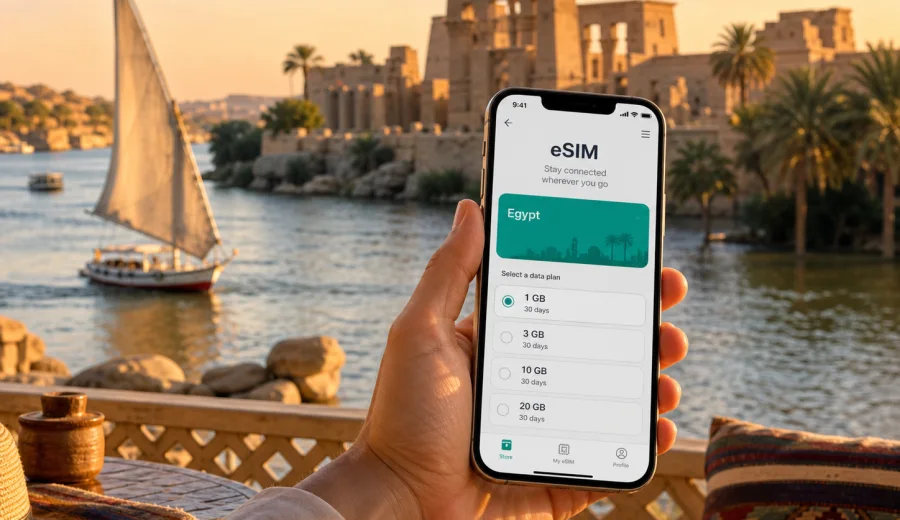
Aswan eSIM: mobile connection and internet for a trip to Egypt
Aswan is one of the easiest Egyptian cities to underestimate. On a map it looks compact: a riverfront, a few islands, hotels near the Nile, a station, an airport outside the center, and roads leading toward temples, villages, quarries, and desert routes. In practice, a trip here often depends on small decisions made on the move: which pier your boat leaves from, whether your driver understands the hotel name, how to find a quiet cafe with shade, when to confirm a tour pickup, and how to keep maps working when the riverbank streets turn into narrow local lanes.
That is why mobile internet matters in Aswan. An eSIM can help you arrive with data already prepared, keep navigation available between the airport, station, Corniche, islands, and hotel districts, and use messaging apps without relying only on hotel Wi-Fi. It is not about turning the trip into a screen-first experience. It is about removing uncertainty from the practical parts of travel, so you can focus on Philae Temple, Nubian villages, the Nile, the Unfinished Obelisk, Elephantine Island, and day trips south toward Abu Simbel.
Kaspersky eSIM Store is an app and website where you can quickly choose, arrange, and activate an eSIM with a suitable mobile internet tariff for an international trip. Before you pay for any eSIM tariff, check that your phone supports eSIM and is not locked to one mobile operator. You can use this internal check before purchase: check your device.
Why Aswan needs a city-specific mobile internet plan
Aswan travel is different from a fast stop in Cairo or a beach stay on the Red Sea. The city is quieter, but your route can change several times in one day. You may move from the airport to a riverside hotel, cross the Nile by boat, visit a temple complex, meet a guide at a dock, then return through streets where landmarks are more useful than formal addresses. A stable data plan helps with these everyday tasks.
Common Aswan situations where mobile data is useful:
- opening maps after arrival at Aswan International Airport;
- messaging a hotel, guide, or driver when pickup points change;
- checking the route from the train station to the Corniche;
- using translation tools in markets, boat piers, and small shops;
- sharing a live location when meeting a group near the river;
- checking opening times, ticket notes, and weather before outdoor visits;
- confirming day trip details for Kom Ombo, Edfu, or Abu Simbel;
- paying attention to data use during long transfers and hotel evenings.
Aswan is a city of short distances and long travel days. A ten-minute ride can solve one plan, while a road trip to Abu Simbel can take many hours in both directions. Your internet plan should match that rhythm: enough data for maps, messaging, tickets, photo backup on Wi-Fi when possible, and occasional video calls, but not so casual that it runs out before the last transfer.
Arrival in Aswan: airport, station, and first connection tasks
Most visitors enter Aswan by air, train, Nile cruise, or private road transfer. Each arrival mode creates a slightly different connection scenario.
| Arrival point | What you usually need mobile internet for | Practical tip |
|---|---|---|
| Aswan International Airport | Driver contact, hotel address, route check, messaging | Install your eSIM before travel and activate data when appropriate under the tariff conditions. |
| Aswan Railway Station | Finding the hotel, confirming pickup, checking walking routes | Save the hotel name and address offline in case the station area is busy. |
| Nile cruise dock | Messaging the cruise desk, meeting a guide, checking pier location | Ask for the exact pier or nearby landmark, not only the boat name. |
| Road transfer | Sharing location, checking arrival time, messaging accommodation | Keep your primary SIM for calls if needed and use the eSIM for mobile data. |
If you land at Aswan International Airport, the drive into the city is usually the first moment when mobile internet becomes useful. You may need to show your hotel location, confirm a driver, or tell reception that you are on the way. Airport Wi-Fi may not be the most convenient option, and buying a physical SIM immediately after arrival can add an extra errand when you may already be tired.
Train arrivals are different. The station is closer to the urban center, but you may still need data to choose between walking, taxi, hotel pickup, or a ride toward the Corniche. A working map also helps you avoid confusing similarly named hotels and guesthouses on different sides of the Nile.
Where mobile internet helps inside Aswan
Aswan is organized around the Nile, and that makes the city beautiful but sometimes less straightforward for first-time visitors. A destination may look close on the map but require a boat crossing or a specific pickup point. Mobile data helps you check whether you are on the correct bank, whether the route needs a ferry, and whether your driver is waiting on the road side or the river side.
Key city areas to plan around:
- Nile Corniche: useful for hotels, restaurants, walks, sunset views, and boat arrangements;
- Elephantine Island: guesthouses, island paths, museums, and river crossings;
- Kitchener's Island area: boat trips and garden visits;
- Nubian villages: colorful guesthouses, cafes, and guided visits south of the center;
- Philae Temple departure points: boat coordination and timing;
- Unfinished Obelisk and quarry area: short taxi routes and local navigation;
- Aswan High Dam and Lake Nasser approaches: longer rides with fewer quick Wi-Fi options.
In the center, mobile internet is mostly about precision: checking the meeting point, comparing the route, and messaging. Outside the center, it becomes more about continuity: keeping maps cached, staying reachable, and managing the day if plans shift because of heat, traffic, or timing.
Choosing data volume for an Aswan itinerary
The right amount of data depends on how you travel. A traveler who uses hotel Wi-Fi for photo backups and mobile data only for maps may need much less than someone who works remotely from cafes, joins video calls, or streams during long transfers.
Use this practical estimate as a planning guide:
| Trip style in Aswan | Typical mobile data use | What to watch |
|---|---|---|
| Stopover of 1-2 days | Low to medium | Maps, messaging, ride coordination, quick searches |
| Classic 3-4 day city stay | Medium | Navigation, attraction planning, translations, photo sharing |
| Nile cruise plus Aswan stay | Medium to high | Multiple meeting points, cruise updates, route checks |
| Business trip | Medium to high | Email, cloud documents, video calls, backup hotspot use |
| Aswan plus Abu Simbel | Medium | Long transfer messaging, offline maps, occasional media |
| Remote work extension | High | Calls, uploads, laptop tethering, repeated app use |
Many travelers overuse mobile data without noticing. Automatic photo backups, cloud sync, app updates, and video autoplay can consume more data than navigation. Before you leave the hotel, set large uploads to Wi-Fi only, download offline map areas, and turn off background refresh for apps you do not need during the day.
When to prepare your eSIM for Egypt
The most comfortable time to prepare an eSIM is before travel, while you still have stable home internet and can read the tariff details calmly. You can install the eSIM profile in advance if the tariff conditions allow it, then activate and use mobile data according to the instructions and validity rules for the selected tariff.
For an Aswan trip, preparation is especially useful if:
- you arrive late in the evening or early in the morning;
- your hotel is on an island or away from the main road;
- you need to meet a guide immediately after arrival;
- you continue to a Nile cruise soon after landing;
- you are traveling with family and coordinating several phones;
- you want to avoid looking for a physical SIM shop during your first hours in the city.
At the same time, read the tariff conditions before purchase. eSIM tariffs for travel usually focus on mobile internet. They may not include a regular phone number, voice calls, or SMS unless stated in the tariff details. If you need calls and messages, you can often use internet-based messaging apps, while keeping your main SIM active for essential calls if your device settings and home operator conditions allow it.
How to use Kaspersky eSIM Store for an Aswan trip
Kaspersky eSIM Store can help you choose, arrange, and activate an eSIM tariff for mobile internet in Egypt. The useful part for Aswan is not only the purchase itself, but the ability to prepare before the moments when connection becomes important: airport arrival, station pickup, river crossings, hotel check-in, and day trips.
For city travel, a simple workflow works best:
1. Check that your smartphone supports eSIM and is not operator-locked.
2. Choose Egypt as the destination for your Aswan trip.
3. Compare tariff conditions, data volume, price, validity period, and any usage notes.
4. Arrange the tariff before departure or when you still have reliable Wi-Fi.
5. Install the eSIM profile by following the instructions for your device.
6. Set the eSIM for mobile data when you are ready to use it.
7. Keep your main SIM settings clear, especially if you want to avoid unintended roaming costs.
If you are planning Aswan as part of a wider Egypt route, it can be practical to choose an eSIM tariff for your trip to Egypt before you start moving between cities. The same country-level preparation can support your arrival in Aswan, local sightseeing, and onward travel, as long as the selected tariff conditions match your route and usage needs.
Installation notes for iPhone and Android
Installation steps vary by device and operating system version, so it is better to follow the official device-specific flow instead of guessing from memory. If your article planning includes the phrase "install eSIM", keep these two instructions handy: instructions for Android and instructions for iOS.
Before installation, connect to reliable Wi-Fi, keep the QR code or activation details available, and make sure your battery is not critically low. After installation, label the eSIM clearly, for example "Egypt data", so you can distinguish it from your home SIM in mobile settings. On some devices and tariffs, data roaming must be enabled for the eSIM line; check the instructions and tariff notes before changing settings.
Do not delete the eSIM profile casually after activation. In many cases, an eSIM profile cannot simply be moved to another phone or reinstalled like an ordinary app. If you change devices, reset your phone, or remove the profile, the available recovery options depend on the tariff and activation conditions.
Practical Aswan scenarios
Aswan mobile data is most useful when a plan depends on timing, a pier, a pickup point, or a route across the Nile. Use it for essentials first and leave heavy uploads for Wi-Fi.
| Scenario | How mobile internet helps | Smart preparation |
|---|---|---|
| First evening on the Corniche | Find the route back, check restaurants, message a boat contact | Save the hotel location before leaving |
| Elephantine Island stay | Coordinate crossings and guesthouse arrival | Ask your host which boat point to use |
| Philae Temple visit | Confirm pickup time and boat segment details | Download maps before the visit |
| Nubian village afternoon | Use translation, route checks, and guide messaging | Keep enough battery for the return |
| Abu Simbel day trip | Stay reachable during a long excursion | Carry a power bank and avoid heavy streaming |
Hotel Wi-Fi and public Wi-Fi in Aswan
Hotel Wi-Fi can be useful, especially for photo backup, app updates, video calls, and planning the next day. But it should not be your only connection plan. You may need internet before check-in, after checkout, in a taxi, at a dock, on an island path, or during a day trip. Public Wi-Fi also varies by place and may require registration or work only inside a cafe or lobby.
A good travel setup separates tasks:
| Use hotel Wi-Fi for | Use mobile data for |
|---|---|
| Photo and video backup | Maps and live navigation |
| App updates | Messaging drivers, guides, and hotels |
| Long video calls | Translation on the move |
| Large document uploads | Ticket and booking checks |
| Streaming | Emergency route changes |
This approach helps your eSIM data last longer and keeps the connection available when it matters outside the hotel.
What to check before buying an eSIM tariff
Before choosing an eSIM tariff for Aswan, review the details as carefully as you would review hotel dates or flight times.
Checklist:
- Destination: the tariff should cover Egypt for your Aswan stay.
- Data volume: match it to maps, messaging, browsing, and work needs.
- Validity: check the number of days and when the validity period starts.
- Activation: understand whether activation begins on installation or first network connection.
- Device support: confirm eSIM compatibility before purchase.
- Operator lock: make sure your phone can use another mobile line.
- Calls and SMS: do not assume they are included unless the tariff states so.
- Hotspot: check whether tethering is allowed if you plan to use a laptop.
- Refund and usage terms: read the conditions before activating.
This checklist matters because an eSIM is a digital profile linked to device settings and tariff rules. A few minutes of checking can prevent confusion later, especially if your Aswan schedule begins with a transfer, a cruise departure, or a guided visit.
FAQ: eSIM and mobile internet in Aswan
Is an eSIM useful for Aswan if my hotel has Wi-Fi?
Yes. Hotel Wi-Fi is useful inside the property, but many Aswan tasks happen elsewhere: airport arrival, station transfers, boat crossings, temple visits, restaurant searches, and day trips. Mobile data keeps maps and messaging available between Wi-Fi points.
Should I install the eSIM before flying to Egypt?
Usually it is more convenient to arrange and install the eSIM while you still have reliable internet before departure, then activate and use it according to the selected tariff rules. Read the activation conditions carefully so you understand when validity and data use begin.
Can I use an eSIM for calls in Aswan?
Travel eSIM tariffs usually focus on mobile internet. They may not include a local phone number, voice calls, or SMS unless the tariff specifically says so. You can often use messaging and calling apps over data, depending on the app and local connectivity.
Prepare mobile internet for Aswan with Kaspersky eSIM Store
Aswan rewards travelers who plan the small practical details: arrival route, river crossings, meeting points, hotel location, day trip timing, and enough mobile data for maps and messages. Kaspersky eSIM Store helps you choose, arrange, and activate an eSIM with a suitable tariff for mobile internet in an international trip, so your connection plan is ready before the first taxi ride or boat crossing.
Before you travel, review the Egypt tariff options, check your device compatibility, and choose the data volume and validity period that match your Aswan itinerary. You can prepare an eSIM tariff for mobile internet in Egypt and keep the practical parts of your Aswan trip easier to manage from arrival to departure.