Travel connectivity guide
Atauro Island eSIM: Mobile Internet for Your Trip
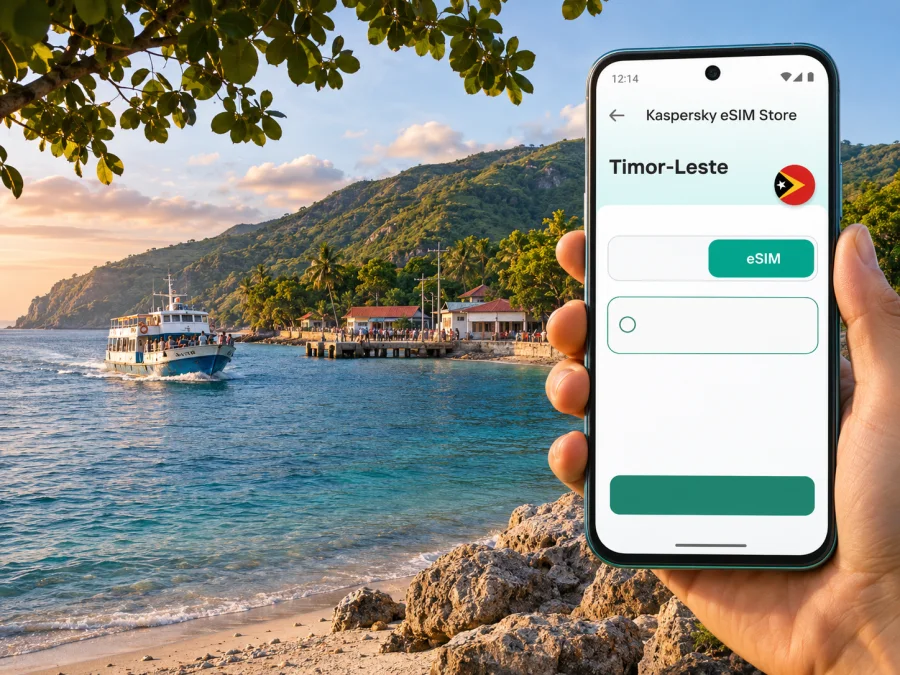
eSIM for Atauro Island: mobile connection and internet for your trip
Atauro Island is a small island destination north of Dili, reached across the water rather than by a city street or airport transfer. That changes what “staying connected” means: you may use your phone to find your accommodation in Dili, confirm a boat departure, share your arrival details, and then spend much of the island visit away from urban services. A little preparation makes those transitions easier.
This guide focuses on practical mobile internet planning for Atauro Island and its main visitor arrival points, including Beloi and Vila-Maumeta. It also explains where the available information is clear and where you should verify details directly before relying on them. Local signal can vary by settlement, coast, terrain, weather and the network used by a particular plan. A working connection in Dili does not prove that the same phone will have service at every beach or village on Atauro.
First, place Atauro Island on the map
Atauro is an island and an administrative area of Timor-Leste. The island’s capital is Vila-Maumeta; Beloi is an important ferry arrival point and a common base for visitors. The name “Atauro Island” is often used for the destination as a whole, but it does not describe a single compact town with continuous city coverage. Settlements are separated by hills, coastline and roads, so plan by stop and route rather than assuming one signal condition applies everywhere.
Dili is the practical gateway for most visitors arriving by sea. Government tourism information lists passenger services between Dili and Atauro, with departures from more than one port in Dili depending on the vessel. Ferry timetables can change because of weather, maintenance or public holidays. Verify the current operator, departure point and time shortly before travelling; do not plan an onward connection around an old screenshot or an unconfirmed schedule.
The trip has two distinct connectivity stages:
- Dili preparation: confirm accommodation, transport, tickets and any messages you need to send before boarding.
- Island use: rely on mobile data only where a signal is available, and keep essential maps, addresses and confirmations available offline.
An eSIM can simplify the first stage and provide a mobile-data option for the second, but it cannot create coverage where the selected local network has no usable signal.
Where mobile internet helps during an Atauro trip
The island’s pace is different from a city break. You may not need constant data, but arranging a pickup, reporting a delay or checking a meeting point may matter at a specific moment. Save key details before leaving Dili, while you have a reliable connection.
| Moment | What your phone can help with | Sensible preparation |
|---|---|---|
| Before boarding in Dili | Check the departure point and message your host | Save the port name, contact and sailing details offline |
| Arrival at Beloi | Contact your accommodation or meet your pickup | Agree in advance how to identify the driver or meeting point |
| Away from the landing area | Share a change of plan if data is available | Set a check-in time and return plan before setting out |
| Return to Dili | Coordinate onward transport | Keep the sailing confirmation and a charged phone accessible |
Keep a screenshot of your booking, your host’s number in notes and a saved map area. If someone is meeting you, agree what to do if your message does not arrive.
Connectivity on an island: what to expect
Timor-Leste has several licensed mobile operators, but official operator lists do not establish the strength of a signal at every place on Atauro. National availability and a signal in Dili are not island-wide guarantees. Hills can obstruct radio signals; a sheltered bay, a room with thick walls or a coastal trail may behave differently from a nearby open area. The exact network that a travel eSIM uses also matters.
Before choosing a package, check its country coverage and the listed network partner if that information is shown. If the network is not stated, ask the seller or support team what local network the plan uses and whether it supports service on Atauro Island. If you cannot confirm this, treat island coverage as uncertain and prepare a backup plan. Do not interpret “Timor-Leste coverage” as a promise of service at every location on the island.
For a short visit, a data-only travel eSIM may be convenient for maps, messaging and basic browsing where partner coverage exists. It does not necessarily provide a local telephone number, ordinary voice calls or SMS. Check the individual package description before purchase. Keep your regular SIM active for calls or verification texts if your device allows both profiles to remain available, and confirm any roaming charges with your home provider.
If you need a local number, local registration or operator-specific services, compare the requirements of local providers directly. Timor Telecom publicly describes an eSIM service with an in-person identity check and QR-code activation; those are details of that operator’s own product and process, not a promise about every travel eSIM. Requirements, eligibility and prices can change, so confirm current terms with the provider before visiting a shop.
Choose a data allowance for the way you travel
The right amount depends on trip length, your habits and accommodation Wi-Fi. Navigation and short messages use less data than video calls, photo backups or streaming. Estimate from your own phone rather than choosing a package based on a generic usage figure.
Use this planning method:
- List your essential tasks. Navigation, messaging, booking changes and occasional web searches are different from frequent video calls or uploading large files.
- Estimate daily use from your own phone. Check the mobile-data history in your settings, then use a typical day as a rough guide. Past usage is more useful than a generic estimate.
- Add a margin for delays. If the ferry or return transfer changes, you may need extra messages, map checks or calls through internet apps.
- Check validity as well as volume. Confirm when the package validity begins, how many days it lasts, and whether installation or first network connection starts the clock.
- Look at top-up terms. Find out whether more data can be added to the same eSIM and whether the original validity remains in effect.
For a low-data plan, download maps and documents over Wi-Fi, pause automatic photo uploads and app updates, and limit background refresh for apps you do not need.
For remote work, hotspot use or large uploads, ask your accommodation about its internet and test it before scheduling calls. Mobile coverage, speed and tethering depend on the package, network and location.
Choose and prepare an eSIM before you leave
Kaspersky eSIM Store is an app and website where you can select, purchase and activate an eSIM with a suitable plan for mobile data on an international trip. The available destination page is for Timor-Leste, the country that includes Atauro Island. It is not a separate Atauro tariff, and the page should not be read as a guarantee of island coverage. Check the package’s current terms and network information before deciding. You can review the available options for Timor-Leste and compare the details with your route.
Before paying, go through this checklist:
- Confirm that your exact phone model and regional variant support eSIM. Device support differs between models sold under similar names and between regional versions. Check whether your device supports eSIM.
- Confirm that the phone is not carrier-locked. A technically compatible device may still prevent activation if it is restricted to another carrier.
- Read the package destination, network partner, data amount, validity period and activation conditions.
- Check whether the package is data-only, whether tethering is allowed, and what happens when data runs out.
- Make sure you will have Wi-Fi and enough battery when installing the profile. Keep the installation instructions available on another device or in a saved format if possible.
- Do not install a profile repeatedly or delete it as a troubleshooting shortcut. Follow the instructions supplied for that specific plan.
Install and activate with a clear sequence
If you have confirmed compatibility, installation is usually easiest before departure or while you have stable Wi-Fi. The precise screens vary by operating system and model, so follow the plan-specific steps. Kaspersky eSIM Store has separate guides for installing an eSIM on Android and installing an eSIM on iPhone.
- Open the order or activation instructions and check whether the plan says to install now or wait until arrival.
- Connect to Wi-Fi, then add the eSIM through the device’s mobile-network settings or scan its QR code as instructed.
- Label the line clearly, for example “Travel data,” so you can distinguish it from your everyday SIM.
- Keep your home line selected for calls and messages if needed; set the travel eSIM as the mobile-data line only when you are ready to use it.
- Turn on data roaming for the travel eSIM only if the package instructions require it. Roaming settings for a travel profile and your home line are separate; check both carefully.
- After activation, confirm that the phone registers on a supported network and that a simple webpage loads. A successful installation does not prove signal at every later destination.
If activation does not complete, pause before changing several settings at once. Check that the right line is enabled, the device has Wi-Fi during installation, and the plan has reached its stated activation window. Restarting may help in some cases, but deleting a profile can make recovery harder. Use the instructions for your device and contact support with the order details if the problem continues.
Plan the Dili-to-Atauro handoff
The ferry is part of the connectivity plan because your travel arrangements may need to change between Dili and the island. The official tourism schedule lists Berlin Nakroma and Success services to Atauro from different Dili departure points. Published times and fares are subject to change, so verify the current timetable and the correct quay with APORTIL before travel. Allow time to reach the named port; “Dili port” may not be precise enough if your vessel leaves from a different boarding location.
On the day of departure:
- Check your accommodation’s location and the port name against your ticket or current sailing confirmation.
- Save the confirmation, host contact, pickup details and offline map before leaving your room.
- Keep your phone charged and carry a power bank if you have one; bring cash and any paper ticket or identification the operator requires.
- Send a short message to your Atauro host before boarding if you have a signal, then agree on a fallback meeting point in case messages fail.
- Avoid using the crossing as your only time to download large files or make a time-sensitive reservation.
Do not count on continuous service offshore. Save content before sailing, then check the phone again after arrival if you need a connection.
Getting around after arrival
Beloi is a common arrival point, while Vila-Maumeta is the administrative capital. The island’s transport is not simply an extension of Dili’s taxis or microlets. Visitor transport may involve a prearranged pickup, a local tuk-tuk for journeys between Beloi and Vila-Maumeta, a 4WD for inland or mountain routes, or a boat to reach another coastal area. Availability depends on the destination and day; arrange the essential leg with your accommodation or local host before arriving.
Save a map pin and written directions to your lodging. Ask your host which landing point to use, whether they will meet you, what vehicle or boat to look for and how to report a delay while you still have a connection.
For a day trip, agree on the return time and pickup plan before setting out, and share it with your accommodation. Carry water, sun protection and battery for navigation or an emergency. Confirm the driver’s price and what is included directly.
Maps, messages and battery: make the offline layer useful
Before leaving Dili, download Atauro in your map app if it supports offline maps. Save the accommodation pin, ferry quay, meeting point and planned trailhead. Keep screenshots of sailing details, bookings and directions.
Keep your booking and host’s number accessible without a login or text code. Share the itinerary with a companion; a printed note can help if your phone battery runs out.
Carry a charged power bank and keep battery in reserve for maps and contacting your accommodation. Do not assume you can charge at a beach, trail or boat stop.
Frequently asked questions
Is Atauro Island a city?
No. Atauro is an island and administrative area of Timor-Leste, with Vila-Maumeta as its capital. “Atauro Island” is the right destination name for a visitor guide, but signal and transport should be considered by settlement and route rather than as one city centre.
Can I use an eSIM on Atauro Island?
Possibly, if your phone supports eSIM, is unlocked, and the selected plan includes a partner network that has usable coverage at your location. The available official information does not establish signal at every island settlement or coastline. Check the current package network details and prepare offline alternatives.
Will a Timor-Leste data plan work on the ferry?
Do not count on continuous service offshore. Connectivity may change during the crossing and depends on network reach, the plan and the device. Download tickets, maps and messages before boarding.
Does a travel eSIM include a local phone number?
Not necessarily. Many travel data packages are data-only. Check the exact plan description if you need traditional calls, SMS or a local number. Internet calling apps may work over data where a connection is available.
Should I install the eSIM before the ferry ride?
Usually it is useful to complete installation while you have stable Wi-Fi, but activation timing is plan-specific. Follow the package instructions about when validity begins and whether you should wait until arrival to enable data.
What should I do if there is no signal at my accommodation?
Use saved directions and the agreed contact or meeting plan. Ask the host about Wi-Fi or another way to communicate, and do not assume moving a short distance will solve the issue. Coverage may differ between properties and nearby locations.
Before you set out
- [ ] Confirm the current ferry schedule, departure port and arrival arrangements.
- [ ] Save the accommodation address, contact and pickup instructions offline.
- [ ] Check your phone’s eSIM compatibility and carrier-lock status.
- [ ] Read the package’s destination, partner network, validity, data and activation terms.
- [ ] Install the profile using stable Wi-Fi and test it before leaving Dili.
- [ ] Download maps and keep essential bookings accessible without data.
- [ ] Carry a charged phone, power bank and a backup way to find your host.
- [ ] Treat coverage away from the main arrival area as location-dependent.
Atauro Island rewards a flexible itinerary. Prepare the digital essentials in Dili, confirm how you will meet your host, and keep offline directions ready for the parts of the trip where mobile service is uncertain. If an eSIM fits your device and route, compare the current Timor-Leste options before your trip, read the package conditions, and install it at a time that gives you access to Wi-Fi and support if needed.


