Travel connectivity guide
Athens eSIM: mobile internet for your trip
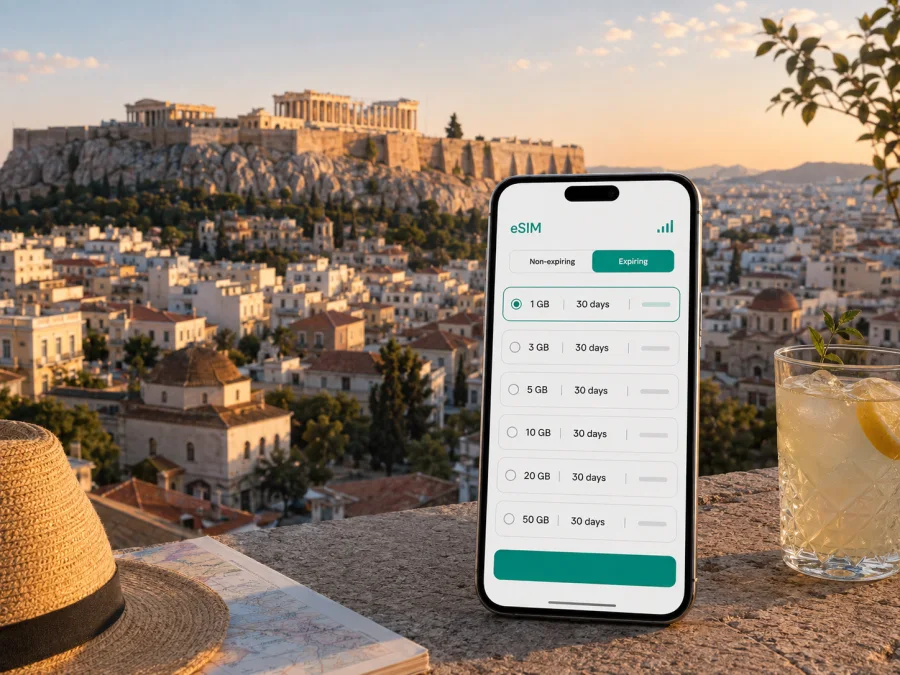
Athens eSIM: mobile connection and internet for your trip
Athens is a city where a working mobile internet connection is useful from the first hour. You may need to find the right airport exit, check a transfer, open a map near Syntagma Square, message a hotel, validate a booking, or change your route when a museum, restaurant, or meeting is on the other side of the centre. An eSIM lets you prepare mobile data for Greece without removing your usual physical SIM card.
For a short holiday, business visit, stopover, or longer stay in Athens, the practical task is to match the eSIM plan to the way you will use the city. A few map checks and messages require much less data than video calls, remote work, photo uploads, or using your phone as a hotspot. Kaspersky eSIM Store is an app and website where you can choose, arrange, and activate an eSIM with a suitable plan for mobile internet during an overseas trip.
Why mobile internet matters in Athens
Athens is easy to experience on foot in some central areas, but a visit often combines walking with metro journeys, buses, trams, taxis, ferries, and transfers between different parts of the metropolitan area. A connected phone is useful for the small decisions that make the day run smoothly:
- checking the route from Athens International Airport to your accommodation;
- comparing a walking route with public transport when weather, luggage, or time changes your plan;
- confirming the address of a hotel, office, restaurant, or meeting room;
- using translation, messaging, booking, and location-sharing apps;
- keeping route changes and work messages moving during the day.
These are not all-day streaming activities, but they happen repeatedly. A phone that is online only when it finds hotel or café Wi-Fi can be inconvenient during transfers and spontaneous changes. An eSIM is particularly useful when you want a separate travel data line while keeping your regular number available for messages, account verification, or calls according to your home plan.
The right expectation is simple: an eSIM is a digital SIM profile for mobile data on a compatible device. The quality and availability of service depend on the local network used by the selected tariff, your location, the device, and the terms of that tariff. It is not a replacement for every local mobile service. Unless the conditions of a particular plan say otherwise, travel eSIM data is intended for internet access rather than a separate Greek phone number, standard voice calls, or SMS.
From Athens airport to your first address
Athens International Airport is outside the historic centre, so the arrival stage is a natural moment to use travel data. Before leaving the terminal, you may need to locate the metro, find the express-bus stop, meet a pre-booked transfer, or send a message that your flight has landed. Even when you have already planned the route, a connected phone helps you check the latest practical details and recognise the correct meeting point.
The airport-to-city journey usually becomes easier when you separate it into three decisions:
- Identify the exact destination, not just the neighbourhood. A central Athens district can contain several similarly named streets, and accommodation may have a reception in a different entrance or nearby building.
- Choose the mode of transport that fits your arrival. Metro Line 3 connects the airport with central stops including Syntagma, while airport express buses operate on routes serving central Athens, Piraeus, and other transport hubs. A taxi or pre-arranged transfer may be more practical with heavy luggage or a late arrival.
- Keep the route available after you leave the terminal. Save the accommodation address, host contact, and booking details before boarding the flight, then use mobile data for live directions or messages when needed.
Save the full accommodation address, host or transfer contact, booking confirmations, and your chosen data line before leaving home. Airport Wi-Fi or a public network may not be available at the exact moment you need it, so a prepared eSIM reduces the steps between leaving the aircraft and reaching your first address.
Getting around central Athens
Athens rewards a flexible route. You can walk between several central sights, but the best option changes with heat, hills, luggage, crowds, and the time of day. Mobile internet is most useful when it supports decisions rather than replacing them: check the next stop, confirm the direction, then put the phone away and continue exploring.
Metro and urban transport
The Athens metro is useful for moving between central areas and transport interchanges. Trams serve parts of the southern route toward the coast, while buses and trolleybuses extend the network beyond the metro stations. Tickets and airport journeys can have different conditions, so check the current transport information at the point of travel rather than assuming that one ticket covers every route.
With data available, you can:
- search for the nearest entrance or stop;
- check whether a route requires a change and compare it with walking;
- share an arrival time or switch plans when a line is crowded, delayed, or inconvenient with luggage.
For visitors staying around Syntagma, Monastiraki, Plaka, Psyrri, or Koukaki, short walking legs often connect naturally with public transport. You may still want data for the final streets, especially when accommodation is in a pedestrian lane or on a road with several entrances.
For a taxi or ride arrangement, confirm the address, choose a visible meeting point, and keep the phone available until the driver and passenger identify each other. Busy squares, one-way streets, and pedestrian lanes can make a short message with a landmark more useful than a building number alone.
Which Athens districts benefit from a connected phone?
Different parts of Athens create different data-use patterns. The plan you choose should follow your itinerary, not a generic idea of a tourist trip.
| Area or scenario | Typical mobile-data tasks | Planning note |
|---|---|---|
| Central Athens: Syntagma, Plaka, Monastiraki | Directions, meetings, bookings, transport changes | Exact pins and clear landmarks help in busy or narrow streets |
| Koukaki, Kolonaki, Exarchia, Pangrati | Walking routes, appointments, messages, local discovery | Match the allowance to sightseeing or business use |
| Glyfada and the southern coast | Tram or taxi planning, reservations, route checks | Consider whether your itinerary extends beyond the centre |
| Piraeus connection | Port directions, ferry details, transfer coordination | Confirm the port and terminal before leaving Athens |
The table is a planning tool, not a promise about every street or building. Thick walls, underground stations, crowded venues, and the device can affect the experience, so keep key addresses and tickets available offline.
Choosing an eSIM plan for an Athens trip
Start with the route and habits that are most likely to use data. A visitor who spends a week walking, checking maps, messaging, and occasionally booking a ride has a different need from a consultant who will join video meetings and send large files from a hotel room.
A practical estimate by travel style
Use these categories to think about your needs, not as a guaranteed consumption table:
- Light city use: maps, messages, tickets, searches, and occasional ride coordination; suitable for a short stopover with larger tasks on Wi-Fi.
- Sightseeing use: repeated navigation, photo sharing, translation, bookings, and daily route checks; leave room for changing plans.
- Work or hotspot use: documents, calls, video meetings, uploads, or another connected device; review the allowance and hotspot conditions carefully.
When comparing options, check five fields:
- Coverage area: confirm that the plan applies to Greece, and think about whether you will also visit another country.
- Validity: match the duration to the actual trip, including arrival and departure days.
- Data allowance: include navigation, work, media, and any hotspot use rather than estimating from hotel Wi-Fi alone.
- Activation conditions: see when the validity period begins and whether the eSIM needs to connect to a local network before data starts.
- Top-up or additional data: understand whether further data can be added and how your balance is displayed.
The available plans, prices, allowances, and terms can change. Review the current conditions for the Greece destination when you are ready to choose. If you want to prepare the travel line in one step, you can choose an eSIM plan for a trip to Athens through the Greece page in Kaspersky eSIM Store.
For a weekend in the centre, a plan focused on maps, messages, tickets, and transfers may be enough. A week that combines central Athens with the coast needs more room for route checks and bookings. For business travel or a stopover, install before the flight and decide in advance whether you need data for meetings, files, or only airport and city navigation.
How to install and activate an eSIM
Menu names vary by phone model and operating-system version. The sequence is predictable, but read the instructions attached to your plan. Kaspersky eSIM Store helps with the plan-selection and activation flow; device settings determine how the profile is added and which line is used for mobile data.
Before installation
Make sure the device is unlocked for use with other networks, has enough battery, and can connect to the internet during setup. Confirm that the model supports eSIM and that the selected destination and validity fit the trip. Check your device compatibility before arranging the plan; models can differ by region, and a device that looks similar to another may have different SIM capabilities.
Keep the QR code or profile details available. Do not delete your existing SIM or reset network settings simply because you are adding a travel eSIM. If your phone supports multiple lines, label the new profile clearly, such as “Greece travel”.
General installation sequence
- Open the mobile-network or cellular settings on your phone.
- Choose the option to add an eSIM or mobile plan.
- Scan the QR code from the email or profile, or follow the in-app installation flow if offered.
- Wait for the device to download and add the eSIM profile.
- Label the profile so that you can recognise it later.
- Keep your usual line for calls and messages if you need it, and select the travel eSIM for mobile data.
- Check the data-roaming setting required by the plan. Some travel eSIMs need data roaming enabled on the eSIM line for the local network to work.
- After arrival, allow the device a few minutes to register. If it does not connect, review the plan instructions before changing additional settings.
For detailed device-specific steps, see the Android installation instructions or the iOS installation instructions. The safest time to install is usually before departure while you have stable Wi-Fi, but activation or network registration may occur only after the eSIM reaches its destination network, depending on the plan.
After landing, confirm that the travel profile is on, selected for mobile data, and able to load a basic map or message. If the phone shows signal but data does not load, review the data-line and roaming settings; if the issue remains, contact support with the device model and steps already completed. For business days, save meeting addresses and contacts; for a stopover, keep the airport return route offline. If Athens is the start of a wider Greek itinerary, check the plan’s scope before travelling toward Piraeus, the coast, or another destination.
Frequently asked questions
Is an eSIM useful for a short Athens stopover?
Yes. It can help with airport directions, messages, transport checks, and a return route during a short visit. Install it in advance and save essential information offline so that the stopover does not depend on a last-minute setup.
Does a travel eSIM include a Greek phone number?
Not generally. Unless the specific plan states otherwise, the eSIM is for mobile internet and does not include a separate number, ordinary calls, or SMS. Internet messaging and calling apps can work over the data connection.
What should I do if my phone does not connect after landing?
Check that the eSIM profile is on, selected for mobile data, and configured with the required data-roaming setting. Confirm that the plan covers Greece and that the phone is unlocked. Wait a few minutes for registration, then follow the plan instructions or contact support with the details of the problem.
How does Kaspersky eSIM Store fit into the process?
Kaspersky eSIM Store is an app and website that helps you choose, arrange, and activate an eSIM with a suitable plan for mobile internet during an overseas trip. The service is a preparation and activation interface; the local network and the conditions of the selected plan determine the actual connection.
Prepare your mobile internet for Athens
Athens is easier to navigate when your first airport transfer, central walk, meeting, and return journey do not all depend on finding a new Wi-Fi network. Check the device, match the data allowance to the way you will travel, install the profile while you have reliable internet, and keep the key addresses available offline.
When you are ready, choose an eSIM plan for Greece and prepare for your Athens trip. Review the current validity, data allowance, and plan conditions, then activate the eSIM on your compatible device according to the instructions.


