Travel connectivity guide
Atlanta eSIM: Mobile Data and Internet Guide
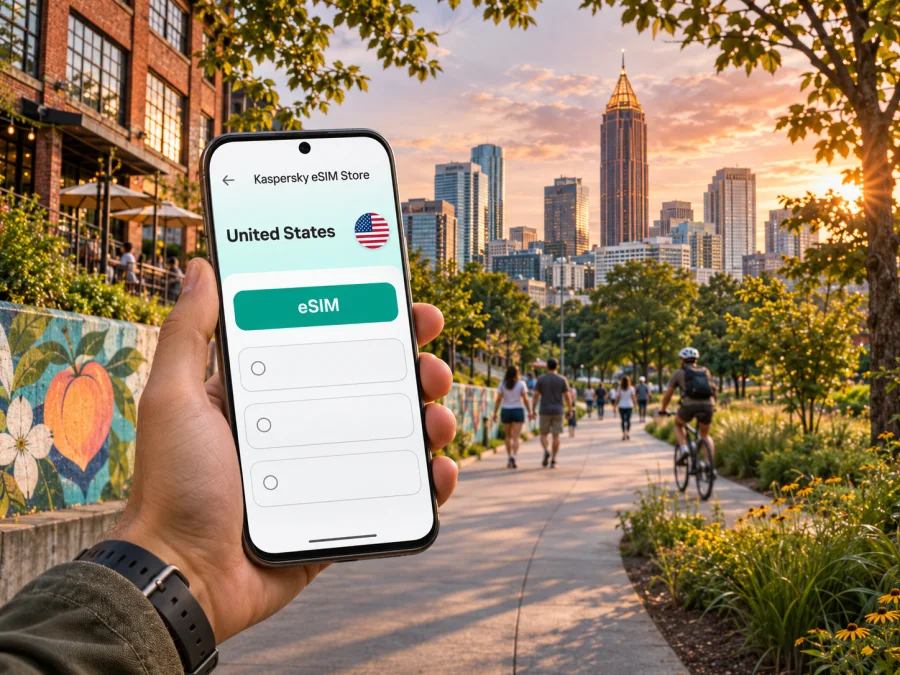
Atlanta eSIM: mobile connection and internet for your trip
Atlanta is a spread-out city, and the first few hours can involve more than one transfer: leaving Hartsfield-Jackson Atlanta International Airport (ATL), finding your hotel, checking a route, and coordinating with a driver or colleague. A travel eSIM can keep maps, messages, bookings, and work tools available on a compatible phone without swapping out your regular physical SIM. It is a practical option for visitors who want mobile data in Atlanta and elsewhere in the United States, provided the chosen plan, device, and travel dates match.
Here you’ll find Atlanta-specific advice for the airport, MARTA, neighborhood navigation, plan selection, and eSIM setup. Coverage and performance vary by provider, location, device, and current conditions.
When mobile data helps in Atlanta
Atlanta combines a busy airport, a central business district, major event venues, residential neighborhoods, and destinations spread across the metro area. A phone with mobile data is useful for more than browsing. You may use it to:
- check a live route from the airport to a hotel or meeting;
- message a host when a flight or pickup time changes;
- compare transit directions with a rideshare pickup point;
- open a digital ticket, reservation, or meeting invitation while away from hotel Wi-Fi;
- find a café, entrance, or nearby stop when a large venue has several access points;
- keep a map available while walking between a station and your destination;
- confirm a return route before leaving a neighborhood or event.
Public Wi-Fi can be useful for a quick check, including at the airport, but it is not a substitute for a connection you can use as you move around the city. Wi-Fi availability and sign-in steps vary by venue. If a network is crowded, unavailable, or requires a fresh sign-in, mobile data can be the simpler way to continue navigation or messaging. For sensitive account activity, use your usual security practices and avoid entering credentials on unfamiliar networks.
An eSIM is a digital SIM profile installed on a compatible device. A travel data plan can let you use mobile data in the United States while keeping your usual line available for calls or messages, depending on your phone and carrier settings. Check the plan details before purchase: data allowance, validity period, covered destination, activation rules, and whether the plan includes anything beyond data. Unless the conditions say otherwise, do not expect a travel data eSIM to provide a local phone number, standard voice calls, or SMS.
Arriving at Hartsfield-Jackson (ATL)
ATL is south of central Atlanta. Your first route depends on which terminal you reach, where you are staying, the time of day, your luggage, and whether you prefer rail, a pre-arranged pickup, taxi, rental car, or another option. Downloading or saving the hotel address and arrival instructions before landing gives you a fallback if you are tired or have limited connectivity.
MARTA from the airport
MARTA’s Airport Station is inside the Domestic Terminal, between the North and South baggage claim areas. It is the southern terminus of the Red and Gold rail lines. This can make rail a straightforward starting point for Downtown or Midtown, where you can continue by foot, bus, another train, streetcar, or a short ride depending on your exact destination. Check MARTA’s current trip planner and service alerts before setting out; schedules, station access, and elevator availability can change.
If your international flight arrives at the International Terminal, do not assume the rail station is in that building. The airport provides a free shuttle to the Domestic Terminal, and the airport’s Plane Train also links terminal areas. Follow current airport signs and confirm which transfer suits your airline and arrival location. If you have mobility needs or heavy bags, allow extra time: one Airport Station elevator is currently undergoing renovation, while another elevator remains available according to MARTA’s project notice.
MARTA’s recently introduced Better Breeze system accepts contactless bank cards and mobile wallets at compatible gates and validators, alongside current Breeze fare media. An eSIM is not a transit ticket, so keep an accepted payment method available. Check current fare details and make sure each traveler has a way to pay.
Rideshare, taxi, rental car, and pickups
If you plan to request a rideshare, follow airport signs to the pickup area for your terminal and the specific service. Airport pickup arrangements can differ by terminal and may be updated, so confirm the location in the app before walking across the roadway or parking area. Request the car only when you are ready at the designated point, and match the vehicle and driver details shown in the app.
For a taxi or hotel shuttle, use the marked ground-transportation area and confirm the destination and payment method before setting off. If a colleague or family member is meeting you, send a clear message naming the terminal and agreed pickup point rather than saying only “I’m outside.” At ATL, that small detail can prevent a long search through a large, busy airport.
Rental cars are another option if your itinerary includes several places beyond the central neighborhoods. The airport’s SkyTrain connects the Domestic Terminal area with the Rental Car Center. Check current operating information, pickup instructions, and driving directions before relying on a particular connection. Navigation data is useful on Atlanta’s interstate network, but allow for traffic and follow posted signs if your route changes.
Choose a plan around your actual itinerary
Atlanta is in the U.S. state of Georgia, and a city trip often includes movement beyond one compact center. Before choosing a travel eSIM, map out where you expect to use data: airport arrival, hotel, work or event venue, evenings out, and any onward travel. If your trip continues to other places in the United States, verify that the selected plan covers those destinations too; a city name in an article does not mean the plan is limited to that city.
You can check available eSIM options for travel in the United States and compare the current conditions shown for each plan. Kaspersky eSIM Store is an app and website where you can choose, arrange, and activate an eSIM with a suitable data plan for an international trip. Plan availability, price, data allowance, validity, and provider conditions can change, so use the live plan details when deciding.
Estimate how much data you may need
There is no reliable single data amount for every Atlanta visit. A traveler who mostly checks messages and maps may use much less data than someone who joins video calls, streams media, uploads large files, or uses a phone hotspot. Your habits matter more than the number of neighborhoods on your itinerary.
| Travel pattern | Typical data activities | What to consider |
|---|---|---|
| Short stopover | Messages, a few route checks, pickup coordination | Keep maps or key addresses available offline; avoid automatic media downloads. |
| Weekend visit | Navigation, restaurant searches, tickets, photos, regular messaging | Estimate daily use and check how long the plan remains valid. |
| Business trip | Email, collaboration tools, calendar, occasional calls over apps | Video meetings and large attachments can use substantially more data. |
| Extended stay | Frequent navigation, uploads, streaming, hotspot use | Check the plan’s data limit, validity, and hotspot conditions before purchase. |
Review your phone’s data-usage screen for a personal estimate. To reserve the allowance for maps and messages, download offline maps on Wi-Fi and disable automatic app updates or cloud photo uploads over mobile data.
Match the plan to the dates and route
Check the plan’s validity window and when activation or first use starts it. The exact behavior depends on the plan, so follow its instructions if you install the eSIM before departure. Make sure the stated coverage region includes every U.S. stop on your itinerary. Save addresses before a road trip, and do not delete an eSIM profile to troubleshoot unless the instructions or support tell you to; some profiles cannot simply be installed again.
Use maps and mobile data by neighborhood
Atlanta’s neighborhoods have different rhythms and are not all served by the same simple walk from one central station. Choose accommodation with your main activities in mind, then check the last part of each journey: distance from the stop, hills or crossings, event-day road closures, and whether you will return after dark. Mobile maps can help with these checks, but follow local signs and use well-lit public routes.
| Area or destination | Why visitors go there | Useful phone tasks |
|---|---|---|
| Downtown | Convention venues, major attractions, sports and event sites, central hotels | Confirm the correct entrance, event updates, walking route, and transit connection. |
| Midtown | Offices, cultural venues, restaurants, and access to Piedmont Park | Check meeting locations, opening details, and the route from the nearest station. |
| Buckhead | Hotels, offices, shopping, and dining farther north | Confirm whether the train route needs a transfer and how you will reach the final address. |
| Sweet Auburn and the King Historic District | Historic sites and places connected with the city’s civil rights history | Check opening information and plan a respectful visit with time between stops. |
| Old Fourth Ward and the BeltLine area | Restaurants, public spaces, and trail access | Find the right trail entrance and check the return route before you start walking. |
Downtown is often a convenient base for a convention or a cluster of central attractions; Midtown may suit a trip centered on offices, museums, or park visits; Buckhead can work for meetings or stays farther north. These are starting points, not guarantees of walkability or a perfect transit connection. Look up the exact hotel and venue, then compare the full trip rather than choosing by neighborhood name alone.
The Atlanta Streetcar currently connects the Martin Luther King Jr. National Historic Site area with the Centennial Olympic Park area and has stops between them. It can help with a short Downtown journey, but it does not replace the full MARTA rail network. The Streetcar fare and connection rules differ from rail and bus in some respects, so verify current payment details and the route before boarding. If you are headed to an address outside its loop, check whether a walk, bus, rail trip, or rideshare makes more sense.
For outdoor plans, including the BeltLine, save the specific entrance rather than searching only for the attraction name; the wrong trail access can add a detour. Check the weather and return route before leaving, and stay aware of cyclists and other trail users while walking.
Set up your eSIM before the first journey
Before buying, confirm that your phone supports eSIM and is not locked to a carrier in a way that prevents adding another profile. Device support can vary by exact model and sales region, so use the manufacturer’s information and your phone settings rather than relying on a generic device list. Check whether your device is compatible before you choose a plan. Also confirm that you can access the eSIM installation details and a stable internet connection when you install it.
Installation steps
- Check the plan. Confirm that the destination, dates, data amount, validity, activation conditions, and device requirements fit your Atlanta trip.
- Connect to Wi-Fi. Keep a reliable internet connection available while adding the eSIM profile.
- Open cellular settings. Choose the option to add an eSIM or mobile plan on your device.
- Add the profile. Follow the supplied QR code or in-app installation steps. Keep the original instructions accessible in case you need to refer to them.
- Label the line. Give the travel profile a clear name, such as “United States data,” so you can distinguish it from your regular number.
- Choose the data line. When you are ready to use the plan, select the travel eSIM for mobile data and review your primary line’s roaming settings to avoid unintended charges from your home carrier.
- Allow time to connect. Activation or network registration can take a few minutes. If the plan requires data roaming on the travel eSIM, enable it only as directed by the plan instructions.
For platform-specific steps, follow the Android eSIM installation guide or the iPhone and iOS eSIM installation guide. Menu names can differ across operating-system versions. If you prefer to install after landing, remember that you may need airport Wi-Fi or another working internet connection to complete setup; installing before departure can reduce the number of decisions you face after a long flight.
Keep your regular line and data use clear
Many travelers keep their usual SIM active for calls or verification messages and select the travel eSIM for mobile data. The exact dual-SIM controls depend on your phone. Before leaving, check which line handles mobile data, whether data switching is enabled, and how your home carrier bills roaming. If your regular line must receive a code, confirm that its settings allow that without unintentionally using expensive roaming data.
If the eSIM does not connect, confirm that the profile is enabled, selected for data, and active for your date and location. Check whether the plan requires data roaming, then follow its troubleshooting steps or contact the listed support channel. Do not delete the profile as a first response.
Different Atlanta trips, different priorities
A conference near Downtown. Save the venue entrance and registration details. If meetings are spread across buildings, keep addresses in your calendar and check each route in the morning. Reserve mobile data for schedule changes, messages, and navigation.
A visit to Midtown and the park. Look up the nearest station or bus stop for the specific destination. Before dinner or an event, check service times and a backup for the return journey; live directions help if plans change.
A trip beyond Atlanta. Choose a plan for the full route, not only the first city. Save the next hotel and transport details while online, and check which parts of the journey may have limited service. A U.S. plan’s terms determine where it can be used; do not infer coverage from the fact that Atlanta is included in the article title.
A simple pre-departure checklist
- [ ] Confirm that your exact phone variant supports eSIM and is carrier-unlocked.
- [ ] Check the selected plan’s United States coverage, allowance, validity, activation rules, and any hotspot conditions.
- [ ] Save your hotel address, airport pickup instructions, and first route offline.
- [ ] Install the profile over a reliable connection and keep the installation instructions available.
- [ ] Label your travel line and decide which SIM handles mobile data.
- [ ] Review your home carrier’s roaming charges and settings.
- [ ] Check MARTA’s current alerts, route, fare options, and airport access before travel.
- [ ] Keep another payment option available for transit, rides, and everyday purchases.
- [ ] Download large files and offline maps before relying on mobile data.
Frequently asked questions
Will an eSIM work everywhere in Atlanta?
No. Coverage and performance depend on the local provider, location, building, device, congestion, and current conditions. Check the plan’s destination and keep a backup option for essential tasks.
Can I use MARTA with the same eSIM?
No. An eSIM plan provides mobile data, not a transit pass. MARTA accepts contactless payment at compatible equipment; check current fare options and make sure each traveler can pay.
Does a travel eSIM give me a U.S. phone number?
Usually, no. A data-only travel eSIM does not provide a standard number, calls, or SMS unless the plan explicitly includes them. Apps can use data for messages and calls, but this does not replace every service that requires a regular number.
Should I install the eSIM before I fly?
Yes, if the device and plan instructions allow it. Check when validity begins and select the travel line for data when you intend to use it.
Can I share the connection with a laptop?
That depends on the plan’s terms and phone settings. Confirm that hotspot use is permitted; video meetings and large transfers can use data quickly.
What if my phone cannot use eSIM?
Use another compatible unlocked device if you have one, ask your home carrier about roaming options, or consider a local physical SIM from an authorized seller after checking its requirements and terms. Keep access to maps and essential trip details offline while deciding.
Prepare for Atlanta with a clear connection plan
For a smoother arrival, decide how you will get from ATL to your accommodation, save the first address, and check the transit or pickup details before you land. Choose mobile data around your actual itinerary, confirm device compatibility, and review the plan’s destination, validity, and activation conditions. Kaspersky eSIM Store helps you choose, arrange, and activate an eSIM with a suitable data plan for an international trip. When you are ready, review the current United States eSIM options for your Atlanta visit.


