Travel connectivity guide
AT&T eSIM in the United States: Traveler Guide
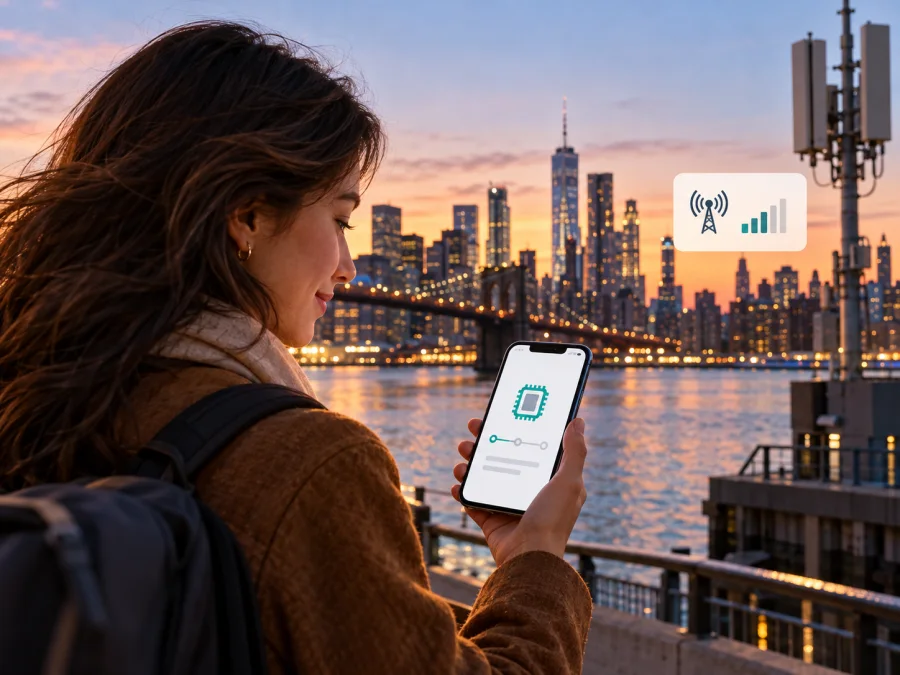
AT&T eSIM in the United States: what travelers should know
AT&T offers eSIM options in the United States, including a prepaid activation path and a separate option for international visitors. Which route makes sense depends on whether you are setting up local prepaid service or need mobile data during a visit. Before you start, check that your exact phone variant is unlocked, supports eSIM, and is accepted for the service you plan to use. Availability and activation steps can change, so confirm the current requirements directly with AT&T.
This guide focuses on AT&T in the United States. It explains how the operator’s eSIM options work at a high level, what to check before travel, and how a travel eSIM differs from a local operator line. It does not list plan names, prices, data amounts, durations, or included benefits. AT&T and related marks belong to their respective owners. Kaspersky eSIM Store is not affiliated with, endorsed by, or an official partner of AT&T.
AT&T in the United States
AT&T is a US wireless operator with consumer wireless service and prepaid options. Its official customer pages describe activating eligible devices on the AT&T network, bringing an unlocked compatible phone, and setting up either postpaid wireless or prepaid service. This establishes a useful distinction for visitors: eSIM is a SIM format, not a separate guarantee of eligibility, coverage, local phone number, or a particular service arrangement.
AT&T’s network is used across the United States, but the usable signal depends on the precise place, device, buildings, terrain, and network conditions. AT&T’s wireless coverage map is an address-level planning tool and labels its outdoor coverage as approximate; the company says actual coverage can vary, is not guaranteed, and may change. Use the current map for the cities and routes that matter to you, and treat it as an estimate rather than a promise of indoor reception or uninterrupted service.
AT&T identifies 5G service in its coverage materials. Network technology shown for a place does not mean every compatible phone will connect to it there: device capabilities, software, local deployment, and signal conditions all matter. Check the latest coverage information for your itinerary, then check the precise model and regional variant of your phone. Do not infer that one model name has identical radio support or eSIM behavior in every country where it is sold.
The information in this guide was checked on October 17, 2026 against AT&T’s “AT&T Prepaid eSIM” activation guide, “Activate New AT&T Prepaid Service” customer support instructions, “Activate and Use Your Device” support page, “eSIM by AT&T” visitor page, and the AT&T wireless coverage map. Those pages confirm the broad activation options and the limits described here. They do not replace checking current terms with AT&T before you enroll.
Does AT&T support eSIM?
Yes. AT&T’s current help pages document eSIM for AT&T Prepaid and AT&T Wireless. The Prepaid eSIM guide describes downloading and activating a digital SIM and explains how to check whether a device has an EID, the identifier associated with eSIM capability. AT&T’s general device activation guidance also covers downloading an eSIM over Wi-Fi for an eligible line. These are service-specific paths, so read the instructions for the service you are actually setting up.
AT&T also has a visitor-focused “eSIM by AT&T” option. Its public information directs international travelers to use the Connect on Demand app to check eligibility and manage the eSIM. The visitor page lists device conditions such as carrier unlock status, 5G capability, dual-SIM support, an available eSIM slot, and an international phone number; it also says an eligibility check is performed before purchase. Because that path is distinct from ordinary AT&T Prepaid enrollment, do not assume that a phone which supports eSIM will automatically qualify for every AT&T option.
Availability can depend on service type, the device, account setup, and the current purchase flow. A traveler should confirm the exact option before relying on it. AT&T’s visitor information says the visitor eSIM can be purchased and activated after arrival in the United States. By contrast, AT&T’s general support page says a device cannot be activated while outside the country when activation requires connection to the AT&T network. Plan your setup around the instructions shown for your chosen service, rather than treating all eSIMs as interchangeable.
Choosing the right setup for a trip
There are two broad situations to consider:
| Your situation | What to confirm with AT&T |
|---|---|
| You want an AT&T Prepaid line for use in the United States | Whether your exact device is compatible and unlocked, whether eSIM is available through the current enrollment flow, and how the activation code or notification is delivered |
| You are visiting and considering AT&T’s visitor eSIM | Whether the visitor app accepts your device, whether your phone meets the stated technical conditions, and when purchase and activation are available |
| You already have AT&T service and need to install or replace an eSIM | Which replacement or transfer method applies to your account and device, and whether you need to contact AT&T |
This table is a checklist, not a comparison of service plans. An eSIM profile does not determine whether the service includes voice, messaging, or other functions; those depend on the service terms you select. Read the current service description carefully, especially if you need a local number or ordinary phone calls and text messages.
If you need a line for ongoing use in the United States, local prepaid or regular wireless service may be appropriate, subject to AT&T’s enrollment and eligibility rules. If your main need is mobile data for a short visit, compare the practical setup steps of a visitor eSIM with a travel eSIM for your destination. There is no universally best choice: the right option depends on whether you need a US number, how long you will stay, the places you will visit, what your device supports, and the exact conditions available at the time.
A travel eSIM is generally designed around connectivity for a destination or trip. A local operator eSIM is an enrollment into a specific operator’s service and may involve additional account or device eligibility steps. The names “eSIM” and “digital SIM” describe how the SIM profile is delivered; they do not by themselves tell you about the plan’s coverage area, phone number, voice and messaging support, renewal, or activation timing. Confirm those details with the provider before purchase.
For a visitor, setup convenience matters as much as network reach. Ask whether you can complete the necessary eligibility check before departure, whether the service is available in your app store and on your device, whether activation requires you to be physically in the United States, and whether you will need Wi-Fi during installation. If one step cannot be completed until arrival, arrange a way to get online briefly at the airport or accommodation so you can finish setup.
Device compatibility: check the exact variant
An eSIM-capable phone is not automatically ready for AT&T service. Confirm all of the following before purchasing or traveling:
- eSIM capability: Check the phone’s settings or manufacturer specifications for your exact model number. AT&T’s Prepaid guide says that an EID displayed by dialing *#06# indicates eSIM capability for that device. Menu names and dialer behavior can vary, so use the manufacturer’s instructions if the code does not work.
- Carrier unlock: A phone locked to another carrier may not accept a different carrier’s eSIM. Ask the carrier that sold or financed the device to confirm its unlock status before travel.
- Network compatibility: eSIM capability does not guarantee compatibility with AT&T’s radio network. Use AT&T’s device compatibility checker or ask its support team to verify the model and IMEI where required.
- Regional variant: A phone with the same retail name can have different hardware or SIM configurations depending on the sales market. This is particularly important for imported devices and models sold in multiple regions. Verify the model identifier, not only the marketing name.
- Available eSIM slot and dual-SIM behavior: The visitor option has specific device requirements. Check how the phone handles a second profile, which line will provide mobile data, and whether your primary line remains enabled for calls or messages.
- Software and account readiness: Install available system updates, keep access to your email and account, and have a way to connect to Wi-Fi during any download or troubleshooting step.
If you carry a work-managed phone, check whether a mobile-device policy restricts adding a profile. Keep access to your existing SIM until the new profile is confirmed working. Do not delete a profile simply because it has not connected yet; first check the instructions from the provider and your device maker, since deleting an eSIM can require a new activation process.
How activation works
The exact steps differ between AT&T Prepaid, a regular AT&T line, and the visitor-focused service. Follow the path shown in the current AT&T checkout or support instructions. At a high level, eSIM setup includes confirming eligibility, obtaining or requesting the profile, adding it to the phone, and completing service activation. Installing a profile and having active service are related but not always the same step.
For AT&T Prepaid, AT&T’s published instructions describe obtaining an eSIM through its Prepaid flow and scanning a QR code from an eSIM activation card, then following the phone’s prompts. Other checkout experiences may present a digital eSIM option or a device notification. AT&T’s support guidance also explains that activation can involve an online flow or additional account details. Since delivery and verification requirements can change, use the current instructions provided during enrollment and avoid buying an activation item from an unofficial source.
For an existing AT&T wireless line, the support page describes downloading the eSIM over Wi-Fi after the device is on an active plan and following the on-screen prompts. If you are replacing a device, transferring a number, or requesting a replacement profile, the flow may differ. Check your account-specific instructions or contact AT&T before removing an existing profile.
For international visitors using AT&T’s visitor option, the operator directs users to its Connect on Demand app to check device eligibility, purchase, download, and manage the eSIM. AT&T says the visitor service is activated after arrival in the United States. Confirm the current app flow before departure, since app availability, eligibility rules, and onboarding steps can change.
Before you begin
- Confirm that your phone is eSIM capable and unlocked.
- Check the exact model and regional variant against AT&T’s compatibility information.
- Decide whether you need an AT&T Prepaid or wireless line, or are assessing the visitor option.
- Read current activation instructions and eligibility requirements for that exact option.
- Make sure the phone has battery power and can reach the internet during setup.
- Keep your existing line available until the new service is active and tested.
After installing the profile
Open the phone’s mobile-network settings and confirm that the new eSIM appears. Select the intended line for mobile data, then follow AT&T’s and the device maker’s instructions for completing activation. If the provider says that data roaming must be enabled for a particular profile, enable it only for that eSIM and only when the service instructions call for it. Avoid changing several settings at once; that makes it harder to identify what is preventing a connection.
If the phone shows the profile but cannot connect, check that activation is complete, that the selected line is enabled, and that you are in an area where the service is available. Restart the device if AT&T’s instructions recommend it. Then consult the device-specific guide or contact AT&T. A visible eSIM profile alone is not proof that the line has completed registration on the network.
Coverage and technology while traveling
AT&T identifies 5G coverage in its US wireless map. The map is an approximate outdoor planning reference: AT&T says real coverage can vary, is not guaranteed, and may change. Check the current map for every city and route in your itinerary, but do not treat it as a promise of indoor reception or uninterrupted service. A compatible phone and eligible service are also needed to use a given technology.
Imported and regional phone variants may differ in supported bands or eSIM behavior even when their retail names match. If connectivity is important outside major urban areas, confirm the exact model with AT&T and plan for locations where signal may be limited. Coverage maps cannot predict conditions at a particular moment or inside a specific building.
AT&T eSIM or a travel eSIM?
An AT&T eSIM connects you with an AT&T service option, subject to its eligibility, activation process, and coverage. This can suit someone who wants an AT&T line or who meets the requirements for its visitor service. A travel eSIM is a separate travel-oriented option intended to help arrange mobile data for a destination without enrolling in a local operator’s ordinary service. The two approaches serve different needs, so compare them by function rather than by a generic claim that one is always cheaper or better.
Consider the practical questions below:
- Do you need a US phone number for calls or messages, or mainly mobile data?
- Can your phone pass the operator’s unlock and compatibility checks?
- Is the intended service available to you, and can you complete its activation where and when you need it?
- Does the coverage area match every part of your itinerary?
- What does the current service description say about data, voice, messaging, renewal, and support?
- Would you prefer to keep your home SIM active while assigning mobile data to a separate eSIM?
A travel eSIM can be useful when the task is to prepare mobile internet for a trip and avoid searching for a physical SIM after landing. Kaspersky eSIM Store is an app and website that helps travelers choose, purchase, and activate an eSIM with a suitable plan for mobile internet abroad. It is not a mobile operator, network owner, or provider of mobile connectivity. The service terms for any selected eSIM determine its coverage and functions; check those terms and your phone’s compatibility before purchase. You can explore eSIM options for the United States through Kaspersky eSIM Store.
If a local number, in-person account support, or a long-term US line is important, review AT&T’s current service details directly. If you mainly need mobile data while traveling, you can also review eSIM options for the United States through Kaspersky eSIM Store. Compare the destination coverage and service conditions that matter to you, without assuming that every travel eSIM has the same features.
A practical decision
AT&T eSIM is a confirmed option in the United States, but the right route depends on whether you need local prepaid or wireless service or are eligible for its visitor eSIM. Start with the exact device variant, unlock status, and AT&T’s current compatibility and activation guidance. Use the coverage map for the places you plan to visit, and remember its limits: it is an approximate planning aid, not a guarantee of service at every address.
For an ongoing local line, review AT&T’s enrollment rules and service terms directly. For a trip where mobile data is the main need, consider whether a travel eSIM fits your route and device. Kaspersky eSIM Store helps you choose, purchase, and activate an eSIM plan for mobile internet abroad; it does not operate a network or provide connectivity itself. You can view eSIM options for the United States and check the conditions for the option you are considering.
AT&T is a trademark of its owner. Kaspersky eSIM Store is independent and is not affiliated with AT&T. Service availability, eligibility, device compatibility, activation steps, and coverage information can change. Check AT&T’s current official guidance before purchase or travel; the facts summarized here were checked October 17, 2026.


