Travel connectivity guide
au eSIM in Japan: what travelers should check
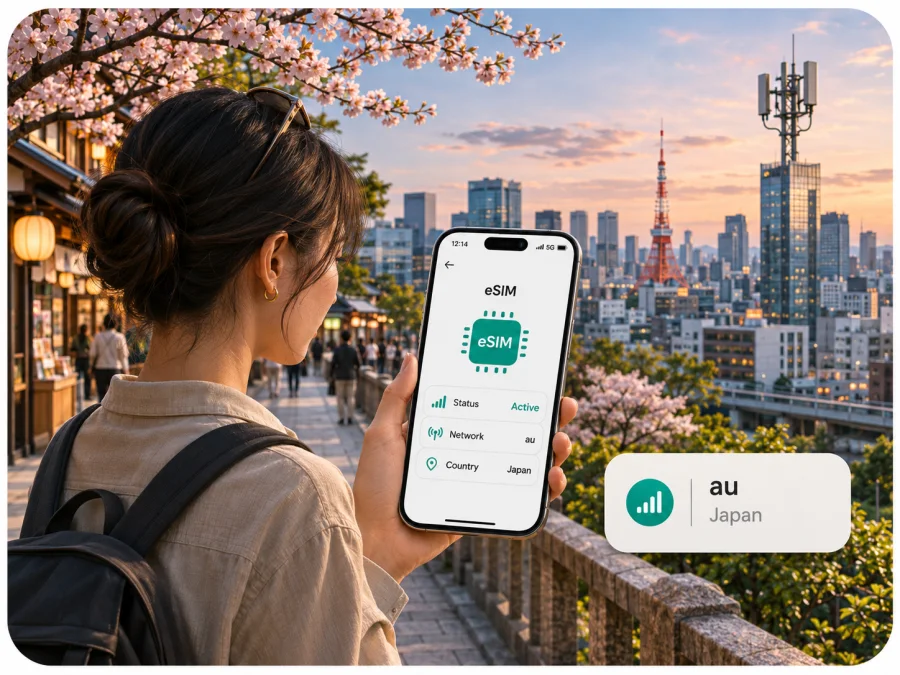
au eSIM in Japan: what travelers should check
If you are searching for an au eSIM for a trip to Japan, the first distinction is between eSIM support on au mobile service and eligibility for a new au subscription as a short-term visitor. au publishes eSIM setup instructions and a device compatibility list for its own service. Its English contract guidance also says that starting service in Japan involves a carrier contract and documentation. Those pages do not establish that every visitor can sign up, or that au offers a dedicated tourist eSIM. Confirm your own eligibility and the current application route with au before relying on a local subscription.
This guide explains what the published information does and does not confirm, how to check a phone before travel, and what to compare when deciding between a local operator arrangement and a travel eSIM. It does not list or compare au plans. The operator’s current conditions can change, and only au can confirm whether a particular applicant, device, and destination arrangement can be accepted.
au’s place in Japan’s mobile market
au is a consumer mobile brand of KDDI. KDDI’s corporate information describes its Japanese telecommunications business as providing mobile services through the au, UQ mobile, and povo brands; its investor glossary lists KDDI among Japan’s mobile network operators. For a traveler, the practical point is that au is part of a domestic mobile service business, with its own service area information and subscription procedures. This is different from buying a data-only travel eSIM intended for temporary internet access.
The exact product available to you depends on the contract and channel, not just the brand name. A visitor might already have an eligible au line, might be arranging a new local contract, or might need a travel data option instead. An existing subscriber’s profile download procedure is not the same as applying for a new line. Check the appropriate steps before departure.
What current public information confirms
The official au eSIM procedure page is current and available in Japanese. It describes downloading an eSIM profile through setup flows that vary with how the line and device were acquired. It includes My au and QR-code routes for relevant circumstances. The official device list identifies models that au has checked for use with its SIM or eSIM service. Together these pages confirm that au offers eSIM as part of its mobile service for compatible devices.
The limits matter. A compatible phone is not, by itself, proof that a visitor can open a subscription. The public English “Items to prepare for a new contract” page says that a new contract requires identification, and that non-Japanese customers with a limited period of stay may need a document confirming their stay period and a credit card in certain contract circumstances. It also points readers to Japanese-language SIM and eSIM procedures. This is not a dedicated tourist onboarding guide and does not promise approval for every visitor. Ask au which documents and payment methods apply to your case, and whether the proposed application can be completed in a language you can use.
The eSIM, activation, device-check, area, and contract pages referenced here were checked on 4 November 2026.
Is au eSIM suitable for a visitor?
Possibly, but the answer depends on the kind of access you need and your eligibility for the relevant au service. au’s material confirms eSIM for its subscribers, but the public English pages reviewed do not confirm a general-purpose tourist eSIM or a visitor-only prepaid eSIM application. If you need an au number or other local carrier features, ask au directly about a new contract, required documentation, device acceptance, and whether your expected stay fits its conditions. Check the answers for the exact device model and regional version you own.
If you already have an au subscription, ask whether your line can be moved to eSIM or installed on the phone you plan to bring. Existing-customer profile setup may require access to an account, the My au application, a network connection, or a QR code. Procedures differ for new activation, replacement, device change, and a deleted profile. Avoid deleting an installed profile before travel unless au’s instructions specifically tell you to; a replacement may require contacting au or visiting a store.
If you do not already have a line and have limited time in Japan, do not plan around an unconfirmed walk-in activation. Before traveling, get a direct answer from au about the application route, required identity and stay documents, payment, and any store visit. If one requirement is unclear, consider a separate travel data eSIM for internet access while retaining your home SIM for calls and messages, subject to the terms of both services and the phone’s dual-SIM capabilities.
eSIM, prepaid service, and travel data are different questions
“eSIM” describes the digital profile used to provision a mobile line. It does not establish whether a product is prepaid, intended for tourists, includes a phone number, or is open to new applicants. au’s public pages confirm eSIM procedures for its subscribers, but the English visitor information reviewed does not confirm a general tourist eSIM or visitor-only prepaid application. Ask au about eligibility, documents, payment, language support, and whether your stay qualifies. Do not infer an offer from an eSIM help page.
Check four separate points: whether your exact phone variant supports eSIM; whether it is unlocked and accepted by au; whether you can apply for the service as a visitor; and whether the service includes the data, voice, or messaging functions you need. Also confirm activation timing and profile recovery rules. Offers can change, so rely on au’s current information rather than assumptions.
Check your device before you travel
A phone may support eSIM in one market while a regional version differs in eSIM functions, radio bands, or SIM restrictions. Find the exact model number in settings or on the packaging. Compare it with the manufacturer’s eSIM information and au’s current checked-device list. If the model is not listed, ask au about that exact code; absence from a list does not by itself prove incompatibility.
Before departure:
- Confirm eSIM support on the exact model and check that the handset is carrier-unlocked.
- Compare the model code with au’s device list and verify radio-band compatibility separately from eSIM support.
- Update the operating system and make sure you can access required accounts and verification methods.
- Arrange Wi‑Fi or another connection for setup; au’s instructions use network access in relevant installation flows.
- Save au support and profile-recovery instructions offline. A deleted profile may require reissue through support or a store.
The eSIM compatibility guide can help you check a phone for travel eSIM. It does not replace au’s device acceptance check. Phone instructions and menu names vary by device and software version.
How au eSIM activation generally works
The steps depend on whether you are opening a new subscription, changing devices, or restoring a profile. au’s Japanese-language procedure describes different profile-download routes, which can include initial device setup, My au, or a QR code. Some cases also require switching the line before eSIM configuration. Follow the instructions for your own order; a profile replacement procedure is not necessarily the new-customer process.
A practical sequence is to confirm eligibility and required documents with au; give support the exact handset model and how it was purchased; ask which setup route applies and whether a store visit is needed; prepare account access and Wi‑Fi; then install the profile exactly as instructed. Test the line, data, and any voice or messaging functions before relying on it. Do not delete a working profile as a troubleshooting step unless au directs you to do so.
A travel eSIM has its own installation and activation flow. Review the provider’s stated activation conditions before buying, install over a working connection, and do not assume that a profile can be transferred or reinstalled after activation.
Coverage and mobile technology in Japan
au publishes domestic service-area information, with nationwide lookup and separate 5G information. Its materials refer to 5G and 4G LTE. This confirms those technologies are part of its network information, not that both are available everywhere or on every imported phone.
Check the official area map for the places on your itinerary. Reception can vary between streets, buildings, tunnels, trains, mountains, and islands; a map cannot guarantee a signal in a particular room or at a particular moment. au notes that usable service depends on location and device. Phone bands, indoor conditions, terrain, construction, and temporary interruptions can affect service. A phone may use 4G LTE where 5G is unavailable or unsupported.
The au domestic map does not establish international roaming, visitor eligibility, or the network used by a travel eSIM. Confirm each of those separately. If service is essential on a rural route or at a specific work site, ask au about those locations and plan a backup connection.
Local operator service or travel eSIM?
A local subscription may suit you if you are eligible, need a Japanese number or carrier features, or expect to use the line for an extended stay. It can involve application requirements, identification, payment arrangements, and local procedures. au’s English contract page refers customers to Japanese-language SIM procedures, so confirm how you will complete the steps.
A travel eSIM is intended for connectivity during a trip and can often be prepared before departure. It may work alongside a physical SIM if the device supports dual SIM. Many travel eSIMs focus on data and may not provide a local phone number, voice calls, or standard SMS; check the specific service terms. Internet messaging apps do not replace an SMS number where verification requires one.
Compare what matters to you: data, calls, SMS, account verification, tethering, recovery support, installation language, and the ability to keep your home number active. Consider the route and duration too. Neither type of service is automatically the right choice for every traveler.
For Japan, browse the Japan eSIM options in Kaspersky eSIM Store to review a travel-data alternative. Kaspersky eSIM Store is an app and website that helps travelers select, arrange, and activate an eSIM with a data plan. It is separate from au, does not own a network, and does not itself provide mobile internet. Check the current destination and service terms before deciding.
Common traveler questions
Can I buy an au eSIM online before arriving?
The au pages reviewed confirm eSIM setup for au service, but do not establish a general visitor eSIM available for online purchase from overseas. Ask au whether you can apply remotely and what documents and steps apply.
Can a short-term visitor sign up?
au’s English contract guidance lists identification requirements and notes that non-Japanese customers with a limited stay may need proof of their stay period and a credit card in some circumstances. Confirm current eligibility directly with au; the published material does not promise approval for every visitor.
Does any eSIM-capable phone work with au?
No. Check the exact regional model, SIM lock status, radio bands, and au’s verified-device information. Ask au about an unlisted model code.
Will 5G work everywhere?
No map guarantees reception everywhere. au publishes 5G and 4G LTE area information, but service depends on location, device, indoor conditions, and network status.
Does a travel data eSIM include calls and SMS?
Not necessarily. eSIM describes a digital profile, not a particular set of services. Check whether the selected option includes a number, voice, or SMS. Internet messaging may not replace SMS verification.
What if the profile does not activate?
Use the relevant provider’s support instructions. au says deleted profiles may require reissue through account support or a store; travel eSIM recovery rules differ. Keep support details and account access available.
A practical decision checklist
Before choosing au eSIM for Japan, confirm:
- Whether you already have an au line or need a new contract.
- Whether au accepts your visitor documents and application route.
- Whether your exact phone variant is unlocked, eSIM-capable, and compatible.
- Whether you need a local number, voice, SMS, or only data.
- Whether the coverage map fits your cities and routes.
- How activation, profile recovery, and support work.
- If choosing a travel eSIM, what its current destination and service terms say.
If you cannot confirm eligibility or device support before departure, arrange a backup. A travel eSIM may be an option for data, while your home line can remain available if your device and roaming settings allow it. Do not rely on an unverified visitor offer or coverage assumption.
The key point
au provides eSIM procedures and a compatibility reference for its own mobile service, and it publishes domestic 5G and 4G LTE area information. Those facts do not confirm an open tourist eSIM or automatic new-contract eligibility for every overseas visitor. Confirm the precise application requirements and device version with au, then compare local service with a travel data eSIM according to the features you need. Kaspersky eSIM Store can help you review a travel-data option for Japan; it is separate from au and is not a network operator. Kaspersky eSIM Store is not affiliated with au or KDDI.


