Travel connectivity guide
Austin eSIM: Mobile Internet for Your Trip
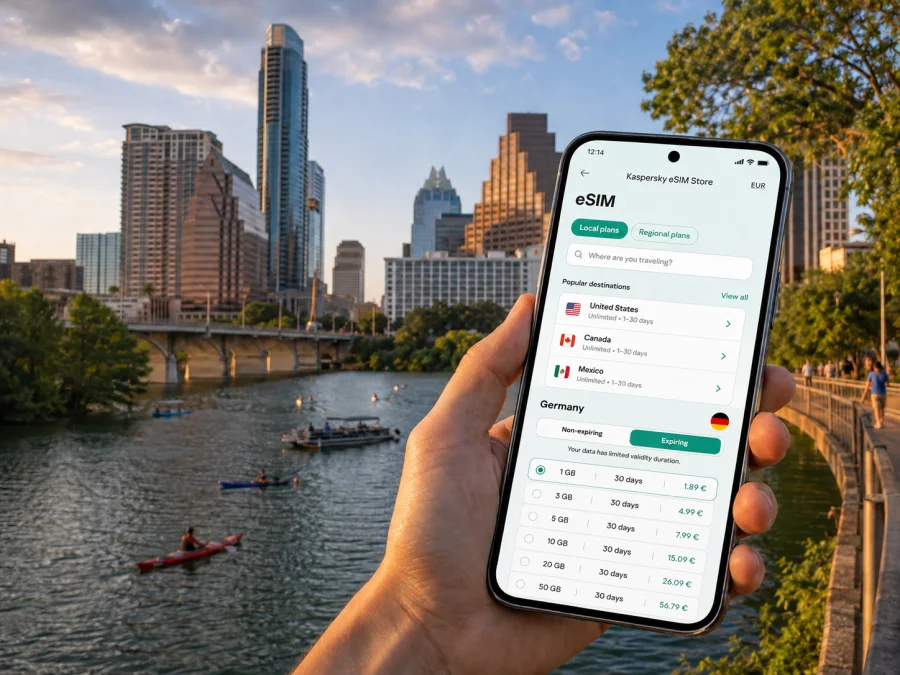
Austin eSIM: mobile connection and internet for your city trip
Austin is a city where a dependable mobile connection helps from the first minute of a journey. You may need to check a rideshare pickup point at Austin-Bergstrom International Airport, open a map to your hotel, confirm a dinner reservation downtown or join a work call before you have settled in. An eSIM, or digital SIM, lets you prepare mobile internet for the trip without removing your regular physical SIM card.
Kaspersky eSIM Store is an app and website that helps you choose, arrange and activate an eSIM with a suitable data plan for a trip abroad. You can review the destination, data allowance, validity period and other conditions before deciding. The service is useful for an Austin weekend, a business visit, a short stopover or a road trip that starts in the city.
Why mobile internet matters in Austin
Austin travel is often spread across several areas rather than one compact sightseeing zone. A visitor might land south of the city, stay near Downtown, spend an afternoon around South Congress, work near The Domain and finish the day beside Lady Bird Lake. Moving between those plans means using maps, transport apps, messaging, mobile tickets, restaurant pages and digital reservations.
The first hours after landing are a clear example. Airport Wi-Fi may help with one short task, but it is less convenient while you are collecting luggage, walking to a pickup area or leaving the terminal. With an eSIM prepared for the United States, you can use mobile data for practical steps such as:
- checking the exact address and entrance of your accommodation;
- contacting a host, colleague or driver in a messenger;
- confirming a rideshare pickup instruction;
- checking traffic before choosing a route;
- opening a map when you leave the airport or change neighborhoods;
- receiving a confirmation for a meeting, event or restaurant.
An eSIM does not replace every communication method. Unless the selected plan says otherwise, it is intended for mobile data and does not include a separate phone number, ordinary voice calls or SMS. You can keep your usual line available according to your home operator’s conditions and use internet-based messengers for everyday communication.
Austin scenarios where an eSIM is useful
Arrival at Austin-Bergstrom International Airport
The airport is southeast of central Austin, so the trip to a Downtown hotel, a conference venue or East Austin is a separate part of your itinerary. Before leaving the terminal, you may need to compare a booking address with a map, find a designated pickup area and tell someone that you have arrived. Mobile data makes these actions easier without relying on one Wi-Fi session.
If the plan conditions allow it, prepare the eSIM before departure. Then keep your regular line available and select the travel eSIM for mobile data when you are ready to use it. If you install after landing, keep a stable internet connection and the QR code or profile details accessible.
Downtown, South Congress and Lady Bird Lake
Downtown is a practical base for a short visit because plans can be combined with walking, local transport or a short ride. Navigation is still useful: a venue may have more than one entrance, a restaurant may be on a side street and a reservation time can depend on traffic. Around South Congress, you may switch between walking directions, store information, maps and messaging several times in one afternoon.
Lady Bird Lake and its trails create a different rhythm. You might start with a meeting in a central office, walk beside the water and travel to another district for dinner. Keeping mobile data available lets you adjust the route without returning to a hotel or searching for another public network.
East Austin, the University area and northern Austin
East Austin combines restaurants, cafés, galleries and residential streets. Useful information is often highly local: an entrance is behind a building, a reservation changes or a group meets at another address. Mobile internet lets you share a pin, confirm a change and check the route while you are already moving.
Visitors coming for a lecture, event or meeting near The University of Texas at Austin may move between a hotel, a campus building and a restaurant. A travel eSIM can support maps, email, calendars, documents and data-based calls while you are away from a desk.
The Domain and other northern parts of Austin may be far from a Downtown schedule. If your accommodation and meetings are in different parts of the city, check the route close to the time you travel. Traffic can change the practical duration of a ride, so mobile access is useful for comparing routes, updating a colleague and finding the correct building or parking entrance.
What kind of eSIM plan fits an Austin itinerary?
The city is the reason for your trip, but the correct destination in the store is the country in which Austin is located: the United States. A city article does not imply a separate city-only plan. Select a plan that covers the United States and review its terms before payment.
Review the available eSIM options after considering these planning patterns:
| Travel pattern | Typical data use | What to review |
|---|---|---|
| Short stopover | Maps, messages, booking checks and occasional browsing | Allowance and validity for the stopover dates |
| Austin weekend | Navigation, rides, reservations, photos and messaging | Data allowance and the plan’s start condition |
| Business visit | Email, documents, data-based calls and possible hotspot use | Allowance, hotspot conditions and full-visit validity |
| Austin plus nearby destinations | Navigation on longer drives and accommodation updates | Whether the United States destination applies to the whole route |
| Longer stay | Daily maps, media, work tools and repeated bookings | Larger allowance if justified, plus refill and expiry conditions |
These are planning patterns, not fixed recommendations. The right choice depends on your phone settings, apps and access to Wi-Fi. A longer validity period may suit a flexible itinerary, while a short visit may not need a large allowance. Use the current plan details shown at the time of selection.
Estimate data use before purchase
Start with the activities you expect rather than the number of days alone. Navigation, messaging and email use data differently from video streaming, cloud backups or large file transfers. For your Austin visit, consider:
- Daily map checks and route changes.
- Rideshare or transport-app requests.
- Messaging and photo sharing.
- Email, calendars and work documents.
- Video calls or hotspot use.
- Music, video or automatic photo backups.
If the last two items matter, plan to use Wi-Fi for large transfers or select more allowance. Restrict automatic updates and cloud backup over mobile data so the allowance remains available for navigation and communication. Save important addresses and bookings in advance where possible. When you have estimated your usage, choose an eSIM plan for a trip to Austin and check its current destination, allowance and validity conditions.
Prepare the eSIM before leaving home
Installing before departure gives you time to read the conditions and correct a setting without airport pressure. Do not activate the travel line earlier than intended if the plan starts counting validity or data at activation; the exact rule depends on the selected tariff.
Use this checklist:
- confirm that your phone supports eSIM;
- check that the device is not locked to a mobile operator;
- update the operating system if needed;
- keep the purchase confirmation, QR code or profile details accessible;
- keep the regular SIM active if you need your usual number;
- note which line will be used for mobile data in the United States;
- review whether data roaming must be enabled for the eSIM;
- save installation and support instructions somewhere accessible.
The phone model and regional version can affect eSIM support, so do not rely only on the product name. Before choosing a plan, check whether your device is compatible. If the device is operator-locked, installation may not solve the problem; check the lock status with your current operator.
How to install and activate an eSIM
Phone settings differ by manufacturer and operating-system version, but the basic sequence is similar. Keep Wi-Fi or another working internet source available during installation and complete one action at a time.
1. Check the conditions
Confirm compatibility, operator-unlocked status, destination and plan validity. Have the QR code or profile information ready. If the plan is intended for use after arrival, follow that condition.
2. Add the mobile plan
Open the mobile-network or cellular settings and choose the option for adding an eSIM or mobile plan. Scan the QR code, or use manual details if the installation flow offers that option.
3. Label the new line
Use a clear label such as “United States trip” to distinguish the travel eSIM from your regular line. This reduces the chance of selecting the wrong profile after a flight.
4. Select the data line
Set the travel eSIM as the line for mobile data when you want to use it in Austin. Decide separately whether calls and messages should remain on your regular line. Disable automatic switching if you want full control over which profile uses data.
5. Review roaming settings
Some eSIM plans require data roaming to be enabled for the travel profile. This setting is separate from your home line’s roaming conditions. Follow the selected plan’s instructions and verify that your regular line is not using mobile data unintentionally.
6. Test the connection
After activation, open a simple webpage or map and check that the travel line is selected for data. Connection can take a few minutes. If it does not appear, review the active data line, airplane mode, roaming setting and plan conditions before reinstalling anything.
For platform-specific steps, use the Android eSIM installation instructions or the iOS eSIM installation instructions. The exact menu names can change, so follow the instructions that match your device version.
Managing two lines during an Austin trip
Many travelers keep their home SIM and travel eSIM installed together. This is convenient when configured deliberately:
| Setting | Travel choice to review |
|---|---|
| Mobile data | Select the United States travel eSIM |
| Data switching | Disable automatic switching if you want to avoid accidental home-line use |
| Calls and SMS | Keep the home line only if you need its number and understand possible charges |
| Data roaming | Follow the selected plan’s instructions for the travel line |
| App updates | Restrict large background downloads when data is limited |
| Hotspot | Use only if the plan and device allow it |
If you do not need your regular line in Austin, you can turn it off temporarily. If you need it for verification, review your home operator’s roaming conditions first. An eSIM is a data tool for the trip, not an automatic replacement for normal phone service.
Navigation, transport and work without wasting data
Austin plans often combine walking, rideshare, buses and car travel. Prepare key information before starting each leg. Save your hotel address, meeting location, event name and return destination in an accessible note; reserve mobile data for live route changes and communication.
For a day moving between Downtown, South Congress, the waterfront and East Austin:
- Check the next destination before leaving the current one.
- Confirm the exact street address, not only the venue name.
- Compare the estimated travel time with your reservation or meeting time.
- Follow the designated pickup instruction for a rideshare.
- Share your updated arrival time with the person waiting for you.
- Keep a fallback route in mind if traffic or weather changes the plan.
If you use public transport, check current departure information in the relevant service interface. Schedules can change, so do not rely on an old screenshot. For a rental car or a drive outside Austin, keep the phone charged and limit background activity so navigation remains available.
The best plan also depends on your work routine. A business traveler may need email, document access, calendars and data-based meetings, while a leisure traveler may use more maps and reservations. Consider the number of video calls, file sizes, hotspot needs and the availability of Wi-Fi at your accommodation. Do not assume the largest plan is automatically the best choice; compare allowance, validity, destination and price with your schedule.
Short trips from Austin
Austin can be a starting point for outings to Round Rock, San Marcos, Dripping Springs or another Hill Country destination. Choose a United States plan whose stated destination and validity suit the whole itinerary, not only the days spent downtown.
Longer drives make navigation and messaging especially important. Save booking details before setting out, keep the route visible and tell a contact when you expect to arrive. Coverage and performance can vary by location and by the underlying local networks used by the selected plan, so avoid promises about a particular speed or signal everywhere. The plan conditions are the right reference for your purchase decision.
What to do if something does not work
Most problems are linked to a setting, an unavailable installation connection or a mismatch between the plan and phone configuration. Check this sequence before deleting the eSIM:
- Check that the travel eSIM is switched on.
- Confirm that it is selected for mobile data.
- Review data roaming for that profile if required.
- Toggle airplane mode on and off.
- Restart the phone if the connection is still absent.
- Compare destination and activation conditions with the plan details.
- Contact support if the issue continues, keeping order information available.
Do not scan the same QR code repeatedly without checking the instructions. Some eSIM profiles have installation or transfer conditions, and an installed profile may not be transferable to another phone. If your device is replaced or lost, recovery options depend on the selected plan’s terms.
Austin eSIM questions answered
Is a city-specific eSIM required for Austin?
No. Austin is in the United States, so look for a plan whose destination includes the United States. There is no need for a separate Austin-only destination. Check the stated validity if your route continues outside the city.
Can I install the eSIM before my flight?
Often, installation can be prepared before departure, but activation and validity rules depend on the selected plan. Read when the plan starts and choose the data line only when you intend to use it. Keep an internet connection available during installation.
Will the eSIM give me an Austin phone number?
Not normally. These travel plans are intended for mobile internet unless the specific conditions say otherwise. They do not automatically add a local phone number, ordinary calls or SMS. Data-based messaging and calls can work through the internet.
Do I need to remove my regular SIM?
No. A compatible unlocked phone can often keep both lines installed. Select the travel eSIM for mobile data and decide whether the home line should remain active. Review the home operator’s conditions before using it.
Can I use the eSIM for a hotspot?
It depends on the plan, device and network conditions. Check whether tethering is supported before relying on it for a laptop or another traveler. Hotspot use can consume data faster than maps and messaging.
When should I contact support?
Contact support if installation or activation does not work after you have checked compatibility, internet access, the active data line, roaming settings and plan conditions. Include order information and the exact step where the problem appears.
Final checklist for your Austin trip
Before leaving for the airport, confirm:
- the destination is set to the United States;
- the allowance and validity fit your itinerary;
- your device supports eSIM and is not operator-locked;
- the QR code or profile details are accessible;
- the travel line has a clear label;
- your regular-line settings match your roaming preferences;
- you know which line is selected for mobile data;
- hotel, meeting and transport details are saved;
- you know where to find the Android or iOS installation steps;
- you know how to reach support if activation needs help.
Stay connected in Austin with a prepared eSIM
From airport arrival and Downtown navigation to meetings, neighborhood changes and drives beyond the city, preparation makes mobile internet easier to manage. Check compatibility, select a United States plan that matches your route, install the eSIM carefully and review the data-line settings before moving around Austin.
When you are ready, choose an eSIM plan for your United States trip through Kaspersky eSIM Store. Review the current allowance, validity and activation conditions, then install and activate the eSIM on your compatible device when it suits your itinerary.


