Travel connectivity guide
Aveiro eSIM: Mobile Internet and Travel Guide
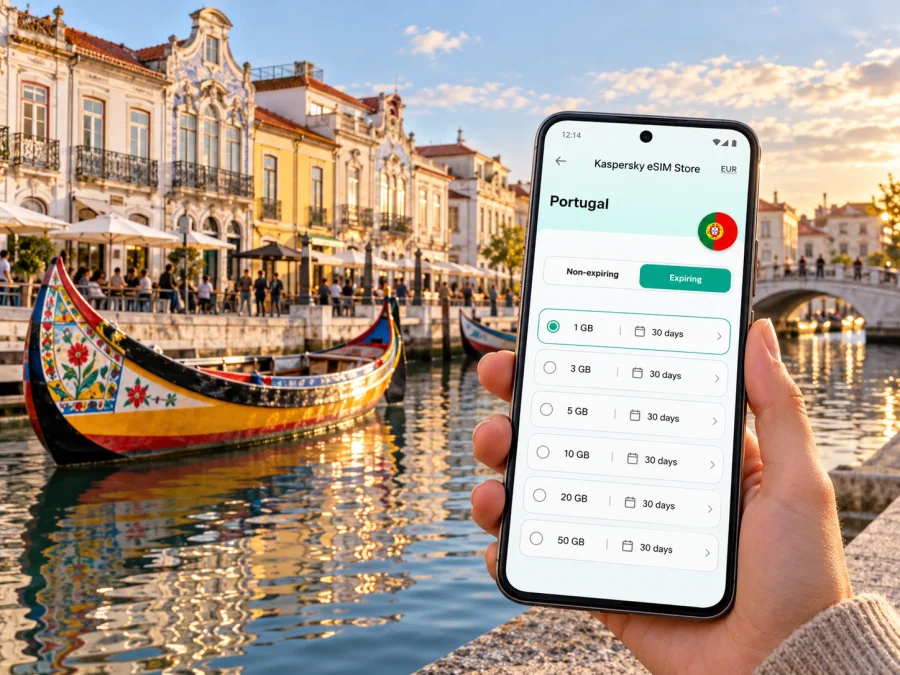
Aveiro eSIM: mobile connection and internet for your trip
Aveiro is a compact city shaped by water: canals cross the centre, moliceiro boats move through the Ria, and many central sights can be reached on foot. A reliable mobile connection helps with the practical parts of the visit: finding your accommodation, checking a train, navigating between the railway station and the canal district, and keeping reservations and messages close at hand. An eSIM can provide mobile data without replacing the physical SIM in your phone, provided your device supports it and the selected plan covers Portugal.
This guide focuses on using mobile internet in Aveiro and on short trips from the city. It explains how to prepare before arrival, choose a suitable data allowance, get around when plans change, and avoid common setup surprises. Coverage and performance depend on the local network, your location, device, and the terms of the plan, so treat a live map or a cached route as a useful backup rather than expecting a signal in every place.
Why mobile data is useful in Aveiro
A phone is useful for the practical parts of a visit: directions from Aveiro railway station to your hotel, a boat-trip meeting point, restaurant details, transport updates, and messages to your host. The canals are useful landmarks, but a short distance on the map may still mean crossing at a particular bridge. Download an offline map before leaving home and use mobile data for live directions and changes.
A data eSIM can let you keep your usual SIM active for calls or verification messages while a separate profile handles mobile data, depending on the phone and plan. Do not assume that a data plan includes a local number, regular calls, or SMS unless its terms say so. Internet messaging and calling apps need a data connection.
Common moments when a connection helps
- Arrival: open your accommodation address, check a transfer message, or update your host.
- Canal walks: navigate between Rossio, Beira-Mar, and the fish-market area.
- Work visits: check routes and message colleagues between the station, hotel, and meeting venue.
- Day trips: confirm the return journey from Barra, Costa Nova, or Ílhavo before leaving the centre.
Arriving in Aveiro and getting oriented
For many international visitors, Porto is a practical airport gateway. Porto Airport has public transport links into Porto, including metro and bus options; trains serve Aveiro from the city. If arriving from Lisbon or elsewhere, check the full route for your date. Do not assume a single direct airport-to-Aveiro train: confirm each leg and transfer separately.
Aveiro railway station is outside the main canal-side sightseeing core. A map can help you decide between walking, local bus, taxi, or another transfer, depending on luggage, weather, arrival time, and your exact address. Save the destination pin and postcode before you travel, then check street signs as well as the map.
Train and local transport schedules can change. Check current operator information before departure, especially when connecting onward to Porto, Lisbon, Coimbra, or another city. Keep tickets and addresses accessible offline in case your battery is low or data is temporarily unavailable.
A simple arrival sequence
- Save your accommodation address, including its postcode, in text and map form.
- Check the complete airport or intercity transfer, including any connection.
- Keep your ticket and booking details accessible offline.
- Confirm the final leg from Aveiro station and choose a walk, local transport, or taxi based on luggage and arrival time.
- Message your host once you know your expected check-in time.
The Central Canal is a useful orientation point, but check the exact street and bridge for your destination. Keep your phone secured near the water and in busy areas, and save an address before setting off.
Exploring the city with maps and mobile internet
Aveiro is relatively flat and easy to explore on foot. The tourism authority highlights the canals, moliceiro trips, Art Nouveau buildings, and cycling. Use the Central Canal and Rossio as reference points, then group nearby stops such as Beira-Mar and the fish-market area into one walk. Check current opening hours and the exact location of any museum, church, or boat departure.
The old station building and current railway station are different places, so verify which one a booking or meeting point means. Search for a named place and address, check the walking route, and use street signs if a route across a canal seems unclear.
Match your data use to the day
| Travel day | Likely phone use | Preparation that helps |
|---|---|---|
| Arrival and check-in | Maps, transport updates, host messages | Save tickets and the accommodation address offline |
| Canal-area sightseeing | Walking directions, photos, bookings, messaging | Download the city map and keep key reservations accessible |
| Work or study visit | Email, calls through apps, shared documents | Check the venue Wi-Fi details and keep mobile data for travel between locations |
| Day trip from Aveiro | Route planning, transport updates, return coordination | Check outbound and return services before leaving the centre |
| Short stopover | One or two essential searches and messages | Prepare the next address and onward ticket before arrival |
The table is a planning aid, not a promise about data consumption. Photo backups, video, navigation, and app updates can use more data than short text messages. If you have a limited allowance, keep automatic cloud uploads and large downloads on Wi-Fi, and check the remaining balance in the relevant app or account where that feature is available.
Choose a Portugal plan for an Aveiro itinerary
Choose the destination by the country the plan covers, not by the city name alone. Aveiro is in Portugal, so a Portugal plan is the relevant starting point for a stay confined to the city and nearby Portuguese stops. If your itinerary crosses borders, compare the stated coverage area of a regional option with every country on your route. Never infer regional coverage from a plan name; read the countries, data amount, validity period, activation rules, and restrictions shown at checkout.
Estimate your usage from the way you travel. A light user who mainly checks maps and messaging may need less data than someone uploading video, joining video meetings, or tethering a laptop. Build in some room for unexpected route changes, but avoid choosing a large allowance solely because it sounds safer. Wi-Fi at your accommodation can handle large updates, while mobile data is most valuable when you are moving around or away from a trusted connection.
Kaspersky eSIM Store is an app and website where you can select, purchase, and activate an eSIM with a suitable plan for mobile internet on an international trip. To review the current Portugal options and their live terms, browse the available plans for Portugal. Availability, prices, included data, validity, and activation conditions can change, so confirm the details displayed for your chosen plan rather than relying on an old screenshot or a general description.
Before checkout, make sure the plan suits both the city stay and any side trips. A day at Costa Nova or Praia da Barra remains within Portugal, but the route can include stretches outside the centre and a change of transport. Check the plan’s Portugal coverage and any fair-use or device-sharing conditions. If you continue into Spain or another country, verify that the same plan includes that destination or choose a suitable multi-country option.
A practical plan-selection checklist
- Destination: Portugal for a trip limited to Aveiro and nearby Portuguese places.
- Length and allowance: match validity to your dates and think about maps, messages, photos, video calls, and tethering.
- Coverage: confirm Portugal is listed; check every country on a multi-country route.
- Start conditions: note when validity begins and whether hotspot use is permitted.
- Fallback: keep tickets, an address, and a downloaded map available offline.
Check compatibility before you travel
An eSIM can be installed only on a device and regional model that support it, and a carrier lock may prevent use with another plan. Do not assume that every phone with the same marketing name has identical eSIM support: manufacturer, model number, sales region, and software can matter. Check whether your device supports eSIM before you buy, and confirm that the phone is not locked to a carrier.
If unsure, check the exact model number and manufacturer guidance. Keep Wi-Fi access for installation, and decide which SIM handles calls and which handles mobile data before you travel.
Install and activate the eSIM
Follow the instructions provided with your purchase, because the available installation route can vary. You may be able to install from the app or use a QR code. Do not delete an installed eSIM profile to troubleshoot unless the instructions or support team specifically tell you to; a profile may not be reusable after removal.
- Check compatibility and unlock status. Confirm eSIM support for your exact device variant and make sure the phone can use another carrier’s profile.
- Choose and purchase the plan. Read the destination, data amount, validity, activation conditions, and any restrictions.
- Install the profile while online. Use the app’s guided steps or scan the supplied QR code, following the on-screen prompts.
- Label the new line. A name such as “Portugal data” makes it easier to select the correct profile later.
- Set the eSIM as the mobile-data line when you are ready to use it. Keep your regular SIM settings as intended for calls and messages.
- Check data roaming instructions. Some eSIM plans or device configurations require data roaming to be enabled for the eSIM. Follow the plan instructions; avoid enabling roaming for the wrong line.
- Allow time to connect. Registration can take a few minutes and depends on the device and local network. If there is no service, use the troubleshooting steps below.
For step-by-step device guidance, use the Android eSIM installation instructions or the iOS eSIM installation instructions. Install before travel if convenient, but follow the plan’s activation rules so you know when its validity starts. If you prefer to wait until arrival, keep the QR code or app access available and remember that you may need Wi-Fi to complete installation.
If mobile data does not connect
Start with settings rather than removing the eSIM. Confirm that the intended eSIM is switched on, selected for mobile data, and allowed to connect under the plan’s instructions. Check that Airplane Mode is off, restart the phone if appropriate, and wait briefly for network registration. A data-roaming toggle may be required for the eSIM on some devices; check that you are changing the setting for the eSIM profile, not your home SIM.
Then verify the plan status and destination. Check whether the data allowance is active, whether its validity has started, and whether Portugal is included. If you are indoors or in a low-signal location, try again in a different spot. Do not judge a plan’s coverage from a single room, a railway platform, or one moment of congestion.
If the problem continues, note the device model, operating-system version, the eSIM label, your location, and the exact message shown on screen. Contact the relevant support channel with those details. Avoid posting QR codes or account credentials publicly, and do not share a one-time verification code with anyone who contacts you unexpectedly.
Aveiro scenarios: make the connection useful
You arrive by train and your room is not ready. Keep the station and accommodation saved, use a map to find somewhere nearby to wait, and message your host with an estimated arrival time. Keep the address in writing in case data is unavailable.
You are meeting someone by the canals. Share a precise landmark, square, or map pin. “By the water” can be ambiguous when several canals and bridges are nearby.
You are working between meetings. Download essential files before leaving the hotel, then use data for navigation and short messages. Check the venue’s connection arrangements for video calls or large uploads.
You are heading to the coast or have only a few hours. Check the return service before leaving central Aveiro, save the stop name and ticket offline, and leave time to get back to the station.
Short trips beyond the centre
Aveiro can serve as a base for nearby coastal places such as Praia da Barra and Costa Nova, or for a visit to Ílhavo. These are separate destinations, not simply another canal-side street, so check how you will get there and back. Transport availability and journey times depend on the date and time; verify the current service before committing to a tight connection.
Save the exact address of the beach, museum, or meeting point; a place name can refer to a wider area rather than the stop you need. Confirm the map pin against your itinerary and check current transport and return times before you leave central Aveiro. A regional eSIM is relevant only if your route crosses borders; Porto, Coimbra, Lisbon, Barra, and Costa Nova remain in Portugal. Confirm each plan’s listed destinations rather than assuming city-specific coverage.
Frequently asked questions
Do I need a different eSIM for Aveiro than for the rest of Portugal?
Usually, check for Portugal rather than a separate city product. Confirm that Portugal is listed in your chosen plan and read its terms.
Can I keep my regular SIM active?
Often, compatible dual-SIM phones can keep both profiles available, but behaviour depends on the device. Select the intended data line and check your home operator’s roaming settings.
Will an eSIM work on every phone?
No. The exact device variant must support eSIM, and the phone may need to be unlocked. Check before purchase.
Does the plan include voice calls and SMS?
Do not assume so. The plans discussed here are for mobile data unless the individual terms explicitly include other services. Internet calling and messaging apps need data access.
Should I install the eSIM before flying?
You can install in advance if the plan rules allow it and you have internet access. Check when validity begins; installation and first use may be different events.
What if a train or bus schedule changes?
Check the operator’s current information before departure. Save the ticket and address offline, then use mobile data for updates and alternatives. An old screenshot is not proof of a current departure.
A final preparation checklist
Before leaving for Aveiro, confirm these essentials:
- Your phone supports eSIM for its exact regional variant and is not carrier-locked.
- Portugal is listed as a destination for your chosen plan.
- The data allowance and validity period suit your dates and likely usage.
- You understand the plan’s activation rules and whether roaming must be enabled for its eSIM.
- The eSIM is installed or the QR code and app account are accessible.
- Your accommodation address, train ticket, and first route are saved offline.
- You have checked current airport, rail, and local transport information for your travel date.
- Your home SIM will not use mobile data unintentionally if you want data to come from the eSIM.
Prepare your eSIM for Aveiro
Preparing in advance leaves more time for the canal walk and less phone setup at the station. Check compatibility, read the live plan terms, and install the eSIM when you have time and a reliable connection. Kaspersky eSIM Store helps you select, purchase, and activate an eSIM with a suitable plan for mobile internet on an international trip.
When ready, review the current Portugal options for your trip to Aveiro. Compare data, validity, destination, and activation conditions. Keep your regular SIM configured for the services you need, select the correct line for mobile data, and save essential travel details offline.


