Travel connectivity guide
Avignon eSIM: Mobile Internet for Your Trip
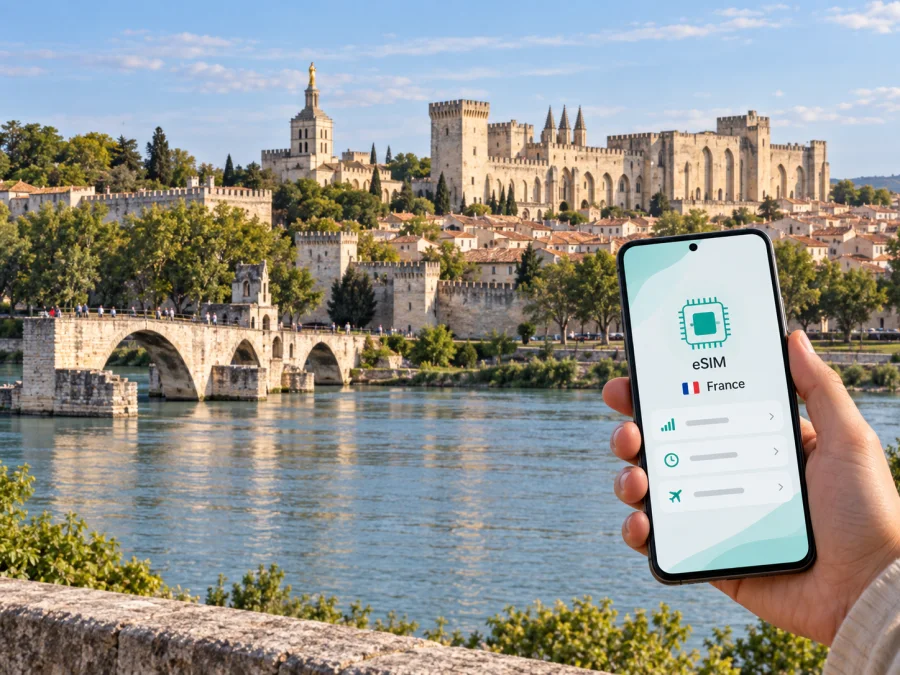
Avignon eSIM: mobile connection and internet for your trip
Avignon is easy to explore on foot once you are inside its historic centre, but getting there, finding your accommodation, checking a train connection or coordinating a day trip all depend on having useful information at hand. A mobile internet connection can help you move between the station, the old town and places beyond the city without relying on a public Wi-Fi network every time you need a map or message.
An eSIM is a digital SIM profile that you install on a compatible device. For a visit to Avignon, it can be a practical way to prepare mobile data for France while keeping your usual SIM available for calls and messages, subject to your device and plan settings. Kaspersky eSIM Store is an app and website where you can choose, order and activate an eSIM with a data plan for an international trip. The plan’s country, data allowance, validity and other conditions depend on the option you select.
Why mobile internet is useful in Avignon
The city has two railway stations that serve different arrival patterns. Avignon Centre is beside the historic centre, while Avignon TGV is around 6 km from the city centre. If your train arrives at Avignon TGV, you still need to plan the onward leg; if you arrive at Avignon Centre, you are already close to the intramuros area. Checking your arrival station before setting out can prevent a confusing first transfer.
Mobile data is useful for small decisions that happen throughout a city visit:
- locating the correct station exit or pickup point;
- checking a route between your hotel and a meeting, museum or restaurant;
- comparing walking, public transport and taxi options for a particular journey;
- confirming opening hours or reservation details using the provider’s own information;
- sending your arrival time to a host or colleague;
- checking a platform change or onward train before leaving the old town;
- translating a short message or reading information when you are away from hotel Wi-Fi.
These are ordinary travel tasks, but they can be awkward when a map is unavailable or a connection drops just as you need to find a street. Planning your data setup before departure means you can decide how to connect instead of making that choice while carrying luggage or looking for a place to sit.
Arriving: Avignon Centre or Avignon TGV?
Start with the station name on your ticket, not only the word “Avignon.” Avignon Centre and Avignon TGV are separate stations. The Centre station is near the walled historic district; the TGV station is farther south, about 6 km from the centre. A short rail connection between the stations is available on some schedules, but check the current timetable and your exact train before relying on it. Local transport, a taxi or a prearranged pickup may suit other arrival times or luggage needs.
| If your arrival is at… | What to plan | How a connected phone helps |
|---|---|---|
| Avignon Centre | Walk, take local transport or arrange a ride to your accommodation, depending on its location and your luggage | Open the route to the exact hotel entrance and message your host if needed |
| Avignon TGV | Choose the onward journey to the centre or directly to your lodging | Compare the current rail and road options and check departure details |
| A nearby regional station | Confirm the address and onward connection before leaving the platform | Keep the next leg, booking details and map available together |
Do not assume your hotel is “near the station” without checking which station the listing means. The same caution applies to restaurants, car hire and meeting points. Save the full street address, booking confirmation and a map area for offline reference before travelling; offline maps are a useful backup but do not replace live updates or messaging.
If you are meeting someone, agree on a clear point such as the station entrance or a named public square, then share an estimated arrival time. A mobile connection helps you handle a delay without having to search for Wi-Fi. For late arrivals, check in advance whether the accommodation has a reception desk, a key box or another arrival procedure, and keep those instructions accessible if your data connection is not yet active.
Moving around the historic centre
Avignon’s central visitor area is compact enough that walking will often be the simplest way to connect nearby sights, cafés and accommodation. The intramuros district is enclosed by the city walls and includes major landmarks such as the Palais des Papes and Place de l’Horloge. Streets can be narrow, busy or paved unevenly, so the shortest route shown on a map is not always the most comfortable one with luggage, a stroller or limited mobility.
Use navigation as a guide, check that the destination entrance matches the street and allow time for crossings and queues. Recheck the route when leaving the old centre for a station or riverside walk.
Choosing where to stay and how to stay reachable
The best base depends on what brings you to Avignon. Staying intramuros can put you close to historic sights, dining and much of the evening activity. Accommodation outside the walls may offer a different balance of access, parking or room type. A stay near a station can be convenient for an early train, though it may mean more walking or local transport when visiting the old town. Compare the actual address and your daily route instead of choosing by neighbourhood name alone.
Before booking, check the exact address, entry instructions and likely routes. Identify whether the accommodation is inside the walls, near Avignon Centre, near Avignon TGV or elsewhere, and consider luggage and arrival time.
A practical eSIM plan for a city visit
Before choosing a plan, estimate how you expect to use data. A short visit focused on walking and messaging differs from a work trip with frequent video calls or a longer stay that includes navigation across the region. Your estimate should take account of the apps you already use and whether you can connect to trusted Wi-Fi at your accommodation or workplace.
| Travel pattern | Likely data activities | What to consider when comparing plans |
|---|---|---|
| Weekend in the old town | Maps, messages, restaurant searches and a few bookings | A modest allowance may be enough if you use Wi-Fi for larger downloads |
| Several days with day trips | Navigation, timetables, messaging and more frequent searches | Match the plan duration to the whole trip, including travel days |
| Business visit | Email, cloud documents, maps and calls through internet apps | Estimate work usage and check any employer rules for devices and data |
| Stopover | Meeting coordination, directions and onward travel information | Confirm when validity begins and whether the plan suits the short window |
The table is a planning aid, not a usage promise. Maps, photos, streaming, automatic backups and video calls can consume different amounts of data. Check the plan details before ordering and review your phone’s data-use settings. If you use cloud storage or social apps, consider disabling automatic uploads over mobile data until you know how much allowance you have.
Kaspersky eSIM Store lets you review available options for your destination and choose a suitable eSIM plan for the trip. To compare what is available for France, explore mobile data options for your trip to France. Check the listed allowance, validity period, supported destination and activation instructions against your own travel dates and expected use; plan details can vary.
Before departure: a short preparation checklist
A few checks before leaving home can make the first minutes in Avignon calmer:
- Confirm that your phone supports eSIM and is not restricted by a carrier. Check whether your device supports eSIM.
- Check the plan’s destination, data allowance, validity and any activation requirements.
- Make sure you have a stable internet connection available for the installation steps.
- Save your Avignon accommodation address, station details and key booking information.
- Decide whether your usual SIM should remain active for calls and texts, and review roaming settings to avoid unwanted charges.
- Note how to contact your accommodation or travel companion if your arrival is delayed.
- Bring a charger or power bank if you expect to use navigation for much of the day.
If you install the eSIM before travelling, follow the instructions for your phone’s operating system: eSIM installation instructions for Android or eSIM installation instructions for iOS. Menu names can differ by device and software version. Keep the installation details available until setup is confirmed.
For a data-focused plan, keep your regular line available for conventional calls and SMS unless the specific plan says otherwise. Review which line handles mobile data and check data-switching settings before departure.
On arrival: connect without rushing
Once you reach Avignon, take a moment to confirm the basics before relying on mobile data. Check that the eSIM profile is enabled, the correct line is selected for data and the device shows a connection. If it does not connect immediately, follow the plan’s setup guidance and check that you are in the supported destination. Avoid deleting an eSIM profile as a first troubleshooting step; you may need the original installation details to add it again.
After setup, check that the eSIM profile is enabled, the correct line is selected for data and the device shows a connection. Open a map, confirm the exact destination address and send an arrival update if needed.
If data is unavailable, use a saved address, offline map and downloaded ticket while you troubleshoot or ask your accommodation about Wi-Fi.
Business trips, meetings and short stopovers
For a business visit, connectivity is often about being reachable between fixed appointments. Save meeting addresses with the company name, building entrance and contact details, since a large office complex may have several entrances. Check the route and expected travel time before each meeting, and leave room for finding reception or passing through building security. If colleagues send schedule changes, mobile data makes it easier to receive updates while away from the hotel or office Wi-Fi.
Work data use varies: email differs from video meetings, file synchronization and media downloads. Follow your employer’s device policies and check the plan’s allowance rather than assuming it matches a domestic contract.
For a stopover, decide whether there is time to leave the station. Include the return journey, platform access and a buffer; keep the onward ticket available offline.
Day trips from Avignon
Avignon can also be a base for exploring nearby parts of Provence by train, bus or car. For a day away, check the departure point, service times and return option before you leave; regional travel may start at a different station or require a connection. Mobile internet can help you compare a live route with your saved itinerary, but keep a note of the key return details in case your battery runs low or coverage changes along the way.
Before setting out from the city, confirm:
- which station or stop serves your route;
- whether your ticket is for a specific departure or valid over a broader period;
- the time of the last suitable return journey;
- the walking distance between the stop and the place you intend to visit;
- whether you need to book entry or transport in advance;
- how you will reach your accommodation after returning to Avignon.
Avoid building a day plan around an assumed frequency or journey time. Schedules can vary by date, season and service, so check current operator information close to departure. If a connection is important, allow a buffer rather than choosing a route that leaves no time for a delay or platform change.
Common questions about eSIM and Avignon
Is an eSIM useful if I am staying mostly in the old town?
It can be useful even when most outings are on foot. You may need directions from the station, booking details, messages or an updated route. If you expect to use Wi-Fi for most online activity, include that in your estimate and choose a plan accordingly.
Which Avignon station should I enter in my route?
Use the station printed on your ticket. Avignon Centre is close to the historic centre; Avignon TGV is about 6 km away. The stations are not interchangeable, so check the onward journey from the exact one where your train arrives.
Will the eSIM give me a French phone number?
A data-focused eSIM plan should be understood as mobile internet unless its specific terms state that voice and SMS are included. Keep your regular number available if you need conventional calls or text messages, and check your phone settings before travel.
A connected visit, planned around the city
For a smooth Avignon visit, keep three details clear: which station you arrive at, where your accommodation is in relation to the old town, and how you will get back for your next train or meeting. Mobile internet supports the small transitions between those plans—opening a map, checking an updated connection and letting someone know you are on your way.
Choose a plan that matches your dates and expected data use, check device compatibility, and complete the eSIM setup when you have time to follow the instructions. When you are ready, choose an eSIM data plan for your trip to France through Kaspersky eSIM Store, the app and website for selecting, ordering and activating an eSIM for international travel.


