
Travel connectivity guide
eSIM for Azerbaijan: mobile internet guide
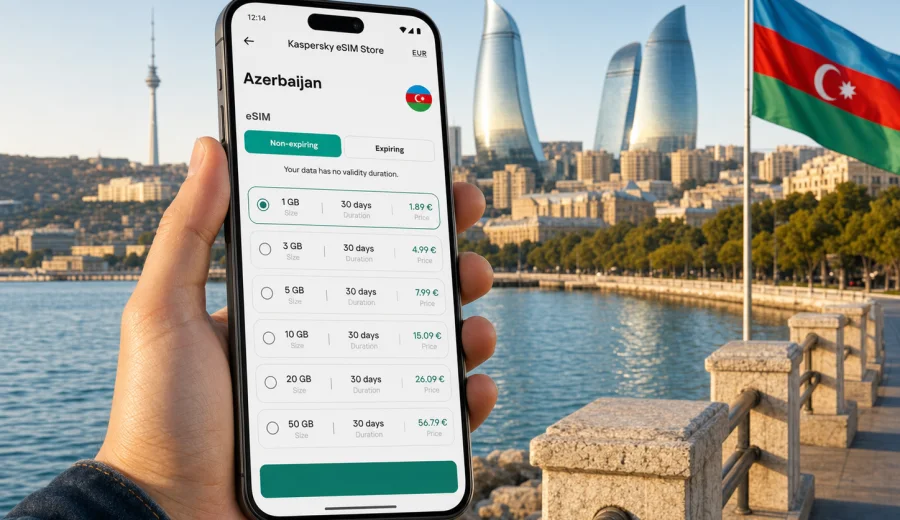
eSIM for Azerbaijan: mobile connection and internet for your trip
A trip to Azerbaijan often combines several very different scenarios: arrival in Baku, transfers along the Caspian coast, day trips to Gobustan or Absheron, a weekend in Sheki or Gabala, and business meetings where maps, messengers and documents need to work without delay. An eSIM can make mobile connection and internet in Azerbaijan easier to prepare because you do not need to search for a physical SIM card immediately after landing.
Kaspersky eSIM Store is an app and website where you can quickly choose, arrange and activate an eSIM with a suitable data plan for mobile internet during an international trip. Before you travel, you can check the destination, data allowance, validity period and other plan conditions, then install the eSIM on a compatible device.
This guide explains how to plan mobile internet for Azerbaijan, what to check before purchase, how to estimate data needs and how to avoid common setup mistakes.
Why eSIM is useful for Azerbaijan
Azerbaijan is a practical destination for eSIM because many travel tasks depend on stable mobile data from the first day. In Baku, you may need ride-hailing apps, maps, hotel messages, online payments or work chats. Outside the capital, mobile internet can be useful for navigation, translation, route changes and staying in touch while moving between regions.
An eSIM is not a separate phone with a new physical card. It is a digital SIM profile that you install on a compatible smartphone or tablet. In most travel scenarios, it is used for mobile data. Voice calls and SMS are usually not included unless the selected plan conditions say otherwise, so calls can be made through internet-based apps when mobile data is available.
For a trip to Azerbaijan, eSIM is especially convenient when:
- you want to prepare internet before departure;
- your phone supports dual SIM and you want to keep your main number active;
- you prefer to avoid looking for a local SIM desk at the airport or in the city;
- you need mobile data for maps, transport, hotel access and messengers;
- your route includes several cities and you want one prepared data option for the destination.
The main value is control. You can choose a data package and validity period in advance, then use mobile internet through the installed eSIM profile after activation.
Azerbaijan travel scenarios where mobile data matters
Most travellers use more data than expected during the first hours in a new country. Azerbaijan is no exception. Even if your hotel has Wi-Fi, you may still need mobile internet between the airport, accommodation and planned stops.
| Scenario in Azerbaijan | Why mobile internet helps | What to prepare |
|---|---|---|
| Arrival at Heydar Aliyev International Airport | Check messages, arrange transport, open maps and contact the hotel | Install the eSIM before departure and know when to activate it |
| Baku city break | Navigate the Old City, Boulevard, museums, restaurants and metro routes | Choose enough data for maps, photos and messaging |
| Business trip | Join calls, access documents, use messengers and email | Pick a plan with validity that covers the stay |
| Regional route to Sheki, Gabala or Ganja | Use navigation and translation outside familiar areas | Download offline maps and keep mobile data for live updates |
A useful rule is to prepare your internet for the first day before you fly: the eSIM is ready, instructions are saved and you know which SIM profile should handle mobile data after arrival.
eSIM, roaming or local SIM: which option fits your trip?
There is no single best option for every traveller. The right choice depends on trip length, device compatibility, data usage and how much setup you want to do after arrival.
| Option | Good for | Watch out for |
|---|---|---|
| eSIM for Azerbaijan | Travellers who want mobile data without a physical SIM card | Device must support eSIM and be free from operator restrictions |
| Home operator roaming | Short trips where your existing roaming package is acceptable | Costs and included data can vary widely by operator |
| Local physical SIM | Long stays or users who need a local number, if available and convenient | Requires time to find a point of sale and follow local procedures |
| Public Wi-Fi | Hotels, cafes and airports as a backup | Availability and speed can be inconsistent |
An eSIM is often the balanced option when your main need is mobile data. It can reduce dependence on public Wi-Fi and standard roaming, while still letting you keep your usual SIM in the phone for messages from your bank or home contacts. Before relying on it, check that your device supports eSIM and that your mobile operator has not locked the device to a specific network.
How much data do you need in Azerbaijan?
Your data need depends less on the country and more on behaviour. A traveller who mostly uses maps and text messages can manage with a smaller package. Someone who uploads video, joins work calls or shares hotspot data with a laptop will need more.
Use this estimate as a planning aid, not as a guarantee:
| Data use | Typical activities | Plan logic |
|---|---|---|
| Light | Maps, messengers, email, occasional browser use | Smaller package for a short city break |
| Moderate | Daily navigation, social media, photo uploads, taxi apps, restaurant search | Mid-size package for several days |
| Heavy | Video calls, streaming, cloud files, hotspot for laptop | Larger package and careful monitoring of balance |
| Family or work group | Several devices, shared plans, frequent route changes | Separate eSIMs or a plan that allows hotspot if the conditions permit |
For Azerbaijan, think about the route. A two-day Baku trip is different from a week that includes mountain areas, day tours and long transfers. If you will use navigation continuously, share photos in real time or work remotely, choose more data than the bare minimum. If you will stay mostly at one hotel and use Wi-Fi there, a lighter package may be enough for movement around the city.
What to check before buying an eSIM
The most important check is device compatibility. eSIM is supported by many modern smartphones, but not every model, region-specific version or carrier-locked device can use it. Before you choose a plan, check your device and confirm that it can add an eSIM profile.
Also check these points:
- Your phone is not locked to one mobile operator.
- Your operating system is up to date enough to install an eSIM.
- You have a stable internet connection for installation.
- You understand when the plan validity period starts.
- You know whether the plan is data-only or includes any additional services.
- You know whether hotspot sharing is allowed under the selected plan conditions.
- You will keep the QR code or installation details available until setup is complete.
Choosing an eSIM plan for Azerbaijan
When you compare plans, look at the whole trip rather than only the price. The useful plan is the one that matches your route, data habits and travel dates.
Start with five questions:
1. How many days will you be in Azerbaijan?
2. Will you stay mostly in Baku or travel between regions?
3. Will you use maps, video, cloud files or hotspot?
4. Do you need mobile data immediately after landing?
5. Is your device compatible with eSIM?
After you answer these, compare data allowance and validity period. A larger package may be more comfortable for a business trip or a route with long transfers. A smaller package may suit a short visit if you mainly need maps and messaging.
For a practical starting point, you can use Kaspersky eSIM Store to compare eSIM options for Azerbaijan and choose a data plan that fits your travel dates. Review the details before purchase, including data volume, validity, destination coverage and activation rules.
How to install and activate eSIM
Installation is usually straightforward, but it is worth doing it carefully. You need internet access to install the eSIM profile, so many travellers prefer to complete installation before departure while connected to trusted Wi-Fi. Activation timing can depend on the selected plan, so read the plan conditions before turning the eSIM on for mobile data.
Basic setup flow:
1. Check device compatibility and operator lock status.
2. Choose the Azerbaijan plan that fits your data needs and trip length.
3. Complete the purchase and open the installation details in your profile, app or email.
4. Install the eSIM using the on-screen instructions or QR code.
5. Name the eSIM profile clearly, for example "Azerbaijan data".
6. After arrival, select the eSIM profile for mobile data.
7. Enable data roaming for the eSIM if the instructions or device settings require it.
8. Test mobile internet with a simple page or map search.
For device-specific setup, use the Android installation guide or the iOS installation guide. Keep the instructions available until the eSIM is installed and the phone has successfully connected to mobile data.
Practical settings after arrival
Once you land in Azerbaijan, avoid changing too many settings at once. Choose the eSIM profile for mobile data, keep your primary SIM available for calls or SMS if needed, and check whether data roaming should be enabled for the travel eSIM.
Recommended first checks:
- Mobile data line: set to the Azerbaijan eSIM.
- Default voice line: keep your main SIM if you still need regular calls.
- Data roaming: enable for the eSIM when required by the instructions.
- Low data mode: turn on if you want to reduce background traffic.
- App updates and cloud backup: pause them on mobile data.
- Hotspot: use only if your plan conditions allow it.
If mobile data does not start immediately, wait a few minutes, restart the phone and check that the eSIM profile is active, selected for data and in an area with signal.
Regional and data-saving notes
Azerbaijan trips often go beyond Baku. If you plan Gobustan, the Absheron Peninsula, Gabala, Sheki, Ganja or mountain routes, keep mobile data for live navigation and messages, but save important details offline. Terrain, local network load, weather and device settings can affect connection quality outside dense city areas.
Before longer transfers, prepare:
- offline maps for Baku and regional routes;
- hotel addresses, booking confirmations and tickets;
- emergency contacts and meeting points;
- screenshots of tour details or transport information;
- cloud photo backup, app updates and messenger media downloads set to Wi-Fi only.
These small steps help preserve data for the moments when you need it most: maps, transport, urgent messages, payment confirmations and route changes.
Common mistakes to avoid
| Mistake | Better approach |
|---|---|
| Buying before checking device support | Confirm eSIM compatibility first |
| Installing with unstable Wi-Fi | Install on a reliable connection |
| Deleting the eSIM profile too early | Keep it until the trip is over |
| Setting the wrong data line | Select the Azerbaijan eSIM for mobile data |
| Forgetting validity dates | Match the plan to your travel period |
| Allowing background updates | Pause updates and cloud backups on mobile data |
If something does not work, keep the error message and check the installation instructions before repeating the same step. If needed, contact support with your device model, operating system version and what you have already tried.
FAQ about eSIM and internet in Azerbaijan
Can I use eSIM in Azerbaijan for calls and SMS?
Most travel eSIM plans are designed for mobile data. They usually do not include a regular local phone number, voice calls or SMS unless this is stated in the selected plan conditions. For calls and messages, use internet-based apps when mobile data is active.
Should I install the eSIM before I travel?
In many cases, yes. Installation requires internet access, so trusted Wi-Fi before departure is convenient. Activation timing can vary, so check when validity starts.
Will eSIM work everywhere in Azerbaijan?
No mobile option should be described that way. Availability and speed depend on local coverage, terrain, device settings, congestion and the selected plan. Offline backups are still sensible.
Can I keep my regular SIM active?
On many dual SIM devices, yes. You can keep your main SIM for calls or SMS and use the eSIM for mobile data. Check your phone settings carefully so the correct line is used for data.
Can I share internet from my eSIM by hotspot?
It depends on the selected plan and device settings. If hotspot is important, check whether tethering is allowed before relying on it.
What should I do if the eSIM does not connect?
Check that the eSIM is installed, active and selected for mobile data. Confirm whether data roaming should be enabled, restart the device and test again in an area with signal. If the issue remains, contact support with your device model and setup details.
Prepare your eSIM for Azerbaijan
Mobile connection and internet in Azerbaijan are easier to manage when you prepare them before the trip. Check that your phone supports eSIM, choose a data allowance that matches your route, install the profile on a stable connection and keep the setup instructions available until mobile data is working.
If you are planning a Baku city break, a business visit or a route through several regions, Kaspersky eSIM Store can help you choose an eSIM data plan for Azerbaijan and activate it on a compatible device. Review the plan conditions, install the eSIM carefully and travel with mobile internet ready for maps, messages and everyday trip tasks.