Travel connectivity guide
Azercell eSIM in Azerbaijan: connection guide
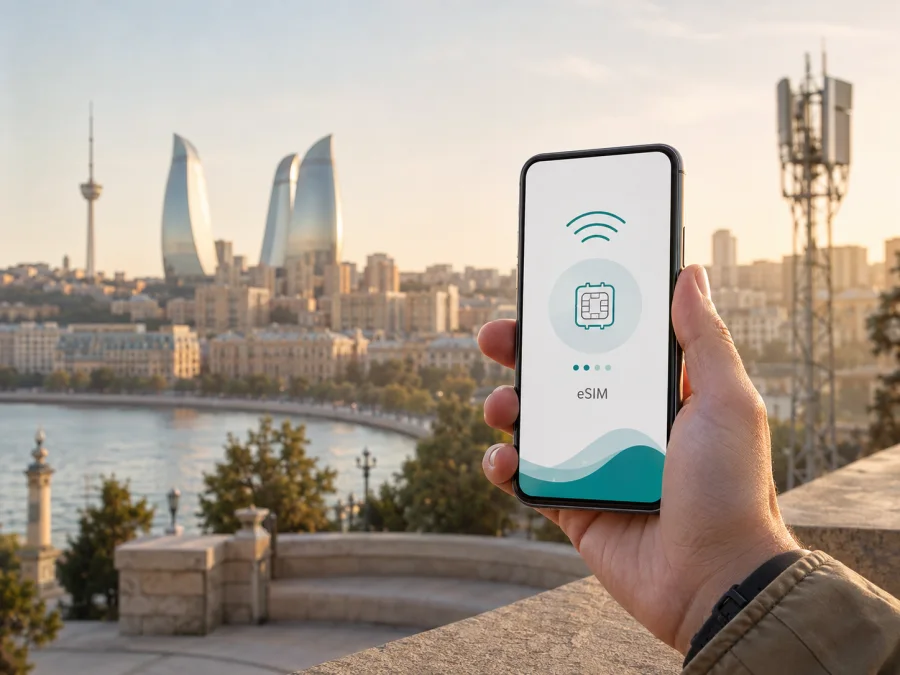
Azercell eSIM in Azerbaijan: connection and travel guide
If you are traveling to Azerbaijan and want mobile internet without replacing a physical SIM card, Azercell eSIM is one local option to investigate. Azercell is a mobile operator serving residents and visitors in Azerbaijan. Its current public pages describe eSIM, QR-based activation, local registration, mobile technologies, and services intended for guests.
This guide covers whether the service suits your trip, what your phone must support, how installation works, and how a local line differs from a travel eSIM. Conditions can change, so confirm current details with Azercell before traveling.
Azercell in Azerbaijan
Azercell Telecom LLC serves the Azerbaijani mobile market. Its About us page, checked on September 4, 2026, publishes company figures about customers, market position, and geographic and population reach. These are not an independent ranking of network quality.
For visitors, local sales and customer-service channels matter alongside network access. Azercell supports mobile data services, self-service tools, and information for travelers. A prepaid connection may suit someone who wants a local number; a tourist offer may suit a short stay.
The exact visitor route, identity checks, and service conditions must be confirmed at purchase. This article does not reproduce particular plan names or parameters. The current Azercell travel page says that a foreign citizen can activate visitor service at an Azercell Exclusive office or official dealer with a foreign passport. Ask whether your service can be issued as eSIM and whether a step must be completed in person.
Is Azercell eSIM available in Azerbaijan?
Yes. Azercell’s English eSIM page, checked on September 4, 2026, describes eSIM as an available service. It explains routes for selecting a new number and moving an existing number from a physical SIM to an eSIM profile. The page says an eSIM can be obtained online through the operator’s digital sales service or offline at Azercell customer-service and official dealer locations.
The same page says online eSIM activation is available to people who are not already Azercell subscribers. Identity, registration, and device rules still apply.
An Azercell notice dated April 20, 2026, also describes app-based SIM replacement with identification, one-time-password verification, and QR or guided activation.
The current travel page says visitor services can be provided as SIM or eSIM. Since eligibility and travel arrangements may change, check the current wording with Azercell before relying on eSIM at an airport, hotel, or border crossing.
Pre-purchase checklist
- Ask whether the visitor or prepaid route is open to your nationality and travel situation.
- Confirm that the service can be issued as an eSIM.
- Check which identity document is required and whether a passport must be shown in person.
- Ask whether online activation uses an electronic-signature or verification process.
- Make sure the exact regional phone model supports eSIM and is unlocked.
- Check that the phone’s IMEI registration requirement has been met.
- Keep Wi-Fi or another active connection available during installation.
- Ask how the QR code can be recovered if installation is interrupted.
The phone must support eSIM, and Azercell must be able to issue the line to this traveler.
How Azercell eSIM activation works
An eSIM is a digital profile downloaded to a compatible device. A QR code or guided flow identifies the profile, and the phone adds it to mobile-network settings. Activation and the start of service are related but not identical steps. Follow the current Azercell instructions and do not delete a profile during troubleshooting unless support tells you to do so.
iPhone and iOS
- Check eSIM support, device identifiers, and the IMEI requirement for Azerbaijan.
- Connect to Wi-Fi, open Settings, and enter the mobile-network section.
- Choose Add eSIM or Add mobile plan and scan the Azercell QR code.
- Wait for download and select the profile for mobile data.
Android
- Check eSIM support, EID, IMEI registration, and carrier-unlock status.
- Connect to the internet and open Settings, then Connections or mobile-network settings.
- Open SIM manager, choose Add eSIM, and scan the Azercell QR code.
- Set the new profile as the mobile-data line when ready.
Menu names vary by manufacturer and regional model. A second screen or manual option may be needed for a QR code displayed on the same phone. Keep the code private.
Before departure or after arrival
Azercell states that its eSIM QR code can be scanned outside the Republic of Azerbaijan. Advance installation is possible once purchase and verification are complete. It still depends on a compatible, unlocked phone, any required IMEI registration, internet access during installation, and a currently valid activation profile.
If you install after arrival, keep another way to connect for the initial download. Airport, hotel, or trusted Wi-Fi may be enough, but an unstable connection can interrupt installation. Save support instructions securely before leaving home.
Documents, IMEI, and traveler restrictions
Azercell’s eSIM page instructs users to ensure that the IMEI of an eSIM-capable device is registered and points to a public government-related verification service. This is separate from eSIM compatibility.
Azercell’s travel page says a foreign citizen can activate visitor service at an official office or dealer with a foreign passport. Ask whether your service requires an in-person visit or an additional device-registration step. Do not send passport details to an unofficial seller promising faster activation.
Use identified channels, read consent screens, and keep confirmation messages private. Document and data-handling rules belong to the current operator process and applicable Azerbaijani requirements. If the phone is carrier-locked or imported from a market with eSIM restrictions, ask the seller or manufacturer about it.
Coverage and supported technologies
Azercell’s current 4G page identifies LTE as the widely used 4G technology and explains that a compatible phone and LTE-capable SIM are needed. It gives iOS and Android instructions for selecting LTE or automatic network mode. This confirms that Azercell documents 4G/LTE support; it does not promise a fixed speed or uninterrupted service at every location.
Azercell’s About us page publishes its own geographic and population coverage indicators. A company release dated April 27, 2026, discusses network modernization and LTE base-station expansion. Actual use depends on location, buildings, terrain, congestion, construction, handset bands, weather, and network mode.
| What to check | Why it matters |
|---|---|
| Destination areas | City centers, mountain routes, border regions, and rural roads can have different radio conditions. |
| Device and mode | Local bands, regional model restrictions, and network selection can affect service. |
| Environment | Buildings, underground spaces, terrain, and congestion can reduce usable signal. |
| Support route | An official channel can clarify registration and activation issues. |
Azercell’s About us material mentions a 5G network in test mode as part of its innovation history. That is not a blanket promise of commercial 5G for every visitor, plan, device, or location. For travel, 4G/LTE compatibility is a practical baseline. If 5G matters for your route, ask Azercell about current availability and eligibility.
The careful conclusion is that Azercell publishes coverage and technology information for Azerbaijan, while local conditions vary. Check current operator guidance for your destinations and allow for differences between outdoor, indoor, urban, and rural use.
Local Azercell eSIM or travel eSIM?
A local Azercell eSIM creates a direct relationship with the Azerbaijani operator. It may suit someone who needs a local number or local subscriber support, with local identity, registration, and device requirements.
A travel eSIM is organized around a trip. It can help you prepare mobile data before departure and keep your primary SIM in the phone. It may be data-focused, so check support, number availability, and network conditions.
| Question | Local Azercell eSIM | Travel eSIM |
|---|---|---|
| Local number needed? | Check the local-number route with Azercell. | Check whether the service includes a number. |
| Before-departure setup? | Confirm that your visitor status supports the online route. | Digital purchase and QR installation may fit. |
| Identity or route questions? | Expect local requirements and verify destinations. | Check purchase conditions and route coverage. |
| Need help? | Azercell lists service and dealer channels. | Support is generally handled through the app or website. |
This is a non-tariff decision aid. It excludes plan-level details because they change and must be checked at purchase.
Kaspersky eSIM Store as a travel option
Kaspersky eSIM Store is an app and website that helps you choose, order, and activate an eSIM with a plan for mobile internet during an international trip. Its current Azerbaijan page, opened on September 4, 2026, explains that services are supplied by local telecommunications providers and presents Azerbaijan as a selectable destination. This is a travel route, not a replacement for Azercell’s subscriber service.
Kaspersky eSIM Store is not a mobile operator, network owner, or provider of Azercell service. The local network, technology, registration, and service conditions come from the relevant telecommunications provider and destination rules. Kaspersky eSIM Store helps organize selection and activation for a travel eSIM.
Its public instructions describe a general sequence: check device compatibility, select the destination and an appropriate plan, complete the purchase, activate the digital SIM, and manage the eSIM from the app or account. Do not assume a travel plan includes a standard phone number, voice calls, or SMS; read the conditions of the particular option.
You can choose an eSIM option for Azerbaijan after checking compatibility and the conditions shown for your trip. This is a functional destination CTA for Kaspersky eSIM Store; it does not mean Kaspersky is the Azerbaijani network operator.
Installing and using a travel eSIM
Installation steps
- Open mobile-network settings.
- Choose Add eSIM or the equivalent command.
- Scan the QR code or continue through the in-app flow.
- Label the profile so it is distinct from the primary line.
- Select the travel eSIM for mobile data.
- Enable data roaming for that profile only if instructions require it.
- Test a web page or messaging service after network registration.
If data does not work, check the selected line, roaming setting, airplane mode, and network selection. Do not repeatedly delete and reinstall a profile without checking the provider’s rules.
Frequently asked questions
Can a visitor get an Azercell eSIM?
Azercell’s public eSIM and travel pages indicate that eSIM is available and visitor services can be issued as SIM or eSIM. A foreign citizen can activate visitor service at an official office or dealer with a foreign passport. Confirm the current documents.
Can I activate an Azercell eSIM outside Azerbaijan?
Azercell states that its eSIM QR code can be scanned outside the Republic of Azerbaijan. You still need a compatible, unlocked device, internet during installation, and applicable identity or IMEI checks.
Does eSIM work on every phone?
No. The regional model, carrier-lock status, software, and network bands can matter. Check eSIM capability, EID, manufacturer specifications, and current operator instructions.
Do I need to register the phone?
Azercell’s eSIM instructions say to ensure that the IMEI of an eSIM-capable device is registered. Confirm the process through the relevant Azerbaijani verification service or an official Azercell channel. eSIM support alone does not prove registration.
Does a travel eSIM provide a local phone number?
Not necessarily. Travel eSIMs are often focused on mobile data. Check the selected option before assuming it includes a local number, voice calls, or SMS.
What if activation fails?
Check compatibility, internet access, the QR code, data-line selection, and any required roaming setting. If the issue continues, contact official Azercell or travel-service support. Do not share a full QR code or identity documents publicly.
Conclusion
Azercell eSIM is a documented mobile-service option in Azerbaijan. Current public information describes online and in-person routes, QR activation, device checks, IMEI registration, and visitor service. The operator also publishes information about 4G/LTE and coverage, while actual use depends on the device and location.
For a short trip, ask whether you need a local number, can complete identity steps, have a registered and unlocked phone, and want to prepare data before arrival. Kaspersky eSIM Store may be a travel-oriented alternative for choosing and activating an eSIM for mobile internet. It is not Azercell or a network owner.
The Azercell eSIM, travel, 4G, About us, and April 2026 digital-transition pages were checked on September 4, 2026; the Kaspersky Azerbaijan page was also opened then. Conditions, device support, registration rules, coverage, and availability may change.
Kaspersky eSIM Store is not affiliated with Azercell, is not an official Azercell partner or distributor, and does not represent Azercell. “Azercell” is the name of its respective rights holder. Any decision to obtain Azercell service should be made through the operator’s current official channels.


