Travel connectivity guide
B-Mobile eSIM in Bhutan: traveler guide
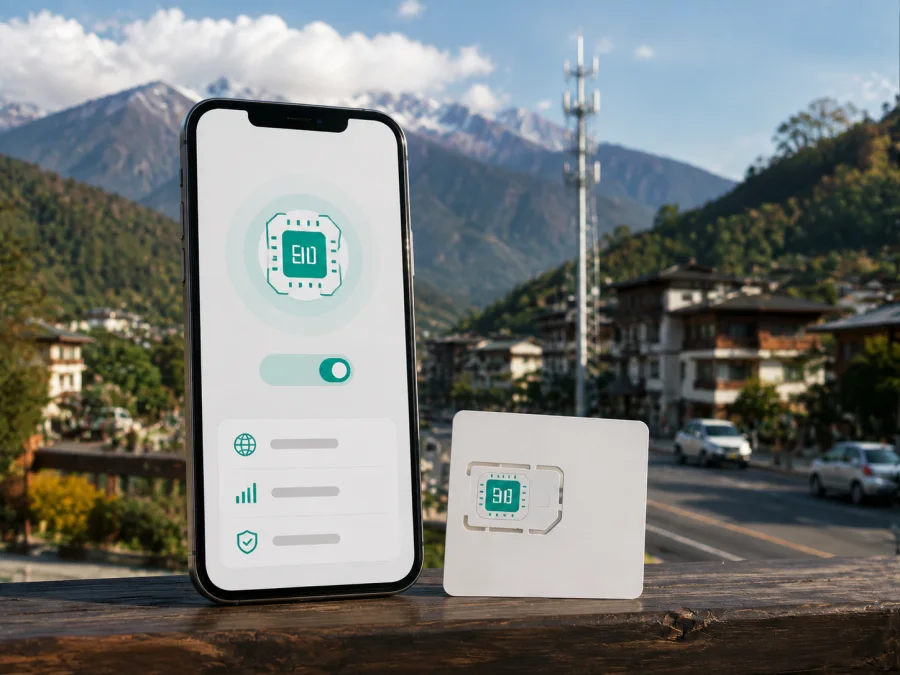
B-Mobile eSIM in Bhutan: a practical guide for travelers
If you are preparing for a trip to Bhutan, a B-Mobile eSIM is a local-connectivity option worth checking before departure. B-Mobile is the mobile brand of Bhutan Telecom Limited, a Bhutanese telecommunications and internet service provider. The operator’s current public SIM information describes eSIM support, and its visitor flow includes an option to choose an eSIM or a physical SIM. Availability, registration steps, and counter procedures can change, so confirm the current conditions with B-Mobile before you travel.
Quick answer
Yes. Bhutan Telecom’s current SIM page has an eSIM section, and its online e-KYC portal says that visitors can complete details in advance and choose an eSIM or physical SIM. The portal describes a real-time photo, a passport scan, and collection at a service counter. This is current public confirmation of a traveler-oriented B-Mobile eSIM route, but it does not guarantee that every phone, traveler, or booking channel will qualify.
For a smooth start, check eSIM support and the phone’s unlock status, prepare the identity document requested by the operator, and confirm where activation takes place. Keep an internet connection available while installing a profile. After activation, select the B-Mobile profile for mobile data and test the connection before relying on it for navigation or bookings.
What B-Mobile is in Bhutan
B-Mobile is the flagship mobile brand of Bhutan Telecom Limited. Bhutan Telecom’s public Network Operations Center identifies B-Mobile as its GSM mobile service brand. For a visitor, a B-Mobile eSIM is therefore a local operator profile subject to the operator’s registration, device, network, and service conditions. It is not the same product category as a travel eSIM arranged for roaming data before an international trip.
The local route can make sense when you want direct access to a Bhutanese mobile service or local support. It can involve more preparation than a purely digital travel product because the public visitor flow includes identity checks and counter collection. Bhutan Tourism’s current visitor FAQ says that B-Mobile SIMs can be found in larger-city stores, branches, authorised agents, and the Paro International Airport visitor information centre. The airport’s own page identifies a B-Mobile counter in the arrivals building. Check hours, stock, and the current eSIM handover process before relying on this route.
Is B-Mobile eSIM available for visitors?
Bhutan Telecom’s e-KYC portal adds the visitor workflow. It says that a user can pre-book a Bhutan Telecom SIM online, complete details digitally, and choose between an eSIM and a physical SIM. It then describes a real-time photo and passport scan for KYC and collection at a counter after arrival. Because the portal is dynamic, the on-screen instructions shown at booking should take priority.
There are still practical limits. The public pages do not establish that every overseas phone model is accepted or that every traveler can finish the process remotely. Regional phone variants, operator locks, identity checks, and temporary conditions can matter. Follow newer instructions from B-Mobile or the booking portal.
The general availability of prepaid and tourist offers is also confirmed. Bhutan Telecom’s SIM page describes a prepaid Tourist SIM service for travelers, and the operator’s home page promotes a tourist SIM route. Specific commercial details are intentionally left to the operator’s current materials because they may change.
What a traveler needs to prepare
A compatible, unlocked device
An eSIM is a digital carrier profile stored on a compatible eUICC in the phone. It does not require inserting a plastic card, but the device still needs the right hardware and software. B-Mobile’s own page recommends checking the handset before activation. On an iPhone, look in Settings, General, and About for an eSIM or digital-SIM indicator, or look for the option to add an eSIM in mobile settings. On Android, open network or SIM settings and look for an option to add an eSIM. Menu names vary by manufacturer and operating-system version.
Compatibility is not the same as an unlocked device. A phone can support eSIM and still be restricted to another operator. Check the SIM-lock status and the model sold in your market; identical-looking phones can have different SIM capabilities in different regions. If there is no eSIM menu, do not assume that a QR code will make the device compatible.
Identity and visitor checks
The current B-Mobile traveler flow requires careful registration. The e-KYC portal describes a real-time photo, a passport scan, and passport presentation during collection. The operator’s SIM page also lists a passport copy for tourist SIM registration. Prepare a readable passport and make sure the details entered online match the document you will present.
Requirements can depend on traveler status and the product selected. Do not rely on a resident’s process or an old travel blog. Check the current counter location and hours before collection.
Internet for installation
The phone needs an internet connection to download an eSIM profile. Keep the QR code, confirmation message, and profile instructions accessible until the line has been tested. Installation and service activation are separate actions. Kaspersky’s official travel eSIM guide, published June 17, 2025 and checked during this run, also advises a stable connection and selecting the eSIM for mobile data; follow its current instructions for data roaming.
Activation and connection: a careful sequence
1. Confirm the route and verification
Decide whether you will use the current visitor booking process, a Bhutan Telecom counter, or another route confirmed by B-Mobile. Check whether you receive a profile, QR code, or in-person handover instructions. Complete the requested e-KYC and bring the same passport to collection.
2. Install and activate the profile
Use mobile-network settings to add the eSIM and scan the operator’s QR code when prompted. Name the profile clearly. Installation and activation are separate actions: a profile may appear in settings and still need registration, handover, or a network step. Do not delete the QR code or confirmation until the line has been tested.
3. Select mobile data
Choose the B-Mobile eSIM as the line for mobile data. If the phone shows a data-roaming switch, follow the current B-Mobile instructions before enabling it. Turn off automatic data switching while testing, then open a simple webpage. Keep the primary SIM available if you need its usual number, but prevent it from using mobile data abroad unintentionally.
4. Troubleshoot without guessing
If data does not work, check that the eSIM is enabled, airplane mode is off, the phone has a suitable network mode, and the correct line is selected. B-Mobile’s FAQ lists the APN name “B-Mobile” and APN “internet” for prepaid mobile-internet troubleshooting. This may not cover every device or eSIM flow, so confirm current settings with B-Mobile before changing unrelated fields.
Compatibility checklist
Before contacting support, check:
- Is eSIM support visible in the phone settings for this exact model?
- Is the handset unlocked and able to accept another operator profile?
- Is the phone connected to Wi-Fi or another working line during installation?
- Is the QR code or activation information readable and still available?
- Do the registration details match the passport used for the visitor process?
- Is B-Mobile selected for mobile data rather than the home SIM?
- Is data roaming enabled only where the current instructions require it?
If the QR code is rejected, check that it has not already been used and that the phone is online. If the profile installs but there is no service, verify the selected line, restart once, and allow a short period for registration. If the issue remains, contact B-Mobile support or visit a Bhutan Telecom counter with your passport and confirmation.
Network technologies and coverage in Bhutan
Bhutan Telecom’s current network page lists 2G, 3G, 4G, and 5G sections. It specifies 900 MHz for 2G, 850 MHz and 2100 MHz for 3G, and 1800 MHz band 3 using FDD for 4G. The page also presents 5G as part of the operator’s network information. These are technology references, not a guarantee that every device will connect to every layer or that every location will offer the same service.
The same page says that coverage includes all 20 districts and national highways and names districts including Thimphu, Paro, Punakha, Bumthang, Gasa, Haa, Mongar, Sarpang, Trashigang, and Trongsa. This helps with broad itinerary planning, but service on a road, trail, inside a building, or in a valley can differ because of terrain, infrastructure, handset bands, weather, congestion, maintenance, and other conditions. Use the current operator map or support response for a specific route.
For device preparation, band compatibility is the practical point. A phone intended for a different market may omit supported bands, and an eSIM profile does not change radio capabilities. Verify the exact model and operator requirements before relying on B-Mobile eSIM.
B-Mobile local service and a travel eSIM
A local B-Mobile eSIM connects you to a Bhutanese mobile operator’s service and follows that operator’s registration and activation process. It can suit travelers who want a local route or visitor-oriented service. The experience depends on the current product, phone, and registration channel.
Kaspersky eSIM Store serves a different travel-preparation purpose. It is an app and website that helps you choose, arrange, and activate an eSIM with a plan for mobile internet during an international trip. It is not a mobile operator, does not own B-Mobile’s network, and does not provide B-Mobile coverage. It is a possible alternative when you prefer to prepare travel internet through a digital interface.
The travel route can reduce the need to find a physical SIM point after landing, while the local route can offer direct access to the visitor process. Neither route is automatic for every phone or itinerary. Compare compatibility, identity verification, activation location, support, and whether you need a local number. Follow current conditions at purchase.
Kaspersky’s official travel eSIM article explains that its eSIM is intended for data transmission rather than ordinary voice calling, and that the regular SIM can remain in the phone. This can suit maps, messaging apps, bookings, translation, and other internet tasks, but it is not a replacement for a local operator’s full mobile-service relationship.
To explore a travel option for this destination, you can review eSIM options for Bhutan after checking your phone’s compatibility and travel requirements. This link is a choice aid, not a claim that Kaspersky eSIM Store is affiliated with B-Mobile or Bhutan Telecom.
FAQ
Does B-Mobile support eSIM in Bhutan?
Yes. The current Bhutan Telecom SIM page contains an eSIM section and directs users to check handset compatibility before activation. The visitor e-KYC portal also says that visitors can choose an eSIM or physical SIM during pre-booking. Confirm the exact availability for your device and journey in the current booking flow.
Is an eSIM the same as a local phone number?
The number depends on the product and registration. A travel eSIM prepared through Kaspersky eSIM Store is intended for mobile internet and should not be assumed to include a local number, ordinary calls, or SMS.
What if the phone shows no network?
Confirm that the profile is enabled, B-Mobile is selected for mobile data, the handset is unlocked, and any required roaming setting is enabled. Check current APN instructions, restart once, and contact B-Mobile support if the issue continues. Do not delete the profile before support reviews the problem.
Final checklist for a connected trip
Before flying to Bhutan, confirm the route you will use, check the device, and prepare the identity document requested by B-Mobile. If you choose the local route, use the current e-KYC or counter instructions and ask about any unclear step. If you choose a travel eSIM, install it with a stable internet connection and enable the profile for mobile data when the service instructions call for activation.
Once in Bhutan, select the correct data line, check roaming settings, and test a small internet action. Keep offline copies of your itinerary and important information because actual service can depend on place, device, and conditions.
For a digital travel route, you can choose an eSIM option for Bhutan and then follow the compatibility and installation checks above. Kaspersky eSIM Store helps users choose, arrange, and activate an eSIM for mobile internet on an international trip; it is not a network operator or the owner of B-Mobile service.
Important notice
This article was checked on September 3, 2026 against current SIM, e-KYC, FAQ, and network pages from Bhutan Telecom Limited, visitor information from Bhutan Tourism and Paro International Airport, and Kaspersky’s official travel eSIM guidance. Procedures, requirements, coverage, device support, and service conditions can change. Confirm details with B-Mobile or Bhutan Telecom before activation.
B-Mobile and Bhutan Telecom names and trademarks belong to their respective rights holders. Kaspersky eSIM Store is not affiliated with, endorsed by, or an official partner or distributor of B-Mobile or Bhutan Telecom. Kaspersky eSIM Store is an app and website that helps users choose, arrange, and activate eSIM plans for mobile internet during international travel; it is not a mobile operator, network owner, or provider of B-Mobile coverage.


