
Travel connectivity guide
Bafoussam eSIM: mobile internet guide
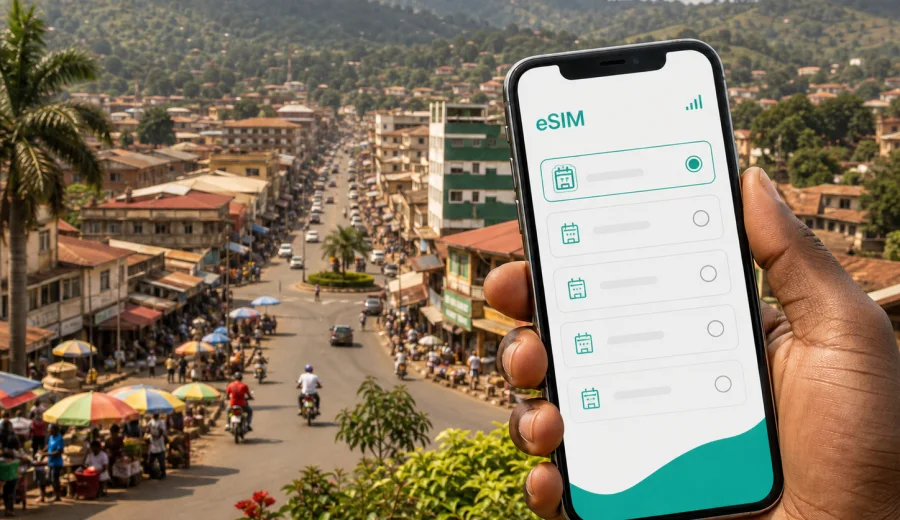
Bafoussam eSIM: mobile connection and internet for your trip
Bafoussam is a practical base for exploring Cameroon's Western Highlands. Travelers come through the city for business meetings, family visits, hotel stays, regional transport, markets, and onward trips toward Dschang, Foumban, Bandjoun, Bamenda, Douala, or Yaounde. In these city routines, mobile internet is not a luxury detail. It helps you confirm a pickup, follow maps through hilly neighborhoods, message a hotel, check bus times, translate a note, and keep documents available when public Wi-Fi is slow or unavailable.
An eSIM can make the first day in Bafoussam easier because it lets you prepare mobile data without looking for a physical SIM card after arrival. You choose a tariff for Cameroon, install the eSIM on a compatible device, and use mobile data for the tasks that usually appear immediately: navigation, messaging, hotel coordination, ride instructions, email, and payment confirmations. It is especially useful if your route includes several stops and you do not want to depend only on airport Wi-Fi, hotel passwords, or a local shop that may not be near your arrival point.
Why mobile internet matters in Bafoussam
Bafoussam is not a city where every travel step happens in one compact tourist corridor. You may arrive by intercity bus, continue by taxi, visit a market, move to a hotel on the slope of a busy road, and then travel out again for a meeting or a nearby town. Addresses can be described by landmarks, roundabouts, neighborhoods, churches, schools, petrol stations, or well-known road segments. That makes mobile data valuable from the moment you need to explain where you are.
With mobile internet in Bafoussam, you can:
- keep your map open while a taxi or moto-taxi moves through unfamiliar streets;
- share your live location with a host, colleague, driver, or family member;
- check hotel messages if the reception desk uses messaging apps for arrival details;
- compare routes when traffic, rain, roadworks, or market activity slows movement;
- keep digital copies of reservations, IDs, tickets, and meeting documents available;
- use translation, currency conversion, and banking apps when you need them;
- coordinate onward travel to Dschang, Foumban, Bandjoun, Douala, Yaounde, or Bamenda.
Common city scenarios where eSIM helps
| Situation in Bafoussam | Why mobile data helps | Practical data use |
|---|---|---|
| Arrival by intercity transport | You may need to contact a driver, hotel, or host quickly | Messaging, maps, location sharing |
| Moving around the city | Routes can depend on traffic, hills, and local landmarks | Navigation, ride coordination |
| Market visits | It is easy to separate from companions or change meeting points | Calls through apps, photos, messages |
| Hotel check-in | Booking details and directions may be in email or an app | Email, reservation apps, map links |
| Business trip | Meetings often require document access and schedule updates | Email, cloud files, calendar, messaging |
| Regional day trip | Plans may change during the day | Maps, weather checks, transport messages |
Arrival in Bafoussam: the first hour online
Many international travelers reach Bafoussam after entering Cameroon through larger gateways and continuing overland. That first transfer can be tiring: you may already have used your phone for boarding passes, airport messages, and route planning before the final road segment begins. When you reach Bafoussam, the priority is usually simple: confirm where to go next.
A prepared eSIM helps with the first hour because you can:
1. Turn on the eSIM data line when the tariff is ready to use.
2. Open your saved hotel address or meeting location.
3. Message your contact that you have arrived.
4. Share your location if the pickup point is described by a local landmark.
5. Check whether the route changes because of traffic or weather.
If you are arriving late, keep your setup conservative. Install the eSIM before the trip while you still have reliable Wi-Fi, save important addresses offline, and keep screenshots of your reservation. Mobile data then becomes a backup for live updates and communication, not the only place where key travel information exists.
Local movement: taxis, moto-taxis, landmarks, and maps
In Bafoussam, local movement often depends on a mix of taxis, moto-taxis, walking, and landmark-based directions. You may not always receive a formal street address that works perfectly in every map app. A driver may ask for a known junction, a neighborhood name, a business, or a building near your destination. Mobile internet gives you room to adapt.
Before leaving a hotel or meeting point, open the route while you are still on Wi-Fi, then keep mobile data ready for updates. If the route changes, you can send a pin, search for a nearby landmark, or call through a messaging app. If you travel with colleagues or family, location sharing can help everyone regroup after a market stop or a separate errand.
For short rides, data use is usually light. The bigger risk is not data volume but being offline at the exact moment when you need to clarify a pickup point. This is why a prepared eSIM is useful even for travelers who do not plan to stream video or work online all day.
How to choose an eSIM tariff for a Bafoussam trip
For a city trip, choose the tariff according to the country of use, trip duration, and realistic data needs. Bafoussam is in Cameroon, so the relevant destination is Cameroon unless your route also requires a regional or global option. Check the tariff details before purchase: data volume, validity period, supported destination, activation rules, and whether your device supports eSIM.
Use this quick decision table:
| Trip type | Typical need | What to prioritize |
|---|---|---|
| Short stopover or one-night stay | Maps, messaging, hotel coordination | Small data package, simple validity period |
| Business visit | Email, calendar, messaging, documents | More data and enough validity for the full schedule |
| Family visit | Daily messaging, local movement, photos | Balanced data volume and top-up options if available |
| Regional route from Bafoussam | Maps, transport messages, weather, hotel changes | Validity that covers all travel days |
| Remote work from a hotel | Email, cloud files, video calls | Larger data allowance and hotel Wi-Fi as a backup |
Preparing before you leave
Good eSIM preparation is simple, but it should happen before the rushed part of the journey. Use a stable Wi-Fi connection at home, in your office, or at your hotel before the final transfer. Make sure your phone is unlocked for eSIM use and that the operating system is up to date enough to manage eSIM profiles smoothly.
Before your trip to Bafoussam, check:
- your phone supports eSIM and is not locked to one mobile operator;
- you know which SIM line will handle calls and which line will handle mobile data;
- you have saved your hotel address, meeting address, and key contact numbers;
- you have screenshots of bookings in case mobile data is not yet active;
- you understand when the tariff validity starts and how data is counted;
- you know whether data roaming must be enabled for the eSIM line on your device.
If you are planning several towns in the West Region, add each stop to your map before departure. A route that looks simple in a message can be harder to manage when you are tired, carrying luggage, or trying to find the correct pickup point.
Set up mobile internet before Bafoussam gets busy
Once your route is clear and your device is compatible, you can use Kaspersky eSIM Store as an app or website where you quickly choose, arrange, and activate an eSIM with a suitable tariff for mobile internet during an international trip. For this city article, the relevant country page is Cameroon, because Bafoussam is in Cameroon. If you want to prepare in advance, you can choose an eSIM tariff for your trip to Bafoussam and review the available data volume, validity period, and destination conditions before you travel.
Place this step after the basics: first decide your route, trip length, and data needs; then choose the tariff. This order helps you avoid buying too little data for a business week or too much data for a short stop. It also gives you time to check the device before payment instead of discovering a compatibility issue after arrival.
Installing eSIM on your phone
The exact setup path depends on your device, but the general idea is consistent: you choose a tariff, receive the eSIM details, install the eSIM profile, and select it for mobile data when you are ready. On some devices, you may need to enable data roaming for the eSIM line because of how international data profiles work. Read the tariff and device instructions carefully before switching.
Basic installation flow:
1. Confirm that your phone supports eSIM and is not operator-locked.
2. Choose the destination and tariff that match your Cameroon trip.
3. Install the eSIM profile using the provided instructions or QR code.
4. Label the eSIM line clearly, for example "Cameroon data".
5. Keep your primary SIM available for calls or messages if you need it.
6. Select the eSIM line for mobile data when the tariff should be used.
7. Test a light task, such as opening a map or sending a message.
For detailed setup steps, use the instructions for Android or the instructions for iOS. If your trip has several legs, install while you still have reliable Wi-Fi, but activate according to the rules of your selected tariff so that validity is not used earlier than planned.
Device compatibility matters
Not every smartphone supports eSIM, and some devices may be locked by a mobile operator. Before you buy a tariff for Bafoussam, check your device and confirm that it can install and use an eSIM profile. This matters even if the same phone works well with a physical SIM card.
Compatibility checks are especially important for travelers carrying a work phone, a device purchased through a carrier contract, or a model variant sold in a specific region. If the phone is locked, restricted, or too old to support eSIM, the installation may not work as expected. If you travel with a second compatible device, decide in advance which one will carry the eSIM.
Also remember that an eSIM tariff usually focuses on mobile data. It may not include a regular local phone number, voice calls, or SMS unless this is clearly stated in the selected tariff conditions. For calls, many travelers use internet-based messaging apps once mobile data is active.
Daily checklist for Bafoussam
Before leaving your hotel or meeting point, save the destination and one nearby landmark, charge your phone, confirm which SIM line is active for mobile data, and keep booking details available offline. If you plan to visit a market, meet someone in a busy area, or continue to Dschang, Foumban, Bandjoun, Douala, Yaounde, or Bamenda, check the route while you have stable Wi-Fi and keep enough data for the return journey.
Use Wi-Fi and eSIM data for different jobs. Wi-Fi is better for backups, large files, video, and app updates. eSIM data is better for movement: maps, messages, ride coordination, location sharing, email checks, and quick changes in plans. This balanced approach helps preserve your data allowance without leaving you offline outside the hotel.
FAQ: eSIM and mobile internet in Bafoussam
Is eSIM useful if I arrive through another Cameroonian city?
Yes. Many travelers reach Bafoussam after arriving elsewhere in Cameroon and continuing by road. A Cameroon eSIM tariff can help during the transfer and the city stay, provided the selected tariff covers your destination and your phone supports eSIM.
Can I use eSIM for calls?
Many travel eSIM tariffs focus on mobile data. Traditional voice calls and SMS may not be included unless the tariff conditions state otherwise. For calls, travelers often use internet-based messaging apps when mobile data is active.
What should I check before buying?
Check device compatibility, operator lock status, tariff destination, data volume, validity period, activation rules, refund conditions, and whether data roaming must be enabled for the eSIM line.
Choose an eSIM tariff for Bafoussam
Bafoussam is easier to navigate when mobile internet is ready before the day becomes complicated. With an eSIM, you can keep maps, messages, hotel details, and travel updates available without searching for a physical SIM card immediately after arrival. The best setup is simple: check your device, choose a Cameroon tariff that matches your trip length and data habits, install the eSIM on reliable Wi-Fi, and use mobile data for the city moments when it matters most.
Before you travel, review the available options and prepare an eSIM tariff for your trip to Bafoussam through Kaspersky eSIM Store. It is a practical way to arrange mobile internet for your Cameroon trip while keeping the choice of tariff, data volume, and validity period visible before you go.