Travel connectivity guide
Baghdad eSIM: Mobile Internet for Travel
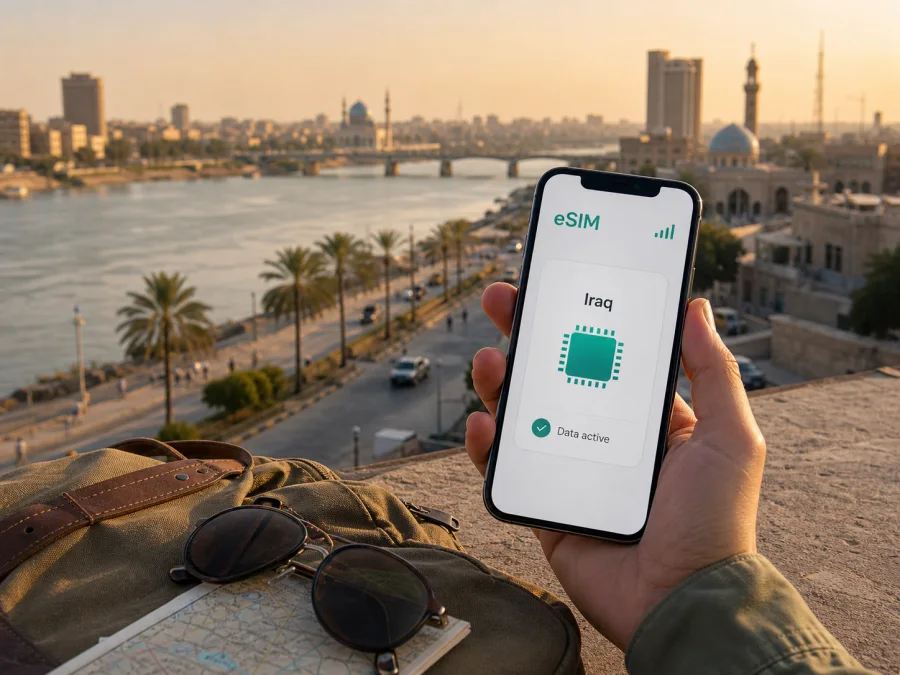
Baghdad eSIM for mobile connection and internet while travelling in Iraq
Baghdad is a city where a working mobile connection quickly becomes part of the practical travel plan. You may need to message an airport transfer, open a map after landing, confirm a hotel booking, translate a street name, or send a document before a meeting. An eSIM, or digital SIM, can help you prepare mobile internet for a trip to Baghdad without changing the physical SIM card in your phone.
Kaspersky eSIM Store is an app and website where you can choose, arrange, and activate an eSIM with a suitable prepaid data plan for an international trip. You can review the destination, data allowance, validity period, and price before deciding what fits your time in Baghdad. The eSIM is intended for mobile data; it is not automatically a replacement for a local phone number, ordinary voice calls, or SMS. If those are not included in the selected plan, use your usual number or internet messengers according to your needs.
Why mobile internet matters in Baghdad
Baghdad spreads across both sides of the Tigris. The river, bridges, markets, hotel areas, offices, and residential neighborhoods make a digital plan more useful than relying on memory or one printed address. A visitor may move between Rusafa on the eastern side and Karkh on the western side, then continue towards Karrada, Mansour, Adhamiya, Jadriya, or Kadhimiya. Names can appear in more than one transliteration, so keep the exact location in a map or message.
At Baghdad International Airport, you may need to share arrival details, read a booking message, contact a driver, or check your accommodation address. After leaving the airport area, mobile data helps you keep the route visible across city roads and bridges and update family or colleagues without searching for Wi-Fi. The same connection is useful when a meeting, road condition, invitation, or access rule changes the order of stops in your Baghdad itinerary.
When an eSIM can help on a Baghdad trip
An eSIM is convenient when your phone supports it and you want the data profile prepared before departure. Common Baghdad scenarios include:
- Arrival and transfer: exchange messages, show the accommodation address, and keep a driver informed if your arrival changes.
- Navigation between both riverbanks: compare a route across a bridge with the address in a booking or meeting invitation.
- Walking in central areas: use a live map to return to a hotel or meeting point around Rusafa, markets, or Al-Mutanabbi Street.
- Business travel: use email, calendars, cloud documents, and messaging during a day split between a hotel, office, venue, and dinner meeting.
- Hotel and restaurant coordination: confirm a reservation, send a pin, or contact reception when plans shift.
- A short stopover: use a modest data allowance for maps and messages during a brief stay.
- A route beyond Baghdad: check whether the selected destination or regional plan matches the whole Iraqi itinerary rather than assuming that a city name defines the service area.
This is a practical data decision. It does not remove the need to follow current local travel advice, arrange transport responsibly, or confirm opening hours and access rules. It gives you a prepared way to handle the online tasks of visiting the capital.
Choose a plan around your time in the city
There is no single correct amount of data for every Baghdad itinerary. A person attending one meeting may use far less than someone sharing photos, making video calls, and navigating continuously. Start with the activities you expect rather than choosing by habit.
| Travel pattern in Baghdad | Likely data activity | What to consider |
|---|---|---|
| Short stopover | Messages, maps, one or two bookings | A modest allowance may be enough if you avoid large uploads and streaming |
| Two or three days of sightseeing | Navigation, translation, research, photos | Leave room for repeated map use while moving between districts |
| Business visit | Email, documents, messenger calls, hotspot backup | Check whether the plan and phone suit work-related data |
| Extended city stay | Regular navigation, media, social apps, updates | Compare validity with your dates and leave room for the final day |
| Baghdad plus other destinations | Maps and communication across a wider route | Confirm the country or regional scope before purchase |
Map tiles, photos, video calls, automatic backups, and app updates can use more data than short messages. Disable automatic downloads on the travel line, save key addresses, and decide which apps really need mobile data. If you expect to work, test document access and sign-in before leaving.
In Kaspersky eSIM Store, select Iraq or the relevant destination, compare the available allowance and validity, and read the conditions for the plan you are considering. The service helps you choose, arrange, and activate the eSIM; the exact conditions come from the selected plan. If your route begins in Baghdad and continues elsewhere, make the whole itinerary part of the decision. You can review eSIM options for a trip to Iraq when you are ready to compare destination plans.
Prepare your phone before departure
Preparation is easier at home, where you have stable Wi-Fi, a charger, and time to read the instructions. Before arranging a plan, check whether your device supports eSIM and confirm that the phone is not restricted by an operator. Support can vary by model, regional version, software state, and operator policy, so do not rely only on the name of a phone family.
Use this checklist:
- confirm eSIM support in the phone settings and that the device is unlocked;
- update the operating system if an appropriate update is available;
- keep the physical SIM active if you need your usual number;
- save your accommodation address, transfer details, and key contacts;
- keep the QR code or activation information accessible and charge the phone;
- understand the plan’s activation and validity conditions;
- decide which line will be used for mobile data after arrival.
Do not delete your primary SIM profile simply because you added an eSIM. Label the lines clearly, such as “Home” and “Iraq data”, then review the mobile-data setting before leaving the airport.
Install and activate the eSIM
An eSIM profile is normally installed through the phone’s mobile-network settings using an activation flow or QR code supplied after the order. The phone needs an internet connection during installation, so complete it before departure over reliable Wi-Fi when the plan’s conditions allow. If you wait until Baghdad, use a trusted connection and keep the activation details available.
The general sequence is:
- Open the order or profile information in the app or on the website.
- Read the conditions, including when validity begins and what action activates data.
- Open mobile-network or cellular settings and choose the option to add an eSIM.
- Scan the supplied QR code or follow the on-screen installation flow.
- Give the new line a clear label.
- Keep your regular line selected for calls and SMS if you need your normal number.
- Select the travel eSIM for mobile data after arrival.
- If the plan instructions require data roaming for that eSIM, enable it for the travel line only.
- Allow the phone to register on an available local network and test a simple message.
For device-specific details, follow the Android installation instructions or the iOS installation instructions. Installation, activation, and the beginning of the validity period can be separate steps, so follow the conditions shown for your selected plan.
If the QR code is displayed on the same phone, use the installation method offered by the app or settings rather than trying to photograph the screen. If the profile will not install, check the connection, available eSIM slots, operator lock, and whether the code has already been used. Avoid deleting a profile while travelling unless instructions or support advise it.
Make arrival at Baghdad International Airport simpler
The airport is often the first point at which a visitor must coordinate baggage, a driver, accommodation, and the route into the city. Data cannot solve every arrival issue, but it can reduce the number of small tasks competing for your attention.
Before take-off, keep these items ready:
- the full accommodation name and address;
- the contact for the person meeting you and a saved copy of booking details;
- the district name, not only the hotel brand;
- an arrival window with room for delays;
- a charged phone, eSIM information, and required travel documents.
After landing, activate the travel line according to the plan, set it as the mobile-data line, and send one short message before opening heavier applications. If a driver is meeting you, use a specific instruction agreed in advance and compare vehicle details carefully.
Traffic and road conditions can make a route look shorter on a map than it feels in practice. Do not promise an exact arrival time from a navigation estimate. Share your progress when useful, allow extra time from the airport, and check the spelling of your district and destination before setting off.
Use mobile data while moving around Baghdad
Maps and addresses
Save the hotel, office, airport, and meeting points with both a written address and a map pin. A pin is useful, but it should not replace the neighborhood name or nearby landmark. In Baghdad, “the other side of the river” can be important context in a short meeting message.
Check the route before entering a vehicle. For a walking segment, confirm your direction at a safe public place. If a map displays transliteration differently from your booking, send the original address to the driver or hotel contact.
Taxis and arranged transfers
For city journeys, use transport arranged through your hotel, employer, host, or a trusted local contact when appropriate. Confirm the destination, pickup point, and payment expectations before the trip. Mobile data is useful for messages, maps, shared pins, and updates; it is not a substitute for choosing a responsible driver or checking current local guidance.
For a meeting, send an expected arrival window rather than an exact-minute promise. A second message can explain that you have left the hotel, reached a bridge, or need the entrance clarified. Keep a written backup of important addresses.
Walking and short visits
Central Baghdad works well with an itinerary built around clear anchors. You might connect a museum visit with a market or bookshop street, then continue to a riverside area or café. Al-Mutanabbi Street and older Rusafa are examples of places where a map, translation, and a shareable meeting point help. Abu Nuwas Street and the Tigris waterfront offer a different setting, while Karrada and Mansour are reference points for restaurants, hotels, and business appointments.
Treat each outing as a route with a beginning and an end. Save the return destination and decide how you will contact your driver or hotel. If you move from Rusafa to Karkh, or Karrada to Mansour, recheck the destination after crossing the river.
Business travel and remote work
Business visitors often need a connection for a calendar update, document review, messenger call, or last-minute meeting change. Save addresses, contacts, agenda files, and the schedule locally; test sign-in; turn off automatic photo backup; and check whether the selected plan and phone support hotspot use.
If the itinerary continues beyond Baghdad
Baghdad can be a base for a wider Iraq itinerary. If you continue by road or air, check the plan’s destination scope and validity against the dates outside the capital, then confirm the next accommodation, transport, and data needs. If another country is involved, read the regional option’s conditions before deciding.
Troubleshooting a travel eSIM
If mobile data does not work after arrival, work through the basics in order:
- Confirm that the eSIM line is enabled and selected for mobile data.
- Check airplane mode, restart the phone if needed, and check whether data roaming is required.
- Move to a safe, open location and allow the phone time to register.
- Review plan status, validity, and balance in the app or profile.
- If the issue continues, contact support with the device model, operating system, order details, and steps tried.
Do not reset the phone or delete the profile as a first response. If messages work but one app does not, check its data permissions. With two lines enabled, confirm which one is selected for data.
Frequently asked questions
Does an eSIM give me a Baghdad phone number?
Not necessarily. A travel eSIM is primarily for mobile data, and calls or SMS are not included unless the selected plan says otherwise. Keep your usual number when needed and use internet messengers over the data line.
Should I install it before flying to Baghdad?
Preparing it before departure is usually more comfortable because you have reliable Wi-Fi. Check the plan conditions: installation, activation, and the beginning of validity may be separate steps.
Will it work outside Baghdad?
That depends on the selected plan’s country or regional scope. If your route goes beyond the capital, choose with the full itinerary in mind rather than inferring validity from the city name.
How much data do I need?
Estimate your own use. Maps, messages, email, and occasional browsing require less than video calls, cloud backups, or streaming. Compare the allowance and validity with your dates and leave a margin for changes of plan.
A calm digital plan for Baghdad
The most useful eSIM setup is the one that fits the real shape of your Baghdad visit. Prepare the profile before departure, save addresses beyond a single map pin, choose data around your meetings and movements, and keep the primary line available when you need your usual number. On arrival, set the travel eSIM as the data line, test a simple message, and make the airport-to-hotel route your first navigation task.
Kaspersky eSIM Store helps you choose and activate an eSIM plan for an international trip through its app or website. Review the destination, allowance, validity, and conditions, then choose an eSIM plan for your trip to Iraq and install it on your compatible device before you leave.


