
Travel connectivity guide
Bahrain eSIM: mobile internet for travel
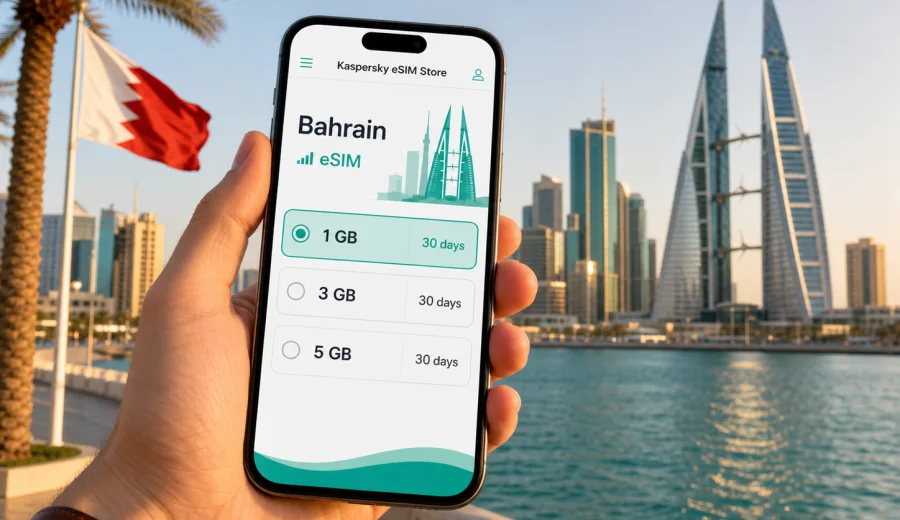
eSIM in Bahrain: mobile connection and internet for your trip
Bahrain is compact, business-friendly, and easy to cross in a short time, but mobile internet still matters from the moment you arrive. You may need data for airport transfers, hotel check-in, maps around Manama, messaging, ride-hailing, restaurant bookings, payment confirmations, work calls, or navigation between islands and causeways. An eSIM helps you prepare a mobile connection before the trip without looking for a physical SIM card after landing.
This guide explains how to use eSIM for Bahrain, estimate data needs, check key conditions, and prepare a suitable eSIM tariff for mobile internet during an international trip.
Why eSIM is useful for Bahrain
Bahrain is often visited for business meetings, short stopovers, regional events, family trips, and weekend breaks from nearby Gulf countries. Many journeys are fast-paced: you may land at Bahrain International Airport, go straight to Manama, visit the Bahrain World Trade Center area, continue to Seef or Amwaj Islands, and return within a few days. In that kind of itinerary, time spent looking for a local SIM card can be inconvenient.
An eSIM is a digital SIM profile installed on a compatible smartphone or tablet. Instead of inserting a plastic card, you add the profile to your device and use it for mobile data. For travel, this is practical because you can prepare the connection before departure, keep your regular SIM for calls or banking messages, and use the eSIM line for internet traffic in Bahrain.
The main benefits are simple:
- no need to swap a physical SIM card;
- easier preparation before departure;
- access to mobile data for maps, messages, transport, and bookings;
- clear tariff conditions before you activate the plan;
- a separate travel data line that can sit alongside your regular SIM.
An eSIM does not automatically replace every mobile service. Many travel eSIM tariffs are focused on mobile internet and may not include a local phone number, standard voice calls, or SMS unless the terms of a specific tariff say so. For calls and messages, you can usually use internet-based apps once mobile data is active.
What to check before choosing an eSIM for Bahrain
Before you arrange an eSIM tariff, check three things: device compatibility, trip length, and expected data use. These checks prevent most practical problems.
| What to check | Why it matters | Practical action |
|---|---|---|
| eSIM support | Not every phone or tablet can install an eSIM profile | Check your device before buying |
| Carrier lock status | A locked device may not accept another mobile data profile | Confirm your device is unlocked for travel eSIM use |
| Trip duration | A short stopover and a 10-day stay need different validity periods | Match the tariff duration to your dates |
| Data habits | Video, hotspot use, and work calls consume more traffic | Choose a larger package if you rely on data daily |
| Activation timing | Some tariffs start counting validity after activation | Read the tariff conditions before installing and activating |
For Bahrain, many travelers underestimate data needs because the country is geographically small. Distance is not the main factor. Data use depends on behavior: navigation, messaging, cloud backups, streaming, video calls, social media uploads, and whether you share internet with a laptop.
How much data do you need in Bahrain?
There is no single correct package for every traveler, but you can estimate your usage by scenario.
| Trip scenario | Typical mobile internet use | Suggested approach |
|---|---|---|
| Airport stopover or one-day meetings | Maps, rides, chat, email | Small data package with short validity |
| Weekend in Manama | Navigation, restaurant search, photos, messaging | Moderate package for 2-4 days |
| Business trip | Email, documents, calls, maps, occasional hotspot | Larger package and careful hotspot control |
| Family or leisure trip | Maps, social media, bookings, video calls | Medium to large package, depending on sharing |
| Remote work days | Video meetings, cloud tools, hotspot for laptop | Larger package; avoid unnecessary background sync |
As a practical rule, light travelers may use data mostly for maps and messaging. Business travelers often need more because email attachments, video meetings, and hotspot sessions can grow quickly. If you plan to upload many videos or use your phone as a modem, choose more data than you would for a simple city break.
Where mobile internet is most useful
Mobile data is helpful across the whole trip, not only in tourist areas. In Bahrain, you may use it in several common moments:
- at Bahrain International Airport, when you need a ride, hotel address, or message confirmation;
- on the way to Manama, Seef, Juffair, Amwaj Islands, or Durrat Al Bahrain;
- near malls, restaurants, business towers, event venues, and waterfront areas;
- while navigating between museums, souqs, beaches, and causeway routes;
- when confirming bookings, opening tickets, or receiving payment alerts;
- during business meetings where backup internet is useful.
Hotel Wi-Fi can be helpful, but it does not cover taxis, streets, airport queues, beach areas, or last-minute route changes. Public Wi-Fi may also require registration, may be slow at busy times, and is not always suitable for personal accounts or work communication. A travel eSIM gives you a dedicated mobile data option on your own device.
eSIM, roaming, and local SIM: what is different?
Travelers usually compare three options: home operator roaming, a local physical SIM card, and travel eSIM. Each can work, but they fit different situations.
| Option | Good for | Limitations to consider |
|---|---|---|
| Home roaming | Keeping your usual number active with minimal setup | Prices and data limits depend on your home tariff |
| Local physical SIM | Longer stays, local number needs, in-person setup | Requires store visit, documents may be requested, card swapping can be inconvenient |
| Travel eSIM | Short trips, preparation before departure, data-focused use | Requires compatible unlocked device; voice and SMS may not be included |
For many Bahrain trips, eSIM is attractive because the country is often a short-stay destination. You can prepare your data plan in advance, arrive with a plan ready to install or activate, and avoid spending the first part of the trip sorting out connectivity.
How Kaspersky eSIM Store fits into the process
Kaspersky eSIM Store is an app and website where you can quickly choose, arrange, and activate an eSIM with a suitable tariff for mobile internet in an international trip. It helps you compare the destination, traffic amount, validity period, and tariff terms before you travel.
The product is not a mobile operator and should not be treated as a replacement for local telecom services. It is a practical way to prepare mobile data for travel: you select Bahrain as the destination, choose a package that matches your trip, install the eSIM on a compatible device, and manage the eSIM through the site or app.
When you are comparing options, focus on the details shown for the specific tariff:
- destination or region covered by the tariff;
- data amount;
- validity period;
- price;
- activation rules;
- whether top-up is available;
- any limits or special conditions.
If Bahrain is one stop in a wider route, also check whether a regional option fits better than a single-country plan. If your trip is only to Bahrain, a country-specific tariff is usually easier to match to the itinerary.
A practical setup plan before your flight
Do the setup while you still have stable home internet. This gives you time to read the instructions and avoid rushing at the airport.
1. Check whether your smartphone or tablet supports eSIM.
2. Confirm the device is not locked to one mobile operator.
3. Estimate your data use for Bahrain.
4. Choose a tariff with a suitable data amount and validity period.
5. Install the eSIM profile according to your device instructions.
6. Keep your regular SIM active if you need banking SMS or calls.
7. Set the eSIM as the mobile data line when you are ready to use it.
8. Turn off heavy background updates if you want to preserve traffic.
If your trip is close, do not leave the first installation attempt until the aircraft door opens. It is better to complete the preparation calmly, then activate mobile data at the right moment according to the tariff conditions.
Choosing a Bahrain eSIM tariff
The right tariff depends on how long you will stay and how intensively you use mobile data. A traveler who only needs maps and messaging for two days can choose differently from someone attending a conference and using hotspot for a laptop.
Around the middle of your planning, once you know your dates and data needs, you can choose an eSIM tariff for your trip to Bahrain and compare the available package conditions before departure. Check the data amount, validity period, and activation rules, then match them to your real itinerary instead of choosing only by the smallest package size.
For a simple weekend, a moderate data plan is often enough if you avoid video streaming on mobile data. For a work trip, choose more data if you expect video meetings, large files, or hotspot use. For family travel, remember that each device may need its own plan unless you intentionally use hotspot and the tariff conditions allow it.
Installation guidance for iOS and Android
The exact installation steps depend on your device model and operating system version, but the general logic is similar: add the eSIM profile, label the line, choose which SIM handles mobile data, and enable the settings required by the tariff. If you need step-by-step help, use the official setup pages: Android installation guide and iOS installation guide.
Keep these points in mind during installation:
- use stable Wi-Fi while adding the eSIM profile;
- do not delete the eSIM profile unless you are sure you no longer need it;
- label the line clearly, for example "Bahrain travel";
- choose the eSIM line for mobile data when you arrive or when activation is required;
- check whether data roaming must be enabled for the eSIM line;
- keep the QR code or installation details available until setup is complete.
On many phones, your regular SIM can stay active for calls and SMS while the eSIM handles data. This is useful if you need bank confirmations or messages from your usual number. Just check your device settings carefully so mobile data does not continue through your home roaming line by mistake.
Data-saving checklist for Bahrain
Good data habits make a travel eSIM easier to manage. Use this checklist before you leave and during the trip:
- download offline maps for Manama and key routes;
- pause automatic app updates over mobile data;
- turn off cloud photo backup unless you are on Wi-Fi;
- reduce video quality in streaming and social apps;
- disable autoplay in social media feeds;
- use hotel Wi-Fi for large uploads when you trust the network;
- monitor data use in your phone settings;
- close hotspot when your laptop no longer needs it;
- check whether navigation apps keep running in the background.
These steps are especially useful in Bahrain because travel days can move quickly. A short taxi ride, a meeting location change, and several photo uploads can use more data than expected if background services are active.
Useful scenarios: which plan style fits?
Different travelers need different plan styles. The examples below are not tariff promises; they are planning patterns that help you decide.
| Traveler type | Main need | Plan logic |
|---|---|---|
| Stopover traveler | Airport, transfer, messages | Small data amount, short validity |
| Weekend visitor | Maps, search, booking apps, social media | Moderate data, enough for daily navigation |
| Business traveler | Email, calendar, calls, documents | More data, validity covering the full work trip |
| Event attendee | Tickets, rides, group chats, photos | Moderate to larger data depending on uploads |
| Family coordinator | Maps, bookings, messenger groups | Larger package or separate eSIMs per device |
If you are unsure, think about your heaviest mobile activity. Navigation and text messages use relatively little data. Video calls, cloud sync, high-resolution uploads, and hotspot use can consume data quickly.
Compatibility and device preparation
Before arranging a Bahrain eSIM, make sure your device can use it. Compatibility depends on the model, region, operating system, and sometimes operator lock status. A phone may support eSIM in one market but not in another, so it is worth checking the exact model.
Use the compatibility check before purchase, then confirm the following:
- your device supports eSIM;
- your device is unlocked for mobile data profiles from other providers or travel services;
- your operating system is updated enough for reliable eSIM management;
- you know where SIM and mobile data settings are located;
- you have stable internet for the initial installation.
If you travel with two devices, decide which one should carry the eSIM. Installing the profile on your main phone is usually simplest, especially if you use it for maps, payments, and messaging. A tablet can be useful for work, but it may not cover calls, ride-hailing, or two-factor confirmations as conveniently as a phone.
Arrival checklist at Bahrain International Airport
When you land, take a minute to check the settings before leaving the terminal.
1. Turn off airplane mode.
2. Open mobile network or cellular settings.
3. Select the Bahrain eSIM line for mobile data.
4. Enable data roaming for the eSIM line if the tariff instructions require it.
5. Keep your primary SIM selected for calls or SMS if needed.
6. Open a simple webpage or map to confirm data is active.
7. Check that your phone is not using your home SIM for data.
If data does not start immediately, wait a short time, restart the device if needed, and review the eSIM settings. Also check that you are in an area with normal mobile signal and that the plan is active according to its conditions.
Common mistakes to avoid
Most eSIM problems are preventable. Pay attention to these points:
- buying a plan before checking device compatibility;
- installing the eSIM on the wrong device;
- deleting the eSIM profile after installation;
- choosing a tariff that expires before the trip ends;
- leaving mobile data assigned to the home SIM;
- forgetting to enable data roaming for the eSIM when required;
- using hotspot heavily without monitoring data consumption;
- assuming that a data eSIM includes a phone number, calls, or SMS.
The safest approach is to read the selected tariff details and test the settings while you still have time to adjust them.
Bahrain travel tips for smoother mobile internet use
Because Bahrain is compact, you may move between areas several times in one day. Save hotel addresses, tickets, meeting locations, and key routes in advance. Keep ride-hailing, booking, and payment apps ready, but avoid sensitive account activity on unfamiliar public Wi-Fi. For business travel, confirm meeting links before leaving the hotel and keep a charger nearby on long days.
Quick answers about eSIM in Bahrain
Can I install an eSIM before I travel to Bahrain?
In many cases, yes. Installation and activation timing depend on the selected tariff, so read the conditions before you start. Preparing the profile before departure can make arrival easier.
Does a travel eSIM give me a Bahraini phone number?
Many travel eSIM tariffs are data-only and do not include a standard phone number, voice calls, or SMS unless this is clearly stated in the tariff conditions. Use internet-based apps for calls and messages when mobile data is active.
Can I keep my regular SIM active?
Usually yes, if your device supports dual SIM or SIM plus eSIM. You can keep your regular SIM for calls or SMS and use the eSIM for mobile data. Check your settings to avoid unwanted roaming data on your home line.
When should I activate the eSIM?
Follow the selected tariff rules. Some plans start validity after activation, while others may have different timing. Install with stable internet and activate when it makes sense for your trip.
Can I use hotspot with an eSIM in Bahrain?
It depends on the device and tariff conditions. If hotspot is available, monitor usage carefully because laptops and shared devices can consume data quickly.
What if my phone does not support eSIM?
Use another compatible device if you have one, or consider other travel connectivity options. Do not buy an eSIM tariff until compatibility is confirmed.
Final preparation before departure
Before you leave for Bahrain, make one final check:
- your device supports eSIM and is unlocked;
- your selected tariff covers Bahrain and your travel dates;
- you understand when validity begins;
- installation details are saved;
- your phone is charged and updated;
- offline maps and key addresses are available;
- heavy background data use is disabled.
This preparation turns mobile internet into a normal part of the trip instead of an arrival-day task. For a short business visit, a weekend in Manama, or a wider Gulf route with Bahrain as one stop, a well-chosen eSIM helps you stay online for the practical things that matter: directions, bookings, messages, payments, and work.
If your device is compatible and your itinerary is set, you can prepare an eSIM tariff for Bahrain through Kaspersky eSIM Store before the trip and activate it according to the selected plan conditions.