Travel connectivity guide
Baie Sainte Anne eSIM: Mobile Internet Guide
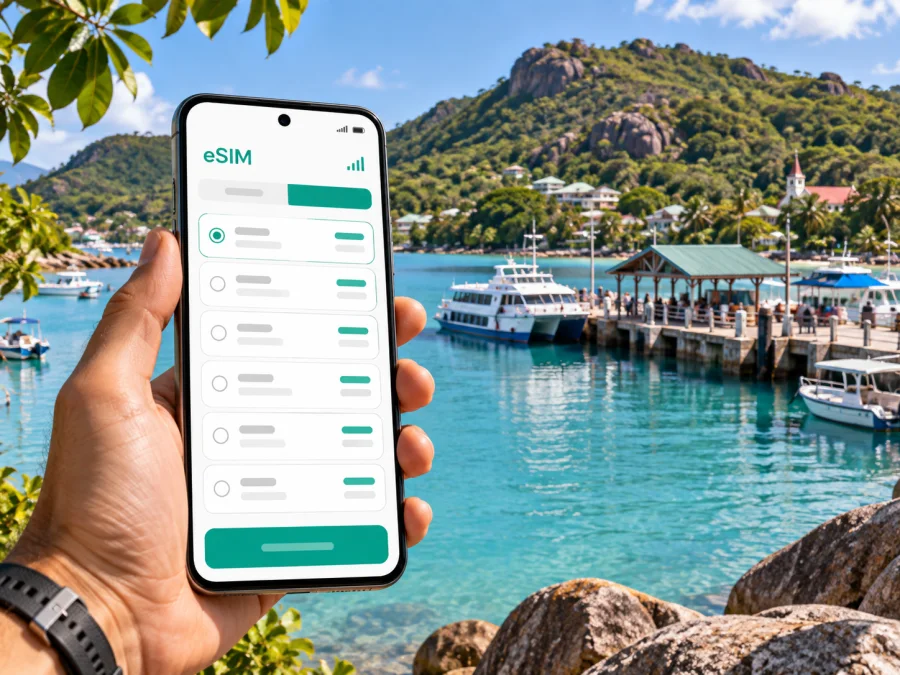
Baie Sainte Anne eSIM: mobile connection and internet for your Praslin stay
Baie Sainte Anne is one of the first places many visitors see on Praslin: ferries arrive at its jetty, roads lead inland and along the coast, and everyday services sit close to the waterfront. A reliable mobile connection helps you coordinate a transfer, message your accommodation, check a route, or confirm the next leg of an island trip while you are moving between these places.
An eSIM can make mobile internet easier to prepare before you travel. You choose a suitable data plan for Seychelles, install the digital SIM on a compatible phone, and use it according to the plan’s activation terms. This guide focuses on Baie Sainte Anne: arriving by sea, orienting yourself around the jetty, choosing how to move around Praslin, and staying connected during short visits or longer stays.
First arrival: from the jetty to your accommodation
The Baie Sainte Anne jetty is a useful landmark and a practical starting point. If you arrive by ferry from Mahé or La Digue, have the name and address of your accommodation saved offline as well as in your map app. A screenshot is useful when you are on the quay, handling luggage, or arranging a pickup and would rather not type a full address on the move.
Before boarding, confirm which island the ferry is serving and where your next transfer begins. Keep your ferry ticket, hotel booking, and map pin together for quick access. If someone is meeting you, agree on a pickup point near the jetty and message them when you are ready.
Baie Sainte Anne is on Praslin, while Praslin’s domestic airport is at Grand Anse on the island’s western side. A traveler landing there and staying near the jetty still needs an onward transfer. If you connect through Mahé, check the complete ticket and transfer arrangements. Allow time for baggage and any change between transport modes.
Arrival checklist
- Save the accommodation address, map pin, and local contact details before the trip.
- Keep ferry or flight confirmations available offline.
- Check the pickup plan with your host or hotel, including the meeting point.
- If you are taking a boat onward, verify the departure point and boarding time on the day.
Mobile data helps with first-hour changes, but keep essential details available offline; an eSIM does not replace saved tickets, addresses, or a confirmed transfer.
Getting oriented around Baie Sainte Anne
Use the jetty as your reference point, then identify the road and pickup direction for your stay. The settlement is a working coastal hub rather than a single resort complex: visitors pass through for ferry connections, local errands, transport, and access to other parts of Praslin. Your exact walk or drive depends on where you are staying, so check the address rather than relying on a broad label such as “Baie Sainte Anne.”
Use a map to plan, then confirm the destination with your driver or host, especially if the property is away from a main road. Download an offline map for stretches with weak data or low battery.
| What you need to do | Useful preparation | Why it helps |
|---|---|---|
| Find your accommodation | Save its pin and full address | A map pin is easier to share than a vague neighborhood name |
| Meet a driver | Agree on a specific pickup point | Ferry arrivals can bring several groups to the same area |
| Reach a shop or service | Search before setting out and confirm opening details locally | Smaller island businesses may keep different hours |
| Plan an onward trip | Keep the next departure and pickup location together | The jetty, airport, and accommodation are separate points |
| Navigate without data | Save an offline map and screenshots | You retain a basic route when a connection is unavailable |
For a short visit, prioritize check-in, essentials, and tomorrow’s transport. For a longer stay, use Baie Sainte Anne as a practical point for arranging trips around Praslin; travel time depends on your base and plans.
Choosing transport for the day
There is no single best way to move around Praslin for every traveler. A taxi can simplify a luggage transfer or a late arrival; a rental car can offer flexibility for a day with several stops; public buses may suit visitors whose route and timing align with the service. Ask your accommodation about the current options for your specific journey, and verify a bus route or schedule before depending on it for a time-sensitive connection.
Choose transport around your constraints: arrange a luggage transfer first, check rental requirements for multi-stop days, and leave a time buffer if using a bus. For ferries, rely on the current timetable and ticket instructions.
A simple transport decision guide
- Jetty to lodging with luggage: arrange a pickup or taxi in advance when possible; share the address and arrival details.
- A day with several distant stops: compare a rental with pre-booked transfers, considering parking and how comfortable you are driving on unfamiliar roads.
- A flexible, low-key day: ask locally whether public transport fits the places and times you have in mind.
- A connection to another island: confirm the pier, check-in time, ticket, luggage rules, and return plan separately.
- A late or early journey: do not rely on finding transport spontaneously; agree on the arrangement before the day begins.
Mobile data helps you contact a driver or share a change; confirm availability and departure details with the provider.
Keep navigation useful, not distracting
For most journeys, navigation means linking the jetty, pickup, lodging, and next departure point. Check the address and route while stationary; confirm the destination with your driver.
A short route on the map may still involve a steep section, little shade, or an uncomfortable road edge. Ask your host whether walking is sensible, especially after dark or with luggage.
Before heading out, save the map and return point, keep the accommodation contact handy, and check which SIM line is selected for mobile data. You may keep a local SIM active for calls, subject to your device settings.
Mobile internet for a stay in Baie Sainte Anne
Data is most useful when it solves a real travel task: directions to a pickup, a message to a host, a ferry confirmation, translation, or a change to a day plan. Estimate your use from the way you travel. Someone who mainly checks maps and messages may need less data than a visitor who uploads video, joins work calls, or streams entertainment away from Wi-Fi.
Kaspersky eSIM Store is an app and website where you can choose, arrange, and activate an eSIM with a suitable plan for mobile internet on an international trip. Available plans and their terms can differ, so review the destination, data amount, validity period, supported network information, and activation conditions before choosing. For Seychelles, you can compare eSIM plan options for your trip before departure and decide whether the allowance matches your itinerary.
| Travel pattern | Data habits to consider | Preparation |
|---|---|---|
| One or two nights near the jetty | Maps, messages, and booking details | Keep tickets and addresses offline; use data for updates |
| A week on Praslin | Frequent navigation, photos, and day-trip coordination | Estimate daily use and check plan validity against the whole stay |
| Remote work between outings | Calls, cloud files, and hotspot use can increase consumption | Confirm whether tethering is supported and identify reliable Wi-Fi for calls |
| Island hopping | Timetable checks and messages between transfers | Check whether the chosen plan covers the destinations in your itinerary |
Data speed and reception vary by network, device, and surroundings. Venue Wi-Fi also varies, so keep essential confirmations offline.
Set up an eSIM before you need directions
If you plan to use an eSIM, complete the preparation while you have stable internet and time to read the on-screen steps. First, check whether your device supports eSIM and confirm that it is not restricted by a carrier lock. Then review the plan’s installation and activation instructions. The exact timing matters: some plans start their validity when installed, while others start under a different condition stated in the plan details.
A practical setup sequence is:
- Choose a plan whose destination, allowance, and validity fit the trip.
- Read the plan details, including when the validity period begins.
- Install the eSIM over a stable internet connection, following the prompts for your phone.
- Label the new line clearly, such as “Travel data,” so you can identify it later.
- Before travel or on arrival, select the intended line for mobile data as the plan instructions direct.
- Keep your usual number settings in mind if you need calls or text messages on that line.
- Test the connection when appropriate and retain the setup instructions for reference.
For step-by-step help, follow the Android eSIM installation instructions or the iOS eSIM installation instructions. Menu names vary by model and software version; follow your device’s instructions rather than deleting the eSIM profile.
An eSIM plan for mobile data does not automatically provide a regular local phone number, voice calls, or SMS. Keep another way to make essential calls if your itinerary requires them. Also review whether data roaming needs to be enabled for the eSIM line: follow the plan instructions, and avoid changing roaming settings for your usual SIM unless you understand its charges.
Work trips and short stopovers
A business visit may combine a ferry arrival, meeting, and onward journey. Save the meeting pin, contact, and booking offline. If you need a call, check the location’s Wi-Fi arrangements in advance.
For a short stopover, leave time for luggage, a driver, and the next departure. Keep the ticket and meeting location offline, with a backup contact if plans shift.
For a longer work stay, download documents on Wi-Fi and reserve mobile data for navigation and coordination. Check the allowance before video calls or hotspot use.
Day trips from Baie Sainte Anne
The jetty connects with island itineraries, including travel to La Digue. Other excursions may use another harbor or operator. Confirm the departure point, ticket conditions, luggage rules, and return time; a destination name alone may not identify the pier.
For land outings, plan around your starting point. Check local access and opening information for places such as Vallée de Mai, then save the return route and a backup transport option.
Before leaving Baie Sainte Anne for a day trip, use this quick check:
- What is the exact departure or meeting point?
- What time should you arrive, and when does boarding or check-in close?
- Are there limits or instructions for luggage?
- Does your phone have enough charge for the whole outing?
- Are the booking, accommodation address, and return plan saved offline?
- Does your mobile data plan cover the places on your itinerary?
Reception varies near coastlines, indoors, and on boats. Save a route screenshot and agree on a meeting point in case a phone loses signal or battery.
Common questions
Is Baie Sainte Anne the same as Praslin?
Baie Sainte Anne is a settlement and district on Praslin, one of the islands of Seychelles. Travelers may use the name for the jetty area or a wider local destination, so check your accommodation’s exact location and map pin.
Does the ferry arrive at Baie Sainte Anne?
The Baie Sainte Anne jetty is a ferry point on Praslin. Routes, departure times, and operating arrangements can change, so confirm the current details on your ticket or with the ferry operator before traveling.
How do I get from Praslin Airport to the jetty?
Praslin Airport is at Grand Anse, while the jetty is in Baie Sainte Anne. Arrange onward transport based on your arrival time and luggage. Ask your accommodation or transfer provider about the current options and allow enough time before any onward boat departure.
Can I use an eSIM for maps and messages?
A compatible, properly configured eSIM can provide mobile data under its plan terms. Maps and messaging apps can use that data, but save key addresses and confirmations offline in case reception is unavailable.
Will a travel eSIM replace my regular phone service?
A data eSIM is generally intended for mobile internet. It may not include a regular phone number, voice calls, or SMS. Check the selected plan’s details and keep your usual number active if you need it.
Should I install my eSIM before arriving?
Installing before departure can make setup easier if the plan instructions allow it. Read the activation terms carefully because plans differ in when validity begins. Complete installation over a stable connection and keep the instructions available afterward.
A calm connection plan for Baie Sainte Anne
Save travel details offline, confirm transport, and use mobile data for route checks and messages. For trips beyond the jetty, note the departure point and return plan.
When an eSIM suits your device and travel pattern, prepare it before the journey and review the plan terms in advance. Use Kaspersky eSIM Store to choose and activate an option for your Seychelles trip, then select an eSIM plan for your stay in Baie Sainte Anne. With the basics saved and your connection settings understood, you can spend less time sorting out arrival logistics and more time enjoying Praslin.


