Travel connectivity guide
Bakau eSIM: Mobile Internet in Gambia
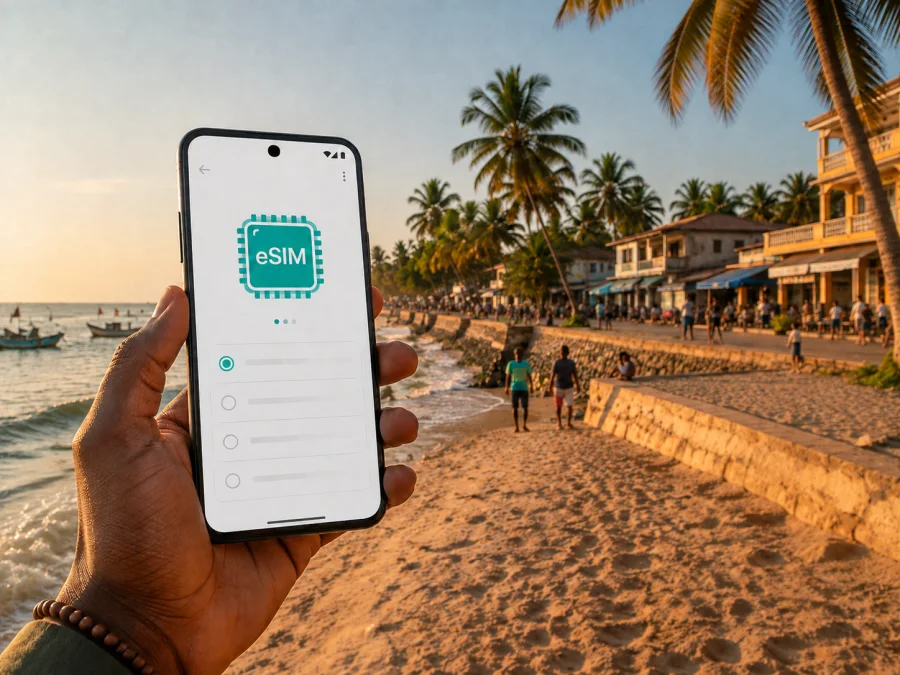
Bakau eSIM: mobile connection and internet for your trip
Bakau is a practical base for a coastal trip to Gambia. The town sits west of Banjul on the Atlantic coast and combines beaches, local markets, guesthouses, restaurants, cultural places and everyday neighbourhoods. That mix makes a dependable mobile internet plan useful from the moment you leave the airport: you may need a map for the transfer, a message for your hotel, a taxi call, a booking confirmation or a quick translation before you have learned the local rhythm.
An eSIM is a digital SIM card that can provide mobile data without requiring you to remove your regular physical SIM. For a visit to Bakau, it can help you prepare a data connection for maps, messaging, travel applications and work. Kaspersky eSIM Store is an app and website where you can choose, arrange and activate an eSIM with a suitable plan for a trip abroad. The right choice depends on your destination, route, travel dates, data habits and device settings.
This guide keeps the focus on Bakau: getting there, moving between Old Town, New Town and Cape Point, staying in touch near the coast, working from a hotel or café, and planning short outings around the Greater Banjul area.
Why mobile internet matters in Bakau
The first useful moment for data is often before sightseeing begins. After landing at Banjul International Airport, you may need to identify the correct transfer, share your arrival details, open a saved hotel message or follow a route toward Bakau. A connection also gives you a way to check the spelling of a street or property, compare the route shown by a map, and contact the person meeting you if plans change.
In Bakau itself, online access supports many small decisions rather than one complicated task:
- opening a map while walking between a hotel, the beach and a market;
- checking a reservation or sending a message to reception;
- ordering or arranging a ride when you do not know the neighbourhood well;
- translating a short phrase or confirming opening information before setting out;
- sharing photographs with family without searching for a public Wi‑Fi network;
- joining a work call, sending a file or checking a calendar during a business stay;
- keeping one route available while planning the next stop in Fajara, Kotu, Kololi or Banjul.
Bakau is not a single resort strip. A visitor staying near Cape Point may spend one day close to the water and another travelling toward Banjul or the wider urban area, so it helps to prepare maps and messages before each short trip.
Arriving in Bakau from Banjul International Airport
Bakau’s usual arrival point for international visitors is Banjul International Airport, identified by the code BJL. The airport is outside the town, so the arrival experience has two stages: completing airport formalities and then travelling by road toward the coastal urban area. Traffic, weather, time of day and the exact destination can affect the journey, so treat any estimated transfer duration as approximate rather than as a fixed timetable.
Before leaving the arrivals area, keep these details together:
- The exact name and address of your hotel, guesthouse or meeting point.
- A phone number or messaging contact for the property or host.
- Your preferred route destination: Bakau Old Town, Bakau New Town, Cape Point or a nearby area.
- A charged phone, a power bank and access to your booking information.
If a driver or hotel representative is meeting you, send a short message when you are ready to leave the terminal. If you are taking a taxi, confirm the destination and agree on the fare before setting off when there is no meter. Keep the address visible rather than relying on a pronunciation that may be interpreted differently.
The first map check can be more valuable than a long list of attractions. Compare the driver’s stated destination with the location you booked, and keep the eSIM data line distinct from your home line so important messages still reach the usual number.
Bakau’s areas and the connection tasks they create
The town’s character changes between the older core, newer residential areas and the coast. You do not need to memorise every street; it is more helpful to match each setting with the online task you are likely to need.
| Area or setting | What you may be doing | Why data helps |
|---|---|---|
| Bakau Old Town | Exploring local streets, Kachikally and nearby everyday businesses | Maps, messages and quick location checks help you return to your accommodation. |
| Bakau New Town | Staying, visiting friends or reaching a meeting point | A precise pin and written address are useful when landmarks look similar. |
| Cape Point and the coastal side | Walking, visiting the beach, eating or arranging a ride | Data supports map checks and communication when you move away from the hotel. |
| Bakau Market and craft-market area | Shopping or meeting a guide | Messaging helps coordinate timing; a map helps distinguish nearby roads. |
| Fajara and nearby coastal neighbourhoods | Dining, meetings or changing hotels | A live route helps when your trip crosses town. |
| Banjul or Serrekunda day trip | Visiting another urban centre and returning | The same country plan can keep route and messages together. |
These are planning categories, not boundaries every map labels in the same way. Ask your accommodation for a written location and save it. If you are collecting someone or returning later, agree on a visible meeting point and share it before moving.
The most useful Bakau map habits
Search for the destination before you leave, then check the route again after your taxi or minibus has started. Save the accommodation name, the closest well-known landmark and the contact number. When walking, compare the direction shown on the map with the road signs and nearby businesses rather than following a blue line without looking around.
Keep a screenshot or written note of the final address. A phone can run out of power or an app can refresh, so mobile internet works best with an offline backup.
Getting around: taxis, shared rides and short walks
Transport in and around Bakau is a mix of taxis, shared taxis, minibuses and walking. A private taxi suits an airport transfer, late arrival or several bags; shared transport may suit a local journey when you know the direction. Your accommodation can help with a specific route.
For each road journey, use a small routine:
- state the destination clearly before entering the vehicle;
- show the written address or map pin if the name could be misunderstood;
- agree on the fare and whether the ride is private or shared;
- keep the route open until you recognise the general direction;
- carry the hotel address separately in case you need to ask for help;
- send a brief arrival message when you reach the destination.
Walking is rewarding, but distances feel different in coastal heat and on unfamiliar streets. Choose one clear destination, carry water and use data for orientation without looking at the phone continuously. If unsure about a side street, pause in a safe public place and check the map.
For a day combining Bakau, Fajara and Banjul, plan the order of stops and leave room for waiting, traffic and a changed pickup point. Video, photo uploads and repeated navigation use more data, so choose by actual habits rather than days alone.
Choosing an eSIM plan for a Bakau stay
There is no single correct data allowance. Someone who messages and checks maps uses a different amount from a visitor who works online, shares photos or makes video calls. Choose a realistic combination of destination, validity and volume.
Start with four questions:
- Will you stay only in Bakau, or will you also travel through Banjul, Serrekunda and other parts of Gambia?
- How many days need active data, including arrival and departure days?
- Will you use data for navigation and messaging only, or for meetings, uploads and streaming as well?
- Do you need tethering for a laptop or tablet, subject to the plan conditions?
| Travel pattern in Bakau | Typical online activity | Planning approach |
|---|---|---|
| Short stopover | Airport messages, one transfer, a few map checks | Prioritise a plan with enough validity for the whole stopover and a modest data volume. |
| Beach and town break | Maps, reservations, messaging, photos and browsing | Allow room for route checks and photo sharing. |
| Business visit | Email, documents, calls in work apps and navigation between meetings | Estimate work data separately from leisure use and keep a backup charging option. |
| Multi-stop Gambia itinerary | Bakau base plus Banjul, the coast or inland travel | Confirm that the country plan covers the route and choose validity around the longest segment. |
Review destination or region, data amount, validity, activation conditions, price and refill options before payment. Conditions differ between plans, so do not infer them from another destination or an old screenshot. If the itinerary starts later, check the current activation options.
For a focused Bakau trip, a country plan for Gambia is usually the relevant starting point because Bakau and nearby stops are within the same national itinerary. If you will continue across borders, check the exact regional coverage rather than assuming that a country-only selection covers the next country. You can choose an eSIM plan for your trip to Gambia after comparing the route, validity and data volume you actually need.
Estimate usage without false precision
List your daily habits. Map checks and text messages are generally lighter than video calls, automatic photo backups and streaming. Workdays may require more than sightseeing days, while tethering adds background updates and cloud synchronisation.
Before travel, review automatic updates and photo backup settings. Decide which applications may use mobile data and which should wait for Wi‑Fi before you are navigating to a new hotel or joining a meeting from Bakau.
How to install and activate eSIM before or after arrival
Install the profile over reliable internet, ideally before departure, or follow the in-app instructions after arrival. Menu names vary by phone and operating-system version, but the sequence is the same: add the eSIM, select it for data and verify the connection.
Use the detailed Android installation instructions or iOS installation instructions for your phone. Keep the QR code or installation details accessible and do not delete the eSIM profile while troubleshooting unless support specifically tells you to do so.
A careful setup sequence
- Check the phone before the trip. Make sure it supports eSIM and is not restricted by an operator. Check your device before choosing a plan; models can vary by region of sale.
- Connect to reliable Wi‑Fi. Use a stable connection when downloading or adding the eSIM profile.
- Open mobile-network settings. Choose the option to add a mobile plan or eSIM.
- Scan the QR code or follow the profile instructions. Use the QR code supplied in your Kaspersky eSIM Store profile or confirmation message.
- Label the line clearly. For example, use “Gambia travel” to distinguish it from your home SIM.
- Select the eSIM for mobile data. Keep your home line available for the number and services you still need, and check which line handles data.
- Set the data preference. Review data switching so the home line does not unexpectedly handle travel data.
- Activate at the appropriate time. Follow the plan’s stated activation conditions; some plans may begin according to their purchase or activation rules.
- Test the setup. After arrival in Bakau, confirm mobile data with a simple page or map.
On some devices, data roaming must be enabled for the travel eSIM to work. This setting applies to the selected eSIM data line, but you should check that your home line is not selected for mobile data. If the connection does not appear immediately, wait a few minutes, move to an open area and review the chosen data line before repeating setup steps.
Bakau scenarios: what to prepare in advance
The airport-to-hotel arrival
Save the accommodation address, send your arrival message and open the route before leaving the terminal. Use a clearly labelled travel line for data and confirm that the property name and map pin match once in Bakau.
A morning around Old Town and Kachikally
Keep the route simple: start from the accommodation, check the destination and save the return location. Kachikally is a cultural and nature-focused stop in Bakau; follow local instructions and ask staff about access or etiquette rather than relying on the phone alone.
Cape Point, the beach and an evening return
Coastal plans can combine walking, a meal and a ride back. Share the meeting point, keep the hotel address in a note and check photo-backup settings so uploads do not use data reserved for navigation.
A workday between Bakau and nearby districts
Test meeting applications and documents before leaving the hotel. Download needed files, plan a quiet place for calls and write down the next address and contact person instead of relying on one live map view.
A short trip to Banjul or Serrekunda
Confirm the destination, departure point and return plan before setting off. Save the Bakau accommodation location, and message the person waiting if the itinerary or meeting point changes.
Practical checklist for the day before departure
- [ ] Confirm that the phone supports eSIM and is not operator-locked; check your device before purchase.
- [ ] Select Gambia as the destination and compare data, validity, activation rules and price.
- [ ] Decide whether your route is limited to Bakau or includes Banjul, Serrekunda or other stops.
- [ ] Install the eSIM on reliable Wi‑Fi if you are ready to do so.
- [ ] Keep the QR code, profile access and confirmation message available.
- [ ] Save your accommodation name, address, contact number and map pin.
- [ ] Review automatic updates, cloud backup and video settings.
- [ ] Pack a charger or power bank for airport transfer and long outings.
- [ ] Decide which line handles data and which line remains available for your usual number.
- [ ] Save an offline note with the arrival address and a meeting point.
What to do if data does not work after arrival
Start with simple checks: confirm that the travel eSIM is on, selected for mobile data and not blocked by airplane mode. Check activation status and the signal indicator. Review data roaming for the travel line if needed, then restart or toggle the line and allow a few minutes for registration.
If the issue continues, move to an open location and recheck destination settings. Do not delete the profile: an installation code may be single-use or tied to the assigned device. Keep screenshots and order details, then contact Kaspersky eSIM Store support if the setup looks correct.
For slow data, reduce background uploads, confirm the correct line, test a simple page or map and check remaining traffic and validity. This separates a setting issue from ordinary consumption or local conditions.
Frequently asked questions about eSIM in Bakau
Is eSIM useful for a short stopover in Bakau?
Yes, if you need maps, arrival messages or a ride during a limited stay. Choose validity that covers the stopover and install before departure when possible.
Should I choose a city plan or a country plan?
For Bakau, start by checking the Gambia country destination. The town is part of a wider urban itinerary, so a country plan is generally more practical than a separate city label. If you cross a border, review a regional option and its destinations.
Can I keep my regular SIM active?
Usually, a dual-SIM phone can keep the physical SIM active while the eSIM is used for data, but options depend on the device. Set the travel eSIM as the data line and review data switching so the home line is not used unintentionally.
Does the eSIM give me a new phone number?
No, not unless the conditions of a particular plan explicitly say so. Travel eSIM plans are generally data-only, so they do not include a separate number, ordinary calls or SMS. Internet messaging and calling applications can work through the data connection.
When should I install the eSIM?
Install it before departure over reliable Wi‑Fi or after arrival if the plan allows it. Read the activation conditions first and keep the profile accessible while testing.
How much data do maps and messages require?
Usage varies with map downloads, photo backup, video, work applications and background settings. Text messaging and occasional route checks are lighter than video meetings or tethering. Review habits, limit background use and leave a reserve for route changes.
A calm connection plan for Bakau
The most reliable preparation is specific: save the Bakau accommodation address, decide how you will travel from Banjul International Airport, distinguish Old Town, New Town and Cape Point in your notes, and choose data for the route you will actually take. Keep an offline backup, check the eSIM line after arrival and use maps together with local directions.
Kaspersky eSIM Store helps you choose, arrange and activate an eSIM with a suitable mobile-data plan for an overseas trip. Review the Gambia destination, validity, data volume and activation conditions, then prepare the profile on your phone. When you are ready, choose an eSIM plan for your Bakau trip and arrive with the essential connection steps already understood.


