
Travel connectivity guide
Balkh eSIM for mobile internet
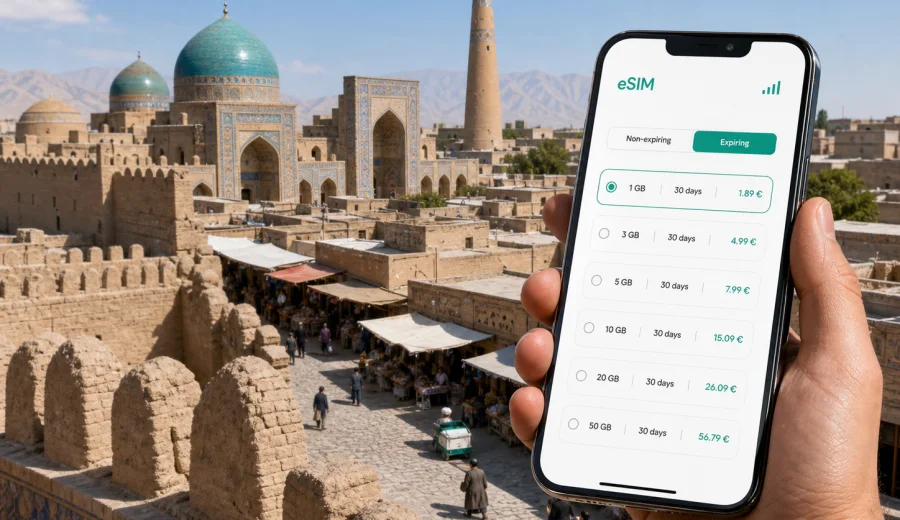
Balkh eSIM: mobile connection and internet for a practical city trip
Balkh is one of Afghanistan's oldest urban names, and that history changes the way you plan a visit. A trip here is practical: you may arrive through Mazar-i-Sharif, continue by road into Balkh, meet local hosts, visit historic sites, move between guesthouses and offices, or use the city as a stop on a wider northern Afghanistan route. In each case, mobile internet is part of the basic trip plan.
An eSIM can help you prepare internet access before you start dealing with airport queues, unfamiliar streets, translation needs, or last-minute route changes. It is especially useful if your phone supports eSIM and you want data for maps, messaging, ride coordination, hotel contact, banking checks, and work calls through internet apps. It does not replace local travel judgment, but it can reduce one common source of friction: looking for data only after you need it.
This guide focuses on Balkh as a city destination: arrival, local movement, hotel days, business visits, short stopovers, and trips from Balkh to nearby places in northern Afghanistan.
Why mobile internet matters in Balkh
Balkh is a compact city compared with larger regional hubs, but visitors often depend on several points outside the city center. You may land or arrive in Mazar-i-Sharif, continue to Balkh by road, return to Mazar for meetings, or travel onward through the province. That means your internet needs are not limited to one hotel lobby.
Mobile data is useful for:
- saving maps before a road transfer and checking your position along the way;
- keeping contact with a driver, host, hotel, translator, or local office;
- using messaging apps when a normal voice number is not included in your data plan;
- translating short messages, addresses, and practical instructions;
- checking opening hours or meeting changes when plans move;
- confirming documents, tickets, and reservation details;
- sharing your route with a trusted contact.
Arrival routes and first online moments
Many visitors reach Balkh through Mazar-i-Sharif because it is the main nearby urban gateway. From there, a road transfer to Balkh is usually part of the first travel day. That first transfer is exactly when mobile internet becomes practical rather than optional. You may need to message a driver, send your location, confirm the guesthouse entrance, or tell a local contact that you have left the airport area.
If you arrive by road from another Afghan city, the first online moment may come earlier. Save essential details before departure: the address in English and local spelling if you have it, the phone number of your contact, your hotel name, and any arrival instructions. Keep a screenshot of the booking or invitation as well. Mobile internet helps, but offline copies protect you if coverage, battery, or settings are not ready at the exact moment you need them.
For a smoother arrival day, prepare this small checklist:
- install the eSIM profile before travel if the selected plan allows it;
- save offline maps for Balkh and the Mazar-i-Sharif area;
- write down your hotel or host address outside messaging apps;
- charge your phone and carry a power bank for the road transfer;
- check whether data roaming must be enabled for the eSIM line.
An eSIM is about mobile data. Unless a specific plan says otherwise, do not expect it to include a local phone number, ordinary voice calls, or SMS. For most travelers in Balkh, internet-based messaging and calls are the main use case.
Local movement: where data helps most
Balkh rewards careful movement. Streets, historic areas, markets, administrative buildings, and guesthouse locations may not always be as easy to read from a map as in a heavily touristic city. A data connection can support small decisions through the day: whether to continue walking, call a driver, send a pin, or check that you are heading to the right entrance rather than the right neighborhood only.
Mobile internet is most useful in these city situations:
| Situation in Balkh | Why internet helps | Practical habit |
|---|---|---|
| Transfer from Mazar-i-Sharif | Coordination with driver or host | Send your live location after departure |
| Historic site visit | Navigation and timing | Save the return pickup point |
| Market or street movement | Messaging and translation | Keep short phrases ready offline too |
| Hotel check-in | Contact and document checks | Keep booking screenshots outside email |
| Work meeting | Calendar, maps, and files | Download essential documents in advance |
| Evening return | Driver communication | Confirm route and pickup before leaving |
Do not treat mobile internet as a substitute for local advice. It is a support layer. Ask your host or local contact which routes and times are appropriate, then use data to keep the plan coordinated.
How much data to plan for a Balkh trip
The right amount of data depends less on the city name and more on your habits. A traveler who uses maps, messaging, and email lightly can manage with a smaller package. A traveler who uploads video, uses cloud storage, joins long calls, or keeps navigation running for long transfers needs more.
Use this simple planning guide:
| Trip style | Typical data needs | What to watch |
|---|---|---|
| One day in Balkh | Low to moderate | Maps, messages, hotel contact |
| Two or three days | Moderate | Navigation, translation, photo sharing |
| Business visit | Moderate to high | Video calls, documents, hotspot use |
| Province route | High | Transfers, maps, repeated coordination |
| Heavy media use | High | Video uploads can use data quickly |
Before choosing a plan, check the validity period as closely as the data allowance. A larger package is not useful if it expires before your route is finished. A smaller package can work well if your hotel has reliable Wi-Fi and you only need mobile internet outside.
Preparing your phone before you go
Preparation matters because eSIM setup is easiest before you are standing at an arrival point with luggage. The general flow is: confirm compatibility, choose the destination, install the eSIM profile, then use it for mobile data when the trip begins.
Before you purchase any eSIM plan, check your device. Your phone or tablet must support eSIM, and it should not be locked in a way that prevents adding another mobile plan.
Good pre-trip settings:
- give the eSIM line a clear label, such as "Travel data";
- keep your home SIM for calls only if you need it;
- set mobile data to the eSIM line when you are ready to use the travel plan;
- turn off data roaming on your home line if you want to avoid accidental roaming;
- confirm whether data roaming needs to be on for the eSIM line;
- download the app, maps, and key files before departure.
If you are traveling for work, prepare a second layer: save meeting addresses, contact names, and files locally. Mobile internet is useful, but the best travel setup does not make one app or one connection the only place where essential information exists.
Choosing an eSIM plan for Afghanistan before visiting Balkh
For a Balkh city trip, choose the country plan that matches Afghanistan rather than looking for a separate city plan. The city is the destination, but the mobile data package is selected by country or region. In the middle of your planning, when you already know your dates and likely data use, you can view mobile internet options for Afghanistan and compare them by data allowance, validity, destination, and price.
Kaspersky eSIM Store is an app and website where you can choose, arrange, and activate an eSIM with a suitable data plan for mobile internet abroad. It supports the travel preparation flow: select the destination, review the conditions, install the eSIM on a compatible device, and manage the plan through the site or app.
When comparing plans for Balkh, ask yourself five questions:
1. How many days will I be in Balkh and the surrounding area?
2. Will I use video calls, hotspot, cloud backups, or only maps and messages?
3. Will my hotel or office have Wi-Fi that I trust for heavier tasks?
4. Do I need the eSIM ready before arrival, or can I finish activation after landing?
5. Does the plan match Afghanistan and the full length of my route?
This is a practical decision, not a search for the biggest number. A business traveler may need enough data for calls and documents. A visitor spending one short day in Balkh may care more about quick setup and valid dates than a large allowance.
Business visits, stopovers, and hotels
Business visits create a different pattern from sightseeing. You may spend more time moving between offices, accommodation, and local meeting points than visiting landmarks. Keep enough data for calendars, files, messaging, and driver coordination, and download essential documents before you leave the hotel.
For a same-day visit from Mazar-i-Sharif, keep the plan lighter but ready: map checks, live location sharing, translation, and return pickup messages are the main tasks. Avoid automatic backups and high-resolution uploads until you are back on suitable Wi-Fi.
Accommodation Wi-Fi can help with large downloads, but it should not be your only plan. In smaller cities and historic areas, Wi-Fi quality can vary by building and room position. Mobile data is useful before check-in, after checkout, and while moving between meetings or visits.
Installing and activating the eSIM
If your device supports eSIM, installation is usually a short setup task, but you should still do it carefully. Use a stable internet connection when installing the profile. Follow the instructions for your phone type, then confirm which line is assigned to mobile data.
For detailed setup steps, use the official Android installation instructions or iOS installation instructions. The exact menu names can differ by device model and operating system version, so follow the guidance for your device and check the plan details before activating.
A safe setup sequence looks like this:
1. Confirm that your phone supports eSIM and is not restricted.
2. Choose Afghanistan as the destination for your Balkh trip.
3. Review data allowance, validity, activation rules, and price.
4. Install the eSIM profile over a stable connection.
5. Label the line clearly so you do not confuse it with your home SIM.
6. Set the eSIM as the mobile data line when you are ready.
7. Test a small data task, such as opening a map or sending a message.
If the eSIM does not connect immediately, do not repeatedly delete and reinstall profiles without checking the plan instructions. Look at the APN or roaming notes if they are provided, restart the device if recommended, and contact support through the available product channel if needed.
Data-saving habits for Balkh
You can make a modest data package last longer by changing a few phone habits before the trip. This is especially useful in Balkh because much of the useful data activity is practical: maps, messages, route checks, and short calls.
Before arrival:
- download offline maps for Balkh and Mazar-i-Sharif;
- disable automatic app updates on mobile data;
- pause cloud photo backup until Wi-Fi;
- download translation languages if your app supports offline use;
- save travel documents locally;
- reduce video quality in streaming apps.
During the trip:
- send compressed photos in messaging apps when possible;
- close navigation when you no longer need live directions;
- use Wi-Fi for large files if the network is appropriate;
- monitor remaining data in the app or phone settings;
- keep a small reserve for the return transfer.
The final point is easy to forget. Do not use the last of your data at the hotel if you still need to coordinate the trip back to Mazar-i-Sharif or another onward route.
FAQ: eSIM and mobile internet in Balkh
Is a city-specific eSIM required for Balkh?
No. For a Balkh article and trip, the relevant destination is Afghanistan. Choose a plan that covers Afghanistan and fits your travel dates and data needs.
Can I use an eSIM for normal phone calls in Balkh?
Most travel eSIM plans focus on mobile data. Ordinary voice calls and SMS are not included unless the selected plan clearly says so. You can usually use internet-based calling and messaging apps over mobile data.
What should I check before buying?
Check device compatibility, country coverage, data allowance, validity period, activation rules, and whether your phone is locked or managed by an employer.
Final checklist before your Balkh trip
Use this checklist a day or two before departure:
- eSIM-compatible device confirmed;
- Afghanistan destination selected;
- data allowance matched to your route and work needs;
- plan validity covers arrival, stay, and departure;
- eSIM installed or ready to install according to the plan rules;
- Android or iOS setup instructions saved;
- offline maps downloaded for Balkh and Mazar-i-Sharif;
- hotel, driver, and host contacts saved outside chat history;
- power bank charged.
Balkh is a city where good preparation has real value. You may be moving through historic streets, arranging transport from Mazar-i-Sharif, working with local contacts, or fitting a short visit into a wider Afghanistan route. Mobile internet can make each practical step easier to manage.
Before you travel, choose a data plan that matches Afghanistan, your device, and your route. With Kaspersky eSIM Store, you can prepare an eSIM plan for a trip to Balkh by reviewing the available Afghanistan options, installing the eSIM on a compatible device, and using mobile data for maps, messages, transport coordination, and everyday travel tasks.