Travel connectivity guide
Bandipur eSIM for Mobile Internet in Nepal
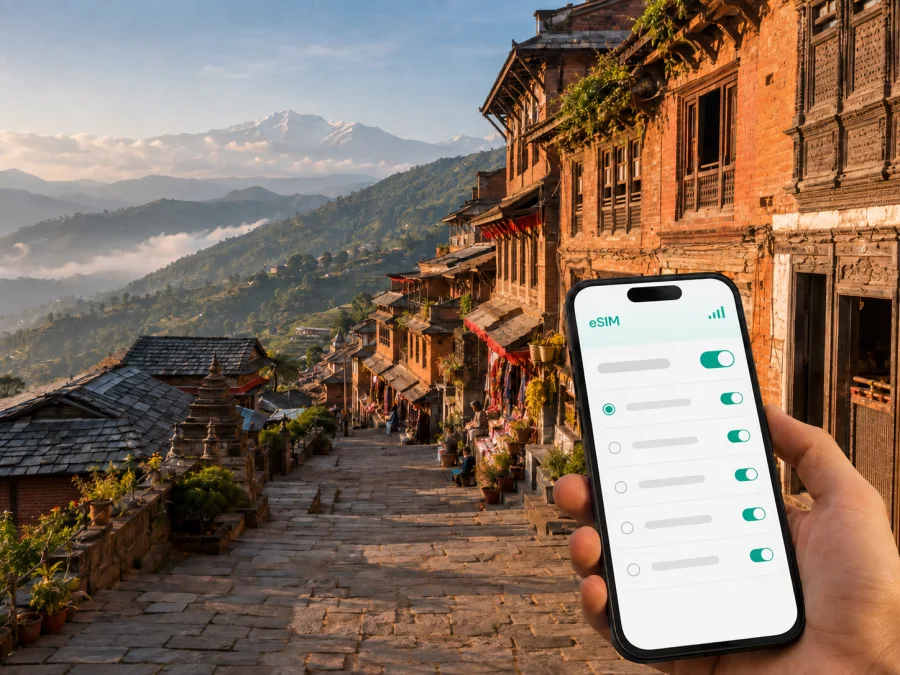
Bandipur eSIM: mobile connection and internet for a trip to Nepal
Bandipur is a hilltop settlement in Tanahun District, Nepal, known for its preserved Newar architecture, stone-paved lanes, mountain viewpoints, and walking routes through the surrounding hills. The town rewards a slower visit, but a reliable mobile connection still makes the practical parts of the journey easier: finding the transfer from Dumre, checking a hotel message, following a trail, coordinating a pickup, or sending a location to someone at home.
An eSIM, or digital SIM, can provide mobile internet for the trip without taking out your everyday physical SIM card. Kaspersky eSIM Store is an app and website where you can choose, arrange, and activate an eSIM with a suitable plan for mobile data while travelling abroad. The right preparation matters in Bandipur because the journey combines a highway transfer, a climb to a small hill town, short walks, and possible day trips beyond the bazaar.
Why an eSIM is useful in Bandipur
Bandipur is not a conventional city break with one airport terminal and a dense urban transport grid. Many visitors approach from Kathmandu or Pokhara by road, change vehicles around Dumre, then continue uphill. Once in town, the main experiences are close enough to explore on foot, while viewpoints, caves, villages, and trailheads can require separate planning. Mobile data helps connect those parts of the itinerary.
The most useful tasks are usually simple rather than data-heavy:
- checking the name and location of a hotel or homestay before leaving the highway;
- sharing your arrival point with a driver or travel companion;
- opening a map while walking between Bandipur Bazaar, Tundikhel, and nearby viewpoints;
- confirming a meeting time when a road transfer is delayed;
- reading a booking confirmation or translating a short message;
- checking conditions before a longer walk and saving a route for offline use.
An eSIM is particularly convenient when you want to keep your regular SIM active for incoming messages but use the travel line for data. Exact settings depend on the phone and the local network used by the selected plan, so treat the setup as part of trip preparation rather than something to solve at the top of the hill.
Bandipur at a glance for a connected trip
Bandipur is a hilltop town in Tanahun District, in Nepal’s Gandaki Province. Dumre is the practical interchange below the town, while Nepal Tourism Board identifies Pokhara, about 76.5 km away, as the nearest airport. The bazaar is compact, but viewpoints and trails spread onto the ridge and nearby hills. Road conditions, traffic, monsoon weather, stops, and time of day can change the transfer, so choose plan validity for the full itinerary.
Arriving in Bandipur: where mobile data helps first
From Kathmandu or Pokhara by road
The common overland approach follows the corridor between Kathmandu and Pokhara and then turns towards Dumre. From there, travellers continue uphill to Bandipur. Buses, private cars, taxis, and local transfers can involve different meeting points, and the final vehicle may not be the same one used for the longer road journey.
Before leaving Kathmandu or Pokhara, save the following information on your phone:
- The accommodation name, address, contact, and map pin.
- The planned drop-off point in or near the bazaar.
- The name of the person meeting you, if a transfer has been arranged.
Mobile data is most valuable at the moments when plans change. If the bus arrives later than expected, a driver waits at another point, or a homestay asks you to walk the last section, a working connection lets you resolve the issue before the battery is low and the light fades.
From Pokhara Airport
Pokhara is the nearest airport listed for Bandipur. The onward journey is by road, so do not treat landing as the end of the transfer. Keep the phone charged, make the accommodation details easy to open, and confirm whether the driver will meet you at the airport, at a road junction, or after the approach to Bandipur.
If you still need transport after a flight, an eSIM can help you communicate and check information while you verify the vehicle, fare, route, and meeting point.
Using mobile internet around Bandipur’s key areas
Bandipur Bazaar and the historic core
The bazaar is the natural starting point for a first orientation. Its preserved Newar character, temples, cafés, lodges, and carved façades create a compact area for a heritage walk. Use mobile data for practical navigation between your accommodation, a meeting point, and a restaurant, but also save the route before you start. In a historic lane, a map pin can be more helpful than a street number.
If you are travelling with a group, agree on one easy meeting place in the bazaar. A shared location reduces repeated messages while people photograph, eat, or check in.
Tundikhel and the ridge viewpoints
Tundikhel is a prominent open area at the northern end of town, associated with broad views towards the Himalayan ranges and the valley below. Thani Mai Temple is another hilltop viewpoint reached by a walk from the town. Visibility depends on season, cloud, and time of day, so check the forecast and local advice before setting out.
Download the relevant map area while you have a strong connection. Carry water, wear shoes suited to uneven ground, and use mobile data as a backup rather than replacing local advice.
Siddha Gufa and nearby excursions
Siddha Gufa is one of the best-known excursions associated with Bandipur and is described by Nepal’s tourism authorities as Nepal’s largest cave. It is not a sight you should treat as a quick stop beside the bazaar: allow time for the approach, the terrain, and any local guidance about access. Confirm current entry arrangements and conditions locally before starting.
Save the return plan, tell your accommodation where you are going, and keep the driver’s contact and pickup point available offline.
Ramkot and other village walks
Routes from Bandipur can lead to villages and rural landscapes around the ridge. Ramkot is often included for its traditional Magar homes and village setting. Because these excursions combine walking with local transport, download maps, note a return time, and ask your host whether a guide is appropriate.
Choosing a data plan for your Bandipur itinerary
Start with your travel pattern rather than a generic number of gigabytes. The right plan depends on how many days you will spend in Bandipur, whether Nepal is one stop in a longer trip, and how often you will use video, uploads, navigation, or a laptop hotspot.
| Travel pattern | Typical use | What to check before choosing |
|---|---|---|
| One-night stopover | Messages, reservations, and maps | Validity covering the road day, not just the night in town |
| Two- or three-day visit | Navigation, photos, messaging, and research | Coverage and validity for the approach and next destination |
| Remote-work stay | Calls, documents, email, and hotspot use | Data allowance, hotspot terms, and a suitable workspace |
| Multi-stop route | Coordination across road legs and village excursions | Nepal coverage, battery planning, and offline maps |
Messaging and navigation usually consume less data than video streaming or automatic photo backup. If you work online or use a hotspot, estimate those activities separately and control automatic syncing until you understand your allowance.
When you are ready, you can choose an eSIM plan for a trip to Nepal. Kaspersky eSIM Store helps you select and activate an eSIM plan for mobile data abroad; it does not replace the local network or guarantee the same service in every location. Review the plan’s data amount, validity, supported destination, and any conditions before confirming it.
Prepare and install the eSIM before leaving
The safest time to prepare the eSIM is when you have stable Wi-Fi, a charged phone, and enough time to read the setup screens. Some travellers install the profile before departure and activate the line after landing; the available sequence can depend on the plan and the device.
Before you start, check whether your device supports eSIM. Compatibility can vary by model, region of purchase, and whether the phone is carrier-locked. A device that looks like a compatible model in a product listing may still need a separate check in its settings.
A simple preparation sequence
- Confirm that the phone supports eSIM and is not carrier-locked.
- Choose a Nepal plan whose validity covers the road transfer, Bandipur stay, and onward travel.
- Install the eSIM on reliable Wi-Fi and label it clearly, for example “Nepal travel data”.
- Keep your regular line available if needed, but review its data-roaming setting.
- After arrival, select the travel eSIM for data and test a map, message, and web page.
For device-specific steps, use the Android eSIM installation instructions or the iOS eSIM installation instructions. Keep the QR code or activation details accessible until the line is working. If activation does not complete, check the plan instructions, network settings, and device compatibility before contacting support.
Settings worth checking
The names of menus differ between phone brands, but the following checks are useful:
- Set the travel eSIM as the mobile-data line and turn off automatic data switching if available.
- Decide whether your primary SIM should remain active for calls and messages.
- Review primary-line data roaming and limit background refresh or automatic backups.
- Download maps, tickets, reservations, and key addresses before the road journey.
- Carry a power bank for the transfer and longer walks.
An eSIM is intended here for mobile internet. Unless the selected plan explicitly states otherwise, do not assume it includes a separate telephone number, ordinary voice calls, or SMS. You can still use messaging and calling apps over data where their service is available.
A practical connection checklist for arrival day
Use this short checklist before setting out from the airport or road junction:
- [ ] The phone has charge and the travel eSIM is installed.
- [ ] Mobile data is assigned to the travel eSIM.
- [ ] The accommodation name, contact, and map pin are saved.
- [ ] The driver or transfer contact is easy to find.
- [ ] A route to Dumre and the uphill continuation is saved for reference.
- [ ] A map area and booking confirmation are available offline.
- [ ] The primary SIM’s data roaming has been reviewed.
- [ ] A power bank is packed for the transfer or hike.
Once you reach Bandipur, test the connection in a normal way: send a short message, open the hotel pin, and load a simple page. If the signal is weaker indoors or changes along a trail, move to a safe open area and allow the phone a moment to register on the available local network. Avoid repeated network changes while walking or driving.
Bandipur for work, family travel, and stopovers
Remote work needs a little more planning than sightseeing: ask your accommodation about workspace and power, keep meeting links offline, and reserve the allowance for essential tasks. For families, save one meeting point, the accommodation details, and the driver’s contact on more than one phone. For a one-night break between Kathmandu and Pokhara, use the connection for the transfer, check-in, a bazaar walk, and a viewpoint if conditions allow, while keeping the onward ticket offline.
Extending the trip beyond Bandipur
Bandipur often forms part of a route rather than a final destination. Before continuing towards Pokhara, Kathmandu, or another Nepal stop, check the next accommodation, road departure point, and expected travel time. For a remote excursion, confirm destination coverage and keep maps offline.
Keep the same good habits on every leg:
- Save the next address and map pin before departure.
- Confirm the pickup point rather than relying on a broad place name.
- Charge the phone and check remaining data before a new route.
The goal is a predictable travel routine: mobile data for coordination and live information, offline copies for resilience, and local advice for conditions that a map cannot show.
Frequently asked questions
Is Bandipur a city where I need a local physical SIM?
Not necessarily. If your phone supports eSIM and the selected plan includes Nepal, you can prepare a travel data line while keeping your regular SIM in the phone. Check compatibility and plan conditions first.
Can I use an eSIM on the road from Pokhara or Kathmandu to Bandipur?
Yes, if the plan supports Nepal and the local network is available. Coverage can change between the highway, uphill approach, bazaar, and rural trails, so save essential information offline.
What should I do if the eSIM does not connect after landing?
Check that the travel eSIM is enabled and selected for mobile data, then review roaming and network settings. Restart if appropriate and confirm compatibility. If the issue remains, contact support with the plan and device details.
Prepare your Bandipur connection before the road journey
Bandipur is easiest to enjoy when accommodation details, the Dumre transfer, offline maps, and the phone setup are ready early. Check your device and choose validity for the whole Nepal itinerary.
When you are ready, explore the Nepal eSIM options. Kaspersky eSIM Store helps you choose, arrange, and activate an eSIM plan for the journey.


