Travel connectivity guide
Banff eSIM: Mobile Internet and Travel Connection
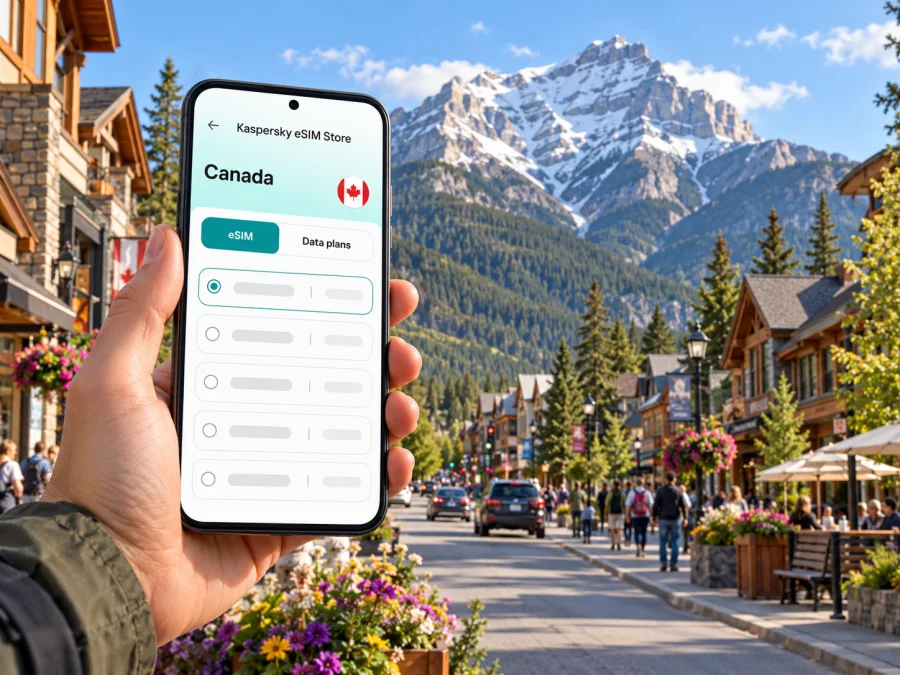
Banff eSIM: Mobile Connection and Internet for a Rocky Mountain Trip
Banff is a compact mountain town in Alberta, inside Banff National Park. It is also a practical base for day trips around the park, where travel can shift quickly from walkable streets to mountain roads and trailheads. An eSIM can help you arrange mobile data for maps, transit updates, reservations and messages without replacing your regular physical SIM. The useful distinction is simple: service may be convenient in town, while reception can be limited or absent in more remote places.
Kaspersky eSIM Store is an app and website where you can choose, purchase and activate an eSIM with a suitable data plan for an international trip. Before choosing one for Banff, check that the plan covers Canada, that its data allowance and validity suit your itinerary, and that your phone supports eSIM and is unlocked for use with another provider.
Why mobile data is useful in Banff
Banff’s townsite is small, but a visit often involves several separate decisions: getting from Calgary to the Rockies, finding your accommodation, checking a bus departure, changing a lake reservation or meeting someone after a hike. Mobile data gives you access to the tools you already use for those tasks. It can also make it easier to message your hotel or travel companions when plans change.
The town lies within Banff National Park, and popular places beyond its centre are spread across the Bow Valley. Roam Public Transit serves routes in Banff and connects the town with destinations such as Canmore and Lake Louise; seasonal services may add other park attractions. Check the current route map, fare and departure time before you leave. A route that runs in one season may not run on the same schedule year-round.
A reliable plan starts with knowing where you are going. Banff Avenue and the central townsite are straightforward to explore on foot. A trip to the Banff Gondola, Cave and Basin, Lake Minnewanka, Johnston Canyon or Lake Louise involves a different route and may require transit, a shuttle or a reservation. Online maps are helpful for orientation, but they do not replace posted signs, official notices or a downloaded route plan.
| Trip moment | Where mobile data can help | What to prepare as a backup |
|---|---|---|
| Arrival at Calgary International Airport (YYC) | Checking a shuttle booking, meeting-point instructions and messages | Save your booking details and the operator’s pickup location offline |
| Transfer to Banff | Looking up the route, departure time and any service updates | Keep the ticket or confirmation accessible without a connection |
| Check-in and town errands | Finding your accommodation, opening hours or a restaurant reservation | Save the address and confirmation in your notes |
| Roam transit or a park shuttle | Reviewing route information and coordinating a meeting point | Screenshot the timetable and know the stop name before boarding |
| A day outside town | Checking maps and weather before departure | Download maps, carry a battery pack and tell someone your plan |
From Calgary airport to Banff
Calgary International Airport is a common arrival point for travellers going to Banff. The Town of Banff describes the town as about 128 kilometres west of Calgary; highway travel from Calgary takes around an hour and a half depending on where the trip starts and whether you stop. Actual journey time varies with traffic, weather, road conditions and the shuttle schedule.
Several scheduled shuttle and transit services connect Calgary, YYC and Banff, and some run seasonally. Compare pickup locations carefully: an airport departure, a downtown Calgary stop and a hotel pickup are different arrangements. Confirm whether your ticket is for the airport itself or a city terminal, and save the operator’s contact and booking reference before landing.
At YYC, a data connection can be useful for checking a last-minute message, locating the correct pickup area or telling your accommodation when you expect to arrive. Avoid assuming that a shuttle will wait if a flight is delayed; check the fare and change policy with the transport operator. If you are driving, download directions and a map of the route in advance. Cellular coverage can change along a mountain highway, and navigation should not depend on a live connection alone.
Before landing, save the pickup point, booking reference, accommodation address and emergency contacts offline. Check the eSIM plan’s Canada coverage and validity start, and carry a charging cable or power bank for the transfer.
Getting around the town and nearby attractions
The Banff townsite covers roughly four square kilometres, so walking is practical for many central errands. Banff Avenue, shops, cafés, visitor services and many hotels are close enough to combine in one walk, although hills, snow, ice and weather can affect how comfortable a route feels. Download or save the address of your lodging so you can find it even if your phone is offline.
Roam Public Transit is the main local bus option. Routes, schedules, fares and seasonal service can change, so check them close to your travel date. Banff also has regional transit connections, including service toward Canmore and Lake Louise. During busy periods, a seat reservation may be recommended or required on some routes. A screenshot of your ticket and the stop details is useful when you are moving between attractions.
Parking in central Banff is limited, particularly during busy periods. If your plans depend on a timed shuttle or attraction booking, build in a buffer instead of assuming you can drive directly to the stop and park nearby. A phone can help with directions and updated information, but the trip still depends on the transport timetable and available reservations.
For Lake Louise and Moraine Lake, check access rules and transport arrangements before setting out. Personal vehicles are not permitted on Moraine Lake Road; visitors need to use an authorized shuttle, transit or commercial transportation option. Shuttle availability and operating dates are seasonal and can change from year to year. A mobile connection helps you review your booking, but it cannot replace advance reservations or make a sold-out departure available.
This is also where planning for limited reception matters. Parks Canada says the Moraine Lake day-use area has no cellular service or Wi-Fi. Cellular reception is available again only farther down Moraine Lake Road, roughly five kilometres from the lake. Download directions and any reservation information before leaving a connected area. Do not plan to call, message or reload a map at the lake itself.
Choosing an eSIM plan for Banff
There is no single data allowance that fits every itinerary. A traveller who mainly checks transit and messages may use less data than someone who uploads photos, joins video calls or streams while away from Wi-Fi. Estimate usage across your whole trip, including the transfer from Calgary and any days spent outside the townsite.
Before you select a plan, compare these details:
- Destination. Confirm that Canada is included. If your route continues into another country, verify that the plan also covers that destination or consider a separate plan for it.
- Validity. Match the active period to your dates. Read when the validity starts: it may begin at installation, activation or first connection, depending on the plan.
- Data allowance. Consider maps, messaging, email, photo uploads and any work calls. Background app updates and automatic photo backups can use data unexpectedly.
- Tethering. If you need to connect a laptop or another device, check whether hotspot use is allowed and whether it has separate limits.
- Network and coverage terms. The current Canada destination page lists Bell, TELUS and SaskTel as local providers. That is a country-level listing, not a guarantee that each network or plan has reception at every Banff stop. Read the selected plan’s terms and allow for gaps caused by terrain and distance from town.
- Calls and texts. Travel data eSIMs generally focus on mobile internet. Do not assume the plan includes a Canadian phone number, ordinary voice calls or SMS unless the specific plan says so.
- Price and renewal. Review the full price, data volume, duration, top-up options and renewal terms shown before purchase.
Once you know your dates and route, you can browse eSIM plan options for Canada and compare the current details for your trip. This is a country-level destination page; check the plan conditions rather than assuming that every option has the same data, validity or local coverage.
Estimate usage by the tasks you expect to do: navigation and messages use data differently from photo backups, video calls or hotspot sharing. Disable automatic updates and pause cloud photo uploads if you want to conserve your allowance. These are planning prompts, not data-volume guarantees; check top-up terms before travel if you may need more data.
Device compatibility and regional variants
Check the exact phone you will carry, not just the product family name. eSIM support can differ between model generations and regional variants; some phones sold for particular markets may not include eSIM functionality. A device can also be carrier-locked even if its hardware supports eSIM. Ask your current carrier or the seller to confirm the phone is unlocked, and look in the phone settings for an option to add an eSIM or mobile plan.
Check whether your device supports eSIM before purchasing. The compatibility check is only one part of preparation: confirm that the specific plan is supported by your device, and keep your operating system current where practical. If you are unsure about an exact regional variant, use the device’s model identifier and ask the manufacturer or your carrier rather than relying on a broad online compatibility list.
If your phone has a physical SIM and an eSIM, you may be able to keep your home SIM available for calls or account verification while selecting the travel eSIM for mobile data. The exact options depend on your device, carrier and plan. Review which line is selected for data and how your home carrier bills roaming before you travel. Turning off data roaming on your home line may help avoid unintended charges; some travel eSIM plans, however, require data roaming to be enabled on that eSIM. Follow the plan’s setup instructions.
Install and activate before or after arrival
If possible, install the eSIM while you have a stable internet connection and time to read the setup steps. Some plans let you install the profile in advance and activate it later; other plans may start their validity when the profile is installed or first connects. Check the terms for your specific plan before completing installation. Keep the QR code or manual activation details accessible on a second screen or printed page if the phone you are setting up is also the only device you have.
- Check the phone. Confirm eSIM support, carrier-unlocked status, available storage and a working internet connection for setup.
- Open the plan instructions. Review the activation timing, supported network and whether the plan asks you to enable data roaming.
- Add the eSIM profile. Use the device settings or the installation method supplied with your plan. Do not delete a profile to troubleshoot unless the plan instructions or support team tells you to; some profiles cannot be installed again after removal.
- Label the line. Give it a clear name such as “Canada travel” so you can distinguish it from your home SIM.
- Choose mobile data. Select the travel eSIM for cellular data when you are ready to use it. Keep calls and texts on your usual line if that suits your setup and the relevant roaming terms.
- Check the connection. Once the plan should be active, confirm that mobile data works where coverage is available. If it does not, follow the troubleshooting steps for that plan and device.
You can follow the eSIM installation guide for Android or the eSIM installation guide for iOS. Menu names vary by device and software version, so use the instructions for your operating system and the plan-specific activation details together.
Where reception can change
A town eSIM page is useful for choosing a destination plan; it is not a promise of a signal at every stop. Parks Canada describes cellular coverage in Banff National Park as limited and says phone reception is not reliable throughout the park. Some phones work at some roadside locations, but reception depends on the local network, terrain, device and conditions. The same plan may behave differently in central Banff, along a highway and at a remote trailhead.
Treat mobile data as one travel tool, not a safety system. Before a hike or remote drive, download maps, save route and accommodation details, check current road and trail information, and tell someone where you are going and when you expect to return. Carry the equipment appropriate to your activity. Emergency communications may not be possible from every location, even if your phone shows a signal earlier in the day.
A useful offline pack for a Banff day includes:
- the map area and directions for the full route;
- shuttle tickets, reservations and departure times;
- the name and address of your accommodation;
- notes with meeting points and transport contacts;
- weather, road and trail information saved shortly before leaving;
- a power bank and charging cable.
At Moraine Lake, this preparation is essential because there is no cellular service or Wi-Fi at the day-use area. Do not wait until you arrive to download a map, confirm the last shuttle or contact your group. Agree on a meeting point and return plan before separating.
Plan for the kind of Banff trip you have
Short stop: Prioritize your transfer, lodging address, next departure and an offline town map. Check whether the plan’s validity suits a brief visit.
Weekend in town: Use mobile data for local directions, bookings and transit checks. Download park maps and shuttle details before leaving Banff, especially for Lake Louise or Moraine Lake.
Work or road trip: Check hotspot terms and estimate video-call data separately. Save route and lodging details offline; neither reception nor speed is guaranteed along mountain routes.
Remote lake or trail: Expect to be offline for some or all of the outing. Save the return time, route and meeting point before you leave, and carry equipment appropriate to the activity.
Common setup questions
Does a Banff eSIM mean there will be signal throughout the park?
No. An eSIM provides access to the network arrangements described by its plan, where a compatible local network is available. Banff National Park has limited and unreliable cellular coverage, and Moraine Lake’s day-use area has no cellular service or Wi-Fi. Download essential information before you leave town.
Can I keep my home number active?
Often, a compatible dual-SIM phone can keep a physical SIM and an eSIM available at the same time, but functions vary by model and carrier. Review the line settings and your home carrier’s roaming charges. A data-only travel plan does not automatically include voice calls or SMS.
Should I install the eSIM before flying?
Installing before departure can make setup easier, provided you understand when the plan’s validity begins. Check whether installation starts the validity period or whether it begins on first connection. If the terms are unclear, review the plan instructions or contact support before installing.
Does a travel eSIM include a Canadian phone number?
Not necessarily. Many travel eSIM plans are designed for data only. Check the selected plan’s terms for calls and SMS. Internet-based messaging and calling apps can work where the data connection is available, but they do not provide ordinary cellular calling when there is no signal.
Prepare your eSIM for Banff
Kaspersky eSIM Store lets you use its app or website to choose, purchase and activate an eSIM with a suitable plan for an international trip. Check the current Canada options, compare their data and validity details, and confirm your device compatibility before you set off. Browse eSIM plans for Canada and choose an option that fits your dates and route.


