Travel connectivity guide
Banglalink eSIM in Bangladesh: activation guide
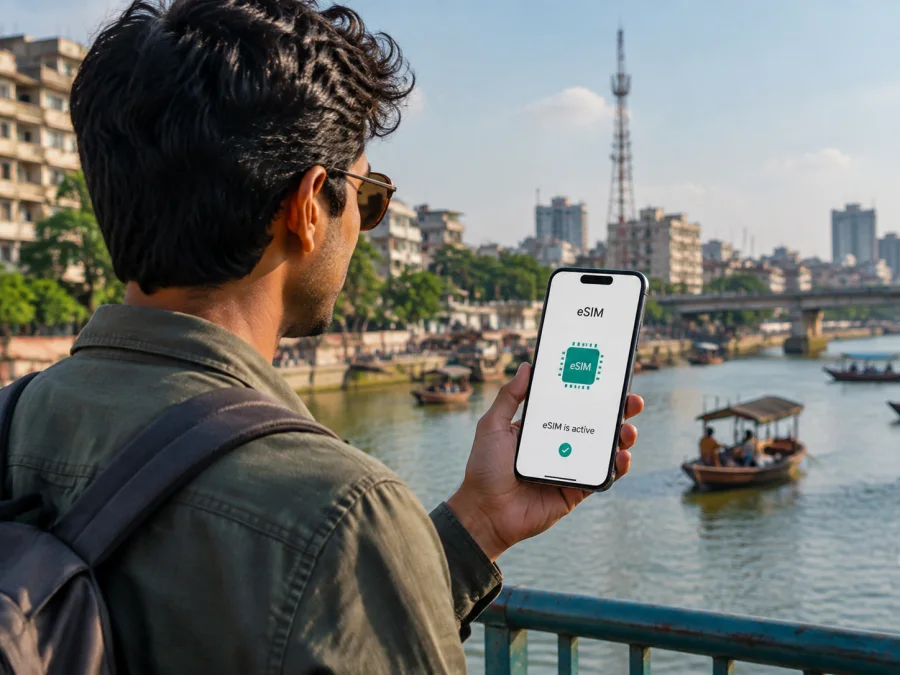
Banglalink eSIM in Bangladesh: activation, coverage and travel options
If you are planning a trip to Bangladesh and need mobile internet without a removable SIM card, eSIM is worth checking before departure. Banglalink is a nationwide digital operator in Bangladesh, and its public eSIM information describes a digital SIM for eligible handsets. The stated route uses Customer Care, identity verification, and a QR code.
Names and trademarks belong to their respective owners. Kaspersky eSIM Store is not affiliated with Banglalink and is not Banglalink’s official partner or distributor. It is mentioned as a separate travel option for preparing mobile internet. This article describes the market neutrally and does not represent Banglalink.
Banglalink in the Bangladesh market
Banglalink’s About Banglalink page, checked on 6 September 2026, describes the company as an innovative nationwide digital operator providing telecom and digital services in Bangladesh. It identifies Banglalink Digital Communications Ltd. as a fully owned subsidiary of VEON. For travelers, the key distinction is that Banglalink is a local operator with domestic registration and Customer Care procedures, not a travel-only connectivity service.
Banglalink’s public site presents prepaid and postpaid mobile services, mobile internet, roaming, and self-service tools. Its prepaid pages confirm local prepaid service, while the eSIM page and Apple Support’s current carrier list give more direct confirmation about eSIM. Conditions can differ by handset, visitor profile, and channel.
Is Banglalink eSIM available in Bangladesh?
Yes. Banglalink’s public eSIM page, checked on 6 September 2026, confirms that Banglalink offers eSIM and defines it as a digital SIM that provides cellular service without a physical SIM. The page says that eSIM-supported handsets are eligible in principle, while warning that eligibility can differ by country version and by official or unofficial device version. This matters if your phone was bought outside Bangladesh or is an imported model.
Apple Support’s carrier list, checked on 6 September 2026, lists Banglalink in the Bangladesh section for other eSIM activation methods, including QR-code or app-based activation. The same section lists Banglalink under prepaid eSIM activation for international travelers. This independent reference supports general eSIM and prepaid travel availability, but it does not replace Banglalink’s own check for a particular handset, document, or customer status.
The careful conclusion is that Banglalink eSIM is publicly documented and can be available for eligible customers and devices in Bangladesh. Confirm the current point of sale, visitor documents, registration conditions, and handset eligibility before relying on it. An unlocked phone is important, but it is not by itself a guarantee of activation.
Prepaid, roaming and tourist access
Banglalink’s eSIM information is presented alongside prepaid services, and its public pages confirm prepaid mobile service in Bangladesh. Apple’s current support list also records prepaid eSIM support for international travelers. This supports a general statement about access; this article does not reproduce any offer display or plan parameters.
Banglalink’s official roaming pages describe a separate service for customers who keep their Banglalink line while traveling outside Bangladesh. They advise checking destination availability, using a preferred partner where applicable, and ensuring the SIM supports 4G. This is different from getting a Banglalink eSIM as a local option in Bangladesh.
Tourist access should be confirmed directly with support. A visitor may be able to use a prepaid eSIM route, but local registration, biometric verification, document acceptance, and the sales channel still apply. Banglalink’s eSIM page says that purchase and activation take place at Banglalink Customer Care and mentions a passport or birth certificate for an eSIM request. Ask the chosen location to confirm current documents and procedure.
| Local Banglalink eSIM | Travel eSIM for Bangladesh |
|---|---|
| Issued through local Customer Care and registration. | Prepared online through a travel eSIM service. |
| May be associated with a local mobile line and account rules. | Generally designed for mobile data; a local number is not implied. |
| Uses Banglalink’s domestic service and local conditions. | Uses the travel service’s arrangements in Bangladesh. |
This is a reference to service models, not named plans or commercial conditions. Choose according to your documents.
How Banglalink eSIM activation works
Banglalink’s current activation description includes an in-person step:
1. Confirm the handset
Check the exact model number and sales region. Look in settings for Add eSIM, Add mobile plan, or Add cellular plan, and check the manufacturer’s documentation. Banglalink warns that country versions and unofficial versions of the same model may differ. Confirm that the phone is not locked to another operator.
2. Prepare internet access and documents
An internet connection should be enabled during activation. Bring the confirmed identity document and use Wi-Fi if possible, especially if you are visiting Customer Care after landing.
3. Complete Customer Care verification
Banglalink’s public eSIM page says to complete the purchase process and biometric verification at Banglalink Customer Care. It mentions a passport or birth certificate, but a traveler should ask which document, form, and registration details are accepted at the chosen location.
4. Scan the QR code
After Customer Care provides the QR code, open mobile-network settings, choose Add eSIM, scan the code, and follow the handset’s instructions. Menus differ by system and region.
5. Select the data line
If a physical SIM and eSIM are installed together, select the intended profile for mobile data and review mobile-data switching. Keep your home line available only if you understand its roaming conditions.
6. Allow time for registration
The phone may need several minutes to download the profile and register. Restart once if necessary, but do not repeatedly delete the profile or rescan codes. If there is still no service, ask Banglalink Customer Care to check activation.
Banglalink documents migration between a physical SIM and eSIM: for the same number, the physical SIM is deactivated when migration is completed. A factory reset can remove the profile and require a new QR code, while a device change may require creating the profile again. Ask support before making a change.
Device compatibility checklist
Before arranging local activation:
- Confirm the exact model, sales region, and software version.
- Look for an EID or Add eSIM option in mobile-network settings.
- Check that the handset is carrier-unlocked.
- Make sure Wi-Fi or another working connection is available.
- If you use dual SIM, decide which profile should handle mobile data.
- Ask Banglalink whether the specific device version is eligible.
The number of profiles that can be active at once depends on the model and software; do not infer it from another device in the same family.
<a id="kesim-device-compatibility"></a> For a travel eSIM prepared through Kaspersky eSIM Store, the same checks apply. Its compatibility flow asks you to confirm eSIM support before choosing a destination. You can check device compatibility during preparation. An unlocked device matters because an operator lock can prevent a travel profile from activating even when the phone contains eSIM hardware.
Coverage and supported technologies
Banglalink’s official site provides a 4G page with a coverage-checking function. Its roaming-coverage page, checked on 6 September 2026, uses 3G and 4G columns and advises customers to use a 4G SIM. VEON’s public announcement about Banglalink’s unified licence refers to 2G, 3G, and 4G standards.
These sources support a careful description: Banglalink operates in Bangladesh with 4G service and a licence history covering 2G, 3G, and 4G. A particular technology depends on the handset, site, spectrum, account, and current configuration. A coverage map is a planning aid, not a promise of identical service everywhere.
Buildings, terrain, congestion, handset bands, maintenance, and network mode can affect registration. Check coverage resources beyond major cities and keep directions offline.
Banglalink’s roaming guidance recommends checking the destination and, if automatic selection does not connect, selecting a preferred partner manually. For a local Banglalink eSIM in Bangladesh, let the profile register on the domestic network and verify that mobile data is assigned to it. If you use a separate travel eSIM, follow that service’s instructions instead of changing Banglalink settings blindly.
Banglalink eSIM or a travel eSIM?
A local Banglalink eSIM may suit you if you want a Bangladesh-based mobile line and can complete the operator’s identity and Customer Care process. It may also suit a longer stay.
A travel eSIM may be more convenient when you want to prepare online or keep your regular SIM installed. Kaspersky eSIM Store is an app and website that helps users choose, arrange, install, and activate an eSIM with a travel data plan. It is not a mobile operator, does not own Banglalink’s network, and does not provide Banglalink coverage. Its Bangladesh page says that related services are supplied by a technology partner and local telecommunications providers.
The Kaspersky eSIM Store workflow is digital: check compatibility, select Bangladesh, complete the order, and use the profile or confirmation email to install the eSIM. Its Help Center and installation guides, checked on 6 September 2026, confirm that the profile appears in the app and website and that a QR code is sent by email. Some phones require data roaming for that eSIM.
Local activation can involve identity checks and a Customer Care visit, while a travel eSIM can be prepared remotely. A travel eSIM is generally data-focused and should not be assumed to include a local number, ordinary calls, or SMS. Internet messengers can be used when online. Check the displayed conditions and match the destination to your handset.
Preparation plan for a Bangladesh trip
Before departure
- Decide whether you need a local Banglalink line or only travel data.
- Verify the phone model, regional version, eSIM support, and unlock status.
- Ask Banglalink Customer Care about visitor documents, or complete the travel eSIM compatibility check online.
- Back up the phone and label profiles clearly.
At arrival or during activation
- Keep Wi-Fi or another working connection until the new profile is active.
- Enable the intended eSIM and select it for mobile data.
- Turn off automatic data switching if the phone could fall back to the home line.
- If the service does not register, restart once, review mobile-data selection, and follow the relevant support instructions.
- Keep the QR code and activation record private.
During the trip, watch which profile is active after changing network settings and keep essential information offline.
Common mistakes
Check the handset version before requesting eSIM, and remember that profile installation is not the same as selecting mobile data. Avoid deleting the profile while troubleshooting: a factory reset can remove it and require a replacement QR code.
FAQ
Does Banglalink support eSIM in Bangladesh?
Yes. Banglalink’s current eSIM page documents eSIM, and Apple Support’s current Bangladesh list includes Banglalink for QR-code or app-based activation and prepaid eSIM use by international travelers. Eligibility still depends on the handset and registration.
Can a traveler activate Banglalink eSIM with a passport?
Banglalink’s eSIM page says that a passport or birth certificate can be used for an eSIM request and that activation and biometric verification take place at Customer Care. Confirm current visitor requirements with the chosen location.
Is a Kaspersky eSIM Store travel eSIM the same as Banglalink eSIM?
No. Banglalink eSIM is a local operator service subject to Banglalink’s registration and activation process. Kaspersky eSIM Store helps users choose, arrange, and activate a separate travel eSIM for mobile data. It is not a mobile operator or the owner of Banglalink’s network.
What should I do if the eSIM will not connect?
Check that the intended profile is enabled, mobile data is assigned to it, the device is unlocked, and the phone has a working connection for setup. Some devices require data roaming for a travel eSIM. For Banglalink, contact Customer Care; for Kaspersky eSIM Store, use support in the app or website. Do not delete an active profile until support advises you.
Final checklist
Before relying on mobile internet in Bangladesh, confirm that the phone is compatible and unlocked, your activation route is accepted, the correct profile is selected for data, and current coverage has been checked. Save essential information offline.
If you want a local Banglalink relationship, use Banglalink’s current Customer Care instructions and ask about the conditions for your handset and documents. If you prefer to prepare travel data online, choose an eSIM plan for Bangladesh through Kaspersky eSIM Store after checking compatibility. That service can help arrange and activate a travel eSIM, but it does not replace Banglalink, own a local network, or guarantee coverage in any particular location.


