
Travel connectivity guide
Bangui eSIM: mobile connection and internet guide
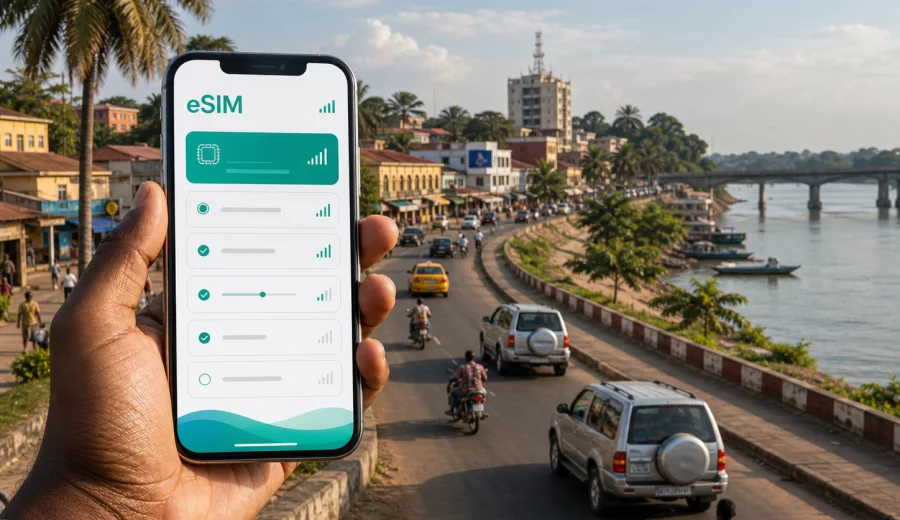
Bangui eSIM: mobile connection and internet for your trip
Bangui is the practical center of most trips to the Central African Republic. Flights, hotels, diplomatic visits, NGO work, business meetings, river crossings, and onward road journeys usually start or end in the capital. For many travelers, the first task after landing is getting online: confirming a driver, opening the hotel address, messaging colleagues, and keeping maps available.
An eSIM can make that first hour in Bangui easier because it lets you prepare mobile internet without looking for a physical SIM card after arrival. You choose a data plan for the destination, install the eSIM on a compatible device, and use mobile data for travel tasks such as navigation, messaging, email, ride coordination, and booking changes. Kaspersky eSIM Store is an app and website where you can choose, arrange, and activate an eSIM with a suitable data plan for an international trip.
This guide is focused on Bangui itself: arrival at Bangui M'Poko International Airport, movement between districts, hotel check-ins, business schedules, short stopovers, and trips that continue from the capital to other parts of the country.
Why mobile internet matters in Bangui
Bangui is a city where plans often depend on coordination. A driver may need your exact terminal exit, a meeting point may be described by a nearby landmark, and a hotel transfer may change if your flight is delayed. Having mobile data ready helps you avoid relying only on airport Wi-Fi, hotel lobby connections, or someone else's hotspot.
Common moments when mobile internet is useful in Bangui:
- after landing, when you need to message a driver or host;
- during the transfer from the airport to the city center;
- when checking a hotel address, gate, or security instructions;
- while moving between offices, embassies, compounds, and meeting venues;
- when sharing your live location with colleagues or family;
- during a stopover before a regional flight or road journey;
- when plans change and you need email, maps, or messaging quickly.
Bangui travel is often practical rather than casual. A predictable data setup is less about entertainment and more about reducing friction during the day.
Where eSIM helps during arrival
Most international arrivals use Bangui M'Poko International Airport. The airport is close to the city, but the first stage of the trip still benefits from being online. You may need to confirm baggage timing, find the right pickup contact, check a saved booking, or send a message that you have landed.
A prepared eSIM can be useful before you leave the terminal because it avoids a familiar arrival problem: your main SIM may have expensive roaming, your hotel Wi-Fi is not available yet, and buying a local physical SIM is not the task you want to solve while carrying luggage.
For a smoother arrival, prepare these items before your flight:
- your hotel name, address, and contact saved offline;
- the phone number or messaging contact of your driver or host;
- a screenshot of your booking and meeting instructions;
- offline map areas for Bangui and the airport route;
- an installed eSIM profile, ready to activate when the time is right;
- a backup way to contact your organization or travel coordinator.
If you install the eSIM before departure, keep your primary SIM active for calls or SMS only if you need it, and set mobile data to the eSIM profile when you are ready to use the travel data plan. Exact steps depend on the phone and the selected plan conditions.
City movement: airport, center, riverside, and work zones
Bangui sits along the Ubangi River, and many movements are arranged around practical corridors rather than tourist loops. Travelers may move between the airport area, central administrative zones, hotels, riverside roads, office compounds, and meeting locations. Mobile internet helps because routes, access points, and pickup instructions may change during the day.
Useful city scenarios include:
| Scenario in Bangui | Why data helps | Practical tip |
|---|---|---|
| Airport transfer | Contacting the driver and checking the route | Share your flight status and terminal exit before landing |
| Hotel check-in | Finding the address and sending arrival updates | Save the hotel address offline as a backup |
| Business meetings | Email, calendar updates, location sharing | Keep the meeting address in both map and text form |
| Riverside movement | Navigation near changing landmarks | Do not rely only on a single pin; confirm the nearest known point |
| Short stopover | Messaging, flight updates, booking changes | Choose a data amount that covers waiting time and transfers |
| Onward travel | Coordinating road or air departures | Download key documents before leaving stable Wi-Fi |
In Bangui, maps can help, but local confirmation still matters. Ask your hotel, host, or coordinator to confirm the safest and most suitable route for the day. Use mobile internet to support coordination, not to replace local judgment.
Choosing an eSIM data plan for Bangui
For a city article, the correct eSIM destination is the country where the city is located. Bangui is in the Central African Republic, so you should look for a plan that covers the Central African Republic, or a broader regional plan if that better matches your route and is available for your needs.
When comparing plan options, focus on four simple questions:
1. How many days will you spend in Bangui?
2. Will you stay mostly in the city, or travel onward from the capital?
3. Do you need data mainly for messaging and maps, or for calls, documents, and frequent hotspot use?
4. Does your phone support eSIM and allow the eSIM profile to use mobile data?
For a short stay in Bangui, light data use may be enough if you mostly need messaging, map checks, and email. For a work trip, choose more data because attachments, cloud documents, video calls, and hotspot use can consume a package quickly.
Use this quick estimate before choosing a plan:
| Use case | Typical data pressure | Planning note |
|---|---|---|
| Messaging and email without large files | Low | Suitable for short visits and stopovers |
| Maps, taxi coordination, hotel messages | Low to medium | Keep offline maps as a backup |
| Work email with attachments | Medium | Download large files on trusted Wi-Fi when possible |
| Video calls | High | Use carefully if your allowance is limited |
| Mobile hotspot for a laptop | High | Check whether hotspot use is allowed in the plan conditions |
| Photo and cloud backup | High | Pause automatic sync while using travel data |
Before you travel, open your phone settings and turn off automatic cloud backup, app updates, and large media downloads on mobile data. This matters in Bangui because you may want your data allowance for navigation, messaging, work, and transport coordination rather than background tasks.
When to activate your eSIM
Some travelers install an eSIM before leaving home and activate it after landing. Others wait until arrival. The right choice depends on the terms of the selected data plan, when the validity period starts, and whether you have a stable internet connection for installation.
The safest preparation pattern is:
1. Check that your phone supports eSIM and is not locked to one carrier.
2. Choose the destination and data plan before the trip.
3. Install the eSIM while you still have a reliable connection.
4. Keep the eSIM turned off until you are ready to use it, if the plan terms allow.
5. After arrival, select the eSIM for mobile data and follow the activation instructions.
If your route includes a late arrival in Bangui or a tight transfer, do as much setup as possible before the flight.
How Kaspersky eSIM Store fits into the trip
Kaspersky eSIM Store helps you choose, arrange, and activate an eSIM with a suitable data plan for mobile internet in an international trip. It is not a mobile network operator and does not replace the local network. The useful part for travelers is the preparation flow: select the destination, review the data amount and validity period, install the eSIM on a compatible device, and use the profile for mobile data according to the selected plan conditions.
If Bangui is your main destination, you can choose an eSIM data plan for the Central African Republic before the trip and keep the setup ready for arrival. That gives you time to review the plan details calmly instead of making connectivity decisions at the airport.
This is especially useful for evening arrivals, business travelers with a meeting soon after landing, and teams coordinating several arrivals on the same day. Always review the plan details before payment: destination coverage, data amount, validity period, price, activation rules, and any limitations that matter to your device or route.
Device compatibility before a Bangui trip
Not every phone supports eSIM. Some devices also have regional differences, carrier locks, or settings that prevent adding a new eSIM profile. Before buying a plan for Bangui, check your device and make sure it can use eSIM for mobile data.
Check these points:
- the phone model supports eSIM;
- the device is not locked to a single mobile carrier;
- the operating system is up to date enough for eSIM setup;
- you know which SIM line will be used for mobile data;
- data roaming can be enabled for the eSIM if the instructions require it;
- you have a stable internet connection during installation.
If you travel with two devices, decide which one should hold the eSIM. An eSIM profile may not be transferable after activation, depending on the profile and plan conditions. For a work trip, it is usually better to install it on the phone you will carry throughout the day, not on a backup device left in a hotel room.
Installation basics for Android and iOS
The installation process varies by device, but the general idea is simple: after choosing a plan, you add the eSIM profile to a compatible phone, then select it for mobile data when you want to use it. If you need a device-specific walkthrough, follow the Android installation guide or the iOS installation guide.
Before installing, make sure you have:
- a stable Wi-Fi or mobile connection;
- enough battery for setup;
- access to the email or account where the eSIM information is available;
- time to read the activation notes;
- a clear idea of which SIM line should handle calls, SMS, and data.
After installation, label the eSIM profile clearly, for example "Bangui data" or "CAR trip data". This helps avoid confusion if your phone has multiple SIM profiles. When you arrive, choose that profile for mobile data and keep your home SIM settings under control so you do not accidentally use expensive roaming.
What eSIM does and does not replace
An eSIM data plan is useful for mobile internet, but it does not automatically include a local phone number, voice calls, or SMS unless the selected plan clearly says so. Many travelers use internet-based calls and messaging apps over data instead.
This distinction matters in Bangui because some local arrangements may still use regular calls. If a hotel, driver, or office expects a voice call, confirm whether messaging apps are acceptable. Keep your primary SIM available for important banking or account verification SMS if you need those messages during the trip, and use the eSIM profile for maps, email, booking changes, and location sharing.
FAQ: eSIM for Bangui
Is Bangui the same as a country eSIM destination?
No. Bangui is the city, and the destination for the data plan is the Central African Republic. For a city trip, choose a plan that covers the country where the city is located, or a regional plan if it matches your route and is available.
Can I install the eSIM before flying to Bangui?
In many cases, yes. Installing before departure is often convenient because you have stable internet and time to check settings. Read the selected plan conditions to understand when validity starts and when you should activate mobile data.
Will eSIM work for regular phone calls in Bangui?
Do not assume that it will. eSIM data plans for travel are usually focused on mobile internet. Regular calls and SMS are included only if the plan terms say so. You can use messaging and internet calling apps over data where they are available and appropriate.
How much data should I choose for Bangui?
For a short stop, messaging and maps may need only a modest allowance. For work trips, hotspot use, video calls, or several days of movement around the city, choose more data. Check the validity period as well as the data amount.
Final checklist before you go
Before traveling to Bangui, make the connectivity setup part of your normal packing routine:
- confirm that your phone supports eSIM;
- check that the device is not carrier locked;
- choose a plan for the Central African Republic if Bangui is your destination;
- install the eSIM while you have a stable connection;
- save hotel, airport, and meeting details offline;
- disable automatic app updates and cloud backup on mobile data;
- carry a charger or power bank for long movement days;
- keep important contacts available outside messaging apps.
Bangui trips often depend on timing and coordination. Preparing mobile internet in advance helps you handle arrival, transport, meetings, hotel communication, and onward travel with fewer interruptions.
When your dates and route are clear, choose an eSIM data plan for your trip to Bangui through Kaspersky eSIM Store, review the plan conditions, install it on a compatible device, and keep your mobile connection ready for the first practical tasks after arrival.