
Travel connectivity guide
eSIM for Barbados: mobile internet guide
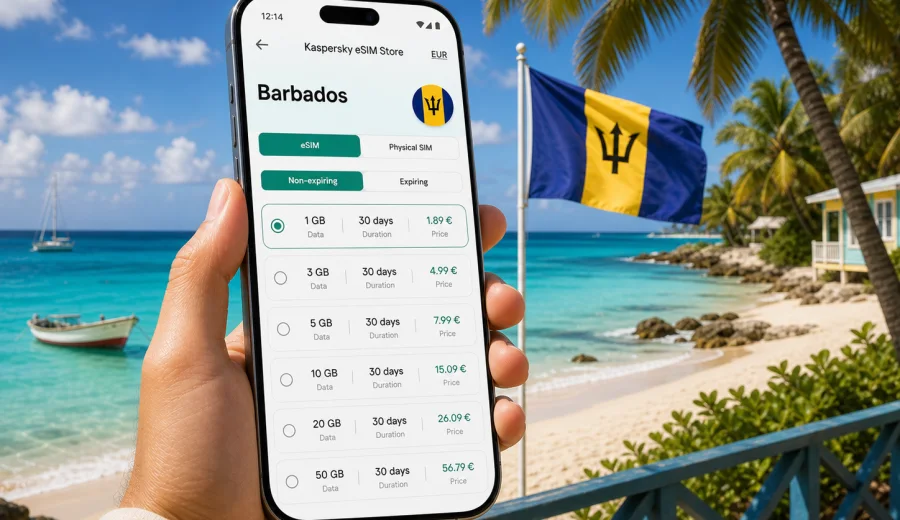
eSIM for Barbados: mobile connection and internet for your trip
Barbados is a compact island, but a trip there can include many online scenarios in one day: landing at Grantley Adams International Airport, ordering a transfer, checking into a hotel, finding a beach on the west coast, confirming a restaurant booking in Bridgetown, and sending photos before sunset. For most travelers, mobile internet is part of how the trip works.
An eSIM can help you prepare that connection before you start looking for a local SIM card. Instead of changing a physical SIM, you install a digital SIM profile on a compatible phone or tablet and use a selected data plan for your destination. For Barbados, this is useful if you want maps, messengers, ride apps, hotel emails, banking notifications, and travel documents to stay available from the first hours of the trip.
This guide explains how to use an eSIM for Barbados, choose a suitable data plan, and check the details before your trip.
Why mobile internet matters in Barbados
Barbados is easy to enjoy when you can move confidently between airport, hotel, beaches, restaurants, and day trips. A stable data connection helps with everyday travel tasks:
- opening booking confirmations at the airport or hotel reception;
- checking the route from the airport to the south or west coast;
- using maps around Bridgetown, Holetown, Speightstown, Oistins, Bathsheba, and the east coast;
- contacting hosts, drivers, tour operators, and family;
- receiving payment and banking notifications;
- translating menus, signs, and messages when needed;
- sharing photos without waiting for hotel Wi-Fi;
- checking weather before a sailing trip, beach day, or island drive.
Public Wi-Fi can help in hotels, cafes, and some public spaces, but it is not always available exactly when you need it. It may also require registration, may be slow during busy hours, or may not cover the moments between places. Mobile internet through an eSIM gives you a more predictable way to stay online while moving.
The main benefit is preparation. You can choose a data plan for Barbados before departure, install the eSIM on a compatible device, and know how much data and how many days are included in the selected plan.
What an eSIM does in a Barbados trip
An eSIM is a digital SIM profile built into many modern smartphones and some tablets. After installation and activation, it can be used for mobile data according to the conditions of the selected plan. In the context of international travel, it is usually used for internet access rather than for a local phone number.
For Barbados, an eSIM can be useful in these common situations:
| Travel moment | Why mobile data helps |
|---|---|
| Arrival | Open hotel details, contact a driver, check directions, and message family. |
| Beach days | Use maps, payments, messengers, and weather updates away from hotel Wi-Fi. |
| Island drives | Navigate between coastal areas, viewpoints, gardens, and restaurants. |
| Remote work | Keep email, chat, and document access available outside the hotel. |
| Family travel | Coordinate meeting points, transfers, and activity changes quickly. |
| Cruise or short visit | Avoid spending limited time searching for a physical SIM card. |
An eSIM does not automatically replace every mobile service. Many travel eSIM data plans focus on internet traffic and may not include a regular phone number, voice calls, or SMS unless this is clearly stated in the terms of a specific plan. For calls and messages, many travelers use internet-based apps through mobile data.
eSIM, roaming, local SIM, and Wi-Fi: what to compare
Before choosing how to stay online in Barbados, compare the practical trade-offs rather than only the headline price.
| Option | Strengths | Points to check |
|---|---|---|
| Travel eSIM | Can be prepared before the trip, no physical SIM swap, clear data and validity terms. | Device must support eSIM and be unlocked for eSIM use. |
| Home operator roaming | Uses your existing SIM and number. | Roaming prices and data limits can vary by operator and plan. |
| Local physical SIM | May suit longer stays or local calling needs. | Requires time, a shop or kiosk, and a physical SIM slot. |
| Public Wi-Fi | Useful in hotels and cafes. | Not always available while moving and may require extra caution. |
How much data you may need in Barbados
The right data amount depends on your travel style. Barbados is small, but high photo sharing, navigation, video calls, and remote work can still use data quickly. Use your expected habits as the starting point.
| Traveler profile | Typical online behavior | Practical data approach |
|---|---|---|
| Light user | Messaging, maps, email, restaurant searches, occasional photos. | Choose a modest data amount and use hotel Wi-Fi for updates and backups. |
| Standard traveler | Daily maps, social media, bookings, payments, ride apps, photo sharing. | Choose a medium data amount with enough validity for the whole stay. |
| Heavy user | Video calls, cloud work, frequent uploads, hotspot for another device. | Choose a larger data plan and monitor usage regularly. |
Video streaming, cloud backups, app updates, and automatic photo sync are the biggest data users. To make the plan last, download offline maps before travel and use Wi-Fi for large updates or uploads.
When to prepare your eSIM
The calmest time to prepare mobile internet for Barbados is before departure, while you still have reliable home internet and time to check settings. You do not need to leave every step until you land.
A practical timeline looks like this:
1. A few days before travel, check whether your device supports eSIM.
2. Confirm that your phone is not locked to a single mobile operator.
3. Choose a data plan for Barbados based on trip length and expected usage.
4. Install the eSIM while connected to stable Wi-Fi.
5. Keep your primary SIM settings unchanged unless you intentionally want to change them.
6. Activate or start using the eSIM according to the plan instructions.
7. After arrival, select the eSIM for mobile data and test maps or a webpage.
Plan conditions can differ, including when validity starts and whether activation should happen before or after arrival. Read the instructions for the selected plan before you travel.
Choosing a plan for Barbados in Kaspersky eSIM Store
Kaspersky eSIM Store is an app and website where you can choose, order, and activate an eSIM with a suitable data plan for mobile internet in an international trip.
For Barbados, start with four questions:
- How many days will you stay on the island?
- Will you mainly use maps and messengers, or also video calls and hotspot?
- Will you rely on hotel Wi-Fi for large downloads and uploads?
- Is Barbados your only destination, or part of a wider Caribbean route?
If Barbados is your main destination, choose a country plan that matches the stay. If your route includes other Caribbean islands, compare whether a regional option is more practical. Check data volume, validity, destination coverage, and usage notes before confirming.
When you are ready to prepare mobile internet for the island, you can choose an eSIM data plan for Barbados and review the available options for your trip length and usage style.
What to check before you buy
The most important eSIM checks happen before payment. They take a few minutes and can prevent most setup problems.
Device compatibility
Not every phone supports eSIM, and some devices have regional or operator restrictions. Before choosing a plan, check your device and confirm that it supports eSIM installation. Also check whether the device is locked to your home operator, because a locked device may not accept another mobile profile.
Good signs:
- your phone settings include an option to add an eSIM or cellular plan;
- your model is listed as eSIM-compatible for your market;
- the phone is not restricted to one operator;
- you have access to stable Wi-Fi during installation.
Plan conditions
Read the plan information carefully. Look for:
- data amount;
- validity period;
- destination coverage;
- whether the plan is data-only;
- when the validity period starts;
- whether top-up is available;
- whether hotspot use is allowed or limited;
- refund and support conditions.
Do not assume that every eSIM plan includes calls, SMS, unlimited data, or hotspot use. If something matters for your trip, check it in the specific plan details before you rely on it.
Your phone settings
If you use two SIM profiles at the same time, name them clearly. For example, keep your primary SIM for calls and messages, and use the Barbados eSIM for mobile data. Turn off data roaming on the line you do not want to use abroad if your phone settings require that.
How to install and activate an eSIM for Barbados
The exact screens differ between iOS and Android devices, but the basic sequence is similar.
1. Connect to a stable Wi-Fi network.
2. Open the eSIM details after choosing your Barbados plan.
3. Install the eSIM by following the on-screen steps or using the QR code from your confirmation email.
4. Give the eSIM a clear label, such as Barbados Data.
5. Keep your primary line for calls and messages if you need it.
6. Select the eSIM as the mobile data line when you are ready to use it.
7. Test the connection with a map or webpage after arrival.
For device-specific setup, use the Android installation instructions or the iOS installation instructions. Follow the steps for your exact device and do not delete the eSIM profile unless the instructions or support team tell you to do so, because reinstalling an already activated profile may not always be possible.
If the eSIM does not connect immediately after arrival, check the basics first: mobile data line selected, airplane mode off, data roaming setting for the eSIM profile, APN settings if provided, and available local signal.
Practical scenarios for Barbados
First day after landing
You land, switch off airplane mode, and need to message your hotel or driver. With an eSIM already installed, you can select it for mobile data and test the connection before leaving the terminal. This is useful if your accommodation is outside Bridgetown or if your arrival time is late.
Beach and coast hopping
Barbados trips often involve moving between different beaches and coastal areas. Mobile data helps with maps, taxi messages, opening saved locations, checking restaurant hours, and sharing your location with travel companions. Use Wi-Fi for large uploads later if you want to save data.
Driving across the island
If you rent a car, download offline maps before the trip and use mobile data for live traffic, route changes, and quick searches. The island is manageable, but road names, roundabouts, and small roads can still make real-time navigation helpful.
A quick data-saving checklist
Use this checklist if you want your Barbados data plan to last longer:
- download offline maps before departure;
- update apps at home or on hotel Wi-Fi;
- turn off automatic cloud photo backup on mobile data;
- reduce video quality in streaming apps;
- use Wi-Fi for large files and system updates;
- check which apps are allowed to use mobile data;
- monitor data usage in your phone settings;
- avoid using hotspot for laptops unless your plan and data amount are suitable.
FAQ about eSIM and internet in Barbados
Can I install the eSIM before I travel to Barbados?
In many cases, yes. You can usually install the eSIM while connected to stable Wi-Fi before departure, then use it according to the activation rules of the selected plan. Always check when validity starts for your specific plan.
Does a travel eSIM give me a Barbados phone number?
Many travel eSIM plans are focused on mobile data and do not include a regular phone number, voice calls, or SMS unless this is clearly stated in the plan terms. You can usually use internet-based calling and messaging apps over mobile data.
Can I keep my usual SIM active?
On many dual-SIM devices, yes. You can keep your primary SIM for calls or important messages and use the Barbados eSIM for mobile data. Check settings to avoid roaming data on the wrong line.
Is eSIM always cheaper than roaming?
Not always. Prices depend on your home operator, roaming package, travel length, data needs, and the selected eSIM plan. The advantage of an eSIM is that you can see the data amount, validity period, and price before you choose.
What if my eSIM does not connect in Barbados?
Check that the eSIM is selected for mobile data, airplane mode is off, the device has signal, and any required roaming or APN settings are correct. Restarting the device can also help. If the issue continues, contact support with your device model and plan details.
Final preparation before your trip
Before you fly to Barbados, make mobile internet part of the same checklist as passport, insurance, hotel booking, and payment cards. Confirm that your phone supports eSIM, choose a data amount that fits your travel style, install the profile on stable Wi-Fi, and save the setup instructions where you can open them offline.
Kaspersky eSIM Store helps you prepare this part of the trip through an app and website where you can choose, order, and activate an eSIM with a suitable data plan for mobile internet abroad.
To finish the setup, choose an eSIM data plan for your trip to Barbados and check the data amount, validity period, and installation steps before departure.