
Travel connectivity guide
Barcelona eSIM: Mobile Internet for Your Trip
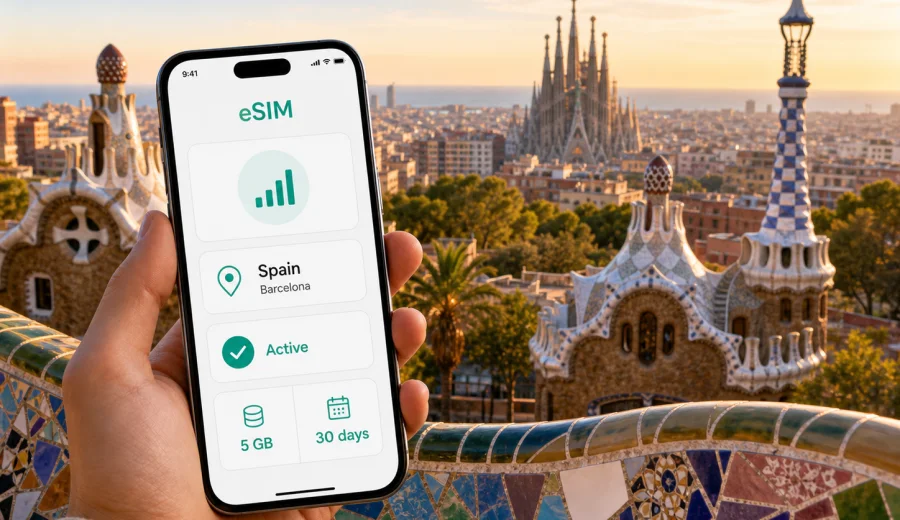
Barcelona eSIM: mobile connection and internet for a trip to the city
Barcelona is an easy city to love and a practical city to plan carefully. You may land at Josep Tarradellas Barcelona-El Prat Airport, take the Aerobus or metro toward the center, check in near Eixample, meet friends in Gracia, walk through the Gothic Quarter, and still need maps, tickets, reservations, translation, ride-hailing, banking alerts, and messaging in the same day. A stable mobile connection is not a luxury here; it is part of how you move through the city without losing time.
An eSIM is useful for Barcelona because it lets you prepare mobile internet before the trip or shortly after arrival, without looking for a physical SIM card shop. With Kaspersky eSIM Store, you can choose, arrange, install, and activate an eSIM with a suitable data plan for mobile internet during an international trip. It is a practical option for visitors who want data for navigation, transport apps, hotel check-in messages, restaurant bookings, and day trips from the city.
This guide focuses on Barcelona itself: airport arrival, local transport, neighborhoods, hotels, business travel, stopovers, beach days, football weekends, conferences, and routes to nearby places in Spain. Spain is the destination for the plan, but the mobile internet scenarios below are centered on how people actually use data in Barcelona.
Why mobile internet matters in Barcelona
Barcelona rewards spontaneous movement. You might start with Sagrada Familia, continue to Passeig de Gracia, cross into El Born for lunch, and then decide whether to take the metro to Barceloneta or a bus toward Park Guell. That flexibility depends on having internet access when you need it.
Mobile data is especially helpful in Barcelona for:
- checking live metro, bus, tram, and train routes;
- opening digital tickets and museum reservations;
- navigating small streets in the Gothic Quarter and El Raval;
- messaging hotels or apartment hosts about arrival time;
- translating menus, signs, and service messages;
- booking restaurants, taxis, or shared rides;
- using maps for walking routes with hills, steps, or limited-access streets;
- comparing beach, shopping, and museum plans in real time;
- keeping work apps available during a conference or business trip.
Public Wi-Fi can help in hotels, cafes, and some public areas, but it is not a complete travel plan. You may need internet while walking from a station to your hotel, while finding a night bus, or while meeting someone outside a busy venue. An eSIM helps reduce dependence on public Wi-Fi and offline counters.
Arrival at Barcelona-El Prat Airport
Barcelona-El Prat Airport is close to the city, but the first hour after landing can be busy. You may need to check your accommodation address, choose between Aerobus, metro line L9 Sud, train, taxi, or a transfer, and message someone waiting in the city. Mobile internet can be useful before you even leave the terminal.
Common arrival tasks include:
| Arrival moment | Why data helps |
|---|---|
| Passport control and baggage wait | Message your hotel, confirm check-in time, check transport options. |
| Terminal exit | Compare Aerobus, metro, train, taxi, or transfer timing. |
| First ride into the city | Follow the route and know where to get off. |
| Hotel or apartment approach | Use walking navigation through unfamiliar streets. |
| Late arrival | Check night transport, reception hours, and access codes. |
If your phone supports eSIM, you can install the eSIM profile before travel and activate it according to the plan conditions. Some travelers prefer to complete installation at home using stable Wi-Fi, then switch on the eSIM after landing. Others install after arrival using airport Wi-Fi. The better option depends on your device, your itinerary, and the rules of the selected plan.
How much data do you need for Barcelona?
The right data amount depends less on the city and more on your behavior. A traveler who uses maps, chat, tickets, and occasional searches may need far less than someone uploading videos, joining video calls, or using a laptop hotspot.
Use this practical estimate:
| Trip style | Typical data use | What to consider |
|---|---|---|
| Stopover or 1-2 days | Low to moderate | Maps, messaging, tickets, rides, quick searches. |
| Long weekend | Moderate | Navigation, restaurants, museum bookings, photos, messaging. |
| One week in Barcelona | Moderate to high | Daily maps, social apps, work messages, streaming on the go. |
| Business trip | Variable | Email is light; video meetings and file sharing are not. |
| Family trip | Higher | Several devices may need data, but tethering depends on plan conditions. |
Download offline maps, save hotel addresses, and keep digital tickets available before you leave Wi-Fi. Even with an eSIM, this makes the trip smoother and helps you avoid wasting mobile data on files you could prepare earlier.
Barcelona neighborhoods and data use
Barcelona is compact, but each area creates different mobile internet needs.
Eixample is convenient for hotels, restaurants, shopping, and access to several metro lines. You will likely use maps often because the grid is simple but the blocks are large. If you are staying near Passeig de Gracia or Diagonal, mobile data helps with route changes between metro, bus, and walking.
The Gothic Quarter, El Born, and El Raval are better explored on foot. Streets can be narrow, turns can be frequent, and GPS may feel less precise between dense buildings. Mobile internet still helps because you can keep checking the broader direction, find entrances, and adjust walking routes.
Gracia feels local and lively, with plazas, cafes, and access toward Park Guell. The area can involve uphill walking, so route planning matters. Mobile data helps you decide when a bus is more practical than walking.
Barceloneta and the waterfront are simple for leisure, but useful data scenarios include checking beach conditions, locating restaurants away from the most crowded streets, finding public transport back to the hotel, and messaging friends in crowded areas.
Montjuic, Poble-sec, and the Fira areas can require more planning. You may use metro, funicular, buses, escalators, or taxis depending on where you are going. For conferences and evening events, internet access helps with schedules, badges, maps, and last-minute changes.
Transport in Barcelona: when eSIM helps most
Barcelona has a strong public transport system, but visitors often combine several modes in one day. Mobile internet helps you see the fastest current option instead of relying on one fixed plan.
Practical transport scenarios:
- Airport to city center: compare Aerobus, metro, train, taxi, and transfer options.
- Metro connections: check lines and platform changes before entering a station.
- Bus routes: useful for places not directly served by metro, including hills and beach areas.
- Regional trains: plan trips to Montserrat, Sitges, Girona, Tarragona, or the Costa Brava connections.
- Taxis and ride-hailing: confirm pickup points and share your live location when needed.
- Walking routes: avoid unnecessary climbs, closed streets, or confusing old-town turns.
For a short city break, it is easy to underestimate how many times you will open maps. Barcelona is walkable, but the best route is not always obvious: a 20-minute walk may be enjoyable in Eixample and tiring near Park Guell or Montjuic. Data lets you make that decision on the spot.
Preparing your phone before the trip
Before you choose an eSIM plan, check three things: your device must support eSIM, it should not be locked to a single carrier, and you should understand how your phone handles dual SIM settings.
Use this checklist before traveling to Barcelona:
- Confirm that your smartphone or tablet supports eSIM.
- Make sure the device is not carrier-locked.
- Update your operating system if an update is pending.
- Save your usual SIM for calls and messages if you need your home number.
- Decide which SIM will use mobile data after arrival.
- Download important documents, hotel details, and tickets in advance.
- Read the selected eSIM plan conditions, including data amount, validity period, and activation rules.
If you are unsure whether your phone can use eSIM, check your device before choosing a plan. This is especially important for older devices, phones bought through carrier contracts, and models that may have different eSIM support by region.
Choosing an eSIM data plan for Barcelona
For a city article, the correct destination is Spain, because Barcelona is in Spain and a country plan is the relevant travel context. A good plan should match the length of your stay, expected data use, and whether you will also travel beyond Barcelona.
For many visitors, the simplest approach is to choose a Spain plan before departure, install the eSIM profile while on a reliable Wi-Fi connection, and keep the activation instructions available. Kaspersky eSIM Store helps you quickly choose, arrange, and activate an eSIM with a suitable data plan for mobile internet while traveling abroad. You can prepare an eSIM data plan for Spain before your Barcelona trip and then use it for city navigation, transport, messages, and online services according to the selected plan conditions.
When comparing plans, look at:
- data allowance, such as 1 GB, 3 GB, 5 GB, 10 GB, or more;
- validity period, such as several days or a month;
- whether the plan is for Spain only or a wider region;
- the moment when validity starts;
- whether tethering is allowed under the plan conditions;
- whether top-up or a new plan is available if you need more data.
Avoid choosing only by the lowest price. A plan that is too small can interrupt your route planning at an inconvenient time. A plan that is too large may be unnecessary for a short stopover. Choose based on your actual Barcelona itinerary.
Installation and activation basics
An eSIM is a digital SIM profile. In most cases, you install it through your phone settings, often by scanning a QR code or following an in-app process. The exact steps depend on your device and operating system.
For setup, use the relevant guide: Android installation instructions or iOS installation instructions. Read the steps before you travel if you want to avoid doing everything in the arrivals hall.
Basic sequence:
1. Check device compatibility and carrier lock status.
2. Choose the Spain destination and a suitable data plan.
3. Complete the order and keep the setup details available.
4. Install the eSIM profile on your device.
5. Set the eSIM as the line for mobile data when you are ready.
6. Turn on data roaming for the eSIM if the instructions or device settings require it.
7. Keep your primary SIM active only for calls or messages if you need it.
An eSIM data plan is mainly for mobile internet. It usually does not include a local phone number, voice calls, or SMS unless the selected plan states otherwise. For calls and messages in Barcelona, many travelers use internet-based messaging apps.
Practical Barcelona scenarios
Different visitors use mobile internet in different ways. The examples below show where an eSIM can make the city easier to manage.
Weekend traveler
You arrive on Friday evening, go to a hotel in Eixample, visit Sagrada Familia and Park Guell on Saturday, and spend Sunday near the beach or the Gothic Quarter. Your main data needs are maps, ticket times, restaurant searches, translation, and messages. A moderate data plan may be enough if you use hotel Wi-Fi for large downloads and video.
Business visitor
You attend meetings near Diagonal, 22@, Fira de Barcelona, or a hotel conference venue. You may need email, calendar updates, messaging, taxi apps, and document access. If you expect video calls, cloud file transfers, or laptop tethering, choose more data and check whether hotspot use is allowed under the plan conditions.
Family trip
Families often use more data than expected: maps on one phone, messaging on another, ticket screenshots, ride details, restaurant searches, and children streaming while waiting. Decide in advance which device will be the main navigation phone and which tasks can stay on hotel Wi-Fi.
Cruise passenger or short stop
Barcelona is a major cruise city. If you have only a day, mobile data helps you move efficiently between the port, Gothic Quarter, Passeig de Gracia, Sagrada Familia, and back. For a short stop, the priority is reliable navigation and messaging, not large downloads.
Football or event weekend
Large events can change transport timing and crowd movement. Keep tickets downloaded, but also keep mobile data ready for gate information, meeting points, taxi pickup zones, and route changes after the event.
Day trips from Barcelona
If your trip includes places outside the city, choose a plan that matches the whole Spain route, not only Barcelona. Common day trips include Montserrat, Sitges, Girona, Tarragona, Figueres, and beach towns along the coast. Mobile internet helps with train times, return options, translation, and walking routes after you leave the station.
For day trips, prepare:
- offline copies of tickets or booking confirmations;
- the final return train or bus options;
- a backup route if you miss a connection;
- enough battery for navigation outside the city;
- a power bank if you use maps and photos heavily.
Regional travel can use more data than expected because you may search routes repeatedly, check delays, and use maps in unfamiliar towns. A Spain eSIM plan is often more practical than trying to solve connectivity separately for each stop.
Data-saving tips for Barcelona
You can make a data plan last longer without making the trip inconvenient. Download offline maps for Barcelona and nearby day-trip areas, save your hotel address, keep ticket PDFs available offline, and limit app updates and cloud photo backup to Wi-Fi. Use mobile data for live navigation, transport changes, messages, translation, payment confirmations, and urgent work notifications.
Battery matters too. Navigation, photos, brightness, and mobile data can drain a phone during a long sightseeing day. Carry a compact power bank if your itinerary includes Park Guell, Montjuic, beach time, and evening plans without returning to the hotel.
Quick planning table
| Barcelona plan | Mobile internet priority | Suggested preparation |
|---|---|---|
| First-time sightseeing | Maps, tickets, translation | Install eSIM before travel and save reservations. |
| Business trip | Email, calendar, taxis | Choose enough data for work apps. |
| Cruise stop | Fast navigation and return route | Keep mobile data active all day. |
| Day trips | Train times and maps | Choose a Spain plan for the wider route. |
FAQ: eSIM for Barcelona
Is an eSIM useful for a short trip to Barcelona?
Yes, especially if you need maps, transport information, digital tickets, messaging, and taxi or ride apps from arrival to departure. Even a short trip can involve many small online tasks.
Should I choose a city plan or a Spain plan?
For Barcelona, choose the relevant Spain destination plan if that is how the available options are organized. Barcelona is the city focus of your trip, but the mobile data plan is connected to the country destination.
Can I install the eSIM before I fly?
In many cases, yes. Installing before travel can be convenient because you can use stable Wi-Fi and avoid setup stress at the airport. Check the selected plan conditions so you understand when validity starts.
Does eSIM include calls and SMS?
Usually, travel eSIM plans are focused on mobile internet. Voice calls, SMS, and a local phone number are not included unless the selected plan says otherwise. You can use messaging and calling apps over mobile data.
Can I use eSIM for trips from Barcelona to other Spanish cities?
If the selected plan covers Spain, it can be useful for routes from Barcelona to places such as Girona, Tarragona, Sitges, Montserrat, or Madrid. Always check the coverage destination and plan conditions before purchase.
What if I need more data?
Check whether the service allows a top-up or whether you need to choose another plan. If you expect heavy use, choose a larger data allowance before the trip.
Final checklist before you leave
Before traveling to Barcelona, make sure you have:
- a compatible, unlocked eSIM device;
- the Spain eSIM plan selected for your expected data use;
- installation details saved where you can access them;
- hotel address and airport route downloaded;
- tickets and booking confirmations saved offline;
- mobile data settings understood for your primary SIM and eSIM;
- a plan for battery backup during long days.
Barcelona is easier when your phone is ready before the first route decision. You can arrive, choose transport, find your hotel, move between neighborhoods, and keep trip details available without relying on a physical SIM counter or uncertain public Wi-Fi. To prepare mobile internet for your city break, business visit, cruise stop, or longer Spain route, choose an eSIM data plan for Spain through Kaspersky eSIM Store before your Barcelona trip.