Travel connectivity guide
Barka eSIM: Mobile Internet for Your Oman Trip
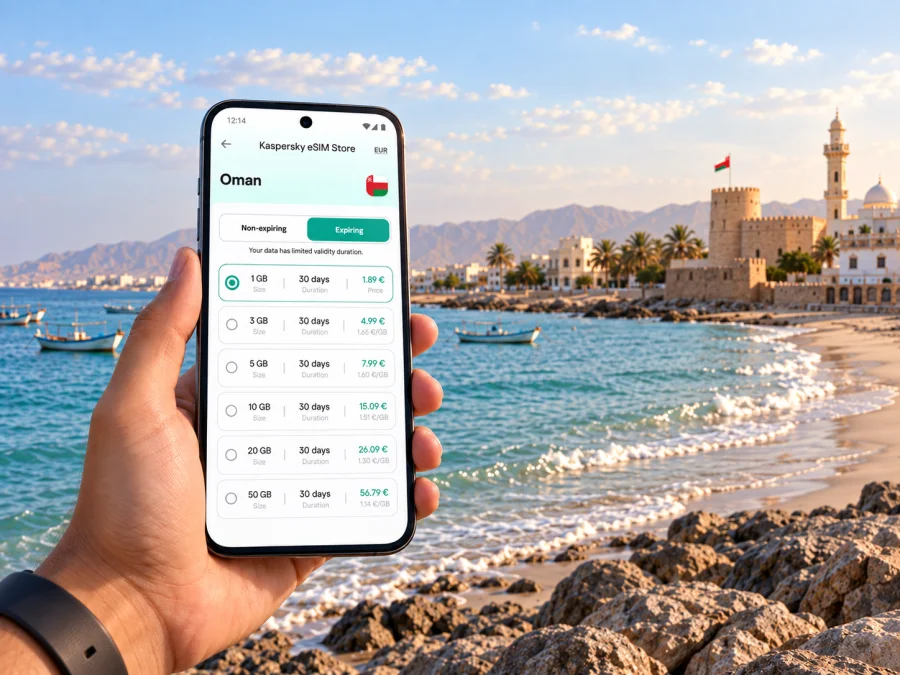
Barka eSIM: mobile connection and internet for your visit
Barka is a coastal town in Oman where a day can move between the seafront, local markets, a heritage stop and a drive along the Al Batinah coast. Having mobile internet on your phone makes those transitions easier to manage: you can check a route before leaving, confirm a meeting point, message your host and adjust plans if the day changes. An eSIM can be a practical way to prepare data for the trip without swapping out your usual physical SIM.
This guide focuses on using mobile data around Barka: arriving from Muscat, getting between town and the coast, choosing a place to stay, and planning onward journeys. Coverage and speed depend on the local network, your location, device and plan, so treat mobile data as a useful travel tool rather than a guarantee in every spot. Save key addresses and directions before setting out, especially if your route leaves the built-up area.
Why mobile internet helps in Barka
Barka is not laid out like a compact city centre where every stop is a short walk from the next. Visitors may stay near the coast, head into town for services, and use a car or taxi for separate stops. That makes a phone useful for more than turn-by-turn directions. It can hold hotel details, help you share a pin with a driver, translate a sign or menu, and keep a work call or message within reach as you move between places.
A practical use map
| Moment in the trip | What your phone can help with | Useful preparation |
|---|---|---|
| Before leaving Muscat | Check the route and confirm your destination | Save the hotel address and a map area offline |
| At the accommodation | Message the host and review tomorrow’s stops | Keep booking details available without relying on email |
| Around town | Find a meeting point or compare nearby places | Use a precise pin when a street name is unfamiliar |
| At the coast | Coordinate with others and check your return plan | Agree on a landmark as a fallback meeting point |
| On an onward drive | Follow the route and check the next stop | Download maps and keep the phone charged |
The table is a planning aid, not a promise of uninterrupted service. A mapped route can remain useful when the signal changes, and an offline map gives you a fallback for basic orientation. Before driving, set the route while parked; do not handle the phone while the vehicle is moving.
Arriving from Muscat and finding your bearings
Many visitors reach Barka from Muscat, including travellers arriving through Muscat International Airport. The route is a road journey, so plan the transfer around your arrival time, luggage and onward schedule. A navigation app can help you follow the general direction, but the final approach to a hotel, guesthouse or private address may require a phone call or message. Ask your accommodation for a location pin and any arrival instructions before you set off.
If you are collecting a rental car, save the pickup details and confirm the meeting point with anyone collecting you. Keep essential information in a note or screenshot in case connectivity changes during the drive. “Near Barka” can mean different points along the shore or inland, so ask your accommodation for a precise pin, entrance details and the best approach road before setting off.
Moving between the town, coast and places to stay
Group stops by area to avoid crossing back and forth between the coast and town. Confirm each destination pin and travel time; an attraction, beach access point and hotel may not share an entrance. A private car offers flexibility, while a taxi or transfer arranged by your accommodation can suit a direct journey. Availability varies, so agree on the destination and booking terms beforehand. Share a precise pickup pin with your driver.
Walking may suit short visits when the route, weather and pedestrian access are comfortable. Do not assume a place is an easy walk just because it looks close on a map; check the route, crossings and shade.
Choose the right navigation method
| Situation | A useful approach |
|---|---|
| A known hotel-to-town trip | Set the destination before leaving and confirm the arrival entrance |
| A meeting at an unfamiliar address | Ask the host for a pin and a nearby recognisable landmark |
| Several stops in one day | Put them in a sensible order and save each location in advance |
| A beach or coastal outing | Confirm the access point and agree where to meet on the return |
| A drive outside the built-up area | Download the relevant map and check fuel and timing before departure |
Navigation apps are aids, not substitutes for local judgement. If a suggested turn looks unsuitable or an entrance is closed, stop safely and reassess the route. A data connection can update directions, but it cannot verify every road condition or private access arrangement.
When you have the route and travel style in mind, you can compare eSIM options for Oman and choose a data plan that fits the length of your Barka visit. Kaspersky eSIM Store is an app and website that helps travellers select, arrange and activate an eSIM with a suitable plan for mobile data abroad. Review the plan’s destination, data allowance, validity and activation conditions before completing your choice.
Making a visit to Barka Fort and the old town easier
Barka Fort is one of the town’s best-known heritage landmarks, close to the coast. It gives visitors a reason to combine a cultural stop with time by the waterfront or a visit to nearby local businesses. Opening arrangements can change, so check current access information with a local host or the relevant venue before building a tight schedule around a visit. Keep some flexibility in the day in case you arrive outside visiting hours.
Use your phone to save the fort’s location and the meeting point for your driver. If you plan to browse nearby streets or stop for refreshments, consider downloading a map area first. Names and transliterations may differ across apps, so a map pin is often clearer than a spelling alone. If you are travelling with others, share the pin in advance and agree on a time and place to regroup.
Staying connected at hotels and resorts
Accommodation in and around Barka ranges from stays in town to properties closer to the shore. Before booking or travelling, confirm the exact location, check-in method and whether the property has a reception desk or needs you to coordinate arrival by message. If you are staying outside the centre, ask how guests normally reach shops, restaurants and planned activities. A map pin plus a written address makes it easier to arrange a pickup or explain your destination.
Use accommodation Wi-Fi for larger downloads and backups, and mobile data for directions and messages while out. For remote work, test the connection before a meeting and download key files in advance; video calls and cloud syncing can use data quickly. Check your phone’s data-line settings so the intended SIM handles mobile data.
Choosing an eSIM plan for a Barka itinerary
An eSIM is a digital SIM profile that can be installed on a compatible device. It lets you add a travel data plan without removing your main physical SIM. For a trip centred on Barka, select the destination and check that the plan applies in Oman; a city name may not appear as a separate destination because plans are usually organised by country or region. Then compare the included data, validity period, price and any activation notes shown with the plan.
A simple estimate can prevent overbuying or running short. Think about how many days you will be away, how often you use navigation, whether you upload photos, and whether you expect to stream or join video calls. Navigation and messaging generally require less data than regular video use, but actual consumption varies by app and settings. Turn off automatic app updates over mobile data and limit cloud photo backups if you want your allowance to last longer.
| Travel pattern | Likely data habits | Before choosing |
|---|---|---|
| Short stop in Barka | Maps, messages, booking details | Count the hours or days you will need data, including the drive in and out |
| Leisure stay | Navigation, searches, photos and messaging | Consider how often you upload and whether accommodation Wi-Fi will cover backups |
| Business visit | Email, documents, maps and possible calls | Estimate meeting use and download key files before leaving Wi-Fi |
| Road trip based in Barka | Maps, messages and research between stops | Plan for the whole route, not only time spent in town |
A travel data plan may not include a local phone number, standard voice calls or SMS unless the plan details explicitly say otherwise. Keep your usual number available if you need it for calls or verification, and use internet-based messaging where appropriate. Check your device settings so that calls and mobile data use the lines you intend.
Prepare and install your eSIM before the drive
If your device supports eSIM, set it up while you have a stable internet connection and enough time to follow the instructions. Read the plan conditions first: some profiles are intended to be installed once, and activation or validity may follow specific rules. Do not delete an eSIM profile while troubleshooting unless the instructions tell you to do so; you may not be able to reinstall it yourself.
- Confirm that your phone is unlocked and supports eSIM. You can check your device before selecting a plan.
- Choose an Oman plan that fits your expected data use and travel dates.
- Follow the setup steps for Android or iOS, depending on your device.
- Label the new line clearly, such as “Oman travel,” so you can identify it later.
- Review which line is selected for mobile data and whether data roaming must be enabled for that eSIM according to its instructions.
- When you reach Oman, enable the travel line as directed by the plan and check that mobile data works before beginning a long drive.
Menus differ by phone model and software version, so follow the on-screen wording on your device. You can install the profile before departure and leave the travel line turned off until you need it, if the plan’s conditions allow that. Keep the QR code or setup details available on another screen or printed securely if the installation flow requires scanning it with the phone.
Before you leave your accommodation
- Confirm the travel eSIM is selected for data if you intend to use it.
- Check that your usual SIM is configured for calls and messages as needed.
- Turn off mobile-data use for apps that can wait until Wi-Fi.
- Save the day’s destinations and the return location.
- Bring a charging cable or power bank for long outings.
- Keep your accommodation address and contact details available offline.
Planning day trips from Barka
Barka can be a base for coastal and inland outings, but driving time deserves space in the itinerary. Choose a realistic number of stops, check current opening arrangements and leave room for meals and rest. Save destinations in order, download maps where possible and keep the return route available offline. A connection can help with changes, but do not rely on live search as your only way to find a stop.
Common questions about mobile data in Barka
Will an eSIM work everywhere in Barka?
No plan can promise service in every building, road or coastal location. Availability and speed depend on the network, device, local conditions and plan. Check the plan details and keep offline maps as a backup.
Do I need a separate Barka eSIM?
Look for an Oman destination or a regional plan that includes Oman. Confirm the destination in the plan details, especially if you will travel beyond Barka.
Can I keep my regular number active?
Many compatible phones can use a travel eSIM alongside a physical SIM, but options vary by device. Choose which line handles mobile data and check possible roaming charges with your usual provider.
Does a data eSIM include calls and SMS?
Not unless the plan says so. Internet-based messaging may work over data; keep another way to reach your accommodation or travel companion for important calls.
What if the connection drops on the road?
Stop safely before checking your phone. Use a saved map and route, then ask your driver or local contact for help if needed. Save destinations before setting out.
When should I install the eSIM?
Setting it up before departure gives you time to follow the steps over a stable connection. Activation timing depends on the plan, so follow its conditions rather than assuming when validity begins.
Get ready for your trip to Barka
Choose a data allowance around the way you plan to travel: maps and messages for a short stop, or additional capacity for remote work, photo sharing and road trips. Review the destination, validity and activation terms, then install the eSIM on a compatible device using the instructions for your operating system. Kaspersky eSIM Store lets you choose, arrange and activate an eSIM plan for mobile data during an international trip.
When you are ready, choose an eSIM plan for your trip to Oman and prepare your phone before setting off for Barka. Keep your accommodation pin, route and essential contacts accessible offline so that your visit remains easy to manage even when connectivity varies.


