Travel connectivity guide
Barrigada eSIM: Mobile Internet Guide
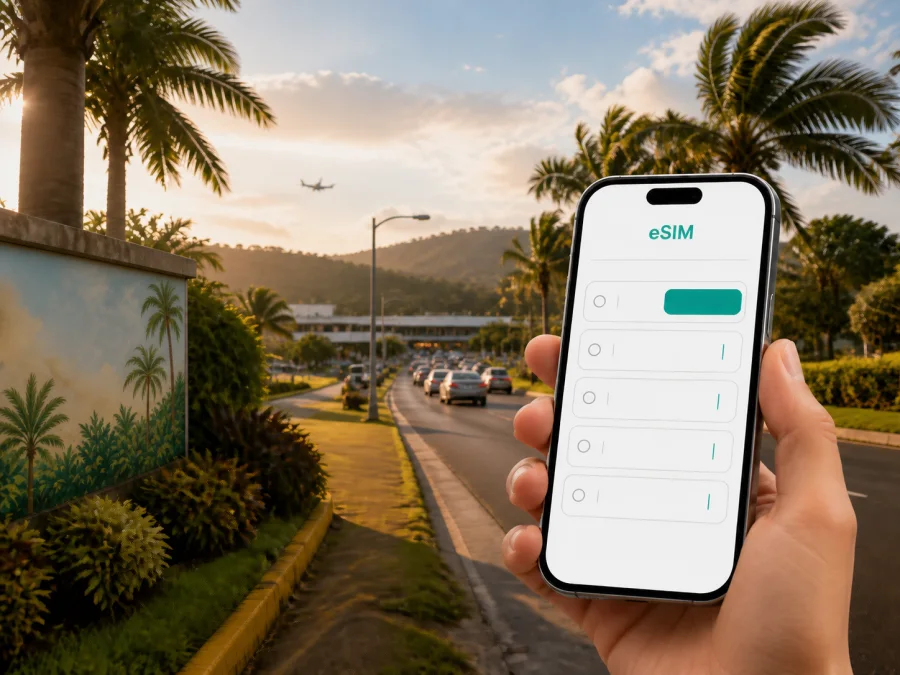
Barrigada eSIM: a practical guide to mobile connection and internet access
Arriving in Barrigada, Guam, is often the beginning of a wider island itinerary. The village is home to Antonio B. Won Pat International Airport and is a useful starting point for travelers heading to a hotel in Tumon or Tamuning, a meeting in Hagåtña, or a road trip toward other villages. Mobile internet helps with the small tasks that shape those first hours: checking a transfer message, opening a map, confirming a reservation, or telling a hotel that your arrival time has changed.
An eSIM, or digital SIM, can prepare mobile data for a trip without a physical SIM card. Kaspersky eSIM Store is an app and website that helps you choose, arrange, and activate an eSIM with a suitable plan for mobile internet during an overseas trip. It is primarily a data solution: a regular phone number, voice calls, and SMS are not automatically included unless the chosen plan says otherwise.
Why mobile data matters in Barrigada
Barrigada is not a small resort zone where every useful stop is within a short walk. The airport, homes, roads, offices, shops, and accommodation areas connect to the rest of Guam by road. A traveler may land in Barrigada, pick up a car, drive to Tumon, return for an appointment, and continue south on the same day. A prepared data line keeps the itinerary usable between Wi-Fi locations.
You may use mobile internet to:
- follow a route from the airport to your accommodation;
- read arrival instructions and message a driver or host;
- confirm a rental-car or hotel-transfer appointment;
- check a map, translate a short message, or share a meeting point;
- review opening hours before driving to a shop or service;
- keep email, work chats, and internet-based calls available during a business trip;
- contact family through messaging apps when a standard phone service is not part of the plan.
The Barrigada arrival sequence
Because Antonio B. Won Pat International Airport is in Barrigada, many journeys begin with a transfer out of the village. Save your accommodation’s full address before departure, not only its brand name. Keep the transfer or rental-car confirmation accessible, add an emergency contact to your phone, and decide which SIM profile will handle mobile data.
An arrival checklist:
- Save the hotel address and the first destination.
- Keep booking details available offline.
- Install the eSIM while you have a dependable internet connection, when possible.
- Label the travel line clearly so it is easy to select later.
- Charge the phone before leaving the terminal.
Installing a profile and using its data are not always the same event. Depending on the plan, validity may begin on activation or under another condition. Read the selected plan’s terms so that the travel period matches your dates. If you wait until arrival to install the eSIM, you may need Wi-Fi for the setup, so keep the QR code or profile details available in your account.
Moving from Barrigada to hotels and meetings
The best plan is based on the complete itinerary, not only on the landing point. Visitors commonly continue from Barrigada toward Tumon or Tamuning for accommodation, dining, shopping, or appointments. Others drive to Hagåtña, Dededo, Yigo, or farther south. Each leg may require a map search, a message, or a change to the next meeting point.
Before setting out, check the destination name, full address, and route. For a rental-car trip, review the first route while parked and keep booking details together. In a taxi or hotel transfer, a data line lets you send an update if the arrival time changes.
| Trip moment | Prepare | Practical reason |
|---|---|---|
| Before departure | Address, confirmation, and eSIM details | Less searching after landing. |
| At the airport | Data line, battery, and meeting point | Easier coordination in Barrigada. |
| On the road | Next stop saved in the map | Less typing while moving between villages. |
| At check-in | Booking information and messaging | Faster handling of arrival questions. |
| The next day | Route and data-usage check | Better control during sightseeing or work. |
How to choose an eSIM plan for Barrigada
Select Guam as the country or destination direction, then compare the data volume, validity, price, and conditions of the available plans. The article focus is Barrigada, but the relevant destination plan should also make sense for any travel elsewhere on Guam.
Use your routine as the guide:
| Scenario | Main data needs | What to check |
|---|---|---|
| Short stopover | Maps, messages, booking checks | Whether validity covers the transfer and departure. |
| Hotel stay | Navigation, reservations, chats, photos | Whether large tasks can use trusted Wi-Fi. |
| Island road trip | Maps, updates, location sharing, research | Whether the plan covers the whole route. |
| Business visit | Email, documents, work apps, meetings | Allowance and conditions for hotspot use. |
| Longer stay | Regular navigation, media, and updates | Validity and any available top-up conditions. |
This is a planning framework, not a promise of a particular allowance. Video calls, cloud backups, automatic photo uploads, and software updates can use much more data than maps or text messages. Check your phone’s recent data usage before buying, limit automatic downloads on the travel line, and choose a validity period that covers the actual trip.
When you are ready to review destination options, choose an eSIM plan for a trip to Guam. Read the details on the page and make sure the period fits both your arrival in Barrigada and your onward travel.
Routes and areas connected with Barrigada
Airport and nearby first stops
Keep your phone accessible after landing. Confirm the pickup location and accommodation address before you leave the terminal. If you are driving, check the booking and first route while parked. One clear first destination is more useful than an unorganized list of possible places.
Tumon and Tamuning
These areas are frequent onward directions for visitors arriving through Barrigada. Mobile data can help confirm a hotel’s exact location, send an arrival update, and navigate between accommodation and the next stop. Save the return route too, and keep the phone charged if you plan to move around later.
Hagåtña and central appointments
For a meeting, office visit, or planned stop in Hagåtña, keep the address in a note that does not depend on reopening a booking page. Mobile data is useful for calendar changes, work messages, and a quick update between the airport, hotel, and appointment.
Northern and southern drives
If Barrigada is the first point on a longer route, prepare the day as separate segments. Save the next stop, tell companions where to meet, and keep the itinerary flexible when weather or road conditions change.
How to install and activate an eSIM
Menu names vary by phone model and software version. Start with a stable internet connection, a compatible device, and the QR code or profile information supplied after the order.
1. Check the device
Confirm that the smartphone supports eSIM and is not restricted by an operator. Some versions of the same model differ by market. You can check your device compatibility before selecting a plan.
2. Prepare the profile
Open the order or profile information while connected to the internet. If the QR code is displayed on the phone itself, keep it available on another screen. Follow the plan instructions instead of scanning repeatedly if the process pauses.
3. Add the eSIM
Open mobile-network settings and choose the option for adding an eSIM or mobile plan. Scan the QR code or enter the requested details. Give the line a label such as “Guam travel data”.
4. Select mobile data
Choose the travel eSIM for mobile data when you are ready to use it. Keep your regular line configured for services you still need, and check that the phone has not selected the wrong line automatically.
5. Review roaming data
Some devices or plans may require data roaming for the travel eSIM. This setting applies to the selected line; do not change every roaming option without checking the plan conditions first.
6. Test the connection
Wait a few minutes if necessary, then open a lightweight page or messaging app. Confirm that the travel line is handling data. If it does not start, check the eSIM toggle, data-line selection, roaming setting, plan validity, and signal before contacting support.
For more detail, use the Android eSIM installation instructions or the iOS eSIM installation instructions. Install before the flight when possible and activate or select the line according to the plan’s terms.
Practical Barrigada travel scenarios
A short stopover
Save the airport, hotel, and next-departure details. Your main tasks may be maps, messages, and booking checks, so choose a plan whose validity covers the stopover rather than assuming that a long visit and a brief visit need the same allowance.
Hotel-first arrival
After landing in Barrigada, send the arrival update, open the route, and confirm the destination before leaving the airport. At the hotel, use trusted Wi-Fi for large downloads when appropriate and keep mobile data for movement outside the property.
A driving holiday
Install the eSIM in advance, charge the phone, and save the first destinations. Keep offline copies of key addresses. Mobile data supports navigation and updates, but it does not replace safe driving, a charged phone, or flexibility when weather changes.
A business visit
Choose validity for the entire assignment, estimate video-call use, and review tethering conditions before connecting a laptop. Keep your regular number for services that depend on it, and use work apps over the travel data line when appropriate.
What to check before buying and using the plan
Use this checklist before departure:
- [ ] The device supports eSIM and is not operator-locked.
- [ ] The destination is Guam and the plan matches the complete route.
- [ ] Data volume reflects maps, messaging, work, photos, or media you expect to use.
- [ ] Validity matches the arrival and departure dates.
- [ ] You know how installation, activation, and first data use relate to one another.
- [ ] The QR code or profile details are available in your account.
- [ ] The phone has enough battery and free storage for setup.
- [ ] The travel eSIM is selected for mobile data.
- [ ] You know whether data roaming is required for this eSIM.
- [ ] Automatic backups and large downloads are controlled.
- [ ] You understand that calls and SMS are excluded unless the chosen plan says otherwise.
Pay attention to the difference between installing an eSIM and using it. Validity starts according to the plan’s conditions. After activation, an eSIM may not be transferable to another device if the profile or plan does not permit that.
If mobile data does not work
Start with basic checks: airplane mode should be off, the travel line should be enabled, and the phone should select it for mobile data. Review the required roaming-data setting, restart the device if appropriate, and check that the plan has not expired or run out of data. Make changes while safely stationary, not while driving away from the airport.
Do not repeatedly remove and reinstall the eSIM. Keep a screenshot or saved copy of the order details and note the exact message shown by the phone. If the basic checks fail, contact support with a compatible device and an available internet connection.
FAQ about eSIM use in Barrigada
Is an eSIM useful for one night in Barrigada?
Yes, it can help with airport transfers, maps, messages, and hotel instructions immediately after landing. Choose a plan whose validity fits the stopover.
Should I select Barrigada or Guam as the destination?
Select Guam as the country or destination direction. Barrigada is the city focus, while the country-level plan is the relevant option for an itinerary that may continue around the island.
Can I keep my regular SIM?
On a compatible phone, you may be able to keep the regular line and use the eSIM for data. The exact behavior depends on the device, so check which line is selected for mobile data after installation.
Does the eSIM include a phone number?
Not automatically. These travel eSIM plans are intended primarily for mobile internet and do not include a regular number, voice calls, or SMS unless the specific plan says otherwise. Internet-based messaging and calling apps can be used when their requirements are met.
Is Kaspersky eSIM Store a mobile operator?
No. Kaspersky eSIM Store is an app and website that helps you choose, arrange, and activate an eSIM with a suitable plan for mobile internet during an overseas trip. It should not be described as the operator or owner of the network associated with a selected plan.
Prepare for your Guam arrival
For a Barrigada trip, good preparation removes small points of friction. Save the airport-to-hotel route, keep booking details accessible, choose a plan for the entire itinerary, and check the device before departure. Install the eSIM while you have time, select it for mobile data when appropriate, and monitor validity and usage as you travel.
Mobile internet does not replace a charged phone, safe driving, offline booking details, or attention to the plan’s conditions. It gives you a practical way to handle the transition from Antonio B. Won Pat International Airport to a hotel, meeting, or first road-trip stop. When your dates and data needs are clear, choose an eSIM plan for your Guam trip and prepare it before you leave for Barrigada.


