Travel connectivity guide
Barrouallie eSIM: Mobile Internet Guide
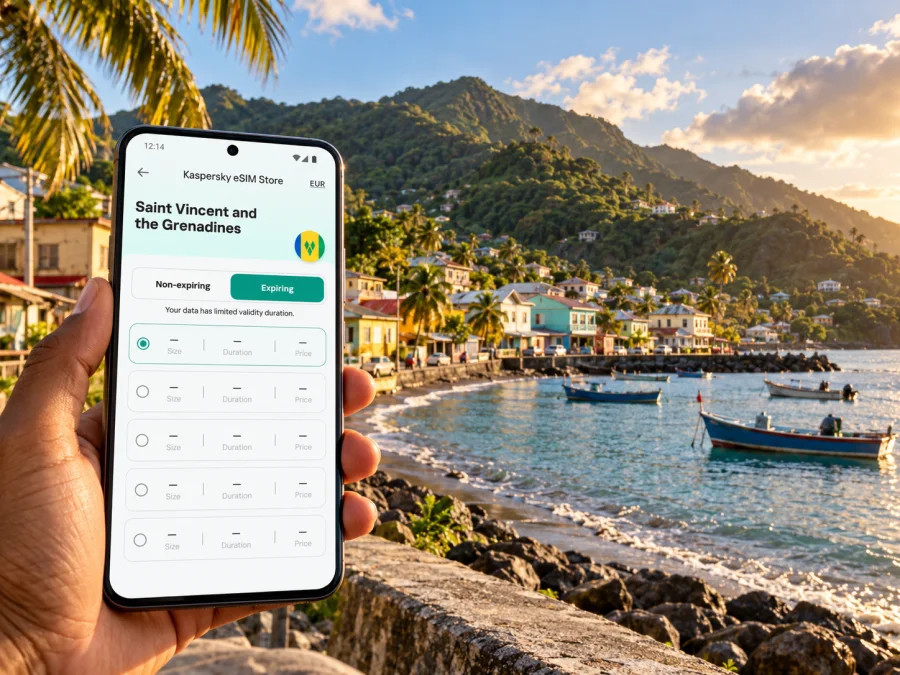
Barrouallie eSIM: mobile connection and internet for your visit
Barrouallie is a coastal village on the western side of Saint Vincent, where a dependable mobile connection can help with the practical parts of a visit: finding your accommodation, arranging a ride, checking a route, or staying in touch while you explore. An eSIM can provide mobile data without replacing the physical SIM already in your phone, provided your device supports it and the selected plan covers Saint Vincent and the Grenadines.
The useful question is not simply whether an eSIM works “in the Caribbean.” Check the country included in the plan, the network and roaming conditions shown for it, your handset’s regional variant, and how long you will need data. This guide focuses on Barrouallie and the west-coast travel pattern around it.
Why mobile data is useful in Barrouallie
Barrouallie is known as a fishing village on Saint Vincent’s leeward coast. The town is a good base for a slower visit along the coast, but it is not the island’s international airport or the capital’s main transport centre. A data connection is useful for coordinating the parts of a day that happen between fixed stops: confirming where a driver will meet you, sharing your location, checking messages from a host, and keeping a map available as you move.
A phone connection is especially helpful when plans are flexible. You may decide to pause for a meal, add a coastal stop, or return to your accommodation earlier than expected. With mobile data, you can check the route and contact the person expecting you rather than relying on a remembered turn or searching for public Wi-Fi. Download an offline map as a backup as well; mobile coverage and signal strength can vary by place, building, terrain, and network.
An eSIM is a digital SIM profile installed on a compatible phone. Travel data plans are commonly intended for internet access; do not assume that a plan includes a local phone number, ordinary voice calls, or SMS unless its terms say so. You can keep your regular SIM active for calls or texts if your phone supports dual SIM, while selecting the travel eSIM for mobile data. Check your home carrier’s roaming settings and charges before you leave.
Arriving and travelling to Barrouallie
International flights to Saint Vincent use Argyle International Airport (SVD), on the island’s windward, eastern coast. Barrouallie is on the opposite, leeward side. That means the airport transfer is a cross-island trip rather than a short ride within the town. Arrange onward transport in advance when possible, and confirm the meeting point, fare, luggage arrangements, and expected journey time directly with your driver or accommodation. Road conditions, traffic, weather, and the exact pickup point can affect the trip, so avoid relying on a fixed duration from a generic map estimate.
Before landing, save the name and address or location pin for your accommodation, the airport pickup contact, and any important booking details. If you have a data connection as soon as you arrive, you can check messages and share your progress. If not, the saved information is still available offline. For a late arrival, make the pickup plan especially clear: identify who will meet you, where to look for them, and what to do if your flight is delayed.
A simple arrival checklist:
- Keep your accommodation address and host’s number somewhere accessible offline.
- Confirm whether your transfer is arranged from Argyle or from another meeting point.
- Save the route to Barrouallie before departure, including an offline map where available.
- Keep enough battery for navigation and communication; a power bank is useful on a longer transfer.
- Wait until you are ready to use the travel profile before selecting it for mobile data, and follow the plan’s stated activation instructions.
Do not rely on an eSIM as your only record of travel arrangements. A screenshot, saved email, and written address can be useful if a phone loses power or you need to show information without a connection.
Getting around the west coast
Barrouallie sits on Saint Vincent’s western coastal route. Local movement may involve a pre-arranged driver, a taxi, a hired vehicle, or other transport available for your specific itinerary. Schedules and availability can change, so confirm them locally instead of assuming that a map’s estimated arrival time reflects a public transport timetable. If you plan to drive, verify the pickup and return arrangements for the vehicle and check current local requirements with the rental provider.
The nearby coast is a reason many visitors use Barrouallie as more than a point on the way north. Wallilabou Heritage Park is about 2.5 km from the centre of Barrouallie, according to the National Parks authority; the site is on the Wallilabou River near Wallilabou Bay. A map is helpful for locating the turn and confirming your route, but contact the site or your accommodation for current opening information before making a special trip. If you are walking, ask locally about the safest and most practical route rather than assuming that a short distance on a map means a suitable pedestrian path.
For a day that includes several coastal stops, use data for coordination rather than constant background streaming. Open the map before setting off, save key locations, and check messages at natural pauses. This keeps the phone useful for navigation and arrangements while limiting unnecessary data use. If you are travelling with someone else, agree on a meeting point and share a location through a service you both use; do not assume that either person’s network will have the same signal at every point.
Choose a plan for the whole itinerary
Start with the complete route, not only Barrouallie. If your journey begins at Argyle, includes Kingstown, and continues to other parts of Saint Vincent or the Grenadines, check that the plan’s stated destination coverage matches every place where you expect to use data. A country plan may be more suitable than a city-specific search because the mobile network is selected for the destination, not for the name of one village. Do not assume that a plan labelled for a wider region includes every island or territory on your itinerary; read the destination list and conditions.
Kaspersky eSIM Store is an app and website where you can choose, purchase, and activate an eSIM with a suitable plan for mobile internet while travelling abroad. Use the Saint Vincent and the Grenadines destination page to check which options are currently displayed for your trip. Treat the page as a place to review current plan details: confirm the destination, data allowance, validity period, price, supported network information if shown, and any activation conditions before you choose. Availability and terms can change, and a country page does not by itself confirm service in a particular building or at every point along the coast.
Estimate your data needs by what you expect to do. Navigation, messaging, email, and occasional web searches usually require less data than video calls, uploading large media files, or watching video. If you will work remotely from Barrouallie, identify a reliable Wi-Fi option with your host as a backup and keep mobile data for calls, authentication, and travel coordination. Do not assume that a mobile plan is intended for tethering or that hotspot use is included; check the specific plan terms first.
| Trip pattern | What to check when choosing | Useful preparation |
|---|---|---|
| One or two nights in Barrouallie | Destination coverage and a validity period that includes your travel dates | Save the accommodation pin and transfer contact |
| Several stops along Saint Vincent’s coast | Coverage for the full island itinerary and enough data for maps and messages | Download an offline map and mark each stop |
| Remote work or frequent video calls | Data allowance, speed or usage limits if specified, hotspot rules, and backup Wi-Fi | Ask your host about Wi-Fi before arrival |
| Multi-island journey | Whether every island or country on the route is explicitly included | Check each leg separately; do not infer coverage from “Caribbean” wording |
Signal can vary with terrain, indoor location, congestion, weather, and the local network available to the selected plan. Keep an offline route and a way to contact your host if mobile data is temporarily unavailable.
Device and network compatibility: check the exact combination
An eSIM-capable phone is necessary, but it does not guarantee that every eSIM plan will connect in Saint Vincent and the Grenadines. Phone models can have different hardware and eSIM support by market or regional variant. The device also needs to be unlocked for use with another provider. Before purchase, check your device’s eSIM compatibility, confirm the model number in your phone settings or original documentation, and ask the seller or your mobile provider about any carrier lock.
There is an additional distinction for this destination: device-maker support lists identify Digicel and Flow among local eSIM activation options in Saint Vincent and the Grenadines. That information concerns supported carrier activation methods for certain devices. It does not establish that your existing home plan includes roaming there, that a particular travel-data eSIM uses either network, or that either network is available at every address in Barrouallie. The selected plan’s own network and destination details matter. If you need a local number or local voice service, contact a local operator directly and confirm its current requirements and eligibility.
Use this pre-purchase check:
- Confirm eSIM support. Look up your exact model and sales region, not only the phone family name.
- Check that the phone is unlocked. An operator-locked device may reject another eSIM profile.
- Read the plan destination carefully. Make sure Saint Vincent and the Grenadines is named, and verify any islands or connecting destinations separately.
- Review data and validity. Choose an allowance and end date that fit your route and usage; do not infer unlimited use or a particular speed.
- Check installation requirements. Make sure you can access Wi-Fi or another internet connection when adding the eSIM, and keep the QR code or activation details available.
- Keep your primary line settings clear. Choose which SIM handles mobile data, calls, and texts, and check whether data roaming must be enabled for the travel eSIM according to its instructions.
If the model or market variant cannot be verified, pause before purchase and check the phone’s mobile network settings or ask the manufacturer. A product name alone is not always enough to establish compatibility. Never delete a working profile simply to troubleshoot unless the plan’s instructions or support team tells you to; some eSIM profiles cannot be installed again after removal.
Install before departure, activate when appropriate
If you have confirmed your device and plan, installing the eSIM before travel can reduce the number of tasks to handle after landing. Installation and activation are not always the same event: depending on the plan, the validity period may begin when the profile is installed, when it first connects to a supported network, or at another stated point. Read the terms and follow the instructions shown with the plan. If you prefer to wait until arrival, make sure you will have an internet connection available for installation.
A practical sequence is:
- Connect to stable Wi-Fi and open the order or profile details.
- Add the eSIM in your phone’s mobile or cellular settings, using the app flow or QR code provided for your plan.
- Label the profile something recognizable, such as “Travel data,” so you can distinguish it from your regular line.
- Keep your home line available for calls or messages if needed, while choosing the eSIM for mobile data when you are ready to use it.
- At your destination, follow the plan’s instructions for selecting the network and enabling data roaming if required.
- Open a simple webpage or messaging app to confirm data access before relying on it for a longer journey.
For device-specific steps, see the Android eSIM installation instructions or the iPhone and iOS eSIM installation instructions. Menu names vary between manufacturers and operating-system versions, so follow the instructions that match your device.
If mobile data does not connect
A new eSIM may need a few minutes to register after installation, but do not treat waiting as the only troubleshooting step. First check that the profile is enabled and selected for mobile data. Then compare the phone settings with the plan’s activation instructions. If the provider requires data roaming for that profile, enable it only for the travel eSIM and confirm that the setting is not accidentally applied to your home SIM.
If there is still no connection:
- Check that the plan is active, valid for the date, and intended for Saint Vincent and the Grenadines.
- Turn airplane mode on briefly and then off, or restart the phone once.
- Check the network-selection setting and leave automatic selection enabled unless the plan’s support instructions advise otherwise.
- Move outdoors or to another nearby location; indoor walls and local terrain can affect reception.
- Confirm that the phone has not selected the wrong SIM for mobile data.
- Contact the eSIM provider’s support with your device model, location, and a short description of the steps already tried.
Do not remove the eSIM profile as a first response. Some plans allow only one installation, and deleting the profile may make recovery harder. If you have no data connection, use the accommodation’s Wi-Fi or another trusted connection to reach support, and keep your saved address and travel arrangements available offline.
Short visits, longer stays, and onward travel
For a short visit, the priorities are usually simple: access to your accommodation details, a route from the airport, and enough data for messages and navigation. A travel eSIM can reduce reliance on buying a physical SIM after arrival, but it is one part of the arrival plan. Confirm pickup arrangements and store important details offline before boarding.
For a longer stay, compare a travel-data plan with the options available from local operators. A travel eSIM may suit internet use without a local number; a local service may be more appropriate if you need regular calls, SMS, or a local account. Ask about current terms, identity requirements, coverage, and payment methods directly with the provider. Neither option should be assumed to have the same network access or service conditions.
If Barrouallie is one stop on a broader journey, check data access separately for each island and country. Do not assume that a Saint Vincent plan covers the Grenadines or nearby Caribbean territories unless the plan’s destination list explicitly says so. Keep maps for ferry ports, airport transfers, and accommodation addresses available offline, since a connection may change as you move between islands or networks.
Frequently asked questions
Is Barrouallie a separate eSIM destination?
Usually, travel connectivity is selected by country or region rather than by town. Check that the plan includes Saint Vincent and the Grenadines, then confirm any named network or regional conditions. Do not assume that a plan for another Caribbean destination also applies here.
Will a travel eSIM work throughout Barrouallie?
No provider can guarantee signal at every indoor or outdoor location based on a country label alone. Coverage depends on the network used by the plan, local conditions, the phone, and the place you are using it. Check plan details and keep offline navigation as a backup.
Can I use the eSIM for calls and text messages?
Only if those services are explicitly included. Many travel eSIM plans are designed for mobile data and do not provide a conventional local phone number or standard SMS. Internet calling and messaging apps can work over data, subject to the app and connection.
Can I use the same eSIM on a tablet or second phone?
Do not assume so. Compatibility, installation limits, and transfer rules depend on the specific plan and device. Check the terms before purchase, and do not remove or transfer a profile unless the instructions say that the process is supported.
What if my phone supports eSIM but the plan does not connect?
Confirm the exact model is unlocked, the profile is enabled, the correct SIM is selected for data, and the destination and validity match your trip. Then follow the plan’s troubleshooting steps or contact its support team. Local eSIM support by a carrier does not prove that a separate travel plan uses that carrier.
Prepare your connection before you go
For Barrouallie, plan around the whole journey: Argyle arrival, the cross-island transfer, your stay on the leeward coast, and any onward stops. Verify your phone’s eSIM compatibility, review the current destination and plan terms, and save essential addresses and maps offline. Kaspersky eSIM Store is an app and website that helps you choose, purchase, and activate an eSIM with a suitable plan for mobile internet during an international trip.
Review current eSIM options for Saint Vincent and the Grenadines and select a plan only after checking its coverage description, allowance, validity, and activation rules. Install it according to the instructions for your device, then keep your offline route available as a practical backup while travelling around Barrouallie.


