Travel connectivity guide
Bartica eSIM: Mobile Internet in Guyana
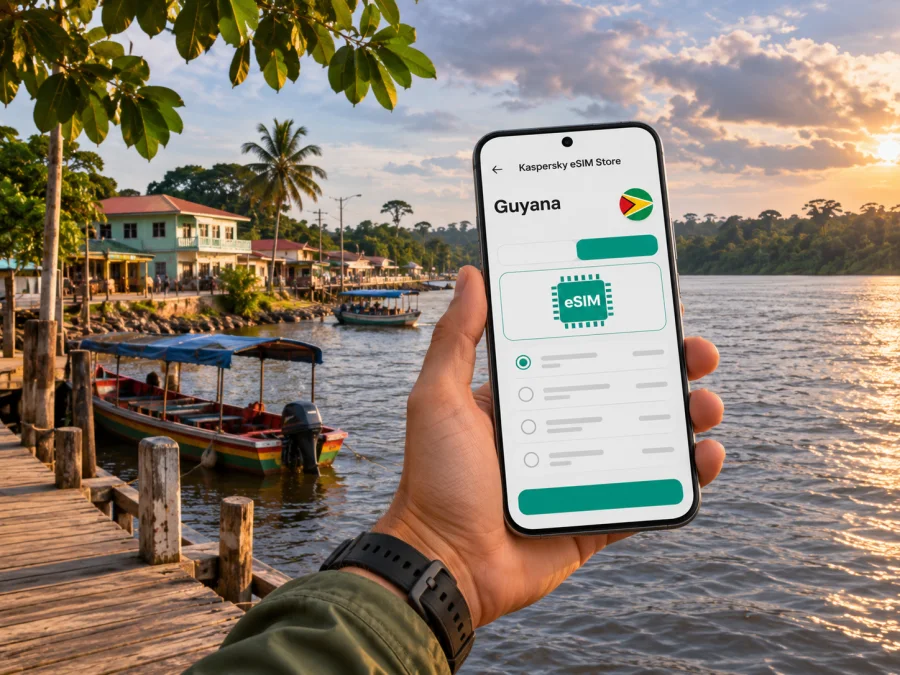
Bartica eSIM: Mobile Connection and Internet for Your Trip
Bartica is a riverside town in Guyana’s Cuyuni-Mazaruni Region, where the Essequibo River meets the Cuyuni and Mazaruni rivers. The water shapes the pace of a visit: you may arrive by boat, walk between the waterfront and the town centre, and use Bartica as a starting point for trips farther inland. A phone with mobile internet can help with messages, maps, booking details and meeting arrangements, but service can vary by place and by the network used by your plan.
An eSIM lets you add a mobile data profile to a compatible phone without inserting another physical SIM card. For a trip to Bartica, it can be useful to prepare the profile before leaving home, then use it for online tasks once its plan conditions and local network access allow. It does not guarantee coverage at every river landing, road or remote destination, so keep essential addresses and travel information available offline too.
What makes mobile internet useful in Bartica
Bartica is a town rather than a large, continuously built-up city. The riverfront, local streets, transport points and accommodation form the practical frame for most short stays. Digital access is useful for small, specific tasks: confirming a pickup, sharing a location, checking a message from a host, or looking up an onward connection. It is less sensible to plan a day as if every stop will have uninterrupted mobile data.
The town is officially in Region 7, Cuyuni-Mazaruni. It stands on the Essequibo’s west bank near the confluence of the Cuyuni and Mazaruni. This geography matters to connectivity planning. A plan that works in a town centre may perform differently on a boat, near a wooded bank or farther along a river route. Coverage maps and country-level plan labels are useful starting points, but they cannot promise a signal at a particular building or stretch of water.
Use mobile internet alongside offline maps, a confirmed address and current transport information. Do not depend on uninterrupted data for every step.
Arriving in Bartica and staying oriented
Many overland itineraries to Bartica include travel to Parika and a crossing on the Essequibo. Government ferry services and water-taxi routes operate in the region, but departure arrangements and operating details can change. Check the latest information before setting out, allow time for the transfer, and confirm where your boat or ferry will leave from and where you should meet your onward ride. Do not rely on an old timetable saved in a search result.
If your journey begins with an international flight into Guyana, make sure your arrival plan accounts for the onward trip to Bartica. Do not assume that a flight landing in the capital area will put you at the river crossing or in Bartica itself. Ask your host, tour organizer or transport provider to confirm the sequence of road and water transfers, the meeting point, and what happens if your arrival is delayed.
Before leaving reliable Wi-Fi, save your lodging address, transport details and a contact number. Agree on a pickup point in advance, carry a power bank for a long transfer, and protect your phone from splashes around boats.
If you have a connection during the crossing, use it to confirm the next step rather than assuming it will remain available all the way. River travel can take you away from the strongest signal area, and mobile data may reconnect only after you return closer to a populated area or a network site.
Getting around town and choosing what to save offline
For a stay centred on Bartica, a map is useful for finding your lodging, the waterfront and agreed meeting points. Download the relevant map area in advance where your mapping app allows it. Save the names of places in both a written note and a screenshot: offline search may not find a business that was not included in the downloaded map data.
Local transport and river excursions are best confirmed with the person arranging them. Use a call or message before the trip to agree on timing and a recognizable meeting place. If you are walking around town, check the route while you have a stable connection and keep the destination visible offline. This is especially useful when a street name, local landmark or business listing is unfamiliar to a visitor.
| Trip moment | Useful online task | Offline backup |
|---|---|---|
| Before leaving for Bartica | Confirm your ride, crossing and host details | Screenshot bookings and save contact information |
| On arrival | Message your pickup and share an approximate arrival time | Agree on the meeting point in advance |
| Walking around town | Check a route or send a location pin | Download a map and save the destination name |
| Boarding a boat | Confirm the operator’s instructions | Keep ticket and itinerary details in a screenshot |
| Day trip beyond town | Send a plan update when service is available | Tell someone your route and expected return time |
Use maps to support local directions, not replace them. For boat or private transfers, confirm the actual departure point and route with the operator.
Waterfront, town centre and onward trips
The riverfront is a natural reference point in Bartica. It is where visitors may orient themselves around boat departures, arrange a river excursion or meet a local contact. The town also has public spaces and community landmarks; the bandstand is one example of a familiar central feature described in local destination information. Ask locally about current access and events rather than assuming a public space has the same schedule or facilities throughout the year.
Bartica is often used as a gateway for travel into Guyana’s interior. That makes the town a practical place to check details before moving farther from larger settlements: confirm the next leg, ask what communications will be available on the route, and tell someone where you are going. A trip beyond the town can involve a different transport plan and weaker access to mobile networks. An active eSIM profile cannot create coverage where the relevant local network has none.
For an overnight stay, ask your accommodation about internet access before booking. A town data plan, local Wi-Fi and home-carrier roaming are separate options; compare their terms and keep a backup for important calls or deadlines.
Choosing a Guyana eSIM plan for a Bartica itinerary
Start with the whole route, not only the town name. A plan should explicitly include Guyana and suit the dates and expected data use of your trip. If you will continue to another country, check whether that destination is included too. A regional plan may cover several places, but its country list and service conditions still need to match your route.
Kaspersky eSIM Store is an app and website where you can choose, arrange and activate an eSIM with a suitable plan for mobile internet on an international trip. Before selecting an option, review its destination, data allowance, validity period, price, activation conditions and any limitations shown for that particular plan. Terms and availability can change, so use the details presented at the time you make your choice. To browse the current destination options, view plans for Guyana.
The destination page is a country-level starting point, not a promise of a particular connection at a specific Bartica address. A plan’s list of supported networks, if supplied, is more relevant to local access than the destination name alone. Even then, network registration and signal can depend on local infrastructure, terrain, congestion, the plan provider and your handset. If the plan information does not identify the local network or explain its coverage, treat that as an unknown and confirm with the plan provider before relying on it for a time-critical journey.
Estimate the data you will use
For light use, messages, short map checks and occasional email generally need less data than repeated video calls, photo uploads or streaming. Your actual use depends on app settings and what runs in the background. Think through a typical day in Bartica:
- Will you mainly exchange text messages and use navigation from time to time?
- Do you need to upload photos or make frequent voice or video calls over the internet?
- Will you use your phone as a hotspot for a laptop?
- Can you download maps, tickets, work files and entertainment over Wi-Fi before you travel?
Choose a data allowance with some room for your real habits, but avoid paying for capacity you are unlikely to use. Check whether the plan expires after a set duration, whether it begins on installation or first network connection, and whether top-ups are available. These terms are plan-specific. Do not infer them from a different country or from another provider’s offer.
Compare the connection options
A visitor may have more than one way to get online. The right choice depends on your phone, itinerary and the conditions available from each provider.
| Option | What to check | Useful when |
|---|---|---|
| Travel eSIM | Guyana is included; supported network, validity and activation terms are clear | You want to prepare a data profile before travel |
| Home-carrier roaming | Guyana rates, data limits and billing increments | You prefer to keep using your existing number and plan |
| Local SIM or eSIM | Current eligibility, registration, availability and support from the local provider | You need a local service and can arrange it after arrival |
| Accommodation or venue Wi-Fi | Availability, login steps and whether it reaches the spaces you need | You need a backup for larger downloads or work sessions |
Digicel’s official Guyana storefront lists Guyana eSIM options, while Apple’s iPhone carrier guide lists GTT and eNetworks for other eSIM activation methods in Guyana. These are local carrier offerings and device activation details; they do not establish which network a third-party travel plan uses or guarantee service at every Bartica location. Check the network information for your exact plan and keep a fallback for time-critical tasks.
Check your phone before you travel
An eSIM requires a device that supports eSIM and is not restricted by a carrier lock. Model names can have different hardware or eSIM availability depending on the sales region, so check the exact model variant in the manufacturer’s settings or support materials. Do this before purchasing, particularly if the handset was bought in a different country from where you now live. Check whether your device supports eSIM.
Also confirm that your phone can connect to the network technologies and bands used by the plan’s partner network, if those details are provided. A device can support eSIM in general and still have a regional variant or carrier configuration that affects use. Do not assume that seeing an “Add eSIM” setting guarantees that a particular travel plan will work in Guyana.
Before leaving:
- Install the latest available system update while connected to stable Wi-Fi.
- Make sure you can open the email or account where the eSIM installation instructions are delivered.
- Keep access to your account and any verification method you may need while abroad.
- Do not delete an installed eSIM profile unless the plan’s instructions say it is safe to do so; some profiles cannot be installed again after removal.
- Keep your home SIM active if you need its number for calls or verification, and check its roaming settings and charges.
An eSIM plan for mobile data does not automatically include a regular phone number, cellular voice calls or SMS. Check the plan description. If it is data-only, messaging and calls may be possible through internet apps when the app and your contacts are available online, but those are not ordinary carrier calls or texts.
Install and activate the eSIM
Follow the selected plan’s instructions and install the profile while you have reliable Wi-Fi if possible. Read when validity begins before scanning a QR code or using an in-app flow; it may start at installation or at first network connection, depending on the plan.
- Check compatibility and unlock status. Confirm the exact phone variant supports eSIM and can use another carrier.
- Choose the right plan. Verify Guyana is included and review the data allowance, validity, supported network and activation rules.
- Install the profile. Use the supplied QR code or supported device flow. Keep installation details private.
- Choose your data line. Label the travel profile, select it for mobile data when appropriate, and keep your home SIM for calls or messages if needed.
- Connect after arrival. Enable the eSIM and any data-roaming setting required by the plan. Allow time for network registration and follow the provider’s troubleshooting steps.
For setup guidance, see the Android eSIM installation instructions or the iOS eSIM installation instructions. Menus vary by device and software version. Keep your home SIM’s data roaming disabled if you want to avoid its roaming charges, and check your home carrier’s terms before departure. A travel eSIM may be data-only; check its terms for calls and SMS. Do not delete a profile as a first troubleshooting step, since some profiles cannot be installed again after removal.
Practical scenarios
- Short visit with a river transfer: download a map and save booking details before leaving. Use data for a pickup update when service is available, but keep the crossing instructions offline.
- Work trip with a fixed meeting: confirm the location and contact beforehand. Ask your accommodation about Wi-Fi and arrange a backup for an important video call.
- Journey beyond Bartica: check each leg with the guide or transport provider, tell someone your route and return estimate, and expect possible offline stretches.
- Limited data allowance: prioritize messages, maps and booking changes; download larger files over Wi-Fi and review your phone’s data-use settings.
Troubleshooting when the phone is offline
Check that the selected plan is active, includes Guyana and is within its validity period. Make sure the eSIM line is enabled, selected for mobile data and configured with any roaming setting required by its provider. Review the plan’s network instructions and restart the phone if recommended. Do not choose a network at random or delete the eSIM profile.
If service remains unavailable where the provider expects it to work, contact the provider with your phone model, approximate location and the steps you tried. Meanwhile, use saved maps and booking details, or ask your host or transport provider for help. A signal gap may reflect local coverage rather than a device fault.
A compact preparation checklist
Before booking: confirm Guyana is included; compare data, validity and activation rules; check supported network information; verify eSIM support for your exact phone variant.
Before departure: install the profile at the right time, save your accommodation and transport details offline, download maps, charge a power bank and recheck ferry or water-taxi arrangements close to travel.
After arrival: select the travel eSIM for data, confirm service before relying on it, monitor usage and keep offline alternatives for river transfers or onward trips.
Frequently asked questions
Is Bartica in Guyana or French Guiana?
Bartica is in Guyana, in Region 7, Cuyuni-Mazaruni. Guyana and French Guiana are different destinations; check the country list in your plan.
Will a Guyana eSIM work everywhere in Bartica?
No. Service depends on the local network used by the plan, coverage, terrain, congestion and your device. Confirm network details where available and save essential information offline.
Does a travel eSIM include calls and texts?
Not necessarily. Check the selected plan’s terms. If it is data-only, internet calling or messaging apps may work when you have a connection, but they are not ordinary carrier calls or SMS.
Can I install the eSIM after reaching Bartica?
That depends on the plan and whether you have internet access. Check when validity begins before installing; some plans start at installation, others at first network connection.
Should I rely on mobile internet on a boat trip?
No. Keep tickets, contacts, meeting details and maps available offline because service may be intermittent or unavailable on a river route.
How much data should I choose?
Estimate use for maps, messages, email, app calls, uploads and hotspot use. Download large files over Wi-Fi where possible, then choose an allowance and validity that suit your itinerary.
Prepare your connection before the river journey
Bartica rewards a travel plan that leaves room for changing transport details and occasional gaps in mobile service. Save the information you will need offline, confirm your transfers close to departure, and choose an eSIM only after checking its Guyana destination, network details, data allowance and activation rules. Kaspersky eSIM Store’s app and website can help you choose and activate an eSIM plan for your international trip. Explore the available plans for Guyana and prepare your phone before you set out.


