Travel connectivity guide
Basra eSIM: Mobile Internet and Travel Guide
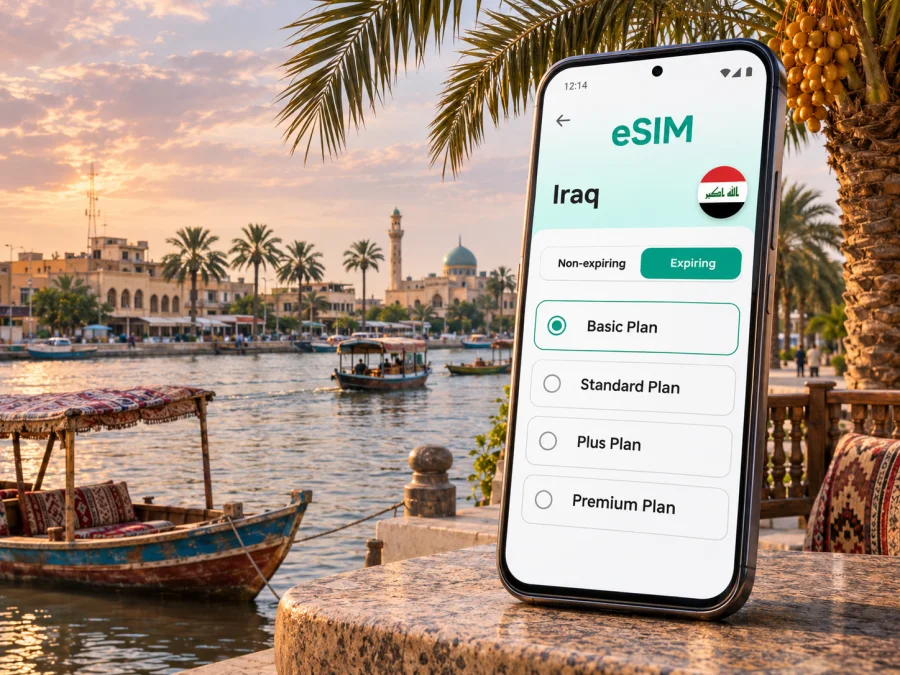
Basra eSIM: Mobile Connection and Internet Guide
Basra is a major city in southern Iraq, close to the Shatt al-Arab waterway and the routes that connect the city with the wider governorate. For a visitor, a mobile connection is useful for checking an address, coordinating an airport pickup, translating a message, or finding a hotel after arrival. An eSIM can provide mobile data without inserting another physical SIM card, provided your phone supports eSIM and the selected travel plan is valid for Iraq.
This guide is about using mobile internet during a visit to Basra: what to prepare before flying, how to keep maps and ride arrangements accessible, and what to check before activating a data plan. Conditions can vary by device, plan, and local network. A travel eSIM is not a promise of coverage at every address, and an internet-only plan may not include an Iraqi phone number, ordinary calls, or SMS.
What a travel eSIM can do in Basra
An eSIM is a digital SIM profile stored in a compatible device. For a visitor, a travel plan can make mobile data available without finding a shop for a physical SIM after landing. That can be helpful when you need to message your host, open a map, or confirm the next step of a journey from Basra International Airport.
The eSIM does not replace every mobile service. Unless the selected plan explicitly says otherwise, expect data rather than a local voice number or SMS allowance. Calls through internet-based messaging apps may work when the app, data connection, and recipient are available. Keep your regular SIM active if you need its number for calls or verification codes, but check your home carrier’s roaming settings and charges first.
Basra lies beside the Shatt al-Arab, and an address may be described by neighbourhood, riverside landmark, or nearby road. Keep a map pin, written address, and host’s contact together rather than relying on a street name alone. Offline maps are a useful backup, but do not provide live route updates or messaging.
A practical first-hour checklist
- Save your accommodation’s name, address, and map pin while you have a reliable connection.
- Keep the airport pickup contact and any booking details available offline.
- Check that your phone can connect to Wi-Fi so you can install or troubleshoot a profile if necessary.
- Decide which SIM should handle mobile data and which one should receive calls or messages.
- Keep a small amount of battery for navigation and coordination after leaving the terminal.
Arrival at Basra International Airport
Basra International Airport is the main air gateway for a city visit. Before departure, check your flight details and the airport’s current arrangements with your airline; terminal procedures, transport availability, and schedules can change. Do not assume that an airport kiosk will sell a particular eSIM or that public Wi-Fi will be available when you need it.
Installing before departure lets you review the profile settings away from the arrivals area. Installation and activation may be separate: validity can begin on installation or first connection. Read the plan’s timing instructions before adding it; if validity starts on installation, wait until the recommended time.
After landing, the sequence is simple, though the labels on your phone may differ:
- Turn on the eSIM line in your device’s mobile settings.
- Select it for mobile data if that is the plan you intend to use.
- Enable data roaming for that eSIM only if the plan’s instructions require it.
- Leave network selection on automatic initially, unless the provider’s troubleshooting guidance says otherwise.
- Allow a little time for registration, then try a basic webpage or message.
Keep data roaming off for your home SIM if you want to avoid unintended roaming use. Dual-SIM settings can be confusing: a phone may use one line for data while retaining another for calls. Review the active line before leaving Wi-Fi, and avoid switching data lines automatically if that could trigger charges from your home provider.
If the connection does not start, confirm the plan’s destination, validity, and activation instructions. Restarting or toggling airplane mode can refresh registration. Do not delete the profile as a first step; a QR code may be limited to one installation. Keep the order confirmation and support details offline.
Getting around: maps, pickups, and riverside routes
In Basra, use live maps together with a landmark or confirmed pickup point. Traffic, road works, local naming conventions, and the exact entrance can affect the last part of a journey. When arranging a car, share the pin and a short written description; if they do not match, ask the driver or host before setting off.
For a hotel-to-meeting trip, check the route before the appointment and allow time for local traffic. Keep the destination address in both English and Arabic if your host can provide it, especially for a less familiar office or residential entrance. A mobile connection helps you exchange updates, but it does not make a map pin self-explanatory.
The Shatt al-Arab waterfront is one of Basra’s defining geographic features. If your itinerary includes a walk or a meal near the river, save the exact venue rather than searching only for “corniche” or “riverfront” after you arrive. A riverside name may refer to a long stretch, not one entrance. Share your intended return point with your driver or companion before you begin, and check local guidance about opening hours and access on the day.
| Trip situation | Useful preparation | What mobile data helps with |
|---|---|---|
| Airport to hotel | Save address, map pin, and pickup contact | Confirming the pickup and sending arrival updates |
| Hotel to a meeting | Save the venue entrance and meeting contact | Checking route changes and communicating delays |
| Walk near the river | Save the start and return points | Rechecking directions and coordinating with companions |
| Short stop in the city | Keep the next address ready before leaving | Finding the next place without returning to the hotel |
| Day trip outside central Basra | Confirm transport and return arrangements in advance | Messaging the driver or host if plans change |
For trips beyond the centre, confirm the route and return plan with your host or transport provider. Keep key addresses and contacts saved offline.
Choosing a data plan for an itinerary
Choose a plan by the amount of data and time you expect to use, rather than by the word “unlimited” or a headline price alone. Check the destination list, data allowance, validity period, any speed or fair-use conditions, and the point at which validity begins. If your route includes other Iraqi cities, confirm that the same plan covers the whole itinerary; a Basra city guide does not imply a city-specific tariff.
A short visit built around messaging, maps, and occasional searches has different needs from a work trip with frequent video calls, cloud files, or hotspot use. Estimate honestly. Maps and messages are usually lighter than repeated video streaming or large uploads, but app settings, automatic backups, and media downloads can use data in the background. Use hotel Wi-Fi for large updates when you trust the network and the plan allows it.
For a simple estimate, list the activities you expect and build in a modest reserve:
- Light use: messaging, route checks, email, and occasional browsing. Disable automatic photo and app updates over mobile data.
- Regular use: frequent navigation, social apps, web searches, and sharing photos. Check usage after the first day and adjust background settings.
- Work-heavy use: video meetings, file transfers, or hotspot use. Confirm that tethering is allowed and that the data allowance is sufficient before purchase.
Actual use depends on app settings, call length, downloads, and time online. Check the plan details and monitor usage in your phone or account interface.
If you want to compare options for Iraq, review the available eSIM plans for Iraq and check the current terms before choosing. Kaspersky eSIM Store is an app and website where you can select, purchase, and activate an eSIM with a suitable plan for mobile data on an international trip. The listed plan terms—not the city name in this article—determine the supported destination, data amount, and validity.
Device compatibility and regional versions
Before you purchase, confirm that your exact phone variant supports eSIM and is not locked to a carrier. A model name alone is not enough: hardware and eSIM availability may differ by country of sale, model number, and operator restrictions. A device that accepts eSIM profiles in one market may have different capabilities in another. Check whether your device is compatible and then verify the manufacturer’s guidance for the exact regional model.
Support lists answer different questions. A manufacturer may list local operators that issue eSIMs, which does not necessarily identify the network used by a travel data plan. A plan for Iraq also does not establish compatibility with every device variant. Current official device support lists differ by market; confirm your exact model and chosen plan instead of inferring compatibility from another phone.
If you need a local Iraqi number, voice service, or SMS, compare a locally issued operator line with a travel data eSIM before the trip. Zain Iraq’s official eSIM guidance describes locally issued eSIMs through its main stores and asks customers to check device compatibility. That local operator process is separate from installing a travel data eSIM; it does not identify the network used by a travel plan. Local issuance can have separate purchase, identification, registration, and in-person requirements, so check current terms with the operator if a local number is essential.
Install and activate before you need it
Install the profile when you have stable internet, enough battery, and the plan’s activation instructions in front of you. Many travellers add the eSIM before departure and leave its line disabled until needed; whether that is appropriate depends on the plan’s start rule. Do not scan a QR code repeatedly or remove a working profile simply to troubleshoot a temporary registration delay.
A simple setup sequence
- Check the device. Confirm eSIM support for your precise regional variant and make sure the device is carrier-unlocked.
- Read the plan details. Verify Iraq is included, check the validity start rule, data allowance, and any data-roaming instruction.
- Connect to Wi-Fi. Keep the phone online while installing the eSIM profile.
- Add the profile. Follow the on-screen steps or scan the QR code supplied with your purchase. Keep the QR code accessible on another screen or printed page if you need to scan it with the phone’s camera.
- Label the line. Name it “Iraq data” or another clear label so it is easy to distinguish from your home SIM.
- Choose data settings. Select the travel profile for mobile data at the time appropriate to the plan; avoid unintended data switching to the home line.
- Test carefully. Once in Iraq, follow the plan instructions, wait for network registration, and check a simple page before relying on the connection for navigation.
For platform-specific steps, use the Android eSIM installation guide or the iPhone eSIM installation guide. Menu names can vary by operating system version and manufacturer. If a screen differs from the guide, follow the current instructions shown on your device and plan rather than deleting the eSIM profile.
If mobile data is unavailable
Work through the basics in order:
- Check that the eSIM line is enabled and selected for mobile data.
- Confirm that the plan is active, valid for Iraq, and within its validity period.
- Check whether data roaming is required for that profile; follow the plan’s instructions.
- Wait briefly, then restart the phone if the profile appears correctly installed.
- If automatic network selection fails, use manual selection only if the plan provider identifies an available network to choose.
- Contact support with the order reference, device model and variant, and a description of the steps already tried.
Avoid factory-resetting the phone or deleting the profile unless support or the plan instructions tell you to do so. A reinstallation may not be possible with the original QR code.
Plan for the type of visit
For a one-night stopover, save the hotel pin, airport pickup plan, and onward flight details before you travel. Keep mobile data for messages, directions, and schedule changes, and confirm that the plan’s validity can cover the stopover and the next leg.
For a business visit, save the office entrance and a local contact, not only the company’s general map location. Download meeting files before leaving Wi-Fi. If you need video calls or laptop tethering, check that the plan allows it and account for higher data use.
For a riverside walk or a trip outside central Basra, pin the exact start and return points and confirm transport with a local contact. Check that the plan applies to the full route and save offline maps for areas you expect to cross.
Common mistakes to avoid
- Buying before checking the exact device variant. Regional versions can differ, and carrier locking can prevent installation or use.
- Installing without reading the start rule. Validity may begin at different points depending on the plan.
- Assuming local eSIM and travel eSIM are the same product. A local operator line may provide a phone number and have its own eligibility steps; a travel data plan may be internet-only.
- Leaving the home line’s data roaming on by accident. Review the dual-SIM settings before using mobile data.
- Relying on live maps alone. Keep the accommodation address, contacts, and meeting points accessible offline.
- Expecting a guaranteed signal indoors or throughout the city. Building materials, local network conditions, device bands, and congestion can affect reception.
- Using an eSIM as an emergency phone number. Check whether your plan includes voice and SMS; data-only plans do not automatically add them.
Frequently asked questions
Will an eSIM work everywhere in Basra?
No plan can promise service at every location. Availability and performance depend on the chosen plan, its local network arrangements, your device, building conditions, and network conditions. Check the current plan terms and keep essential information available offline.
Does a travel eSIM give me an Iraqi phone number?
Usually not, unless the specific plan says it includes a number and voice or SMS service. Many travel eSIM plans are designed for mobile data. Keep your regular number for calls or verification where possible, and check roaming charges with your home operator.
Can I install the eSIM before I fly?
Often, yes, if the device is compatible and you have internet access, but read the plan’s timing instructions first. Some plans begin validity on installation; others begin when they connect in the destination. Install at the recommended time and leave the profile settings as directed.
Should I turn on data roaming?
Only when the chosen eSIM’s instructions require it. If roaming must be enabled for the travel profile, make sure the home SIM is not selected for data and that its roaming setting will not create unwanted charges.
Can I use my phone as a hotspot?
That depends on the plan conditions and the device. Check tethering rules before purchase, especially for a work trip. Hotspot use can consume data quickly when a laptop synchronizes files or downloads updates.
What if I already have a physical SIM in my phone?
Many compatible phones can use a physical SIM and an eSIM together, but the available combinations vary by model and regional variant. Check the device’s instructions and choose which line handles data, calls, and messages before you travel.
What if I need a local line rather than mobile data only?
Check with Iraqi operators for current local-line options and any identification, registration, or in-person requirements. A travel eSIM plan should not be assumed to include a local telephone number or the same services as an operator-issued line.
Is Basra covered by the Iraq plan page?
The country page is the place to review current Iraq plan options, but each plan’s own destination and service terms govern. Check those terms before purchase; a city article cannot guarantee a specific network, price, or coverage outcome.
A practical plan for staying connected
Before leaving home, confirm the exact device variant is eSIM-compatible and unlocked, save Basra addresses and contacts offline, and choose a plan whose Iraq coverage, data allowance, and validity match your itinerary. Install the profile using a stable connection and follow its activation instructions. Once in Basra, select the correct line for mobile data, keep your home SIM’s roaming settings in view, and use map pins together with written addresses and local contacts.
When you are ready, choose an eSIM plan for your trip to Iraq in Kaspersky eSIM Store. Review the current plan details, then use the app or website to select, purchase, and activate the option that fits your route and data needs.


