Travel connectivity guide
Basseterre eSIM: Mobile Internet for Travel
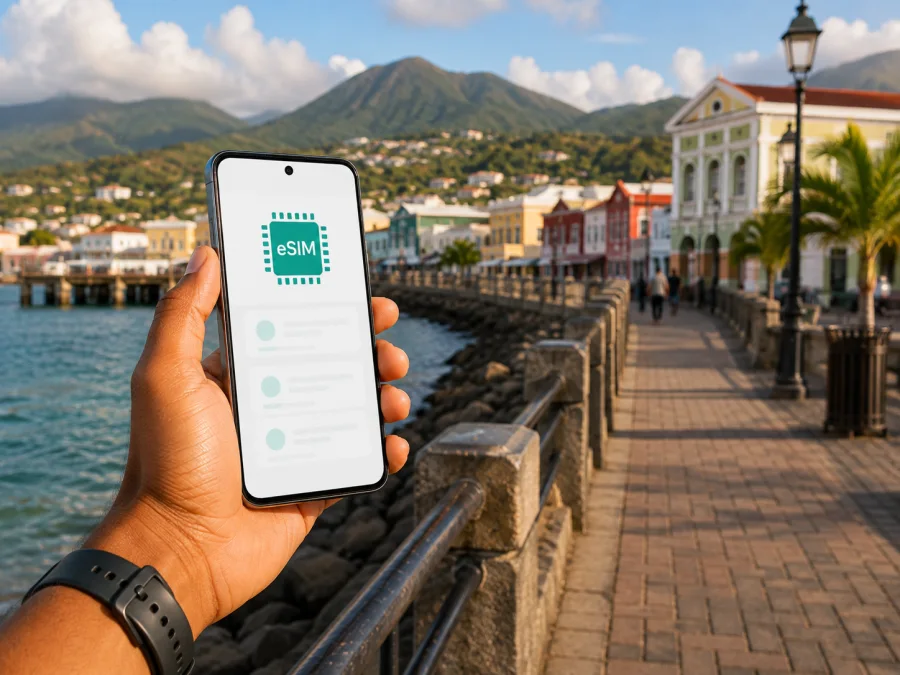
Basseterre eSIM: mobile connection and internet for your trip
Basseterre is the compact capital of Saint Kitts and Nevis and a practical base for arriving on St. Kitts, walking through the historic centre, staying near the coast or organising a day beyond the city. A dependable mobile connection helps with transfers, maps, messages and bookings. An eSIM can prepare mobile internet without replacing your usual physical SIM card.
Kaspersky eSIM Store is an app and website that helps you choose, arrange and activate an eSIM with a suitable plan for mobile internet during an international trip. You select the destination, review the conditions, install the eSIM on a compatible device and choose when to use it for mobile data. This guide fits that process to a trip centred on Basseterre.
When an eSIM helps in Basseterre
An eSIM is useful when you want mobile data as soon as you leave the airport, keep your regular number available for important messages, or avoid relying on a café, hotel or terminal Wi‑Fi connection for every task. It can suit a short visit, a cruise stop, a work trip with a fixed schedule, or an itinerary that begins in Basseterre and continues around St. Kitts.
You may need data to:
- open a map while finding a transfer or accommodation;
- message a driver, hotel or travel companion after landing;
- check a reservation, meeting detail or change of plan;
- use translation, weather or transport information while walking;
- share a location with someone in your group.
The important distinction is that a destination eSIM is a digital SIM profile for mobile data. It does not automatically replace your normal telephone number. Unless the conditions of a particular plan say otherwise, ordinary voice calls and SMS are not included, so use your existing line or internet messengers for those tasks.
Arriving in Basseterre: prepare the first hour
Most visitors who fly to St. Kitts use Robert L. Bradshaw International Airport. It is outside the centre, so arrival has two parts: completing the airport routine and reaching Basseterre or a coastal base. This is when a data connection can be most convenient. You may need to find your accommodation, show a booking, contact a transfer or check a route before you have settled into the city.
Before departure, save the accommodation name and address, transfer or taxi details, a screenshot of the first directions, your booking confirmation and the eSIM profile or QR code if you plan to install it before flying.
After landing, change one mobile setting at a time. Identify your regular line and the new eSIM by the labels you assigned. Select the eSIM for mobile data when you are ready to use it, keep your preferred line for calls if needed, and check the data-roaming setting required by the plan. Menu names vary by device, and some phones have a separate switch for each SIM.
Basseterre is easiest to approach as a sequence of decisions: airport to transfer, transfer to accommodation, then accommodation to the centre or waterfront. A map and messaging connection reduce dependence on public Wi‑Fi.
Navigation and transport in the city
Basseterre has a compact central area, but a visitor’s route often combines streets in town with a taxi, local bus or private transfer to a hotel or attraction farther away. Do not assume that one navigation mode will fit the whole day. Save the destination first, then choose the most suitable way to move between points.
Walking through the centre
For a first orientation walk, the area around The Circus, Independence Square and the waterfront provides clear reference points. The National Museum of St. Kitts may fit a history-focused route. These central places work for a walk, a meeting near the port or a stop between excursions.
With mobile data available, check the next street without searching for Wi‑Fi. Save the driver’s meeting point and screenshot key details.
Taxi, bus and pre-arranged transfers
Taxis and local buses suit different travel habits, while a pre-arranged transfer can be convenient with luggage or a tight schedule. Confirm the meeting point and destination before leaving. A map pin, the accommodation address and a short message can prevent a mix-up.
Useful habits include writing the hotel name exactly as it appears in the reservation, saving a return meeting point, asking where a bus or taxi should be met, allowing extra time beyond the centre and keeping enough battery for the end of the day.
If you rent a vehicle, check the rental company’s conditions and your own driving requirements. An eSIM does not replace local directions or careful decisions about road conditions; it keeps relevant digital information available.
The waterfront and Port Zante
The waterfront and Port Zante are useful orientation points for cruise passengers and hotel guests. For a brief visit, identify the pier, choose one or two central stops, save the return route and set a reminder for the departure window. Mobile data can support a meeting point, group message or change of plan.
Where mobile internet fits different stays
The right plan depends less on the word “tourist” than on how you will use the city. Basseterre can be a destination, an arrival point for a resort stay, a base for work or a short stop before a wider island route.
| Trip pattern | Typical data tasks | Planning point |
|---|---|---|
| Short city break | Maps, messages, bookings and local searches | A modest allowance may suit light use when Wi‑Fi is available. |
| Cruise or brief stop | Meeting points, map checks and return planning | Prepare key details before going ashore and match validity to the visit. |
| Business visit | Email, messages, documents, calls and transport | Allow for work use and keep important files available offline. |
| Island itinerary | Navigation, bookings, messages and route changes | Confirm that the destination scope matches every planned leg. |
Read the current allowance, validity, price, activation conditions and supported destination on the plan page before choosing.
Choosing an eSIM plan for Basseterre
Start with the country rather than searching for a separate city product. Basseterre is in Saint Kitts and Nevis, so the relevant destination is the country plan. If your itinerary includes another island or country, check whether a regional option fits and read the listed destinations.
Estimate usage from your schedule. Navigation and messaging are generally lighter than video streaming, frequent photo uploads or hotspot use:
- Light: maps, messages, occasional searches and online check-ins.
- Regular: the same tasks plus social feeds, photos and work documents.
- Intensive: video meetings, streaming, large uploads or hotspot use.
Compare four details:
- Destination. Confirm that Saint Kitts and Nevis is included.
- Allowance. Choose enough data for the length and intensity of the trip.
- Validity. Check how long the plan remains usable and when that period begins.
- Conditions. Read activation, top-up, refund and device requirements before payment.
At the planning stage, choose an eSIM plan for Saint Kitts and Nevis and compare the current conditions for your dates and route.
Three practical scenarios
First-day arrival. Install the profile before travel, then select the destination eSIM for data when ready. Keep the accommodation address, transfer message and booking details on the phone.
Working week. Messages, email, documents and calls may be needed between a hotel, meeting venue and centre. Choose an allowance for that use and keep important files offline.
City plus island route. Check the St. Kitts route and destination scope before purchase. Save directions for the next leg and use live maps for changes.
How to install and activate an eSIM
Install the profile when you have internet access and time to read each prompt. The exact screens depend on your phone model and operating system.
Before you start
- Check that the phone supports eSIM and is not operator-locked. Check your device compatibility before payment if you are unsure.
- Connect to dependable Wi‑Fi or mobile data.
- Find the profile or QR code in the Kaspersky eSIM Store app, website or purchase message.
- Charge the phone and note which existing SIM handles calls and messages.
Five steps on the phone
- Open mobile settings. Go to mobile service or cellular plans and choose the option to add an eSIM.
- Scan or add the profile. Use the QR code or the installation method shown for your purchase.
- Name the line. Use a clear label such as “Travel data” so you do not confuse it with your regular SIM.
- Select mobile data. Choose the travel eSIM when you want to use the destination plan, and decide whether your usual line stays on for calls or messages.
- Check the connection. Allow a few minutes for registration if required. If the plan calls for data roaming on the eSIM, enable that setting for the eSIM only.
For platform-specific steps, use the Android installation instructions or the iOS installation instructions. If you install before flying, you may be able to leave the profile inactive for data until arrival. Read the activation wording carefully: installation and the start of data use are not necessarily the same event.
What to check before buying or leaving
Use this checklist before closing the suitcase:
- [ ] The phone model and regional version support eSIM.
- [ ] The phone is not operator-locked.
- [ ] The plan destination includes Saint Kitts and Nevis.
- [ ] The allowance suits maps, messages, work or media for your schedule.
- [ ] The validity period fits the complete stay and its activation rule is clear.
- [ ] You can access the profile or QR code during installation.
- [ ] You know which line handles calls, SMS and mobile data.
- [ ] Data roaming and automatic switching are configured as the plan requires.
- [ ] Your accommodation address, transfer details and first route are saved offline.
- [ ] A charger or power bank is ready for navigation days.
Do not delete the eSIM profile simply because it is unused for a few hours. Follow the plan’s instructions for disabling or removing it; some profiles may not be available for reinstallation after deletion.
Planning a day in and beyond Basseterre
Connectivity is most helpful when it supports a clear route. Group stops by area and save details in sequence. For a historic-centre morning, keep the names of the square, museum and meeting points. For a coastal afternoon, confirm the return ride. For a workday, save the venue address and contact person. For a port stop, work backwards from the return time.
Use data deliberately: check maps when moving, limit continuous video, use saved directions, pause unneeded background refresh and upload large files later when practical. These habits reserve data for navigation and communication.
Basseterre is a starting point for Frigate Bay, coastal accommodation, historic sites and longer island excursions. A route toward Brimstone Hill Fortress National Park involves more road time, so save directions and meeting details. If another island is included, check departure arrangements and confirm that the eSIM destination scope covers every leg.
| Route item | What to save |
|---|---|
| Next destination | Exact name, address or meeting point |
| Transport | Pickup location, contact and agreed time |
| Booking | Confirmation number and arrival instructions |
| Return plan | Port, hotel or city meeting point |
| Offline backup | Screenshot or note with essential details |
Mobile internet then becomes a tool for adapting the plan, not the only place where the plan exists.
FAQ about eSIM and mobile internet in Basseterre
Is an eSIM useful for a short Basseterre visit?
Yes. Airport coordination, a transfer, maps, messages and a return meeting point can all need data. Match validity and allowance to the actual visit.
Should I choose a Basseterre plan or a country plan?
Choose the plan for Saint Kitts and Nevis because Basseterre is a city in that country. If the route extends beyond it, review listed destinations instead of assuming the plan applies elsewhere.
Can I keep my regular SIM active?
Usually, a compatible dual-SIM phone can keep the regular line available while the eSIM handles data, but options depend on the device. Review data-line selection and automatic switching.
What if the phone shows no connection?
Confirm that the eSIM is enabled and selected for data. Check the destination, roaming setting and network selection required by the plan. Restart the phone if needed; if the issue remains, review the instructions and contact support with the device model and completed steps.
What is Kaspersky eSIM Store?
Kaspersky eSIM Store is an app and website that helps you choose, arrange and activate an eSIM plan for mobile internet during an international trip. It is not a mobile network and does not replace a local operator’s ordinary voice and SMS service.
Prepare your Basseterre connection
The reliable setup is straightforward: identify the country destination, select allowance and validity, check the phone, install the profile with internet access and choose the data line. Save your first transfer, accommodation details and return meeting point offline.
When you are ready, choose an eSIM plan for your trip to Saint Kitts and Nevis, review the conditions and activate it on your compatible device. With those steps complete, you can spend less time solving connection logistics and more time moving confidently between Basseterre’s centre, waterfront and the next stop on your itinerary.


