
Travel connectivity guide
Battambang eSIM Guide: Mobile Internet in Cambodia
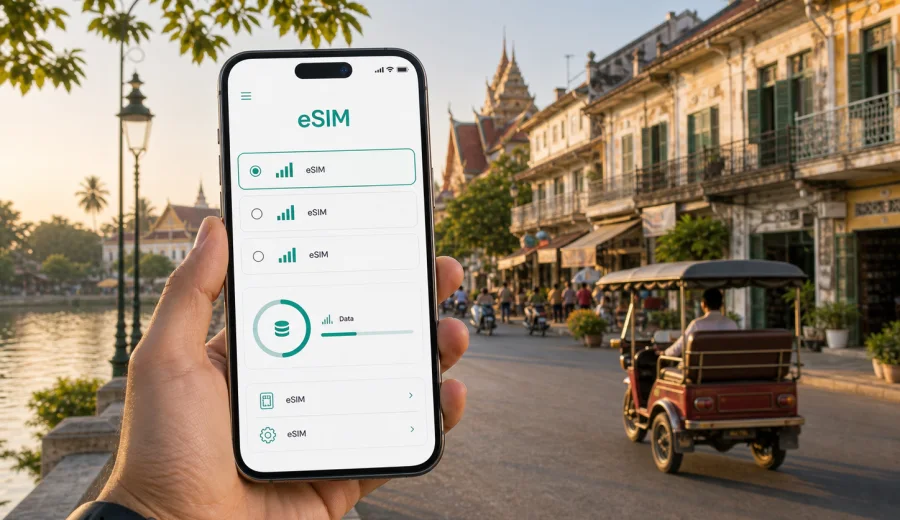
Battambang eSIM: mobile connection and internet for your Cambodia trip
Battambang is a city where mobile internet quickly becomes part of the trip. You may need maps for the ride from the bus station, a message thread with your guesthouse, a tuk-tuk driver's location, a restaurant booking, a remote-work call, or a route to the riverfront after dark. An eSIM can help you prepare that connection before you start looking for a local SIM card counter or relying on hotel Wi-Fi.
This guide is focused on Battambang, not Cambodia in general. The city has a slower rhythm than Phnom Penh and Siem Reap, but the practical need is the same: you arrive, move between neighborhoods, check addresses, manage bookings, and often use Battambang as a base for day trips into the countryside.
The best setup depends on your route, length of stay, device, and data habits. A short stopover may need only light data for maps and messaging. A longer stay with video calls, navigation, cloud documents, and photo backups may need a larger package.
Why mobile internet matters in Battambang
Battambang is easy to enjoy when you can move at your own pace. The city center is walkable around the Sangkae River, colonial-era streets, markets, cafes, and many small hotels, but many well-known local routes extend beyond the compact center. Phnom Sampeau, Wat Ek Phnom, Wat Banan, countryside villages, riverside restaurants, and the bamboo train experience usually require tuk-tuks, private drivers, scooters, or organized tours.
Mobile data helps with the small decisions that shape the day:
- confirming a pickup time with a driver;
- checking the location of a hotel or homestay;
- opening maps when street names are unclear;
- comparing walking time, tuk-tuk time, and road distance;
- translating a menu or message;
- receiving banking or booking notifications;
- sending photos and updates to family;
- joining a work call from a hotel or cafe;
- checking whether a planned day trip still fits the weather and daylight.
Public Wi-Fi can be useful in hotels and cafes, but it is not a full travel plan. You may not have it at arrival, during a road transfer, on the riverfront, or while negotiating a pickup point.
Arrival scenarios: when an eSIM helps first
Most visitors reach Battambang overland after flying into Phnom Penh or Siem Reap, or after traveling across Cambodia by bus, minivan, private car, or train. That makes the first connection moment less about an airport counter and more about a moving arrival: checking the final stop, updating your accommodation, finding a ride, and making sure the map points to the right entrance.
| Arrival situation | What you may need mobile data for | Practical eSIM note |
|---|---|---|
| Bus or minivan arrival | Message the hotel, locate the stop, arrange a tuk-tuk | Install the eSIM before departure so it is ready when mobile data is available |
| Private transfer from Siem Reap or Phnom Penh | Share location, check route timing, stay reachable | Keep your primary SIM for calls if needed and use eSIM for data |
| Train arrival | Open maps, find transport, confirm check-in details | Download key documents offline, then use eSIM for live navigation |
| Late arrival | Contact reception, check safe route options, use ride or driver messaging | Avoid depending only on a closed cafe or hotel Wi-Fi |
If you are coming from another Cambodian city, a Cambodia-focused eSIM tariff can support the whole route, not only Battambang.
Moving around the city with reliable data
Battambang's center is simple compared with a large capital, but local movement still benefits from mobile internet. Tuk-tuks and remorks are common for short city rides and half-day countryside trips. Some travelers walk along the river and around the colonial center. Others rent bicycles or scooters, which makes route checks more important.
Use mobile data for practical tasks rather than constant streaming:
1. Save the address of your hotel and the nearest recognizable landmark.
2. Download offline maps for Battambang before leaving strong Wi-Fi.
3. Keep live mobile data available for route changes, messages, and map corrections.
4. Share your location with a travel companion if you split up in the market or on the riverfront.
5. Keep battery for the return trip; navigation and camera use can drain a phone quickly.
For day trips outside the city, ask your driver to confirm the route and return time before departure. Rural coverage, terrain, building interiors, and local network conditions may affect performance, so combine eSIM data with a prepared route and saved hotel address.
Where connectivity is most useful in Battambang
Different parts of a Battambang trip create different data needs. The city does not require constant high-volume use, but it rewards having internet at the right moment.
| Area or situation | Common use | Data intensity |
|---|---|---|
| Riverside and central streets | Maps, cafe searches, messaging, photo sharing | Low to medium |
| Psar Nat and market areas | Translation, payments, meeting points | Low |
| Hotel and guesthouse check-in | Booking confirmations, email, document access | Low to medium |
| Countryside and temple routes | Navigation, driver messages, location sharing | Medium |
| Remote work from a hotel or cafe | Email, documents, chat apps, video calls | Medium to high |
| Travel onward to Siem Reap or Phnom Penh | Bus tickets, route tracking, accommodation updates | Low to medium |
If you use maps, messaging, email, and occasional browsing, a modest data package may be enough. If you plan to upload videos, use hotspot mode, back up photos, or make long video calls, choose a larger package and check whether tethering is allowed under the selected tariff conditions.
How much data to plan for
There is no universal number because phone settings and habits vary. Still, you can estimate your needs before choosing a tariff.
- Light use: maps, messaging, booking confirmations, and occasional searches.
- Standard travel use: maps, social media, translation, image uploads, restaurant searches, and messaging.
- Work-heavy use: video calls, cloud files, hotspot mode, frequent uploads, and long browser sessions.
For Battambang specifically, many travelers use data in short bursts: finding a guesthouse, checking a route to a temple, messaging a driver, or confirming onward transport. Longer stays create a different pattern because mobile data may become a backup when hotel Wi-Fi slows down.
Before you travel, review these settings:
- turn off automatic cloud photo backup on mobile data if you have a smaller package;
- download music, maps, and entertainment over Wi-Fi;
- set app updates to Wi-Fi only;
- check whether your phone uses mobile data for system services in the background;
- keep messaging apps available for travel coordination.
Choosing an eSIM tariff for Battambang
For a city trip to Battambang, the country matters because the tariff should cover Cambodia. If Battambang is part of a wider itinerary, check whether a Cambodia tariff or a regional option better matches your route. The right choice is not only about data volume. Validity, activation rules, compatibility, and the expected start of the trip all matter.
A simple decision process works well:
1. Define your route: Battambang only, or Battambang plus Siem Reap, Phnom Penh, the coast, or another country.
2. Match the tariff to the destination where you need mobile internet.
3. Estimate data volume from your actual habits, not only the number of travel days.
4. Check the validity period and when it starts.
5. Confirm that your device supports eSIM and is not locked to one operator.
6. Install the eSIM while you still have stable Wi-Fi.
7. Activate mobile data for the eSIM when you are ready to use it according to the tariff instructions.
Kaspersky eSIM Store is an app and website where you can choose, arrange, and activate an eSIM with a suitable mobile data tariff for an overseas trip. For this route, you can prepare an eSIM tariff for Cambodia before traveling to Battambang and review the available data volumes and validity periods before you leave.
Installing an eSIM before or after arrival
Installation is usually easiest before the travel day because you can use stable home or hotel Wi-Fi and avoid doing setup in a bus station, cafe, or moving vehicle. You should still read the conditions of the selected tariff because the timing of activation and data validity can differ.
Typical setup flow:
1. Check that your phone or tablet supports eSIM and is not locked to a single operator.
2. Choose the Cambodia tariff that fits your route and expected data use.
3. Complete the purchase process on the site or in the app.
4. Install the eSIM profile using the on-screen instructions or QR code.
5. Label the eSIM clearly, for example Cambodia data or Travel data.
6. Keep your usual SIM active for calls and SMS if you still need it.
7. When ready, select the eSIM for mobile data and enable data roaming for that eSIM if the instructions require it.
For device-specific installation steps, use the Android eSIM installation guide or the iOS eSIM installation guide. If you are unsure whether your device can use eSIM, check your device compatibility before choosing a tariff.
What to check before you buy
An eSIM is convenient, but it still has technical conditions. A careful check prevents most setup problems.
| Check | Why it matters |
|---|---|
| eSIM support | Not every phone model supports eSIM, and support can vary by region or variant |
| Operator lock | A locked phone may not accept a travel eSIM profile |
| Validity period | A short tariff may not cover a multi-city Cambodia route |
| Data volume | Navigation is light; hotspot use and video calls can be heavy |
| Activation rules | Start conditions can differ by tariff |
| Voice and SMS | Travel eSIM tariffs often focus on mobile data and may not include a phone number |
| Tethering | If you need a laptop connection, check whether hotspot use is allowed |
Keep purchase details and setup instructions accessible offline where appropriate. If you switch phones during the trip, do not assume that an installed eSIM can be moved to a new device; transfer rules depend on the specific profile and tariff conditions.
Practical Battambang scenarios
For one night in the city, mobile internet is mostly about check-in, dinner plans, route finding, and onward travel. For two or three days, data supports the usual rhythm: central streets and riverfront first, then countryside stops such as temples, viewpoints, or villages. For a business stay, hotel or cafe Wi-Fi may still be your main connection, while eSIM data can be a backup for email, chat, documents, and short calls.
For a wider Cambodia route, plan around the full journey. The periods between cities are often when you need connectivity most: bus tickets, accommodation messages, route changes, and family updates.
eSIM, local SIM, roaming, and Wi-Fi
An eSIM is useful when you want mobile data prepared in advance and do not want to change physical SIM cards. A local SIM may suit longer stays if you need a local number. Home roaming can be simple but depends on your operator's rates and limits. Public Wi-Fi helps in hotels and cafes, but it may not help during transport, arrival, or day trips.
Common mistakes to avoid
- Buying a tariff without checking device compatibility.
- Forgetting to switch mobile data from the home SIM to the travel eSIM.
- Leaving data roaming disabled when the eSIM instructions require it.
- Using a small package for laptop hotspot sessions or video uploads.
- Deleting the eSIM profile before the trip is finished.
- Assuming the eSIM includes ordinary voice calls and SMS.
If something does not work, start with the basics: confirm the eSIM is installed, select it for mobile data, review the activation instructions, check whether data roaming is required, and use Wi-Fi to contact support if the issue continues.
Quick checklist before going to Battambang
- Your phone supports eSIM and is not operator-locked.
- You have selected a tariff that covers Cambodia.
- The validity period matches your Battambang stay and onward route.
- You understand whether the tariff is data-only.
- Offline maps and booking confirmations are downloaded.
- Your main SIM remains available if you need bank codes or calls.
- Mobile data settings are ready before the first travel day.
FAQ
Is an eSIM useful for a short Battambang stopover?
Yes, if you need maps, accommodation messages, transport coordination, or onward travel updates. Choose data volume and validity according to the full Cambodia route, not only the hours spent in Battambang.
Should I install the eSIM before arriving in Cambodia?
In many cases, yes. Installing before travel lets you use stable Wi-Fi and avoid setup pressure after arrival. Check when validity begins and when mobile data should be activated.
Prepare mobile internet for Battambang before you go
Battambang is easier to navigate when your phone is ready for the practical parts of the trip: arrival messages, maps, tuk-tuk coordination, hotel check-in, day trips, and onward travel. An eSIM helps you prepare mobile data without searching for a physical SIM card as soon as you reach Cambodia.
Before departure, check device compatibility, choose a Cambodia tariff that matches your route, install the eSIM while you have reliable Wi-Fi, and keep the setup instructions available. When your trip is ready, you can choose a suitable eSIM tariff for Cambodia through Kaspersky eSIM Store and use it as part of your Battambang travel plan.