Travel connectivity guide
Beeline eSIM in Kyrgyzstan: setup and travel guide
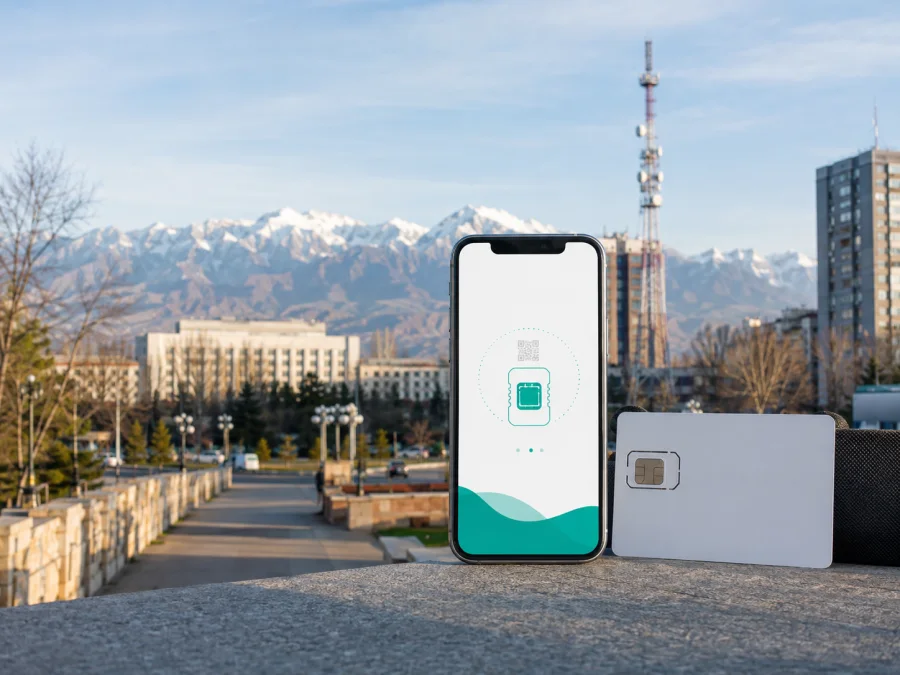
Beeline eSIM in Kyrgyzstan: what travelers should know
If you are preparing a trip to Kyrgyzstan and are looking for a Beeline eSIM, check more than the phone’s eSIM menu. You also need to understand issuance, device unlocking, documents and network settings. Beeline publishes a dedicated eSIM guide, while a travel eSIM follows a different path. This article explains the distinction and helps you choose a setup for your route.
The information below was checked on 4 September 2026 against current public Beeline Kyrgyzstan pages and Kaspersky eSIM Store pages. Beeline, its name and related marks belong to their respective rights holders. Kaspersky eSIM Store is not affiliated with Beeline and is not presented as its official partner or representative. The purpose of this page is to describe available connection scenarios neutrally.
Beeline’s role in the Kyrgyzstan market
Beeline operates as a mobile communications brand in Kyrgyzstan for consumer and business users. Its public website has sections for mobile services, roaming, support, self-service and registration.
The official site provides a map with separate 2G, 3G and 4G layers. This is a reference for checking mapped service areas, not a promise for every street, building, valley or border area. Terrain, buildings, congestion, device bands and maintenance can affect a connection. Check the map for your itinerary and keep a backup way to reach important information.
The operator’s public consumer materials include ordinary local mobile service and registration guidance. They do not, on the pages reviewed, establish a separate prepaid or tourist eSIM product with its own visitor conditions. A traveler may therefore need to confirm the current route directly with Beeline: whether a new local line can be issued to a visitor, whether eSIM issuance is available at the intended location, which identity document is accepted, and whether the selected service can be used for the planned stay. Do not infer those details from a generic travel search or from an old offer page.
Is a Beeline eSIM available in Kyrgyzstan?
The strongest current confirmation is Beeline’s own eSIM page, checked on 4 September 2026. It describes eSIM as a digital code behind a QR code, shows iPhone installation and directs customers to Beeline sales offices in Bishkek. It also lists Apple, Samsung and Google Pixel families. Because support varies by model and sales region, treat the list as a starting point rather than a universal guarantee.
An official Beeline onboarding notice published on 31 January 2025 also described eSIM registration through the My Beeline app or sales and service offices. Verify the current route before travel. For replacement of an existing physical SIM, the eSIM guide says the number may stop working during the change, so start only when you have internet through Wi-Fi or another line.
The answer is different for a visitor who wants a short, data-focused connection. The reviewed Beeline pages confirm eSIM technology and local customer processes, but they do not confirm a dedicated tourist eSIM category. They also do not remove the need to comply with registration rules. Ask the operator before relying on a local eSIM at the airport or immediately after crossing the border. If the answer is unclear, a travel eSIM can be considered as a separate option for internet access, provided your phone supports it and the destination is listed at the time of purchase.
Documents and traveler restrictions
Beeline’s FAQ says that getting a SIM card through its offices requires an identity document. The eSIM guide adds that a customer who loses the paper QR code may need to visit a sales and service center with an identity document. A digital profile does not automatically remove local registration requirements.
There is also a practical QR-code restriction. Beeline states that its QR code cannot be used simultaneously on several devices. Treat the activation code as a one-device setup: choose the phone carefully, avoid scanning it on a spare handset first, and do not delete a working profile until you know how the operator handles reissue. If a code is lost or the profile must be restored, contact Beeline through its official support channels or a service center.
Supported technologies and device compatibility
The technical material in Beeline’s published service rules, updated in March 2024, refers to GSM 900/1800, WCDMA/UMTS 2100 for 3G and LTE 800 for 4G, together with certified subscriber equipment and a SIM profile. The current Beeline coverage map exposes 2G, 3G and 4G layers. These references help you understand the network generations involved, but they do not certify every handset or every location. They also do not establish current 5G availability, so a traveler should not assume that a 5G icon will appear on a Beeline line in Kyrgyzstan.
Before purchasing or requesting any eSIM, check four things:
- The exact phone model and sales region support eSIM.
- The device is not locked to another operator.
- The operating system is up to date enough to show the eSIM controls.
- You can connect to Wi-Fi or another working line while the profile is installed.
On Android and iPhone, the eSIM menu can have different names and locations. Beeline’s own page lists supported families, but a model name alone is not enough: regional versions can differ. Check the phone settings and, when possible, the manufacturer’s specification for the exact model.
Dual-SIM behavior also matters. A phone can often keep a primary physical SIM and an eSIM profile together, but the controls for calls, messages and mobile data are separate. Decide which line should provide data before you leave. If both lines are allowed to use data roaming, the home line could generate roaming traffic. Disable data roaming on the line you do not intend to use, then verify the selected data line after landing.
How local Beeline eSIM activation works
The current Beeline guide presents a QR-code path for iPhone: connect to the internet, open mobile connection settings, choose the option for adding a cellular plan, scan the supplied QR code and confirm the profile. Labels can differ between iOS versions.
For an existing Beeline customer replacing a physical SIM, confirm eSIM support and contact a Beeline sales or service center. The connection may stop during replacement. Keep account recovery and support details available, and keep a paper QR code safe.
After installation, label the profile clearly so it is not confused with a home line or another travel profile. Select it for mobile data when ready, check the data line and review network-selection and roaming settings before deleting anything.
The help route matters too. Beeline’s FAQ identifies *611 as its contact center for questions about products and services. A traveler using a different network should confirm the appropriate support method and local calling conditions. Keep the operator’s official support details in your notes before the change, because support access can be harder when the line is not yet active.
What a traveler should check before choosing local service
Local Beeline service can make sense when you need a local operator relationship or a regular local number. It may require a visit, an identity document and registration. Beeline’s eSIM page specifically points to sales offices in Bishkek, so do not assume that every airport, town or border crossing can perform the same action. Before committing, ask whether a visitor can obtain a new eSIM, which document is accepted, whether the planned office or app route applies, and how the profile is recovered if the QR code or phone is lost.
Do not treat a displayed campaign or general consumer page as a permanent travel product. Confirm live conditions with Beeline, especially if the itinerary includes several regions or a quick onward connection.
Local Beeline service versus a travel eSIM
A local Beeline eSIM follows Beeline’s Kyrgyzstan issuance, registration and support process and may suit someone who needs a local number or ordinary operator services. A travel eSIM is arranged through a travel service interface and normally focuses on mobile data rather than a new local telephone number. Kaspersky eSIM Store explains that its travel eSIM is data-only, so ordinary calls and SMS continue through the home line or internet messaging where available. Neither model is universally better: choose according to the route, device, documents and services you need.
Kaspersky eSIM Store as an alternative for travel internet
Kaspersky eSIM Store is an app for iOS and Android and a website that helps a user choose, arrange and activate an eSIM plan for mobile internet during an international trip. It is not a mobile operator, does not own a Kyrgyzstan network and should not be described as the source of Beeline coverage. The public Kyrgyzstan page identifies local telecom operators as the providers of the underlying service. It currently shows Beeline in that context, but the available provider and product conditions can change.
If your goal is travel data rather than a local telephone number, review the Kyrgyzstan destination in Kaspersky eSIM Store and read the current conditions. The site provides a route to check compatibility, choose a destination, install the profile and manage it in the account or app. It also explains that some devices may require data roaming for the travel profile. Follow the instructions shown for your device.
Choose an eSIM option for Kyrgyzstan when you have confirmed compatibility and decided that a data-focused travel setup suits your journey. The link is for the Kaspersky eSIM Store destination page; it does not represent a Beeline sales channel or a local operator endorsement.
Device compatibility check
Before installing either type of eSIM, look for the add-eSIM or cellular-plan option, confirm the exact model and regional version, check that the phone is unlocked and connect to reliable Wi-Fi. Decide which line will handle mobile data, turn off roaming on the home line if needed, and keep the installation email and account details secure. If the eSIM option is absent, do not assume an update will create hardware support; resolve compatibility first.
Using a travel eSIM after arrival
Install the travel profile while you have dependable internet. After arriving in Kyrgyzstan, select it for mobile data and enable roaming for that profile only if instructed. Test a map or browser, then check the selected line, mobile data, roaming permission, network selection and profile status if it fails. Do not remove the eSIM while troubleshooting. A travel eSIM can support maps, translation, transport apps, messages and work tools, but it remains data-focused and is not automatically a local number.
Common problems and practical fixes
The QR code will not scan. Use the built-in eSIM scanner and confirm the intended profile. Do not scan a Beeline code on several devices; Beeline says it cannot work simultaneously on multiple devices.
The profile is added but data does not work. Confirm the data line, mobile data, roaming permission and network selection, then check the coverage map and contact support if the issue continues.
The phone cannot add an eSIM. Recheck the exact model, regional version and carrier-lock status. An update cannot create missing hardware support, and an activated profile may not be transferable.
FAQ
Can I get a Beeline eSIM in Kyrgyzstan?
Beeline’s official eSIM page confirms the format, QR installation and supported device families, and directs customers to sales offices in Bishkek. A visitor should check the current route, documents and any tourist-specific conditions with Beeline before travel.
Does it guarantee coverage everywhere in Kyrgyzstan?
No. Beeline publishes 2G, 3G and 4G map layers and identifies supported radio standards, but actual service depends on place, terrain, buildings, device and current conditions.
Is a travel eSIM the same as a Beeline local eSIM?
No. A local Beeline profile follows local issuance and registration. A travel eSIM is arranged through a travel service and is generally data-only, without a separate number for ordinary calls and SMS.
Can I keep my home SIM active?
A compatible dual-SIM phone may retain the physical SIM, but choose the data line carefully and review roaming permissions. For help, use Beeline’s current support channels or the travel service account; Beeline’s FAQ identifies *611 for subscribers.
Final checklist for a connected trip
Before departure, confirm the device, unlock status, identity requirements and installation method. Decide whether you need a local number or only travel data. Verify the current Beeline office or app route, or read the current travel destination conditions, and keep the QR code secure. On arrival, select the intended data line, set roaming as instructed, test a simple connection and keep support information available.
Public operator pages, offers, support routes, maps and travel eSIM conditions can change. The statements here were checked on 4 September 2026; confirm availability, documents, activation, coverage and service conditions in current official materials before purchase or installation.
Kaspersky eSIM Store is not affiliated with Beeline and is not its official partner or distributor. It is an app and website that helps you choose, arrange and activate an eSIM plan for mobile internet in an international trip. If that model fits your needs, review the Kyrgyzstan travel eSIM options and complete the compatibility check before proceeding.


