Travel connectivity guide
beeline eSIM in the Russian Federation: what to check
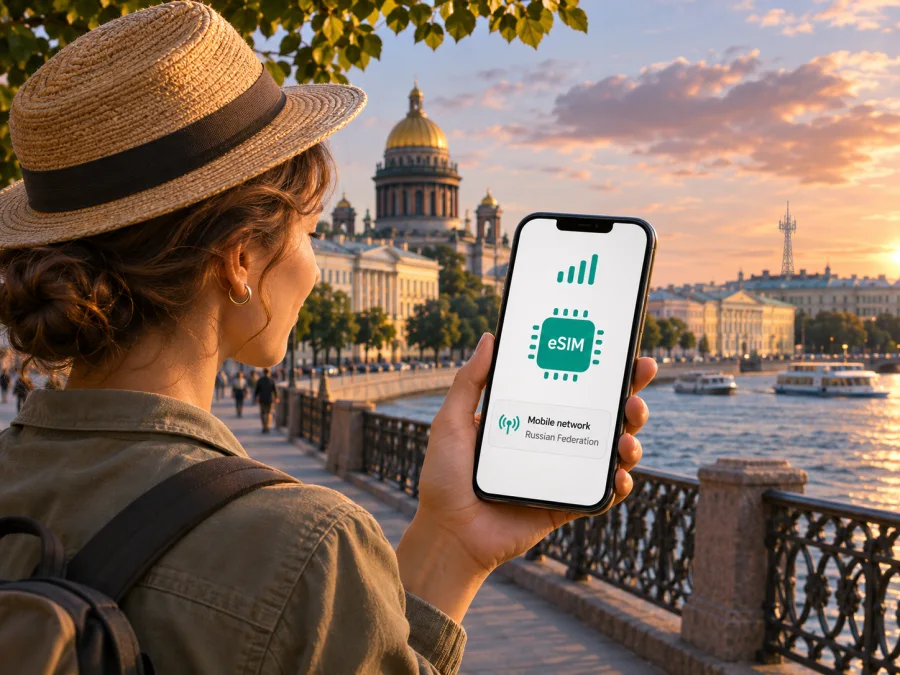
beeline eSIM in the Russian Federation: activation, coverage and travel checks
If you are planning a trip to the Russian Federation, the first question is whether you need a domestic beeline line with a Russian number or a travel eSIM intended mainly for mobile data. beeline does offer eSIM for its mobile service in Russia. However, the process is tied to a service contract and identity checks, and an eSIM issued by beeline has to be installed and connected to the network while you are in Russia before it can be used abroad. That makes timing and eligibility important for visitors.
This guide separates what beeline’s current public pages confirm from details that a traveller should verify for their own circumstances. It does not list plans or prices. The eSIM and foreign-customer information below was checked on 4 November 2026 against beeline’s official eSIM page and its guidance for foreign nationals. Network technology information was checked against beeline’s 4G/4G+ support explainer on the same date.
beeline and mobile service in the Russian Federation
beeline is a mobile network operator in the Russian Federation. Its official eSIM page describes the digital SIM as a way to connect a new number or move an existing number to beeline, with the profile installed on a compatible device. It outlines online and in-store routes and explains that an eSIM can be installed through the beeline app or with a QR code. These are domestic mobile-service options, rather than a promise that any visitor can order an eSIM remotely from outside the country.
The distinction matters because activation includes more than downloading a profile. A mobile operator must register the customer and the service agreement. beeline’s eSIM instructions say that remote signing uses a verified Gosuslugi account and the Goskey app; an existing beeline customer may have another online route, and an in-person application is also described. The exact route shown to you can depend on whether you already have a beeline number and on the current registration requirements.
A visitor should therefore not assume that a passport alone is enough to obtain a new local eSIM. In its public “How to become a beeline customer” support page and its foreign-citizen registration guide, beeline lists additional steps for customers without Russian citizenship. The published checklist includes an original passport with a certified translation, SNILS, an email address, a Gosuslugi account and biometric registration, followed by a visit to a beeline office with the documents and phone. These rules and the way they apply to a particular visitor can change, so confirm the current requirements with beeline before travelling to an office or planning around a Russian number.
The public eSIM page confirms the product is available, but it does not establish that every foreign visitor can complete the required identity and contract process. If you do not have the listed registrations, or cannot complete the required signing steps, ask beeline what options are currently available to you. Do not purchase or rely on a local line until you know that you can register it and complete activation.
What beeline eSIM is useful for
A beeline eSIM is a digital SIM profile for a beeline mobile service. It can be useful if you need a local operator account and number, if you already use beeline and want to replace a physical SIM, or if you are moving an existing number to an eSIM-capable phone. The beeline page describes creating a new number, transferring a number to the operator, and replacing a physical beeline SIM with an eSIM through the app or an office.
That is different from a travel eSIM designed for a short visit and mobile data. A local operator account involves subscriber registration and a domestic service agreement; an international travel eSIM is typically selected for a destination and may be data-only. Check whether you need calls and SMS on a Russian number, or mainly data for maps, messaging, bookings and work. If you need a local number for calls, account verification or services that require a Russian number, ask the operator what the selected service includes. A data-only travel eSIM should not be treated as a substitute for a local phone number.
How to request and activate a beeline eSIM
The steps below reflect the operator’s public eSIM instructions checked on 4 November 2026. Availability of each route depends on your status as a customer, your documents and the current registration procedure.
- Check the phone. Confirm that the exact device variant supports eSIM and is not locked to another carrier. Look in the mobile-network settings for an option such as “Add eSIM” or “Add mobile plan”. Also check the manufacturer’s support information for your precise model or regional variant. beeline itself advises checking with the device maker when a model is not on its compatibility list; model names alone may not identify every regional version.
- Confirm that you can register. Ask beeline which identity documents and electronic registrations are required for your situation. Foreign nationals should review the current beeline checklist before visiting an office. If a verified Gosuslugi account or another listed requirement is unavailable, confirm whether an in-person or existing-customer route applies rather than assuming an online order will work.
- Choose the correct customer route. The beeline eSIM page describes online connection, a beeline office and conversion of an existing beeline SIM. A number transfer from another provider is a separate process from simply installing a profile. Confirm that the number type and registration route you need are available to you.
- Complete the agreement and identity checks. Follow the operator’s current instructions for signing and registration. Do not share account credentials or identity codes with anyone outside the official process.
- Install the profile promptly. beeline says a newly issued eSIM should be downloaded to the device after the agreement is registered. The operator’s time window and recovery procedure can change; follow the current instructions shown during issuance and keep the QR code or app access available until installation is complete.
- Connect while in Russia. beeline says its eSIM can only be activated in Russia: install it and connect to the internet through the profile before leaving. According to the operator’s eSIM FAQ, a profile that has only been installed but has not connected in Russia may not find the network abroad. If you plan to use beeline roaming outside Russia, finish this activation step before departure and separately confirm roaming availability for your destination.
- Set the data line deliberately. If the phone has more than one SIM, choose which line handles mobile data, calls and texts. Keep your home line active only if you want it and understand its roaming settings. Avoid enabling data roaming on the wrong line.
For a travel-data eSIM from Kaspersky eSIM Store, use the device compatibility check and follow the installation instructions for your phone’s operating system. That is a separate product flow: a compatible handset, internet access during installation and the correct data-line selection are still required.
Beeline coverage and supported network technology
beeline’s public support explainer for 4G and 4G+ identifies LTE as the underlying technology and explains that a phone’s displayed “4G” or “LTE” indicator shows the type of network connection. It also notes that the connection a user receives can vary with device characteristics, network load, terrain and weather. The page describes 4G+ as LTE Advanced, but a device must support the relevant technology and local network conditions still matter. This is a description of technology, not a guarantee of a particular speed or signal at every address.
The Russian Federation is geographically large, and mobile reception is location-specific. A national brand or an eSIM profile does not guarantee indoor reception, uninterrupted service on a route, or the same network experience in every settlement. Before relying on mobile data for a rail journey, road trip, remote work session or arrival transfer, check beeline’s current coverage information for the exact locations you expect to visit. beeline’s support article “What affects mobile internet speed?” directs customers to its coverage map and recommends selecting a city and network type; this advice was checked on 4 November 2026. Recheck the map close to departure, especially if you will travel beyond major urban areas. Buildings, underground stations, distance from a base station, congestion and the handset’s supported bands can all affect the connection you see.
Local beeline service or a travel eSIM?
The right choice depends on what you need during the trip. A local beeline eSIM is worth investigating when a Russian number or a continuing beeline account matters and you can meet the operator’s registration requirements. A travel eSIM may be more practical when the main need is data and you want to prepare a digital profile without arranging a local mobile contract. Neither option should be assumed to work for every visitor, device or location.
| What you need to decide | Local beeline eSIM | Travel eSIM for the destination |
|---|---|---|
| Main purpose | A beeline mobile line under a local service agreement | Mobile data for a trip, according to the selected destination and offer |
| Registration | Operator identity checks and contract requirements apply | Follow the travel eSIM provider’s purchase and identity rules |
| Russian phone number | Ask beeline whether the chosen service includes the number and functions you need | Usually not included in a data-only offer; verify the product terms |
| Where activation happens | beeline says activation must be completed in Russia before using the eSIM abroad | Installation and first use depend on the provider’s instructions and destination rules |
| Coverage | Subject to beeline’s network footprint and local reception | Delivered through local networks available under the selected offer; check current destination details |
| Best next step | Confirm eligibility, documents, activation timing and the exact coverage area with beeline | Check device compatibility, destination restrictions, data-only limitations and the current offer terms |
Kaspersky eSIM Store is an app and website that helps travellers choose, arrange and activate an eSIM with a mobile-data plan for an international trip. It is not a mobile operator, network owner or mobile-internet provider. The Russian Federation destination page, checked on 4 November 2026, states that its data plans are unavailable to Russian residents. It says data normally starts 24 hours after first connection to a Russian network, but following a link received by text message after arrival may restore access sooner. If the eSIM is unused for 72 hours, access may be suspended again for 24 hours. These destination-specific conditions are important for arrival-day planning and should be rechecked before purchase.
If you are eligible and a data-only connection fits your needs, you can check the current Kaspersky eSIM Store options for the Russian Federation. This page is for browsing destination availability and current terms; it is not a beeline plan or a specific local operator tariff. The destination page notes that availability is restricted for Russian residents, so do not rely on this option if you are resident in Russia. Confirm that the offer is available to you, that your device is compatible and that its activation restrictions fit your itinerary before choosing it.
Installing a travel eSIM on a compatible phone
The menus differ between operating-system versions and device makers. Use the on-screen setup flow from the provider and the instructions for the exact phone in your hand. A QR code generally needs to be displayed on another screen or printed if you are scanning it with the device that will use the eSIM; some services also offer direct installation in their app.
Installing a profile and being able to use service are separate steps. A profile can appear in settings while the line is still waiting for registration, destination access or a supported network. Keep the installation email and account access until you have confirmed the connection. If the phone displays no service, confirm that the profile is enabled, the correct data line is selected, the device is unlocked and the location is within the offer’s destination coverage. Restarting the phone or briefly toggling airplane mode may refresh network selection, but do not repeatedly delete and reinstall the eSIM unless the provider instructs you to do so.
Common questions
Does beeline support eSIM in the Russian Federation?
Yes. beeline’s official eSIM page describes online and in-office eSIM connection and replacing an existing beeline SIM with a digital profile. Eligibility still depends on registration, the service route and a compatible device.
Can I activate a beeline eSIM after arriving abroad?
The beeline eSIM FAQ says no: activation must be completed in Russia by installing the profile and connecting to the internet through it. Complete that step before departure if you plan to use the line while roaming.
Can a foreign visitor get a beeline eSIM?
The operator publishes a registration path for foreign nationals, but a public page does not confirm that every visitor can satisfy the requirements or obtain every service type. beeline lists identity and registration steps, including documents and an office visit. Check the current process with the operator for your particular status before relying on eSIM.
Does a travel eSIM replace a local beeline number?
Not necessarily. Kaspersky eSIM Store’s destination page describes its eSIM as data-only, without a regular phone number for calls or texts. Messaging and internet calls may work through apps when you have data, but they do not provide the same service as a local mobile number.
Will an eSIM work in every phone sold under the same model name?
Not always. Check the precise model or part number, country or region of sale, carrier lock and eSIM option in the settings. beeline’s compatibility information warns that some regional variants differ; the device manufacturer’s current support page is the best place to verify the exact version.
Will a travel eSIM provide data as soon as I land in the Russian Federation?
Do not assume so. The current Kaspersky eSIM Store destination page describes an initial access restriction after connection in Russia, with a text-message step that may restore access earlier. It also describes possible renewed suspension after a period without use. Check the page shortly before travel and plan for a separate connection during arrival if needed.
Practical takeaway
beeline eSIM is a confirmed option for mobile service in the Russian Federation, but it is not automatically a ready-made visitor product. A traveller needs a compatible, unlocked device, a valid registration route and enough time to install and activate the profile inside Russia. For roaming use, complete the operator’s required first connection before leaving the country and verify destination coverage and roaming conditions directly with beeline.
If your priority is data for a trip rather than a Russian mobile number, compare that need with an eligible travel eSIM and read its destination restrictions carefully. For the Russian Federation, current access timing and residency limitations can affect whether a travel eSIM works for your arrival plan. Choose only after checking the current official conditions and keeping a backup connection for the first stage of your journey.
beeline and related marks belong to their respective rights holders. Kaspersky eSIM Store is independent of beeline and is not affiliated with, endorsed by or an official partner of the operator. Information was checked on 4 November 2026; registration rules, eSIM availability, device support, coverage and destination conditions may change, so confirm them with the relevant provider before travel.


