Travel connectivity guide
Beira eSIM: Mobile Data for Mozambique Travel
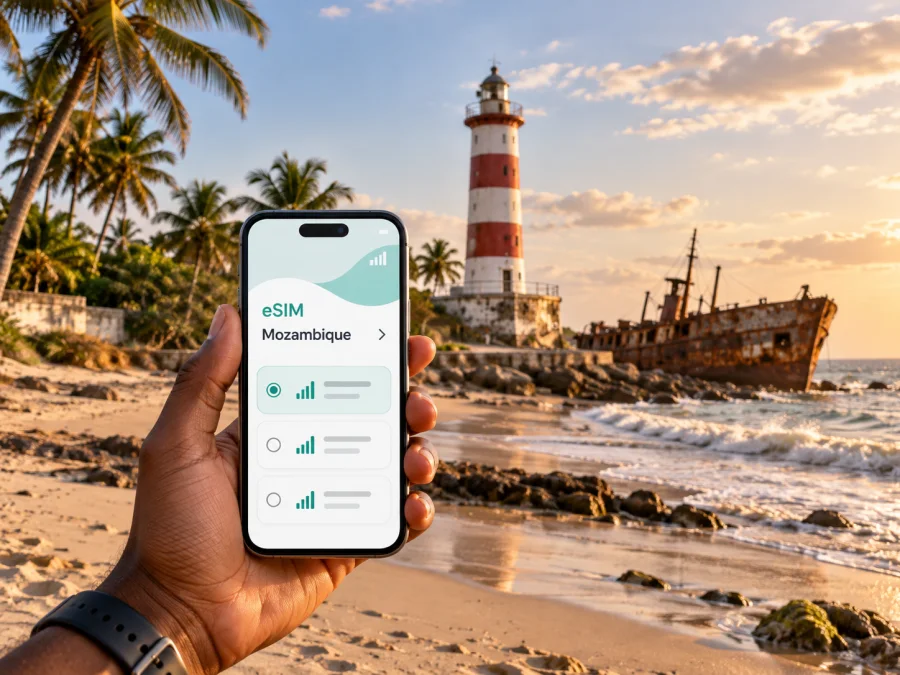
Beira eSIM: mobile connection and internet for exploring the city
Beira is a working port city on Mozambique’s Indian Ocean coast, and a visit often involves more than a short walk between landmarks. You may arrive by air, meet a driver, cross between the centre and the coast, check a hotel location, or coordinate a work appointment near the harbour. Mobile internet can make those small transitions easier: maps stay available, messages reach your host, and the next address is easier to confirm.
An eSIM is a digital SIM profile installed on a compatible phone. For a trip to Beira, it can provide a practical way to use mobile data without swapping out your physical SIM. It is useful for navigation and online services, but it does not replace local knowledge: confirm transport arrangements, save important details offline, and allow for changing road and weather conditions.
A first orientation to Beira
The city is spread along the coast and shaped by its port, older central streets, residential neighbourhoods and the route out toward the airport. For a visitor, that means planning around where you are going rather than assuming every stop is within an easy walk. A map app is helpful for checking the direction and approximate route, while a hotel or local contact can confirm the best practical way to make the journey.
Several places help form a mental map of Beira:
- The central area is where you will find civic and commercial activity, shops, services and everyday street life. Mercado Central is a useful point of reference when planning a daytime visit to the centre.
- Ponta Gêa and the older central streets are useful names to recognise when comparing accommodation and meeting points. Check the exact address and ask your hotel how it describes its location.
- Macuti is associated with the coast, the lighthouse and the beach. It is a distinct destination from the central business area, so plan a ride if you are short on time or carrying bags.
- The port and railway area reflect Beira’s role as a transport and trade hub. Some streets are functional work zones rather than visitor promenades; use a specific destination instead of wandering into restricted or unfamiliar areas.
- The Rio Chiveve area offers another city-side reference when orienting yourself between central districts and the waterfront.
These names are starting points, not substitutes for an address. In Beira, hotels, offices and landmarks may use Portuguese names on signs or booking details. Keep the original spelling of your destination in your notes, and share a map pin or written address with a driver when possible.
Arriving and getting to your accommodation
Beira is served by Beira Airport, also identified by the code BEW. Before travel, confirm your flight details and the current arrangements for the onward journey. For a first arrival, especially after dark or with luggage, arranging a pickup through your accommodation or a trusted local contact can reduce uncertainty. If you take a taxi, agree on the destination and fare before setting off when the price is not clear.
The first few minutes after landing are when mobile data is especially useful. You may need to message the person meeting you, check the hotel address, or tell someone that your arrival has changed. Prepare before departure by saving the accommodation’s phone number and street address in a note that is available offline. A screenshot of the route can also help if you temporarily lose data or need to show the destination to a driver.
A simple arrival sequence:
- Confirm the name and address of your hotel or meeting point before leaving the terminal.
- Connect to the mobile data line you intend to use and check that data roaming is enabled for that eSIM profile if its setup instructions require it.
- Contact your driver or accommodation with a clear arrival message; do not rely on a map pin alone if the exact entrance matters.
- Keep the phone charged and accessible during the ride, and follow your accommodation’s advice about the route and arrival procedure.
- Once checked in, save the locations you expect to visit the next day and ask staff to confirm how to reach them.
Maps help with orientation, but cannot confirm a driver’s identity or road conditions. If a pickup is delayed, contact your accommodation through a known number and keep valuables secure while checking directions.
Moving around: choose the right tool for each trip
Beira’s everyday transport is largely road-based. Chapas, the shared minibuses used in many Mozambican cities, can be useful for local journeys, while taxis or a pre-arranged car may suit visitors who have luggage, a tight schedule or an unfamiliar destination. Availability, routes and fares can change, so ask locally before boarding and carry a destination written down.
Walking can work for a short, familiar route in daylight, such as moving around a compact central area. It is less practical for crossing between the centre and the Macuti coast, for carrying work equipment, or during hot, wet or stormy weather. Check the route on a map, but use local guidance to decide whether walking is sensible at that time of day.
| Situation | Practical option | What to check before leaving |
|---|---|---|
| Airport to hotel with luggage | Pre-arranged pickup or taxi | Confirm the vehicle, destination and fare or payment method |
| A short daytime trip in the centre | Walk or a locally recommended ride | Street conditions, heat, distance and the exact entrance |
| Centre to Macuti or the lighthouse | Taxi or another ride confirmed locally | Return arrangements, weather and time available |
| Several appointments in one day | Driver arranged through the hotel or employer | Addresses in sequence and time between meetings |
| Local minibus journey | Chapa, if you know the route or have local help | Direction, stop, fare and whether you have the right change |
A map app is most useful when you check the journey before stepping into traffic. Download or save the area where possible, pin your accommodation and work locations, and note a nearby landmark that can help explain the destination. If a route looks unclear, ask your host or hotel to write the destination in Portuguese or send a location pin before you depart.
Making mobile data useful in the city
In Beira, mobile data is valuable for practical tasks rather than only browsing: locating an address, translating a short message, checking a flight update, arranging a ride, or letting a colleague know that a meeting time has changed. The connection available to you depends on the local network, your plan, the device and conditions in the area. Do not assume uninterrupted service on every street or inside every building.
A useful preparation routine is to decide what must work online and what should be saved in advance. Keep the hotel address, booking details, passport information needed for check-in, emergency contacts and meeting notes available offline. Use data for live maps and messages, then switch to downloaded directions or saved notes if the signal is weak. This reduces the amount of time spent troubleshooting in an unfamiliar place.
Before you travel, compare eSIM options for Mozambique by the details that affect your itinerary: data allowance, validity period, activation conditions and price. A short city stay with frequent map checks is different from a longer business visit or a trip that continues beyond Beira. Think about the whole route, including any onward travel from the city, and choose a package whose stated terms fit those dates and expected use.
When you are ready to review the options, choose an eSIM plan for your Mozambique trip. Kaspersky eSIM Store is an app and website that helps you choose, purchase and activate an eSIM with a suitable plan for mobile data while travelling abroad. Review the plan details before purchase; network availability and performance depend on the local service and conditions.
Choose your base with the day’s route in mind
A convenient place to stay depends on the reason for your visit. If you have work near the centre or port, prioritise a location that makes those appointments straightforward. If your plan includes the coast, look at accommodation around Macuti and check the actual distance to your other stops. A booking label such as “central” or “seafront” is only a broad description; compare the address with your itinerary and ask the property about transfers.
For a work trip, save each office, hotel and meeting point separately rather than relying on one general pin. Confirm the local name used by your contact, the best entrance and a phone number to call if you cannot find the building. If several meetings are scheduled across different parts of Beira, group them by area when possible and leave time for road delays.
For a short stopover, choose fewer destinations. An arrival, a check-in, one meal and a brief coastal visit can already involve several rides. Keep the plan flexible and leave enough time to return to the airport or continue your journey. A long list of map pins is not a realistic schedule if you do not know local traffic and transfer times.
A compact half-day plan
- Start: Check the weather and confirm how you will return.
- Centre: Visit a central landmark or market in daylight and save the route back.
- Coast: If time and conditions allow, continue toward Macuti or the lighthouse with a confirmed ride.
This is a planning pattern, not a fixed tour. Confirm access and transport locally, particularly after heavy rain.
A practical eSIM setup before departure
Set up the digital SIM while you have stable Wi-Fi and enough time to read the instructions. The exact menus vary by phone, so use the device’s current settings and the instructions for your operating system. Installing the profile before the trip can make arrival simpler, but follow the plan’s stated activation timing so the validity period begins when you expect.
- Check whether your phone supports eSIM and is not restricted by a carrier lock. Check your device compatibility.
- Select the destination and read the plan’s data allowance, validity and activation conditions.
- Follow the relevant Android eSIM installation instructions or iOS eSIM installation instructions.
- Label the new line clearly, such as “Mozambique data,” so you can distinguish it from your usual SIM.
- Decide which line will handle mobile data. Keep your regular number available for calls or messages if your device and plan settings allow, and check roaming charges with your home provider.
- On arrival, select the eSIM for mobile data and enable any required roaming setting for that profile. Test with a simple message or map request.
A data-only eSIM plan may not include a regular phone number, voice calls or SMS. Check the description and keep your usual number active if you need it for verification; review its roaming terms before travel. If the eSIM does not connect, check the selected data line, profile status and setup instructions before restarting the phone or contacting the relevant support channel.
Weather, battery and offline preparation
Beira’s coastal weather belongs in your route planning. Check conditions before a coastal walk and ask locally about roads after heavy rain. Keep an indoor or nearby alternative if the weather changes. Extended map use in heat can drain a phone, so carry a charged power bank on a long day and close navigation when you no longer need it.
Before leaving Wi-Fi, save your accommodation address and number, onward-travel details, meeting locations, map pins and a screenshot of essential directions. These offline notes are a practical backup if the signal weakens or your battery runs low.
Trips beyond Beira
If Beira is a base for work or onward travel to Dondo or elsewhere in central Mozambique, confirm current routes and schedules with your accommodation, employer or transport provider; a map cannot confirm that a service is running. Allow a buffer around flights and appointments. Before leaving the city, save maps and tickets offline, and check that your plan’s listed destination and validity fit the rest of the route.
Common questions
Can I use an eSIM just for a visit to Beira?
Yes, an eSIM can be a convenient mobile-data option for a city visit if your device supports it and the plan you choose covers Mozambique for your travel dates. Check the plan details and activation conditions before purchase.
Will mobile internet work everywhere in Beira?
No plan can guarantee service in every location. Availability and speed depend on the local network, signal, device, building and current conditions. Save addresses and essential information offline as a backup.
Is an eSIM the same as a local phone number?
Not necessarily. A data-only eSIM plan may not include calls or SMS through a standard phone number. Read the plan description and keep your usual number available if you need it for verification or direct calls.
Before you set out
Save your Beira addresses offline, confirm transport locally and allow time for weather or road delays. Check the destination, data amount, validity and activation terms for your dates, then prepare an eSIM plan for Mozambique through the Kaspersky eSIM Store app or website.


