Travel connectivity guide
Bel Ombre eSIM: Mobile Internet in Seychelles
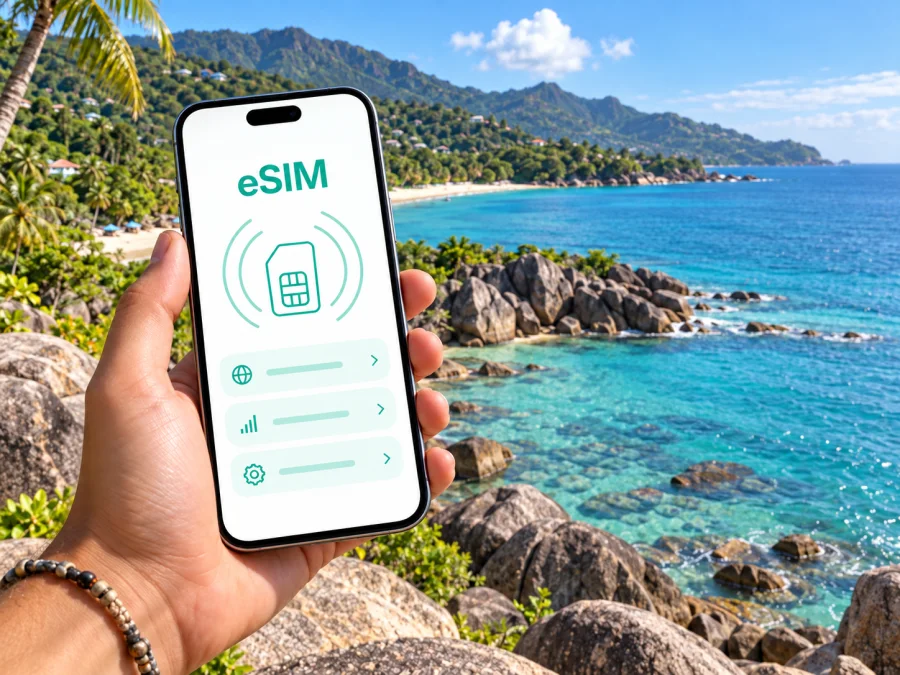
Bel Ombre eSIM for mobile connection and internet
Bel Ombre is a coastal district on the north-west side of Mahé, where a stay may combine a beach hotel, nearby Beau Vallon and visits to Victoria. A mobile connection can help you confirm a transfer, follow a map, contact your accommodation and keep bookings close at hand. An eSIM gives you a way to arrange mobile internet for the trip without inserting a physical SIM card, while your usual SIM can remain in the phone if your device supports that setup.
Save essential details offline too, since signal quality can vary with location, building, device and local network conditions.
Bel Ombre as your Mahé base
Bel Ombre is a district rather than a separate island or a large city centre. It sits on Mahé’s north-west coast, with hills inland and the neighbouring Beau Vallon area nearby. Plan around the actual addresses on your itinerary: your accommodation, beach, restaurant or meeting place may be described under a nearby locality even when your base is Bel Ombre.
Before travelling, save the exact lodging name and address, the map pin, host contact and check-in instructions. “Bel Ombre” alone may not identify the right entrance or pickup point. Keep a screenshot of the booking as well as an offline copy of the address, and ask your host which landmark or access road to use if the location is not obvious.
A compact arrival note should include:
- accommodation name and full address;
- host or driver contact and the agreed meeting point;
- transfer details and any instruction for delays;
- a backup pickup or check-in plan if your arrival changes.
This preparation avoids searching through email with luggage in hand. A live map is useful, while local confirmation can clarify a gate or driveway that is not obvious in the app.
From the airport to Bel Ombre
Many visitors reach Bel Ombre after arriving on Mahé and crossing the island toward the north-west. Your transfer depends on arrival time, lodging and arrangements, so confirm pickup details with your hotel, host or transport provider before travelling. Do not assume a particular vehicle, schedule or meeting point will be available after landing.
Mobile data can help you check a driver’s latest message, open a map pin or tell your accommodation that you have arrived. If your transfer is pre-booked, have its instructions ready before collecting your bags. If arranging transport after arrival, compare the available options and agree on the destination and price with the provider before setting off.
For the final approach, use navigation alongside local directions. Hillside lanes and coastal access can make an entrance less obvious than a broad map view suggests. Confirm that the pin matches your address and, if arriving after dark, settle the drop-off details in advance. After check-in, save the location and pickup instructions for the return journey.
A first-hour checklist: select the intended data line, compare the lodging pin with your booking, contact your host if the meeting point is unclear, then save the location for later.
If you use a physical SIM alongside an eSIM, review which line handles data, calls and messages. Your usual number may remain useful, subject to your carrier settings. A travel eSIM plan is intended for mobile internet; it does not automatically provide a regular phone number, standard voice calls or SMS unless the specific plan terms say otherwise. Messaging and calls through internet apps may work when you have data and the other person can use the same service.
Getting around the north-west coast
Use your accommodation as the starting point for day plans. Bel Ombre and nearby Beau Vallon sit on Mahé’s north-west coast, and Beau Vallon Beach is shared by the two districts. Check the exact pin before assuming a hotel, restaurant or activity is an easy walk away. Ask your host whether a stretch is suitable on foot and how to arrange a return pickup.
Victoria is a common destination for errands and appointments. The Seychelles tourism authority places Bel Ombre roughly eight kilometres from Victoria, though your route depends on the precise start and end points. Use the venue’s full address, save a nearby fallback point and allow a flexible travel window. For outings, check the return pickup and local route conditions as carefully as the way there.
| Situation | Prepare on your phone | Offline backup |
|---|---|---|
| Airport pickup | Driver’s message, meeting point and lodging pin | Screenshot of pickup details |
| Check-in | Exact address and host contact | Booking and entry instructions |
| Beau Vallon visit | Beach or venue pin and return plan | Saved location and host directions |
| Appointment in Victoria | Full venue name and address | Calendar entry and written address |
| Excursion | Start point, provider and return details | Booking receipt and route notes |
Maps and messages are helpful, but they do not replace confirmation. Road names, entrances and pickup places can be described differently by a booking, a map app and a local host. If details conflict, ask the accommodation or provider to confirm the right point before setting off.
When an eSIM can help in Bel Ombre
An eSIM can be useful if you want mobile internet soon after arrival and prefer to prepare a data line before travelling. In Bel Ombre, that may mean opening accommodation details, coordinating a transfer, checking a route to Beau Vallon, messaging a host or arranging a pickup after a day out. For a work trip, it can also help you review meeting information away from your desk or let colleagues know when your schedule changes.
Coverage, speed and availability depend on local networks, your location, device and conditions at the time. A hotel room, hillside road and public place can offer different experiences. Review the destination and terms shown for the selected plan; no eSIM guarantees uninterrupted service at every address. Keep reservations and directions offline, and use accommodation Wi-Fi as another option when available and appropriate.
Think about your full itinerary when comparing plans. Will you mostly stay in Bel Ombre, or take day trips across Mahé? How often will you use maps, upload photos, join video calls or stream? Will a laptop or another traveller connect through your phone? These questions help you estimate data needs based on your habits rather than a universal allowance.
Kaspersky eSIM Store is an app and website where you can choose, purchase and activate an eSIM with a suitable plan for mobile internet on an international trip. To compare options for the destination, review eSIM plans for Seychelles and check the allowance, validity period, activation details and other conditions shown for the plan you select.
Estimate data around your itinerary
There is no single data allowance that fits every visitor. Someone who checks messages and directions occasionally will use data differently from a traveller who joins video calls, uploads large files or shares a hotspot. List the activities you will do away from Wi-Fi, then decide which ones can be completed before leaving your accommodation.
| Use | Planning question |
|---|---|
| Navigation | Will you follow directions all day or check a route occasionally? |
| Messaging | Mostly text, or also photos and voice notes? |
| Work | Do meetings require video, or can calls be audio-only? |
| Photos and files | Can uploads wait until Wi-Fi is available? |
| Hotspot | Does a laptop or another traveller need your phone’s connection? |
Download offline maps and large files before leaving Wi-Fi, manage media backups and check your phone’s data-use settings. If working remotely, test your apps and confirm the accommodation’s workspace and Wi-Fi details. For a short visit, prioritize maps, bookings and messages; for frequent calls, include them in your estimate. Choose based on expected use and plan terms.
Work trips, stopovers and excursions
Bel Ombre can be a quieter base for a work visit to Mahé, but business travel benefits from extra preparation. Save meeting addresses, calendar invitations and contact details before departure. If an appointment is elsewhere on the island, confirm the route with the host and agree on a flexible departure window. Keep a colleague updated if travel plans change; do not schedule a video meeting in transit unless the connection and surroundings are suitable.
Separate essential work from tasks that can wait. Email, text collaboration and document review may be easier to manage on mobile data than a video call or large upload. Check the accommodation’s work setup and treat mobile data as a useful option for lighter tasks, not a guaranteed replacement for a fixed connection. Download necessary work files securely in advance and follow your organization’s travel policies.
A short stopover calls for a smaller plan. Confirm the time available between flights, luggage arrangements and whether leaving the airport is practical for your itinerary. If you do visit Bel Ombre or another part of Mahé, keep the return trip and check-in time in view. Save flight details offline so they remain accessible if you need to change connections.
Day trips from Bel Ombre may take you elsewhere on Mahé, including Victoria or a coastal trail. The Seychelles tourism authority lists the Anse Major trail in Bel Ombre and describes about 70 minutes to reach its end. Treat that as a reference, not a guarantee of your pace or current conditions. Check local guidance before setting out, carry what the outing requires, and agree on a return arrangement. Mobile data can support coordination, but should not be your only navigation or safety plan.
Save each stop separately instead of trying to remember a chain of directions. Keep the venue name and map pin together, along with the pickup instruction from your driver. That small habit is useful when your itinerary changes or when places have similar names.
Set up your eSIM before or after arrival
If possible, review setup while you still have a stable internet connection. The precise steps vary by phone and operating system, so follow the guide for your device. Usually, you select and purchase a plan, add the eSIM using the method provided, then choose the appropriate line for mobile data when you are ready. Keep activation details available and do not delete an eSIM profile unless the plan instructions say to.
Before starting, confirm that your phone supports eSIM and is not restricted by a carrier lock. Check whether your device supports eSIM and review the activation and usage conditions for your chosen plan. Compatibility can vary by model, regional version and carrier settings; the device maker or carrier can clarify a specific phone.
For step-by-step help, use the Android eSIM installation instructions or iOS eSIM installation instructions. If installing before travel, follow the plan’s timing instructions and check when validity begins. If setting up after landing, make sure you have an internet connection and enough time to complete the steps calmly.
Before you go, check that you have:
- confirmed eSIM support and carrier-unlock status;
- read the destination, data, validity and activation conditions;
- installed the eSIM using the instructions for your phone;
- labelled the travel line clearly in settings;
- selected the intended data line and reviewed its roaming settings as instructed;
- checked potential roaming charges with your home carrier;
- saved lodging details, confirmations and key map areas offline.
In Bel Ombre, verify that your phone is using the intended data line. If it does not connect, first check the selected SIM, mobile data setting and plan instructions. Network registration can depend on local conditions. If the issue continues, follow the service’s support route and keep your plan details available.
Frequently asked questions
Is Bel Ombre a city?
Bel Ombre is a district on Mahé, Seychelles. Travel listings may use the name for a coastal locality or accommodation area, so confirm the exact address and pin for your stay.
Will an eSIM work everywhere in Bel Ombre?
No plan guarantees service at every point. Performance depends on local network coverage, your device and conditions at the time. Check the selected plan’s destination and terms, and keep essential details offline.
Can I use my regular number as well?
Compatible phones may support a physical SIM and eSIM together, but the available setup depends on the device. A travel data plan does not necessarily include a standard number, calls or SMS. Check the plan terms and your phone settings, and review roaming with your usual carrier.
Should I install the eSIM before travelling?
You can prepare in advance if the plan instructions allow it. Check when activation and validity begin. If you wait until landing, make sure an internet connection is available for setup.
What should I save offline?
Keep the accommodation address, booking confirmation, host contact, transfer details and key map areas available without data. For an excursion, save the activity details and return plan too.
Prepare your connection for Bel Ombre
Before leaving, confirm eSIM support, review the plan’s destination and activation terms, and save the details you may need on arrival. This makes it easier to coordinate a pickup, find your accommodation, move between Bel Ombre and nearby places, and keep a work or leisure itinerary organized.
When you are ready, choose an eSIM plan for your Seychelles trip through Kaspersky eSIM Store. Compare the destination options and select one that fits your route and expected data use.


