Travel connectivity guide
Belle Mare eSIM: Mobile Internet for Mauritius
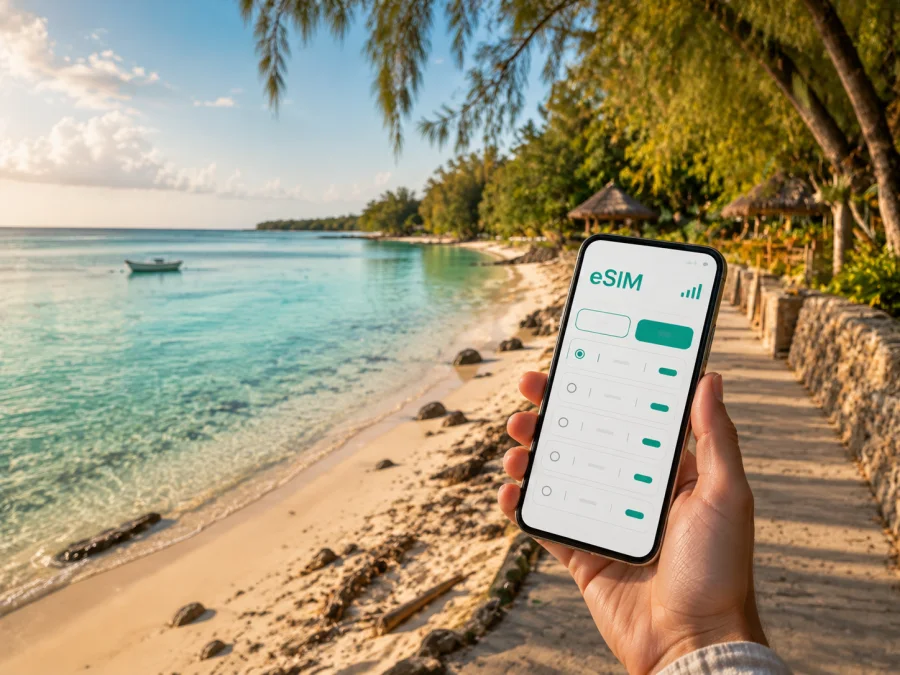
Belle Mare eSIM: mobile connection and internet for your Mauritius trip
Belle Mare is a practical base on the east coast of Mauritius when your days combine a beach stay, short drives, boat excursions and time in nearby villages. A reliable mobile internet plan can make the first hours after landing easier: you can check the route to your accommodation, message the person meeting you, confirm a transfer and keep a map available without looking for a public Wi-Fi network.
For a trip to Belle Mare, eSIM is a digital SIM card that can provide mobile data on a compatible, unlocked phone. Kaspersky eSIM Store is an app and website that helps you choose, arrange and activate an eSIM with a plan for mobile internet during an overseas trip. Choose according to your itinerary, stay length and expected data use.
Why mobile internet matters in Belle Mare
Belle Mare is not a dense city centre with every service in one compact grid. Accommodation is distributed between Belle Mare and Palmar, and many trips begin from a hotel, a local road or a nearby coastal settlement. That makes mobile data helpful for small decisions throughout the day.
You may use it to:
- check a map while walking between the beach, your hotel and a restaurant;
- share an arrival time with a driver or a travel companion;
- confirm a reservation or send a message to hotel reception;
- see a taxi or transfer detail when your plans change;
- translate a short menu or message when you need to communicate quickly;
- find the meeting point for a boat trip from the east coast;
- upload photos later over Wi-Fi and save mobile data;
- stay in touch with family while you are away from your accommodation.
The value is less about being online every second and more about having a practical option when you need it: before breakfast, on the road to a neighbouring village, at a harbour meeting point or during a transfer back to the airport.
The first hours after arrival
Most visitors reach Belle Mare after arriving at Sir Seewoosagur Ramgoolam International Airport in the southeast of Mauritius and continuing by taxi, pre-arranged transfer, rental car or local transport. Save your accommodation address, transfer details and a contact name before leaving the terminal. If you install an eSIM before departure, test the profile at home but leave the travel line switched off until the plan conditions say to use it. If you wait until arrival, use hotel Wi-Fi and complete the setup before heading out.
Belle Mare locations where a connection is useful
The same eSIM plan can support several different travel patterns, but your daily data needs will change with the area and activity.
| Belle Mare scenario | What you may need mobile data for | A sensible habit |
|---|---|---|
| Arrival at the hotel | Transfer messages, maps, check-in details | Save the hotel address and contact before the flight |
| Beach morning | Short walks, weather checks, messages | Download or save key information when you have Wi-Fi |
| Palmar and the coastal road | Navigation, meeting points, transport coordination | Pin the return point before leaving |
| Trou d’Eau Douce excursion | Timings, messages, boat or tour coordination | Keep the plan and meeting time in one note |
| Day in Flacq or another inland stop | Directions, opening-time checks, payments or bookings | Use a map with a clear destination, not only a place name |
| Business trip | Email, messaging, maps and document access | Reserve high-volume work for Wi-Fi where possible |
Belle Mare beach, Palmar and the east-coast route
The beach is the visual centre of the area, but practical routes often run along roads behind the coast. A map helps with entrances, restaurants, pickup points and the way back to your property. Palmar is close to Belle Mare, while Trou d’Eau Douce is a nearby east-coast settlement and a common starting area for trips towards Île aux Cerfs and the surrounding lagoon. Save the exact property, pier or meeting point rather than relying on a broad beach name.
Early walks work well with a low-data routine: check the route once, save the important pin and leave streaming and large photo uploads for Wi-Fi. On a boat, signal quality can vary, so keep confirmations and return details available offline.
Choosing an eSIM plan for Belle Mare
An eSIM plan for Mauritius should be selected for the country and the actual route, not only for the hotel name. If Belle Mare is one stop in a wider itinerary, compare the plan’s destination coverage with the other places you will visit. Conditions, data allowance, validity and price depend on the selected plan, so read the details shown before payment.
1. Start with your itinerary
List the places where you are likely to use data: the airport transfer, Belle Mare and Palmar, a Trou d’Eau Douce or Île aux Cerfs excursion, a stop in Flacq and any additional hotel on the island. A short resort stay with occasional maps may need less data than a longer route with daily navigation, video calls or work. Do not choose solely by the biggest allowance: unused data and validity conditions matter too.
2. Estimate your data pattern
Maps, text messages and email are usually lighter than video calls, social-media video, cloud backups and high-resolution streaming. Hotel Wi-Fi can handle large downloads and updates, while mobile data remains available for navigation and urgent communication. Reset your phone’s data counter when you activate the travel profile and review it after the first day.
3. Check the validity period
Match the plan’s validity to the dates when you will need mobile data. Installation and activation are separate steps, and the start of the validity period follows the conditions of the selected tariff. Read whether the plan should be installed before travel, activated after arrival or used within a stated period. If you plan to use the eSIM only for the transfer and excursion days, this timing can affect your decision.
4. Review what the eSIM includes
Travel eSIM plans are generally intended for mobile data. Unless the specific conditions say otherwise, do not expect a separate local phone number, ordinary voice calls or SMS to be included. You can continue using messaging apps over mobile internet, while your regular SIM may remain available for calls or texts if your operator and settings allow it.
Also check whether data sharing, hotspot use, top-ups and profile transfer are allowed. These details differ by plan and device. A plan that suits a solo beach stay may not be the right choice if you intend to share data with a laptop or companion.
Choose a plan for Mauritius before your Belle Mare trip
Once you know your route, data pattern and dates, you can choose an eSIM plan for a trip to Mauritius. Review the destination, allowance, validity, price and conditions on the plan page, then keep the confirmation accessible in your account or email.
Installing eSIM before departure or in Belle Mare
Installation is easiest when the phone is charged and connected to Wi-Fi. Have the QR code or activation details ready, and do not delete your regular SIM until you have checked the services you need. Setting names vary between devices, so follow the prompts on your screen.
Before installation
- Check that your phone supports eSIM and is not restricted to one operator. Check your device compatibility.
- Update the operating system if an update is already waiting and you have time to test the phone afterwards.
- Make sure you can sign in to the Kaspersky eSIM Store account or app.
- Connect to stable Wi-Fi.
- Keep the QR code or profile information available on another screen when possible.
- Decide which line should handle mobile data after arrival.
Android and iPhone steps
Use the Android eSIM installation instructions or the iOS eSIM installation instructions for device-specific guidance.
- Open the mobile-network or mobile-data settings.
- Choose the option to add an eSIM or mobile plan.
- Scan the QR code or enter the details shown in your account.
- Label the new line, for example “Mauritius trip”.
- Select the travel eSIM for mobile data when you are ready to use it.
- Enable data roaming for that profile only if the plan or device instructions require it.
- Test a small webpage or message after the phone connects.
Menu names differ between devices. If the profile installs but does not connect, check the selected data line, plan conditions and roaming-data setting, then allow a few minutes for registration. You can install at home and leave the line off until landing, or use hotel Wi-Fi in Belle Mare.
Getting around Belle Mare with your phone
A phone helps you coordinate transport, but it does not replace local judgement. Taxis, hotel transfers, rental cars, buses and organised excursions can all suit different days. Ask your accommodation which pickup points are clear and whether a driver should meet you at reception, a road entrance or another landmark.
Taxis and transfers
For an airport transfer, confirm the passenger name, vehicle, meeting location and destination before leaving the terminal. Save the hotel’s full name because several properties may be along the same coast. If the driver needs to call, a data-focused eSIM may not include ordinary voice service; use a messaging app or keep your regular line active under your home operator’s terms.
Rental car and navigation
Set your destination before moving and avoid handling the phone while driving. Save the hotel and airport as favourites, and write down the return address for a longer day trip. Checking the route over Wi-Fi can reduce mobile-data use, but keep enough data for a changed turn or a new destination. Traffic and weather can change journey times, so contact a tour organiser early if you are delayed.
Belle Mare scenarios: matching the plan to the day
A short resort break
Your main needs are messages, maps, reservations and occasional photos. Install the eSIM at home, keep the profile off until arrival if appropriate, and use Wi-Fi for large downloads. A smaller allowance may suit a simple schedule, but check the validity dates.
A mixed east-coast itinerary
You stay in Belle Mare, visit Palmar, travel towards Trou d’Eau Douce and join a boat excursion. Pin pickup locations in advance and leave a buffer in your data estimate for a wrong turn or schedule change.
A work trip with a weekend extension
Test your phone before departure, confirm whether hotspot is allowed and use Wi-Fi for file transfers. Keep your regular number reachable if work accounts depend on it, but select the travel eSIM for mobile data when intended.
What to do if the eSIM does not connect
Start with the simplest checks:
- Confirm that the eSIM profile is installed and switched on.
- Check that the travel eSIM is selected for mobile data.
- Review whether data roaming must be enabled for that profile.
- Turn airplane mode on briefly, then turn it off.
- Move to an open area and wait a few minutes for registration.
- Restart the phone if the previous steps do not help.
- Check the plan’s destination, validity and remaining allowance.
- Contact support if the issue continues, with the device model and the exact message shown on screen.
Avoid deleting a working profile or resetting the phone while troubleshooting. An eSIM profile may not be transferable or reinstallable after activation under a particular plan’s conditions. Keep your order details and QR code private.
FAQ about eSIM and mobile internet in Belle Mare
Can I install an eSIM before flying to Mauritius?
Yes, if your device is compatible and the plan’s conditions allow pre-installation. Install it over stable Wi-Fi, then decide whether to leave it switched off until arrival. Read the validity and activation rules so that installation does not start the period earlier than intended.
Do I need to replace my physical SIM card?
No. A compatible phone can often hold the physical SIM and an eSIM at the same time. You choose which line handles mobile data. Keep the regular SIM available if you need its number, and check your home operator’s roaming settings to prevent unintended charges.
Can I use the eSIM on a boat excursion?
You can use it when the phone has a compatible mobile connection, but signal quality may vary offshore. Save directions, meeting details and important contacts before departure. Do not treat an eSIM as a guarantee of service in every part of the lagoon or on every boat route.
Is eSIM always cheaper than roaming?
Not necessarily. Compare the price, validity, allowance and conditions of the eSIM plan with your home operator’s roaming option for the same dates and usage. An eSIM may help reduce travel-connection costs, but the best choice depends on your itinerary and data needs.
What if my phone is locked to an operator?
The eSIM may not install or connect on a restricted phone. Check compatibility and unlocking status before payment. Some models vary by market or region, so verify the exact device version.
Prepare your Belle Mare connection before you travel
The simplest plan is the one that matches the way you will actually move around Belle Mare. Save your hotel and transfer details, check your phone, choose the country and data allowance carefully, and keep a small offline backup for the moments when a signal or battery is limited.
When you are ready, choose an eSIM plan for Mauritius before your trip, install it on a compatible unlocked device and activate it according to the plan conditions. Kaspersky eSIM Store helps you manage the preparation through its app or website, while you remain in control of the profile, mobile-data line, usage and timing.


