Travel connectivity guide
Bellevue eSIM for Mobile Internet in Saint Martin
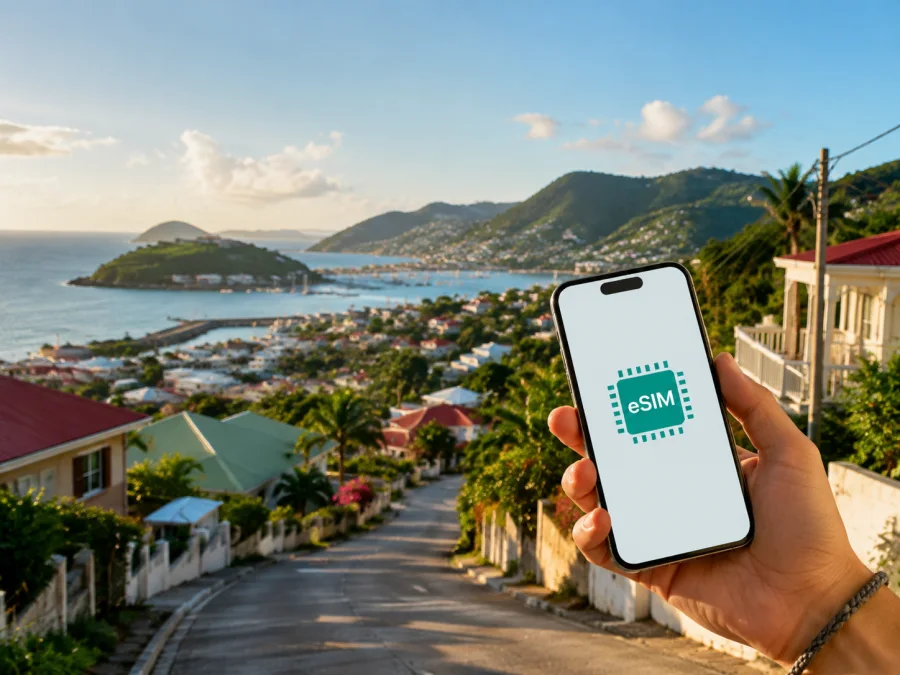
Bellevue eSIM: mobile connection and internet for a trip to Saint Martin
Bellevue is a practical base for travellers who want to stay close to Marigot while keeping the airport, lagoon and island roads in reach. Whether you are staying in a hillside rental, meeting clients or using Bellevue as one stop on a wider Saint Martin itinerary, mobile internet helps with the details that begin as soon as you land: finding an address, messaging a host, checking a flight and arranging a transfer.
An eSIM is a digital SIM profile that can provide mobile data on a compatible, unlocked phone. It lets you prepare a travel data plan without removing your everyday physical SIM. Kaspersky eSIM Store is an app and website where you can choose, arrange and activate an eSIM with a suitable plan for mobile internet during an overseas trip. A travel plan is generally for data; unless the selected offer says otherwise, it does not include a regular phone number, ordinary calls or SMS.
Why mobile internet is useful in Bellevue
Bellevue is a local area near Marigot on the French side of Saint Martin. Its residential setting makes a reliable map and messaging connection useful: the last part of a route may involve a slope, a smaller road or an accommodation entrance that is not obvious from the main road. The airport is on the Dutch side near Simpson Bay, so many arrivals involve a transfer across the island towards Bellevue and Marigot.
During the first hour after arrival, data can help you:
- share your arrival time with a hotel, villa host or driver;
- open the accommodation confirmation and check the address;
- compare the route from the airport with the driver’s suggested route;
- find a turning, building entrance or nearby shop;
- translate a short check-in message or let family know that you have arrived without looking for public Wi-Fi.
After check-in, the connection supports maps, reservations, messages and changes to the day’s plan. You can keep your regular line available while assigning data to the travel profile, provided your phone supports dual-line use.
Arriving near Bellevue and getting oriented
Princess Juliana International Airport is close to Simpson Bay on the Dutch side. The route to Bellevue depends on traffic, the time of day, your accommodation and the transfer option.
Before leaving the airport, save the accommodation address in your notes and keep the host’s contact easy to reach. If a driver is meeting you, confirm the meeting point while the arrival information is still in front of you. If you are collecting a rental car, load the route before setting off. Do not rely on memory for the last turn into a residential area, particularly after a late flight or in low light.
Use this orientation sequence:
- Confirm that the address says Bellevue and Saint Martin, not a similarly named place elsewhere.
- Compare the map pin with the written directions from the host or hotel.
- Send an estimated arrival time once you leave the airport area.
- Keep the map open until you identify the final access road.
- Save the location so you can navigate back from Marigot or another part of the island.
If the map and local directions disagree, ask the host which landmark or approach to use.
Bellevue as a base near Marigot
Marigot is the main town on the French side and a useful reference point for many Bellevue stays. Travellers may go there for waterfront walks, shops, cafés, services, the market area or onward transport. The practical navigation question is often “how do I get back to Bellevue after the last stop?” rather than simply “what can I visit today?”
Mark these points before your first full day:
| Point to save | Why it matters |
|---|---|
| Accommodation | A dependable return point between outings. |
| Marigot meeting point | Useful for cafés, errands, appointments and transfers. |
| Airport route | Important for an early departure or changed flight. |
| Backup stop | A nearby agreed place if a group or transfer separates. |
For a walking plan, distinguish between “nearby on the map” and comfortable on foot. Heat, slopes, narrow shoulders and luggage can change the experience, so a short car ride may be more practical. Keep the Bellevue pin available for the return journey.
Moving around Saint Martin from Bellevue
Bellevue works well for combining a Marigot day with trips to other parts of Saint Martin, but the island is compact rather than frictionless. Road time can vary with traffic, weather, roadworks and the number of stops. Group destinations by area instead of crossing the island repeatedly.
Rental car routine
Save the day’s route before driving and keep the phone mounted safely. Confirm the vehicle return point, fuel arrangement, parking instructions and a meeting point in case the group separates. Mobile data can support a changed destination, but it should never distract from driving.
Taxis and local transport
Keep the exact destination, accommodation name and map pin ready. A driver may prefer a known landmark or a main-road drop-off point. Message the driver if the meeting place changes and save the address before leaving a busy area. Availability, fares and routes can vary, so confirm current details locally rather than assuming a schedule.
French- and Dutch-side stops
An itinerary can include both sides of the shared island, but place names, business names and road references may appear in different languages. Search for the specific venue, compare the address with the booking and retain the Bellevue pin as your home point. This helps avoid a similarly named destination.
Choosing an eSIM plan for Bellevue
There is no single correct allowance for every visitor. Someone who checks maps and messages will use less data than someone who uploads photos, works remotely or joins video meetings, so start with the actual Bellevue itinerary.
Consider four variables:
- Validity: cover the arrival and departure days if you need data during transfers.
- Data volume: maps and messages are different from video calls, photo backup and streaming.
- Geographic scope: confirm that the offer applies to Saint Martin and any additional destination on your route.
- Activation timing: understand when installation, activation and data use begin under the offer conditions.
Kaspersky eSIM Store shows the plan information you need for comparison, such as destination, allowance, validity and price. Offers can have different conditions, so do not assume that similar names mean identical rules.
Around the middle of your preparation, you can choose an eSIM plan for your trip to Bellevue and compare the available Saint Martin options. Estimate usage from the city scenario: repeated map checks, messages with hosts, transfers and possible trips to other parts of the island.
For a stopover, prioritise validity across every transfer. For a leisure stay, allow for daily navigation and reservations. For business travel, estimate meetings and hotspot use separately and read the offer conditions. These are planning categories, not guarantees: apps and settings determine use.
Install the eSIM before the flight or after arrival
Installing before departure can reduce tasks after landing if you have stable internet and time to follow the steps. If you install after arrival, arrange Wi-Fi for setup and do not remove your everyday SIM without a clear reason.
Before you begin, check that the phone supports eSIM and is not operator-locked. You can check your device compatibility before selecting a plan. Charge the phone, keep the profile or QR code available and review the offer conditions in your Kaspersky eSIM Store account or purchase message.
For platform-specific steps, use the Android eSIM installation instructions or the iOS eSIM installation instructions. Menu names vary by model, but the sequence is:
1. Prepare the phone
Connect to reliable Wi-Fi, charge the device and keep the purchase details nearby. If the QR code is on the same phone, use an alternative installation method or another screen.
2. Add the profile
Open mobile-network settings, choose the option for adding a cellular plan or eSIM, and scan the QR code.
3. Label the line
Use a label such as “Saint Martin travel” so you can distinguish the profile from your everyday line.
4. Select mobile data
Choose the travel profile for mobile data and review mobile-data switching so the phone does not move data to the other line unexpectedly.
5. Check activation
Allow time for registration. If the offer requires data roaming for the eSIM, enable it for that profile and keep roaming for the regular line under control.
If there is no connection, check the selected data line, airplane mode, profile status, destination and activation conditions. Do not delete the eSIM as a first troubleshooting step because an installed profile may not be transferable or recoverable under the same conditions.
Bellevue arrival checklist
- [ ] The phone is eSIM-compatible and unlocked.
- [ ] The plan includes Saint Martin and covers the intended dates.
- [ ] Profile details are available offline or in an accessible account.
- [ ] The accommodation address, host contact and Bellevue pin are saved.
- [ ] The travel line has a clear label.
- [ ] Mobile data is assigned to the intended profile.
- [ ] Data roaming is enabled only where the plan requires it.
- [ ] Automatic updates, large backups and unwanted roaming use are limited.
Test the profile with a simple map search or message while connected to Wi-Fi. A phone can show signal while the wrong line is selected.
Work and business travel in Bellevue
Bellevue can suit a traveller who needs a quieter base near Marigot while attending meetings around the island. Business logistics need preparation: addresses, calendars and delayed transfers must be handled promptly.
Use this routine:
- Save meeting addresses, contacts and the next transport point before leaving Wi-Fi.
- Keep essential documents and the day’s first and last destinations available offline.
- Use mobile data for calendars, email and important messages.
- Move large uploads and system updates to trusted Wi-Fi when possible.
An eSIM data plan supports the internet side of the trip; it is not automatically a replacement for every communication service. Voice calls and SMS depend on your usual line and the selected offer. For an important video meeting, check data use and keep a Wi-Fi backup in mind.
Navigation habits for days out
A Bellevue itinerary might combine Marigot with coastal stops, viewpoints, restaurants or the Dutch side. Group destinations by direction and allow for variable road time.
When leaving Bellevue:
- check the next stop and its booking information before driving;
- message the host or group if you will return later than expected;
- save the return route while the connection is strong;
- keep a screenshot of the accommodation address;
- recheck the route after a change in weather, traffic or meeting time.
For a boat or island excursion, confirm the departure location separately from the activity name and compare the map pin with the written instructions.
What an eSIM can and cannot do
An eSIM can simplify the data side of travel: it avoids a physical SIM swap, gives you a labelled travel profile and lets you choose an offer for the destination before or during the journey. Once active under the plan’s conditions, it can support maps, messaging, online bookings, email and other internet-based services.
There are clear limits: performance depends on the local network, phone and plan conditions; a data plan does not guarantee a signal in every building or road section; a data-only offer normally does not create a regular phone number; and installing an eSIM does not remove an operator lock. The profile may also be tied to the original device, while allowance, validity, price and activation rules differ by offer.
In practice, an eSIM supports your Bellevue travel workflow, while the phone, local network, surroundings and selected plan affect the final experience.
Frequently asked questions
Is Bellevue a useful base for Saint Martin?
It can suit travellers who want to stay near Marigot while reaching other parts of the island by road. The right choice depends on the accommodation and transport plans. A saved pin and mobile data make the base easier to use day to day.
Will the travel eSIM replace my usual SIM?
No. You can normally keep the regular line in the phone and use the travel profile for mobile data, subject to device support and settings. Review which line is used for data and whether switching is enabled.
What if there is no connection after installation?
Confirm that the profile is switched on, selected for data and assigned the required roaming setting. Check airplane mode, restart if needed and review the destination and activation conditions. If the issue remains, use the support route associated with the purchase rather than deleting the profile.
Plan your Bellevue connection before departure
The setup is simple: save the Bellevue address, decide how you will move between Marigot, the airport and other stops, choose a Saint Martin plan that fits the itinerary, then install and label the eSIM on a compatible unlocked device. Keep the regular line’s settings under control and use Wi-Fi for heavy tasks when practical.
When you are ready, choose a Saint Martin eSIM plan for your Bellevue trip. Kaspersky eSIM Store helps you select, arrange and activate an eSIM for mobile internet during an overseas journey, so the digital part of your Bellevue travel plan is organised before you set out.


