Travel connectivity guide
Bender eSIM: Mobile Internet for Your Trip
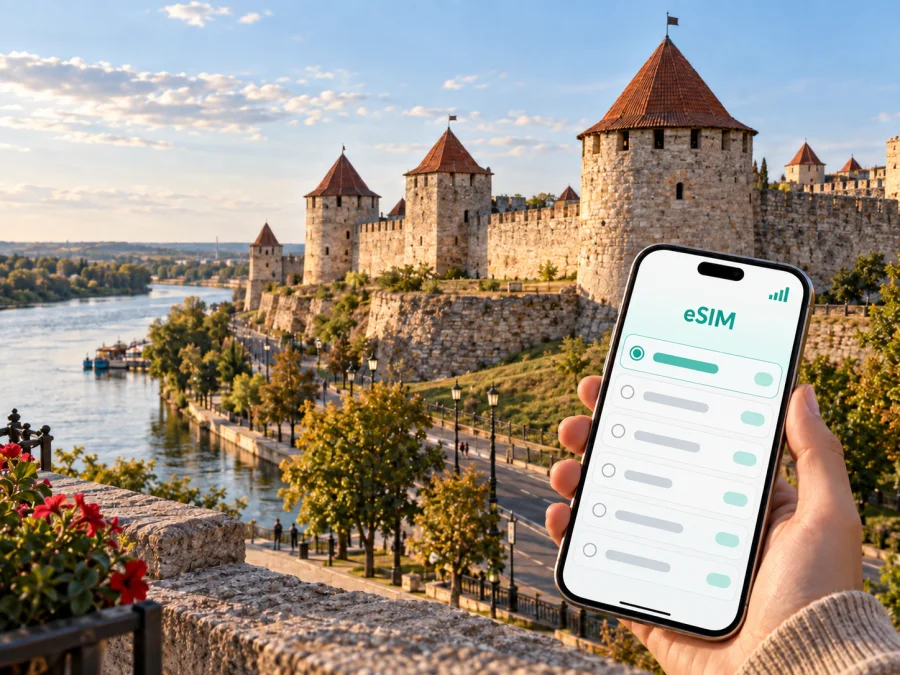
Bender eSIM: mobile connection and internet for a trip to Moldova
Bender is a compact city on the Dniester with a distinctive historical character. It is also known by the name Tighina, and its best-known landmark is the fortress above the river. A visit may be a short stop from Chișinău or part of a longer regional route. Mobile internet helps with transfers, maps, accommodation messages, translations and meeting arrangements without relying on public Wi‑Fi.
An eSIM, or digital SIM, is useful when you want a separate mobile-data profile for travel and do not want to remove your everyday physical SIM card. Kaspersky eSIM Store is an app and website that helps you choose, arrange and activate an eSIM with a suitable plan for mobile internet abroad. The available conditions depend on the selected destination and plan. This guide explains how to prepare for Bender, how to think about data use in the city and which checks are worth completing before departure.
When an eSIM can help in Bender
The first minutes after arrival are often the least convenient time to solve a connectivity problem. An installed travel eSIM can help you contact a driver, find transport, message your accommodation or translate a notice without waiting for a shop or hotel network.
Arrival and the first transfer
Bender does not have an international airport. Many visitors arrange the trip through Chișinău and continue overland, so the journey is made up of several stages rather than one door-to-door transfer. Keep the address of your accommodation, a contact number and a simple plan for the next leg available on your phone. With mobile data, you can check the location of the station or meeting point, share your position in a messenger and adjust your route if a connection is delayed.
Because Bender is in a politically sensitive area, entry procedures, checkpoints, transport arrangements and local rules may not be the same as in other Moldovan cities. Check current requirements before leaving and keep your identity documents with you. Save essential details offline, but retain mobile internet for updates close to departure.
Navigation between the centre, the river and the fortress
Bender is manageable on foot in compact areas, but the fortress area, central streets, riverfront and transport hubs are not one single zone. A working map helps you estimate walking time, share a meeting place and avoid losing time on orientation.
Mobile data is especially practical when you combine walking with a local taxi, minibus or intercity transport. Instead of repeatedly asking for directions, you can show the destination in the local script or send the exact location to a driver. Downloaded maps are still worthwhile because battery, signal and local app availability can vary. An eSIM is a complement to that preparation, not a replacement for it.
Fortress visits and riverside walks
The Bender Fortress is the city’s signature sight: a large historic complex with walls, towers and views towards the Dniester. The riverside and central streets make natural additions to the visit. A phone is useful for maps, booking messages, translations and coordinating with a companion; carry a power bank because Wi‑Fi and charging points are not guaranteed at every stop.
Work, study and a short business visit
A business traveller may only need Bender for a meeting, site visit or stop between larger cities. A connection helps with email, calendar changes, two-factor authentication, documents and an occasional call. Select a plan based on expected work: messaging and maps use less data than video meetings and cloud files.
If you work from a hotel or café, ask about the network and keep sensitive work to a connection you trust. A travel eSIM can reduce dependence on public Wi‑Fi, but it does not remove the need for ordinary account security. Lock your phone, use strong passwords and keep a backup copy of important documents in a secure place.
Planning mobile internet around a Bender itinerary
The right amount of data depends on the shape of your stay rather than on the city name alone. A one-day fortress visit, a week of remote work and a multi-city route need different allowances. Start with your itinerary and the actions that must work while you are away from a reliable Wi‑Fi network.
| Travel pattern in Bender | Typical mobile-data tasks | Planning focus |
|---|---|---|
| Short stopover | Maps, messages, taxi coordination and confirmations | A modest plan may be enough if photos and video stay on Wi‑Fi |
| Weekend city visit | Navigation, translations, bookings, social messages and photo uploads | Allow extra data for two active days outside the hotel |
| Work visit | Email, cloud documents, authentication and occasional calls | Estimate file and video use before choosing the plan |
| Bender plus nearby cities | Route changes, transport searches and communication on travel days | Count the entire route, not just nights in Bender |
A useful rule is to separate essential and optional use. Essential use includes navigation, messages, confirmations and emergency communication. Optional use includes automatic photo backup, high-resolution video, social feeds and streaming. Disable automatic updates and cloud synchronisation over the travel eSIM if your device offers those controls. You can turn them on later when you have a suitable Wi‑Fi connection.
Choose by destination, duration and traffic
First confirm that the plan’s coverage area matches the actual journey. For a Bender trip, that usually means checking the Moldova destination and then considering whether your route includes additional countries or regions. Do not assume that a plan for one destination automatically covers every border crossing or the whole itinerary.
Next estimate the number of days. Read the validity period and activation conditions carefully: the exact start rule is shown with the chosen offer, and a plan that expires before your return may be inconvenient.
Finally, choose traffic according to your routine. Maps, messaging and searches use less than a laptop hotspot or frequent video calls. Tethering may be limited by the device, plan or network, so review the conditions before relying on it.
When your route, dates and traffic are clear, you can review eSIM plans for Moldova and compare the destination conditions. Keep the choice tied to the Bender itinerary.
Preparing before you leave
An eSIM is easiest to use when the preparation is done before the journey becomes busy. Complete the checks while you still have dependable internet access and time to read the instructions.
A practical pre-trip checklist
- Confirm that your phone supports eSIM and is not locked to another operator. Check your device compatibility before selecting a plan.
- Check that the destination and validity period fit your Bender itinerary.
- Make sure your phone has enough battery and storage for installation.
- Sign in to the Kaspersky eSIM Store app or website and save the QR code or installation details.
- Keep your primary number active if you need calls or SMS for verification.
- Download essential addresses, reservations and a map area for offline reference.
- Note the support route shown with your purchase.
An eSIM plan is intended for mobile internet unless the particular conditions say otherwise. It normally does not replace your usual phone number, voice service or SMS. Keep your everyday SIM available for calls and messages if you need it, and set the travel eSIM as the line for mobile data only after installation.
How to install an eSIM before or after arriving in Bender
You can prepare the profile before departure or install it after arrival, depending on the plan conditions and your preference. Installing before you travel is convenient because you can solve compatibility or account issues at home. If the plan starts only when it connects to a supported network, you may be able to install it in advance and activate data later; confirm the exact terms shown at purchase.
Android
- Connect the phone to reliable Wi‑Fi.
- Open Settings and go to the mobile network or SIM manager section.
- Select the option to add an eSIM or download a SIM.
- Scan the QR code from your Kaspersky eSIM Store profile or purchase message.
- Give the new profile a clear name, such as “Bender travel data”.
- Choose the eSIM as the line for mobile data when you are ready to use it.
- Enable data roaming for the eSIM only if the plan instructions require it.
For device-specific details, follow the Android eSIM installation instructions. Menus vary between manufacturers and Android versions; do not delete the profile while troubleshooting unless the instructions or support tell you to do so.
iPhone
- Connect your iPhone to Wi‑Fi.
- Open Settings, select Mobile Service or Cellular, and choose Add eSIM.
- Use the camera to scan the QR code, or follow the available transfer or activation option.
- Label the new line so you can identify it during the trip.
- Select the travel line for mobile data and decide whether to allow data switching.
- Turn on data roaming for the travel line only when the plan conditions call for it.
The iOS eSIM installation instructions provide the sequence for supported iPhone versions. Test the profile on Wi‑Fi and confirm that your primary line remains configured as intended.
Using your phone in Bender without wasting data
The most useful setup is usually simple: the primary SIM handles calls and SMS, while the travel eSIM handles mobile data. Before leaving the hotel, check the active data line, roaming setting and whether automatic switching between lines is enabled.
Maps and navigation
Search for the fortress, accommodation and transport points on Wi‑Fi, then save important areas for offline use if the map app supports it. Keep mobile data for live changes, route recalculation and sharing your location.
Transport and meeting points
Transport information may be easier to find in a local app, on a station display or by asking staff. Compare the departure point with your saved address and send a specific landmark to a driver.
When travelling onwards to Tiraspol, Chișinău or another destination, check the next leg before leaving Bender. Schedules and checkpoint arrangements can change, so keep local cash and an offline note with your accommodation details as a backup.
Photos, messaging and battery
Turn off automatic media downloads in group chats and upload selected photographs instead of synchronising the whole camera roll. Use battery saver on long walks and carry a charger or power bank.
Common scenarios
A one-day visit from Chișinău
Install the profile before setting out, save the fortress and return points, and check the next connection before leaving Bender. Do not rely on a single old departure time; leave a margin for delays.
A weekend in Bender
Plan a route for the fortress and central streets, keep accommodation details on the phone and use Wi‑Fi for a full photo backup. Mobile data can then cover maps, messages and selected uploads.
A business meeting
Verify the address, contact person and arrival point. Download documents and test two-factor authentication before the meeting; reserve mobile data for navigation and essential work.
A longer regional route
List every city and crossing in advance. Confirm that the destination plan covers the whole route, then check the active data line after each major travel leg.
What to check if the eSIM is not connecting
Confirm that the profile is enabled, the travel line is selected for data and the phone is not in airplane mode. Check the destination, validity and activation conditions; do not delete and reinstall the profile repeatedly. If the issue remains, contact support with the device model, location and steps already tried.
Frequently asked questions
Is eSIM useful for a short visit to Bender?
Yes. Even a short visit involves navigation, transport coordination and messages, so preparing the profile in advance removes one task after arrival.
Can I keep my normal number?
Usually, yes, if your device supports dual SIM operation. Keep the primary line for calls and SMS, select the travel eSIM for data and check that the primary line cannot use roaming data accidentally.
Will the eSIM include calls and SMS?
Not necessarily. Voice calls and SMS are not included unless the selected plan explicitly says so. Use messaging and calling apps over data or keep your normal number active.
Should I install the eSIM before leaving?
That is often convenient if the plan allows it. Complete setup on reliable Wi‑Fi, check that the profile appears and follow the activation rule so validity does not begin earlier than intended.
Do I need to enable data roaming?
Some travel eSIMs require data roaming for that profile. Follow the plan instructions and apply the setting only to the travel line.
Can I use the eSIM for a laptop?
The eSIM is normally installed on a compatible phone, which may share its connection through a hotspot. Confirm tethering in the device and plan conditions first.
A calm final preparation for Bender
Check the device, choose a plan for the full route, install over Wi‑Fi, save key details offline and confirm the active data line. Review traffic, validity and destination conditions, then use Kaspersky eSIM Store to choose an eSIM plan for a trip to Bender. The app or website helps you prepare the digital SIM; the selected plan determines activation and use.


