Travel connectivity guide
Benin City eSIM: Mobile Internet for Nigeria
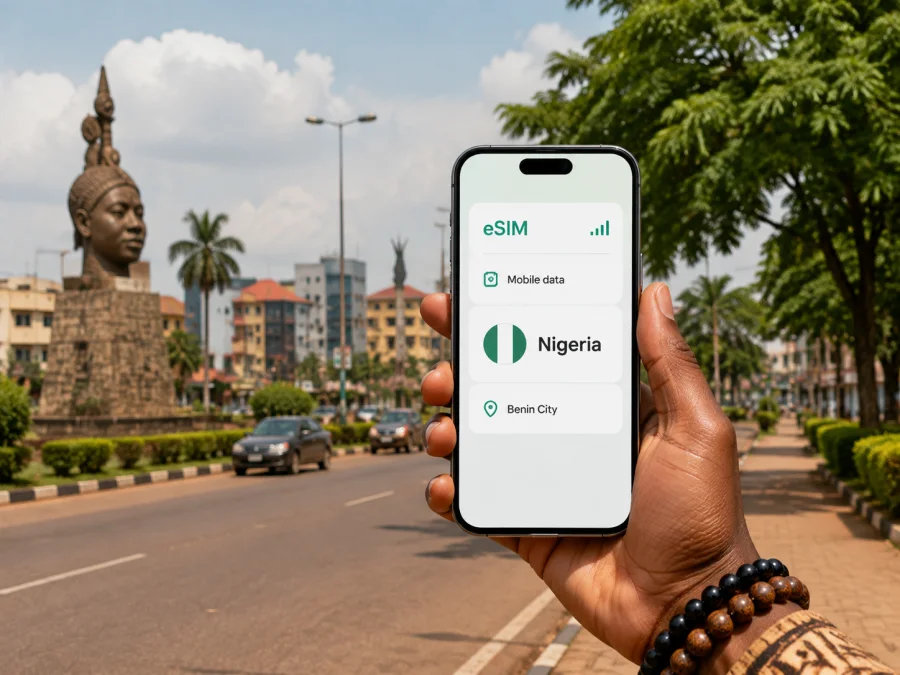
Benin City eSIM: mobile connection and internet for your Nigeria trip
Arriving in Benin City is easier when the first practical details are already under control. You may need a map before leaving the airport, a message for a driver, the address of a hotel, or a quick route to a meeting. An eSIM, or digital SIM, can help you use mobile internet in Nigeria without changing the physical SIM card in your phone. It suits short visits, stopovers, business trips, and longer stays.
Kaspersky eSIM Store is an app and website where you can choose, arrange, and activate an eSIM with a suitable prepaid data plan for an international trip. You can review the destination, data allowance, validity period, and price before selecting an option. The eSIM is intended for mobile data; it does not automatically give you a regular phone number, voice calls, or SMS unless the conditions of the selected plan say otherwise. Calls and messages through internet services can work when your data connection and the relevant app are available.
Why mobile data matters in Benin City
Benin City is the capital of Edo State in southern Nigeria. The city combines cultural sites, business travel, hotels, markets, and roads into Edo State. These settings create different connection needs during the same visit. A traveller may use a little data for a ride from the airport, more for navigation across the city, and a steady connection for work or communication at the hotel.
The most useful advantage of preparing an eSIM is continuity between separate parts of the journey. You can use data to:
- send your accommodation details to a driver or travel companion;
- open a map while leaving Benin Airport;
- check a route when moving between the airport, a hotel, a meeting, and the city centre;
- contact a hotel, restaurant, guide, or colleague through an internet messenger;
- confirm a reservation or receive an online travel update;
- use work mail, cloud documents, or a video call when the selected plan and local network conditions allow it;
- share your location with someone expecting you;
- look up a nearby pharmacy, shop, or service without waiting for public Wi-Fi.
Signal quality can vary with the building, congestion, weather, local infrastructure, and network used by the selected plan. Keep important addresses, bookings, and meeting instructions available offline as a backup.
The Federal Airports Authority of Nigeria identifies the airport as Benin Airport, serving Benin City, with the IATA code BNI. For your own itinerary, follow the airport and airline information attached to your booking, because arrival arrangements and transport availability can change. A mobile connection is particularly useful here for confirming the pickup point, sharing an arrival message, and opening directions to the first stop.
Getting around the city with a reliable data routine
Benin City is spread across a network of busy roads and neighbourhoods rather than one compact visitor zone. A map application can help you understand the order of your stops, but the suggested travel time is not a promise. Traffic, road works, rain, time of day, and the number of errands can change a journey. Plan a little space between appointments and confirm the final destination with your driver or host.
Common travel situations include taxis, tricycles known locally as keke, private cars, and arranged transfers. The appropriate choice depends on the road, time, luggage, weather, and advice from someone who knows the current conditions. Use data to compare the route shown on your map with the route suggested by a local contact, and make sure the vehicle and meeting point are clear before you set off. If you are carrying luggage from the airport, arrange the practical details in advance instead of relying on a last-minute search.
For city navigation, use the following routine:
- Enter the full name of the destination, not only a neighbourhood or landmark.
- Check that the pin is in Benin City and matches the address supplied by your hotel, host, or organiser.
- Compare the map with a street description or a nearby recognisable point.
- Send the expected arrival time only after allowing for changing road conditions.
- Recheck the route when you leave one stop, especially if your next destination is on the other side of the city.
- Keep the phone charged and carry a power bank on a full day of movement.
Districts, landmarks, and practical city zones
You do not need to turn a short visit into a full tour to benefit from a city-specific connection plan. The main question is where your time will actually be spent and how often you will move between stops.
| City situation | What you may need mobile data for | Useful preparation |
|---|---|---|
| Arrival near Benin Airport | Pickup messages, the first route, accommodation details | Save the address and contact before departure |
| Central cultural visit | Map pins, opening-time checks, messages, and directions between sites | Keep landmark names and a walking or vehicle plan together |
| Hotel-based workday | Email, documents, messaging, and a call | Check the room’s Wi-Fi as a backup and monitor data use |
| Several appointments | Route changes, arrival updates, and calendar details | Group stops by area where possible |
| Road trip beyond the city | Navigation and communication along the wider itinerary | Confirm that the selected plan covers the whole route |
Benin City’s cultural identity is visible in places such as the National Museum, the Oba Palace, and Igun Street, which is associated with traditional bronze casting. The Great Benin Moat and the Emotan Statue are also named among the city’s points of interest. Visit arrangements, access, photography rules, and opening conditions should be confirmed locally rather than assumed. Mobile data helps with that last-minute check, but it is wise to keep a flexible plan if a site or meeting changes.
How to choose an eSIM plan for Benin City
Kaspersky eSIM Store helps you choose a plan for the destination shown in the store. For a stay in Benin City, start with Nigeria and match the plan to the complete route. If you will leave Edo State or combine Nigeria with another country, check whether a regional plan is appropriate and read its coverage description before payment.
The decision can be made with three questions:
- How long will you need data? Include arrival and departure days, and read when validity begins. These are separate details under some plan conditions.
- What will you do online? Maps and messaging use less data than frequent calls, hotspot use, large uploads, or streaming. Estimate your routine before choosing a data allowance.
- Will you move beyond Benin City? Compare every Nigerian destination or cross-border leg with the plan’s geographical scope. Do not assume that one destination label covers a longer route.
When you are ready, you can choose a Nigeria eSIM plan for your trip to Benin City. Review the displayed data volume, duration, destination, price, activation terms, and any fair-use or sharing conditions before confirming the selection.
Install and activate your eSIM
Installation is easiest with a compatible, unlocked device and a way to access the activation details while changing settings. Menu names vary by model and operating system. You may receive a QR code or an in-app flow; follow the instructions shown for your purchase.
Before you leave
- Check whether your device supports eSIM and confirm that it is not locked to a mobile operator.
- Update the operating system if an update is already offered and your schedule allows it.
- Make sure the phone has enough battery and access to Wi-Fi or another data source during installation.
- Keep the purchase confirmation and QR code accessible; some installation flows require an interactive step.
- Decide which line should handle calls and SMS and which line should handle mobile data.
- Read when the plan starts using data and when its validity period begins; these conditions depend on the selected plan.
For device-specific steps, use the Android installation instructions or the iOS installation instructions. Install the profile before departure if you have a stable connection and the plan conditions make that appropriate. In other cases, complete the installation after landing, while keeping Wi-Fi available for the setup stage.
After installation
- Open mobile-network settings and confirm that the new eSIM profile appears.
- Label it clearly, select it for mobile data, and turn off automatic data switching if needed.
- Enable data roaming for the eSIM only if the plan instructions require it; the wrong line can create charges.
- Test a simple web page or message. If service does not appear, check the plan instructions, signal, data line, and network settings before reinstalling anything.
Activation can take several minutes and depends on the device, the installation method, and the local network. Do not delete an eSIM profile to troubleshoot unless the instructions or support team tell you to do so. An activated profile may not be transferable to another device under the conditions of that profile.
Practical setups for common Benin City trips
- Short stopover: save your airport, booking, and onward-transport details offline; use data for the pickup message and the next route. Match the plan’s validity to the time you will actually spend in Nigeria.
- Business visit: keep the venue, hotel, contact names, and meeting times in one note. If you need a hotspot for a laptop, check that the plan permits it and allow for the additional data use.
- Cultural weekend: confirm access arrangements locally before visiting the National Museum, Oba Palace, Igun Street, Emotan Statue, or Great Benin Moat. Use data to coordinate transport and share a meeting point.
- Longer itinerary: list every Nigerian city on the route and compare it with the plan’s stated coverage. A city label is not a substitute for checking the complete geographical scope.
Benin City eSIM checklist
Use this short list before departure:
- [ ] Benin City and every additional destination are written into the itinerary.
- [ ] The Nigeria plan’s destination, validity period, data allowance, price, and activation conditions are understood.
- [ ] Device eSIM support and operator-unlocked status are confirmed.
- [ ] The QR code or in-app installation details are available.
- [ ] The hotel and airport transfer addresses are saved offline.
- [ ] Mobile data is assigned to the travel eSIM, while the regular line is configured intentionally.
- [ ] Data roaming is enabled only where the travel-plan instructions require it.
- [ ] A power bank and a second way to access essential travel details are ready.
Frequently asked questions
Is an eSIM useful if I am staying only in Benin City?
It can be useful when your priority is mobile data for arrival, maps, messages, bookings, or work. Choose a plan whose destination and conditions match Nigeria and the length of your stay. The city name helps you plan the journey, while the plan’s actual coverage terms determine whether it fits.
Can I keep my usual SIM active?
Many dual-SIM phones let you keep a physical SIM active while selecting an eSIM for mobile data, but the available options depend on the device. Check which line handles data, whether automatic data switching is enabled, and whether your regular operator charges for roaming calls or data.
Will the eSIM give me a Nigerian phone number?
Not automatically. A travel eSIM plan is generally intended for mobile internet. Voice calls and SMS are included only when the conditions of the selected plan explicitly say so. Internet messengers can be used for calls or messages when the relevant account and data connection are available.
Should I install the eSIM before flying to Benin City?
Installing before departure can be convenient when you have a stable internet connection and enough time to read the instructions. Some plans have specific activation rules, so check when validity begins before completing the setup. If you prefer to wait, arrange access to Wi-Fi or another connection after arrival.
Can I use the plan outside Benin City?
That depends on the plan’s stated destination or regional coverage. If your itinerary includes other Nigerian cities or a cross-border leg, compare the full route with the displayed conditions before paying. Do not rely on the city label alone.
What if I need help after landing?
First check device compatibility, the selected data line, signal, and the plan’s installation instructions. If the issue continues, contact support with concise details about your phone, eSIM status, and the setting where the problem occurs. Keeping your purchase information accessible will make the conversation easier.
Prepare your Benin City connection before departure
The most useful eSIM setup is a small part of a broader arrival plan: a confirmed address, a practical transfer arrangement, a charged phone, and clear knowledge of which line will use mobile data. Kaspersky eSIM Store helps you choose and activate an eSIM plan for an international trip, while the selected plan’s conditions explain its data, validity, destination, and limitations.
When the details match your itinerary, you can arrive in Benin City ready to message your host, check the route from Benin Airport, move between appointments, and stay in touch while visiting the city. Prepare your Nigeria eSIM plan for a trip to Benin City and complete the compatibility and installation checks before you travel.


