Travel connectivity guide
Bentota eSIM: Mobile Internet & Connection Guide
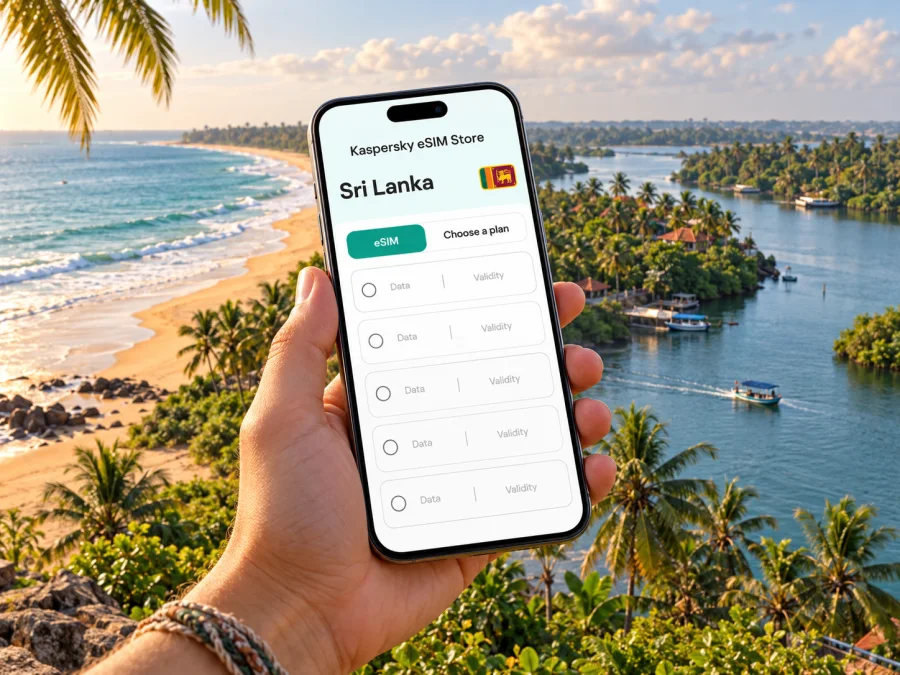
Bentota eSIM for mobile connection and internet on the coast
Bentota is a coastal destination where a phone helps with station directions, driver messages, river-excursion meeting points and train checks. An eSIM can provide mobile data without replacing your physical SIM if your device supports it and the plan includes Sri Lanka.
This guide covers travel around Bentota and nearby Aluthgama, plus eSIM preparation for a beach stay. Bentota sits on Sri Lanka’s south-west coast by the Bentota River estuary. Reception and data performance vary with network, location, building, weather, device and plan; do not assume every spot has service.
What to expect in Bentota
Bentota’s visitor services are spread along the coast, near the railway station and across the river toward Aluthgama. A map pin may not mark your accommodation entrance, so confirm the exact location and final transfer. Reception can differ between the main road, resort, beach and river. Save your address, booking details and a map area offline. Bentota’s ocean-facing beach and Bentota River estuary support different outings; for an excursion, confirm which bank or nearby landmark the operator means.
Arriving and reaching your stay
Many international visitors enter Sri Lanka through Bandaranaike International Airport at Katunayake, north of Colombo. Reaching Bentota takes a road journey; options include an airport taxi, a pre-arranged transfer or public transport connections. Choose around your arrival time, luggage and comfort with transfers, and check services on the day. If booking a driver, send the accommodation name and exact map pin in advance and keep contact details offline. Use official airport transport counters or a provider you have verified.
A train journey requires reaching a railway station; there is no direct rail connection from the international terminal to Bentota. Sri Lanka Railways lists Bentota on the Coastal Line, along the route from Colombo Fort toward stations farther south. Check the live timetable, stops, tickets and service notices before relying on a train, especially with bulky luggage or a late arrival. Confirm whether the accommodation is walkable from Bentota station or needs a tuk-tuk, taxi or hotel transfer. Keep the address available offline. A data-only eSIM may not include a Sri Lankan voice number, so retain another way to contact your driver.
Moving around between beach, river and town
Use mobile data as a navigation aid, then add local confirmation where addresses are informal or entrances are set back from the road. Save the map pin for your hotel, station, beach access point and any excursion meeting place. When you book a boat trip, ask the operator for the exact meeting point, expected duration, what to bring and the plan if weather changes. Do not rely on a map app to decide whether a river crossing or beach route is safe or open.
| Trip in and around Bentota | What your phone can help with | A useful backup |
|---|---|---|
| Station to accommodation | Map the route and message your host | Save the address and property phone number in advance |
| Hotel to beach | Find an access point and check walking directions | Ask the hotel which entrance is suitable |
| Bentota to Aluthgama | Check the route and coordinate a short ride | Agree a pickup point that both parties can identify |
| River excursion | Open the meeting pin and contact the operator | Save the booking message and confirm the bank or jetty |
| Day trip farther south | Check rail or road options and keep plans together | Verify the latest departure time before setting out |
Distances shown in a map app are estimates, not a promise of travel time. Traffic, roadworks, rain, local driving conditions and the exact start point can all change the journey. For short local trips, a saved destination and a brief message to your host may be more useful than continuously refreshing navigation.
Choosing mobile internet for a Bentota visit
A city page is not a separate network footprint: a travel eSIM plan is usually selected for the country or a broader region. For Bentota, check that the plan’s destination list explicitly includes Sri Lanka. Read the conditions shown for that particular plan, including data allowance, validity, activation timing, supported network or networks if displayed, hotspot use, speed or fair-use terms, and top-up rules. A regional plan may include Sri Lanka, but do not infer that from the region name alone.
If you are comparing a travel eSIM with roaming from your home carrier or a local SIM, compare the actual terms rather than relying on a general rule. Consider how many days you will be in Sri Lanka, whether you will also travel elsewhere, how much data you expect to use, and whether you need calls or SMS. An eSIM intended for mobile data does not automatically provide a standard phone number or voice service. Keep your usual number active if you need verification texts or conventional calls, and check your home carrier’s roaming charges before departure.
Kaspersky eSIM Store is an app and website where you can choose, arrange and activate an eSIM with a suitable plan for mobile internet on an international trip. It does not operate Sri Lankan mobile networks or guarantee service in every part of Bentota. Before checkout, review the plan details displayed for Sri Lanka and select according to your route and expected use. You can browse the current eSIM options for Sri Lanka and compare the terms shown there.
Estimate the data you will use
There is no single allowance that suits every visitor. Maps, messaging and email usually need less data than video calls, streaming, photo backups or hotspot use. If you work remotely, test the connection where you will work and keep a backup for important calls.
- Light use: maps, messages, email and bookings; use Wi-Fi for large downloads.
- Regular use: add frequent social media, photos and audio; allow for background updates.
- Heavy use: video meetings, streaming, large uploads or hotspot use; check the plan’s specific conditions.
Turn off automatic photo backup and app updates over mobile data, download maps over Wi-Fi and monitor usage in your phone settings. A data allowance does not guarantee a particular speed; actual performance depends on the local network and offer.
Check your phone before you choose
An eSIM requires a compatible, carrier-unlocked device. Support depends on the exact model and sometimes the regional variant; two phones with the same retail name may not have identical eSIM capability. Check the manufacturer’s specifications for your exact model number and confirm that the device is not locked to a home carrier. If the phone was bought through an operator or in a different market, ask that operator whether eSIM installation and use abroad are enabled. Check your device’s eSIM compatibility before purchasing.
Also consider whether you need to keep a physical SIM active. Many phones can store more than one SIM profile, but the number of active lines and the available settings vary by model. Confirm which line will handle mobile data, whether your regular line can remain available for calls or texts, and how to avoid accidental roaming charges on that line. A second eSIM profile does not necessarily mean two lines can use data simultaneously.
Install and activate with care
Install over dependable Wi-Fi with enough battery. Follow the plan instructions because menu names differ between Android and iPhone. Keep the QR code or activation details on another screen or in print if needed. Do not delete a profile during troubleshooting; some cannot be reinstalled, so check the plan instructions or support first.
- Confirm that the plan is for Sri Lanka and note when its validity starts.
- Connect to Wi-Fi, open your device’s mobile-network settings and add the eSIM using the method provided.
- Label the line clearly, for example “Sri Lanka data,” so it is easy to identify while travelling.
- Choose the eSIM for mobile data when you are ready to use it. Keep the home line’s data roaming setting under control.
- If the plan requires data roaming on its eSIM line, enable it only for that line and follow the plan’s directions.
- Allow time for registration after arrival. If it does not connect, check that the correct line is enabled, airplane mode is off, the plan is active and the selected network setting follows the instructions.
For device-specific steps, use the Android eSIM installation guide or the iOS eSIM installation guide. The plan’s own setup instructions take precedence where they specify a different activation sequence. Some plans start their validity at purchase, installation or first network connection; confirm the stated trigger before installing too early.
Short stays, work trips and onward travel
For a short stop, choose validity for the actual days of use, including arrival and departure. If you continue to Colombo, Galle or elsewhere, check the Sri Lanka destination terms rather than looking for a Bentota-only tariff. For work, ask the property about Wi-Fi and avoid relying on an untested connection for a critical call. Keep addresses, station details, bookings and driver contacts in one offline note. A regional plan suits cross-border travel only when each destination is listed.
Troubleshooting in Bentota
If mobile data does not work after setup, move through checks in a calm order rather than deleting the eSIM immediately:
- Confirm that you have arrived in Sri Lanka and that the plan’s validity has begun.
- Check that the eSIM line is switched on and selected for mobile data.
- Follow the plan instructions for data roaming, network selection and any required access-point settings.
- Toggle airplane mode once or restart the device, then wait for network registration.
- Move outdoors or to a different spot if you are inside a thick-walled building or in a low-signal area.
- Review the plan’s remaining data and validity in the app or account where it was arranged.
- Contact the plan’s support channel if the settings match the instructions but service remains unavailable.
A local outage, device limitation or coverage gap can still prevent service. Keep accommodation details and itinerary offline. If the eSIM is data-only, contact support over Wi-Fi or messaging rather than expecting a voice call from that line.
A pre-trip checklist
- [ ] Confirm your phone’s exact model and regional variant support eSIM; check that it is unlocked.
- [ ] Confirm the selected plan explicitly includes Sri Lanka and read its activation, validity and network terms.
- [ ] Decide whether your home SIM must remain available for calls or verification messages.
- [ ] Save your hotel address, driver details, booking confirmations and excursion meeting points offline.
- [ ] Install the eSIM over reliable Wi-Fi if the instructions recommend advance installation.
- [ ] Set the correct line for mobile data and review roaming settings for both lines.
- [ ] Download maps and useful files; carry a charger or power bank for long transfer days.
- [ ] Recheck rail or road schedules close to departure, since times and services can change.
Frequently asked questions
Does an eSIM for Bentota need a city-specific plan?
Usually, you should start by checking the country or regional destination shown by the plan. Bentota is within Sri Lanka, but a city name in a travel article does not prove that a plan covers a particular local network. Confirm Sri Lanka is included and review the plan’s terms before purchase.
Will mobile internet work everywhere on Bentota beach or the river?
No plan should be treated as a guarantee of uninterrupted service. Reception and usable data can vary by network, location, building, weather and device. Save important directions and confirmations offline, especially before a beach walk or boat trip.
Can I use an eSIM for calls to my driver?
A data-focused travel eSIM may not include a regular phone number, voice calls or SMS. Check the exact offer. You can use internet-based messaging when you have data, or keep another line available for conventional calls if your home carrier’s terms allow it.
Should I install the eSIM before travelling?
That depends on the plan’s activation rule. Some plans begin validity at purchase or installation; others start on first connection to a supported network. Read the specific instructions, install over dependable Wi-Fi when appropriate, and avoid activating earlier than needed if validity starts immediately.
Prepare your connection before the coast
Bentota is easier to navigate when your essentials do not depend on a single live map: keep addresses and excursion details offline, check onward transport close to departure and use mobile data for coordination when the plan and local network allow it. Before choosing, compare the Sri Lanka plan’s allowance, validity and conditions with your own route and data habits.
Use Kaspersky eSIM Store, the app and website for choosing, arranging and activating an eSIM with a suitable plan for an international trip. Explore the current options for Sri Lanka, review the terms displayed for your dates and device, and complete setup using the relevant instructions before you leave reliable Wi-Fi.


