
Travel connectivity guide
Bern eSIM for Mobile Internet in Switzerland
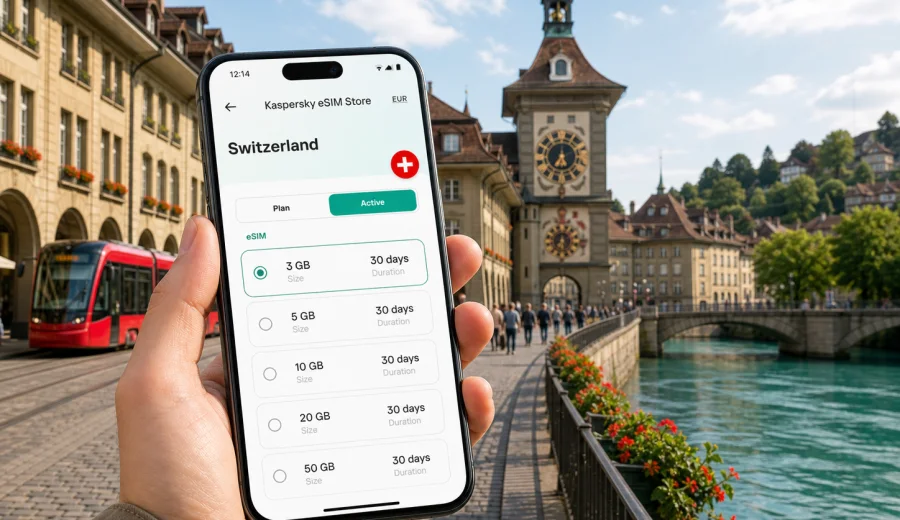
Bern eSIM: mobile connection and internet for your trip to Switzerland
Bern is a compact city, but it is not a place where you want to depend only on hotel Wi-Fi. The Old Town is built around arcades, bridges, tram stops, steep lanes, museums, business addresses, riverside paths, and train connections that can quickly take you to other parts of Switzerland. A reliable mobile connection helps you use maps, check transport platforms, manage bookings, message your hotel, and keep your travel plans under control from the moment you arrive.
An eSIM is especially useful in Bern because many trips are mixed: a few days in the capital, a meeting near the station, a walk along the Aare, a museum afternoon in Kirchenfeld, and then a train to Zurich, Interlaken, Basel, Lausanne, or the Alps. With a compatible phone, you can prepare mobile internet before departure and avoid looking for a physical SIM card after arrival.
This guide explains how to use an eSIM for Bern, what to consider before choosing a data plan, and how to plan mobile internet for different city scenarios: short stopovers, business trips, hotel stays, public transport, family travel, and day trips from Bern.
Why mobile internet matters in Bern
Bern is easy to enjoy on foot, but travel decisions often happen in small moments. You may need to check whether a tram is delayed, find the right exit at Bern railway station, confirm a hotel code, translate a restaurant menu, or see whether the next museum visit fits your schedule. Public Wi-Fi can help in some places, but it is not a complete travel plan.
Mobile internet is useful in Bern for:
- navigating the Old Town, bridges, fountains, arcades, and river paths;
- checking S-Bahn, tram, bus, and train connections in real time;
- using ride, taxi, hotel, airline, and booking apps;
- messaging family, colleagues, guides, or hosts;
- keeping access to email, calendars, and cloud documents;
- translating signs, menus, and short messages;
- sharing location during group travel;
- checking weather before walking near the Aare or going to Gurten;
- planning onward travel inside Switzerland.
Bern is not as large as Zurich or Geneva, but that can make mobile internet even more important. The city invites walking, and walking often means changing direction: one more bridge, one more viewpoint, one more tram stop, one more cafe under the arcades. A working data connection helps you move without stopping to search for Wi-Fi.
What an eSIM does for a Bern trip
An eSIM is a digital SIM profile that can be installed on a compatible smartphone or tablet. For travel, it is usually used for mobile data. You choose a destination and a suitable data plan, install the eSIM, and use it for internet access abroad according to the plan conditions.
For a Bern trip, an eSIM can help you:
1. Prepare before you leave home.
2. Keep your main physical SIM in the phone for calls or banking messages, if your device supports dual SIM use.
3. Use mobile data after arrival without visiting a local shop.
4. Control the data volume and validity period you choose.
5. Reduce dependence on hotel, cafe, station, or airport Wi-Fi.
An eSIM plan for mobile internet is not the same as a local phone contract. It may not include a Swiss phone number, standard voice calls, or SMS unless those services are clearly included in the chosen plan. For many travelers in Bern, that is acceptable because messaging, navigation, email, maps, and calls through internet-based apps are the main needs.
Arrival scenarios: how Bern travelers usually get online
Some visitors arrive directly in Bern, but many arrive through larger Swiss airports and continue by train. Your mobile internet plan should match the whole route, not only the final hotel address.
| Arrival route | Typical mobile internet need | Why an eSIM helps |
|---|---|---|
| Zurich Airport to Bern by train | 2 to 3 hours of maps, tickets, messaging, and platform checks | You can stay online before reaching the hotel |
| Geneva Airport to Bern by train | Longer transfer with possible changes or work time | Data helps with train updates and cloud access |
| Basel area to Bern | Regional travel, hotel check-in, route planning | You avoid searching for Wi-Fi at every stop |
| Direct arrival at Bern railway station | Immediate navigation to hotel or meeting | Maps and transport apps work as soon as you step outside |
| Road trip into Bern | Parking, traffic, hotel instructions, charging stops | Mobile data supports navigation and last-mile decisions |
If you activate your eSIM at the right time, you can use data during the transfer to Bern, not only after you reach the city. Check the plan rules before activation because validity may start when the eSIM connects to a supported network or when you activate it, depending on the tariff conditions.
Bern areas where mobile data is especially useful
Bern is organized around the Aare loop and the central railway station. Even when distances look short, the city has levels, bridges, slopes, arcades, and riverside paths that can make navigation less obvious on the first visit.
Old Town and Zytglogge. This is the classic walking area, with arcades, shops, cafes, fountains, and many small turns. Mobile maps help you move between Zytglogge, the Federal Palace, Bern Minster, Nydegg Bridge, and the BearPark without over-planning every step.
Bern railway station. The station is a key hub for local transport and trains across Switzerland. Data helps you check platform changes, buy or display tickets, message your hotel, and decide whether to walk or take a tram.
Kirchenfeld. This district is useful for museums, embassies, and business visits. Mobile internet helps with tram connections, walking routes, and calendar updates between appointments.
Matte and the Aare riverside. The riverside is atmospheric, but routes can involve stairs, slopes, and weather-dependent choices. Data helps you find safe walking directions and return routes.
Breitenrain, Lorraine, and residential neighborhoods. These areas are common for apartments, local restaurants, and longer stays. Mobile internet makes it easier to manage check-in instructions, grocery searches, and public transport routes.
Gurten. Bern's local hill is a popular short escape. Before going up, mobile data helps you check weather, route timing, and onward transport.
Choosing a data volume for Bern
The right data amount depends on your habits. Bern is not a city where you need constant streaming to enjoy the trip, but navigation, transport apps, video calls, and photo backup can use data quickly.
| Trip type | Practical data approach |
|---|---|
| One-day stopover | A small plan can cover maps, messaging, tickets, and light browsing |
| Weekend in Bern | Choose enough data for navigation, restaurant searches, photos, and transport checks |
| Business trip | Allow extra data for email, documents, video meetings, and hotspot use if permitted |
| Family trip | Plan more data if several people rely on one phone for maps and bookings |
| Bern plus Swiss day trips | Choose a plan that covers the full stay and travel days, not only city hours |
As a simple rule, navigation and messaging use modest data, while cloud backup, video streaming, social media uploads, and video calls use much more. If your hotel has stable Wi-Fi, you can reserve mobile data for movement around the city. If you work while traveling, choose a larger data plan and check whether tethering is allowed under the plan terms.
A practical eSIM setup checklist for Bern
Before you buy or activate any eSIM plan, check the basics. This prevents most travel connectivity problems.
- Confirm that your phone supports eSIM.
- Check that the phone is not locked to one mobile operator.
- Update the operating system before leaving.
- Keep your main SIM active if you need banking messages or calls.
- Save your hotel address and check-in instructions offline.
- Download an offline map of Bern as backup.
- Keep the QR code or installation details accessible.
- Read when the plan validity period starts.
- Check whether data roaming must be enabled for the eSIM profile.
- Know where to find support if installation does not work as expected.
If you are not sure whether your phone can use eSIM, check your device before choosing a plan. Compatibility depends on the exact device model, region, and operator lock status, so it is worth checking before payment.
Where Kaspersky eSIM Store fits into the trip
Kaspersky eSIM Store is an app and website where you can choose, arrange, and activate an eSIM with a suitable mobile internet plan for travel abroad. For Bern, that means you should choose a plan for Switzerland, because the city belongs to the Swiss destination area.
When you are comparing options, focus on the conditions that matter during a city trip:
- destination coverage for Switzerland;
- data amount;
- validity period;
- price;
- whether top-up is available;
- activation rules;
- whether tethering is allowed;
- installation steps for your device.
For a Bern itinerary, it is practical to choose a mobile internet plan for Switzerland before your trip so you can handle arrival, station navigation, hotel check-in, and first city movement without searching for a local SIM shop. The plan should match your actual route: Bern only, Bern plus airport transfer, or Bern plus other Swiss cities.
How to install an eSIM before visiting Bern
The exact installation flow depends on your phone and the eSIM details you receive, but the usual logic is straightforward: choose a plan, install the eSIM profile, set it for mobile data, and activate it according to the plan instructions. If you need device-specific steps, use the Android installation guide or the iOS installation guide.
A calm setup sequence looks like this:
1. Choose Switzerland as the destination.
2. Select a data amount and validity period for your Bern itinerary.
3. Install the eSIM while you have a stable internet connection.
4. Label the eSIM profile clearly, for example "Switzerland travel".
5. Keep your primary line for calls or messages if you need it.
6. Set the eSIM as the mobile data line when you are ready to use it.
7. Turn on data roaming for the eSIM if the instructions require it.
8. Test the connection after arrival or at the point recommended by the plan rules.
Do not delete the eSIM profile after installation unless you are sure you no longer need it. In many cases, an eSIM profile cannot simply be moved to another phone after activation.
Bern transport: where data saves time
Bern's public transport is efficient, but travelers still need timely information. A working data connection helps with route changes, ticket apps, platform information, and walking links between stops.
Common transport moments where mobile internet helps:
- finding the best tram or bus from Bern station to your hotel;
- checking whether walking is faster than waiting;
- seeing the last connection after dinner;
- navigating between railway platforms during onward travel;
- comparing a tram route with a taxi or ride option;
- opening a booking confirmation at the station;
- sharing a live location with a colleague or family member.
For visitors using Bern as a base, data is useful beyond the city. Trains can take you to Thun, Interlaken, Basel, Zurich, Lausanne, Lucerne, and other destinations. Even if the train has Wi-Fi, you should not rely on it as your only connection for tickets, work calls, or urgent messages.
Practical Bern scenarios
Different travelers use mobile data in different ways. A weekend visitor may need maps and restaurant searches, while a business traveler may need calendar updates, documents, and a backup connection between meetings. Families often need one reliable phone for bookings, route decisions, and messages with the hotel.
| Scenario | What mobile internet helps with |
|---|---|
| Business trip | Meeting routes, email, calendar changes, documents, and messages with local contacts |
| Hotel or apartment arrival | Door codes, reception messages, late check-in rules, and the route from the station |
| Short stopover | A walking loop from Bern station, return timing, platform checks, and quick cafe or museum decisions |
| Family visit | Shared location, booking details, translation, weather, and transport choices |
| Trips from Bern | Train updates and maps for Thun, Interlaken, Basel, Zurich, Lausanne, Lucerne, and airport return routes |
For all these cases, keep a few habits in place: download offline maps, pause photo backup on mobile data, update apps before departure, and use hotel Wi-Fi for streaming or large downloads. Avoid the common mistakes of choosing the wrong destination, deleting an activated eSIM profile, forgetting to set the eSIM as the mobile data line, or choosing a validity period that ends before your final travel day.
FAQ: eSIM and mobile internet in Bern
Do I need an eSIM if my hotel has Wi-Fi?
Hotel Wi-Fi is useful, but it does not help while you are arriving, walking, using transport, or taking day trips. An eSIM is mainly for the time between fixed Wi-Fi points.
Should I choose Bern or Switzerland when buying a plan?
For a city article and trip to Bern, choose the country destination that covers Switzerland. Bern is the city, but the plan destination is Switzerland.
Can I install an eSIM before I leave home?
Usually yes, if you have a compatible device and follow the instructions. Check when the validity period starts before you activate or connect the plan.
Will an eSIM give me a Swiss phone number?
Not necessarily. Many travel eSIM plans are for mobile data. Voice calls and SMS are included only if the selected plan clearly says so.
Is public Wi-Fi enough for Bern?
It may be enough for light use in hotels or cafes, but it is not reliable as your only connection for maps, tickets, messaging, or business tasks.
What should I do before buying?
Check device compatibility, destination coverage, data amount, validity period, activation rules, and whether your phone is operator-locked.
Final preparation before your Bern trip
Before you travel, decide how much you will use mobile data outside Wi-Fi. A light traveler may need maps, messaging, and ticket access. A business traveler may need email, documents, and backup hotspot use. A family may need one phone that reliably handles routes, bookings, and contact with the hotel.
For Bern, a good mobile internet plan should cover arrival, local movement, and any trips across Switzerland. Install the eSIM while you still have a stable connection, keep your main SIM available if you need it, and make sure the correct line is selected for mobile data.
When you are ready to prepare the connection, you can choose an eSIM plan for your trip to Bern and Switzerland through Kaspersky eSIM Store, then follow the installation steps for your device and travel with mobile internet ready for the city.